 English
Perkenalan
Sebuah kedai kopi memasang tanda di kasir: "Kirim KOPI ke 55555 untuk mendapatkan minuman gratis." Dalam seminggu, beberapa ratus orang telah mendaftar. Masing-masing meminta teks, jadi masing-masing dengan senang hati menerimanya. Tarif terbuka tinggi dan hampir tidak ada yang menjawab BERHENTI.
That is what a good SMS opt in does. It turns a stranger into a subscriber who wants to hear from you. A bad one does the opposite, and it can get your number blocked.
This guide explains what an opt-in is, the main ways to collect one and the wording to use. It also covers what to record and the mistakes to avoid. It is general information, not legal advice. The wording and record-keeping advice follows the CTIA Messaging Principles and Best Practices (May 2023).
Poin Penting
- An SMS opt-in is a person saying "yes, text me" before you send anything.
- Good opt-ins are clear. People should know who you are, what you will send and how often.
- You can collect them on a web form, with a keyword, at the till, by QR code or over the phone.
- Send a confirmation text straight after sign-up and include how to stop.
- Keep a record of when and how each person agreed. It is your proof.
- Never use a bought or rented list. Build your own.
What Is an SMS Opt In?
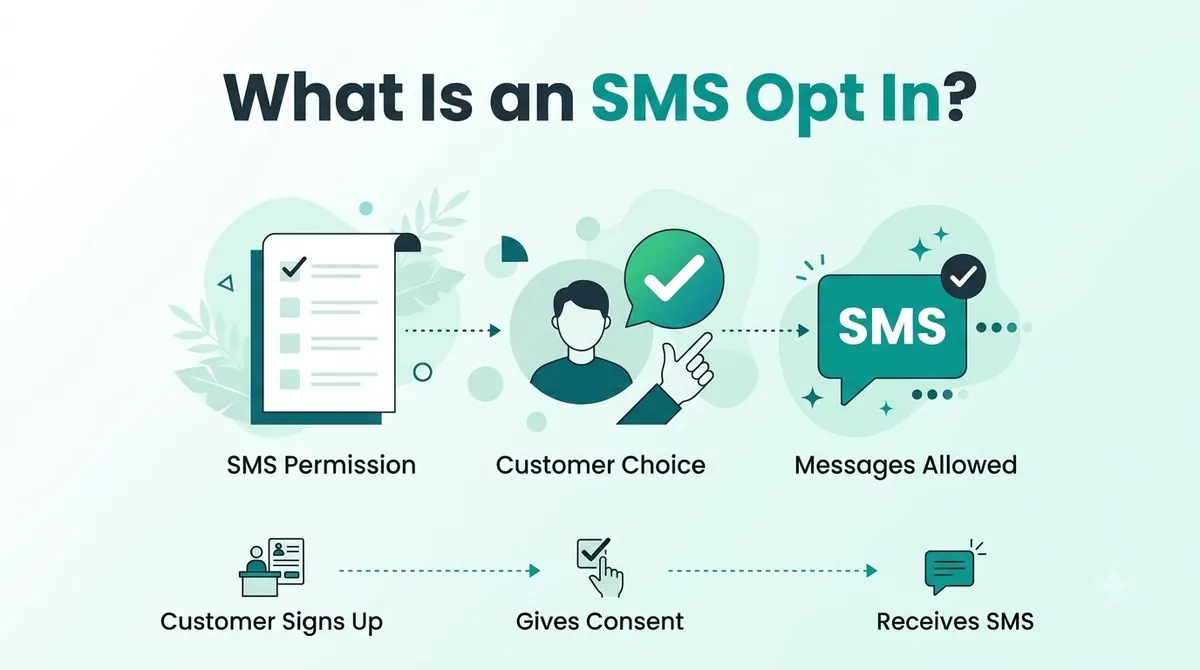
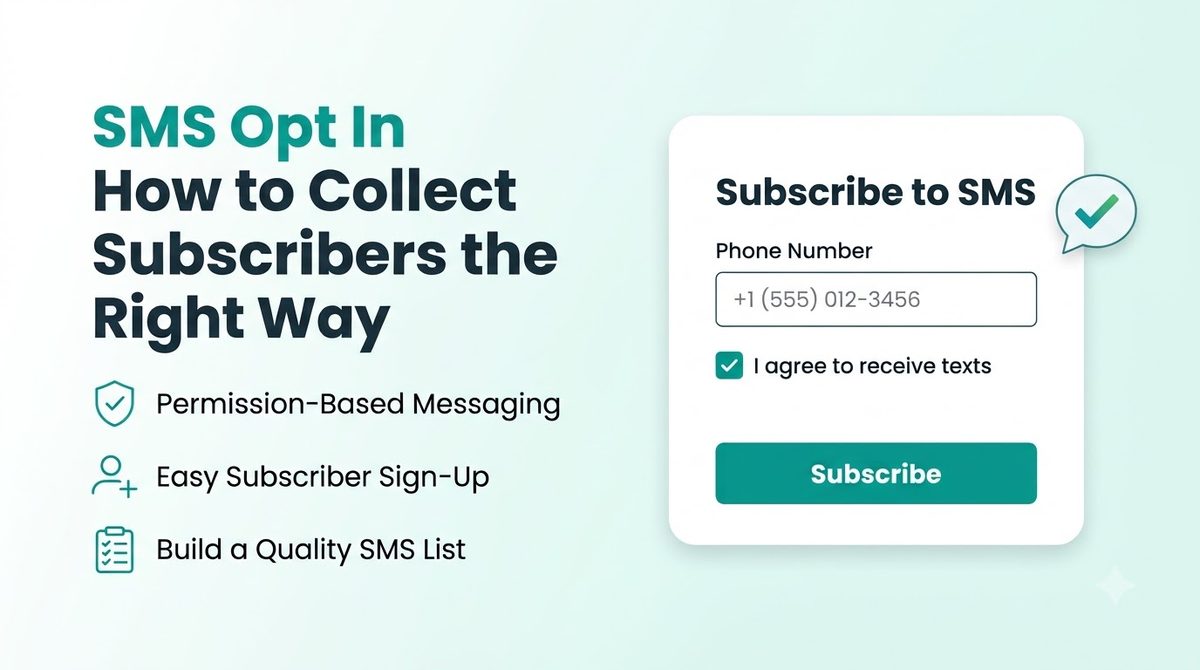
An SMS opt-in is the moment a customer agrees to get text messages from your business. It might be a ticked box on a form. It might be a text they send you. It might be a sign-up sheet at your shop.
The CTIA is the trade group for US mobile carriers. Its guidance says messages should be sent only after the person has opted in. It also says opt-in details should be clear and not hidden in terms and conditions.
This post is about the practical side: how to collect opt-ins people understand and that you can prove.
SMS Opt In Compliance: The Short Version
For marketing texts, US law sets a higher bar than a simple yes. You need prior express written consent, which means a clear, signed agreement that can be electronic. SMS marketing compliance has more detail than fits here, and we cover it in our Panduan kepatuhan TCPA.
Ways to Collect SMS Opt Ins
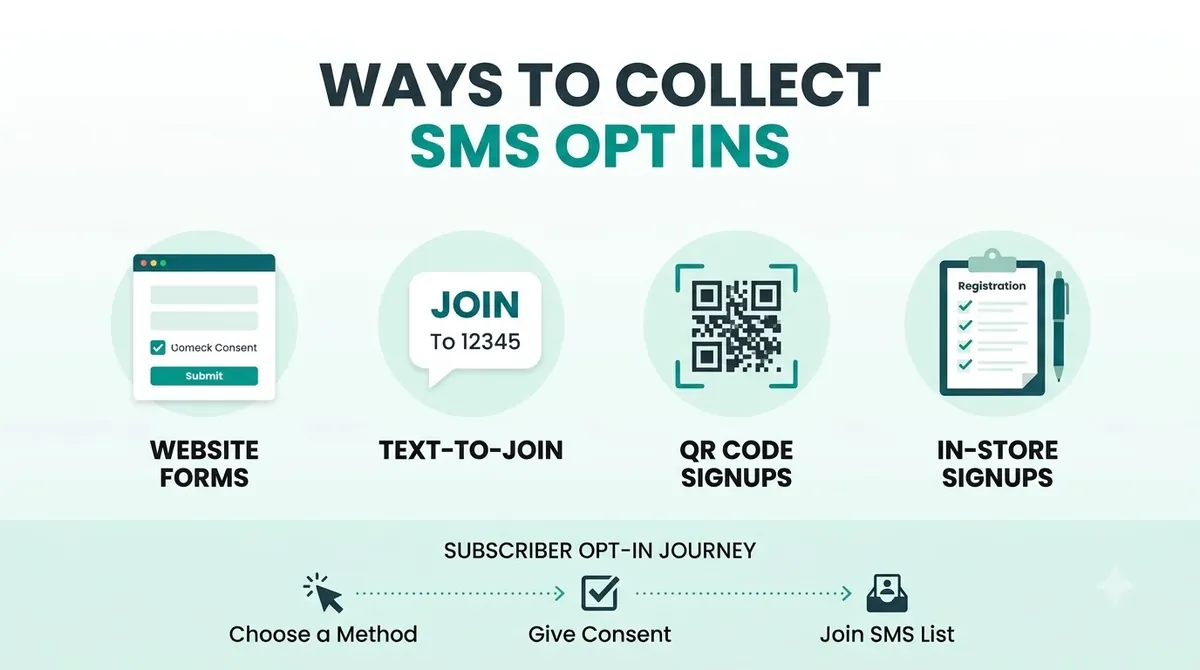
| Metode | Bagaimana cara kerjanya | Terbaik untuk |
|---|---|---|
| Web form | Customer types their number and ticks a consent box | Websites and landing pages |
| Checkbox at checkout | An unticked box next to the phone number field | Online shops |
| Keyword | Customer texts a word like JOIN to your number | Signs, receipts and social posts |
| kode QR | Scan opens a pre-filled text or a form | Packaging, flyers, store windows |
| In store | Sign-up sheet or tablet at the till | Shops, salons, restaurants |
| By phone | Customer agrees during a call or on a recorded menu | Support teams and clinics |
The CTIA lists several ways a person can show opt-in consent. They include entering a number on a website, clicking a button on a mobile page and sending a keyword. Signing up at a point of sale and agreeing over the phone count too. Pick the one that suits your customers. You can use more than one.
SMS Opt In Language: What to Say
Clear wording protects you and your customers. The CTIA Messaging Principles and Best Practices say a call-to-action should cover five things. People should know what the program is and which number the messages come from. They should know who you are, what the opt-in terms and any fees are, and how to opt out.
In plain terms, your SMS opt in language should cover:
- Your business name.
- What kind of texts people will get, such as offers or order updates.
- How often you expect to text.
- That message and data rates may apply.
- How to stop, usually by replying STOP.
- A link to your privacy policy and terms.
SMS Opt In Examples You Can Copy
Your SMS opt in form is the most common place to start, so the first example is for that.
Web form or checkbox (leave the box unticked):
“Yes, text me offers and updates from Your Business at this number. Up to 4 messages a month. Message and data rates may apply. Reply STOP to cancel or HELP for help. Consent is not a condition of purchase. See our Privacy Policy and Terms.”
Keyword sign-up on a sign or receipt:
“Text JOIN to 55555 to get offers from Your Business. Up to 4 msgs/month. Msg and data rates may apply. Reply STOP to cancel, HELP for help. Terms and Privacy at yourbusiness.com/sms.”
In store, on paper or a tablet:
“I agree to receive marketing texts from Your Business at the number above. Frequency varies. Message and data rates may apply. I can reply STOP at any time. Consent is not required to buy anything.”
Swap in your own name, number and message frequency. Marketing consent has extra legal requirements, so ask a lawyer to check the final wording.
Double Opt In SMS and the Welcome Text Message
A double opt-in means two steps. The person signs up, then replies YES to an SMS opt in text message to confirm. It stops people from adding a number that is not theirs and it gives you cleaner proof. The CTIA does not require it. It is a choice, and many businesses use it for exactly those reasons.
Whether or not you use double opt-in, send a welcome text message. For recurring messages, the CTIA says to send a confirmation before any other message. It should include:
- The program name or what the person signed up for.
- How to reach customer care, such as HELP.
- How to opt out.
- That the messages are recurring and how often they will arrive.
- Any fees and how they are billed.
A simple welcome text looks like this:
“Welcome to Your Business texts! Up to 4 msgs/month. Msg and data rates may apply. Reply HELP for help, STOP to cancel.”
Make the first text useful too, such as the promised discount code. People who get what you promised stay subscribed.
How to Get SMS Opt Ins: Step by Step
1. Choose Where People Will Sign Up
Start with the place your customers already are. A checkout box suits an online shop. A till sign suits a cafe. You do not need every method on day one.
2. Write the Offer and the Wording
Tell people what they get. "Get a welcome discount and early access to sales" beats "Sign up for updates". Then add the disclosures from the section above.
3. Do Not Pre-Tick the Box
The customer should take the action. A pre-ticked box makes the consent harder to defend and it annoys people.
4. Send the Confirmation Text
Send it right after sign-up and keep it short. Include your name, how often you will text, how to get help and how to stop.
5. Record Every SMS Consent
The CTIA suggests keeping the time of consent, the method used, the wording the person saw, the campaign, the IP address, the phone number and the name or user ID. A spreadsheet works to start. A platform that logs this for you is better.
6. Honor Opt Outs Fast
Add simple SMS opt out language like "Reply STOP to opt out" to your first message and to regular messages. Handle the reply straight away. See our post on two-way texting for how replies are handled.
SMS Opt In Best Practices and Common Mistakes
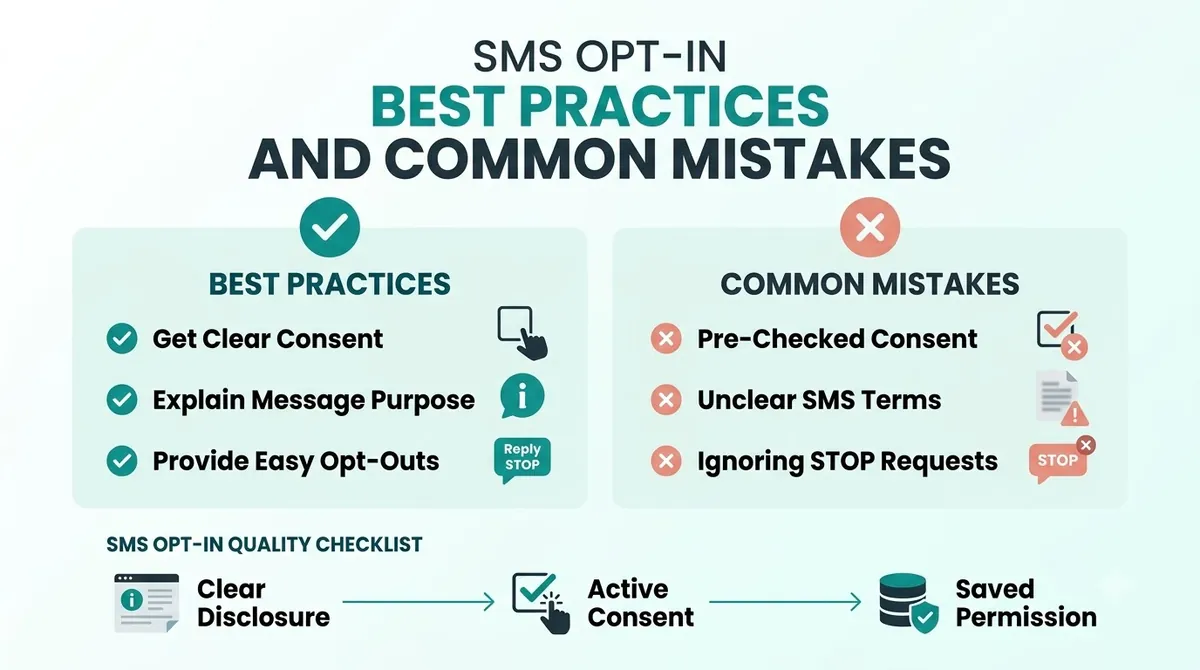
The best practices are the steps above. These are the mistakes that break them.
- Using a bought list. The CTIA says senders should not use opt-in lists that have been rented, sold or shared. Build your own SMS subscriber list, even if it grows slowly.
- Hiding consent in the terms. The opt-in details should be easy to see, not buried.
- Vague promises. If you say "occasional updates" and then send three offers a week, expect STOP replies.
- Reusing consent. An opt-in covers the program the person agreed to. A yes to order updates is not a yes to promotions.
- No proof. If someone says they never signed up and you cannot show when and how they did, you have a problem.
- Forgetting the confirmation text. It tells people it worked and how to leave.
- Sending more than you promised. Keep to the frequency you stated.
SMS Opt In for Small Business: Where to Start
You can set this up in an afternoon:
- Add an unticked consent box next to the phone number field on your form.
- Paste in the wording above and change the details.
- Write your welcome text and test it on your own phone.
- Start a consent log with a date, source and the wording used.
Then run your first campaign to a small group and see how people respond.
SMS Opt In and Carrier Registration
Collecting consent properly also helps with carrier registration. When you register a brand and campaign for 10DLC, you describe how people opt in and often show an example. Clear wording and proof of sign-ups make that easier. Read our Panduan pendaftaran 10DLC for the steps.
SMS Opt In Using SMSLocal
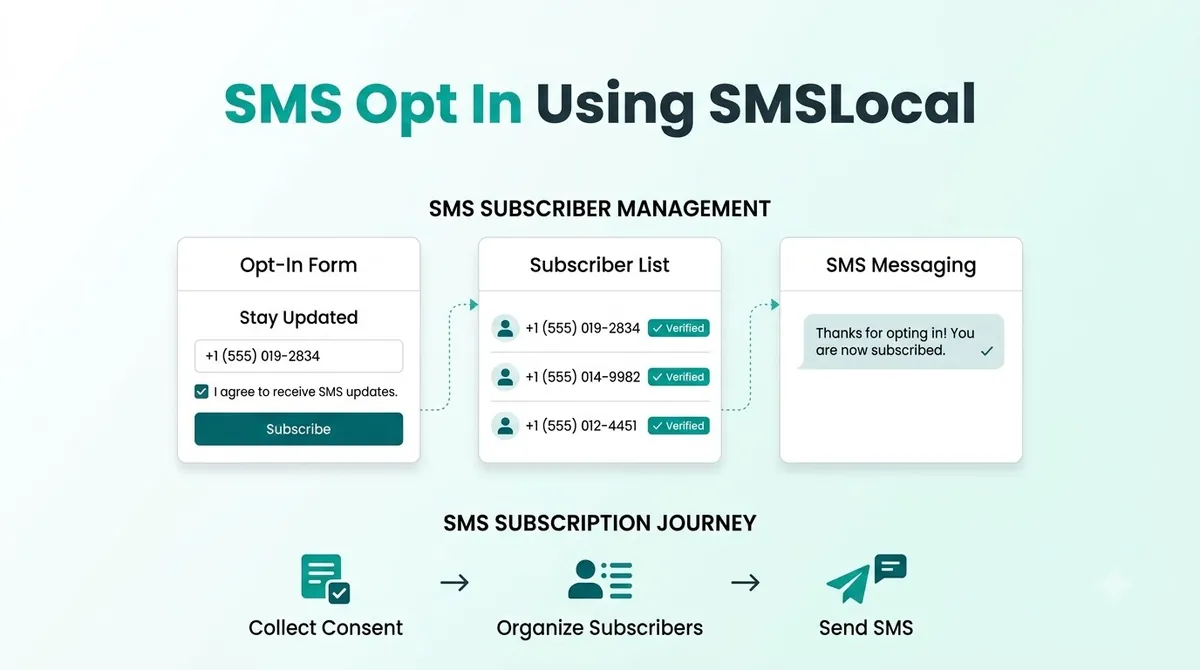
A platform helps you send, track and manage replies. It does not collect consent for you. You still need a clear form, honest wording and a record of every sign-up. Before you launch, work out how STOP replies and your consent log will be handled. The tim SMSLocal can explain how opt-outs and replies work for your account.
If you are new to text marketing, our guide to apa itu pemasaran SMS is a good place to start.
Jadikan pesan Anda menonjol dengan komunikasi yang andal, cepat, dan efektif. Tingkatkan permainan SMS Anda hari ini.
Kesimpulan
A good SMS opt in is simple. Ask clearly, say what people will get, send a confirmation and keep a record. Do that and your list will be smaller than a bought one, but it will be full of people who want your texts.
Start with one sign-up point and one clear message, then build from there.
Mulai uji coba gratis Anda dengan SMSLocal dan kirim pesan terdaftar dan andal.
Pertanyaan yang Sering Diajukan
It is when a customer agrees to receive text messages from your business. They might tick a box, text a keyword or sign up in store. You should only text them after they have agreed.
It is a two-step sign-up. The person joins, then replies YES to a text to confirm. It is not required by the CTIA, but it helps confirm the number belongs to the person.
It should say who you are, what kind of texts people will get, how often, that rates may apply and how to stop. Add links to your privacy policy and terms.
Yes. The CTIA lists sending a keyword from a mobile device as one way people can show consent. Put the full disclosures next to the keyword on your sign or receipt.
No. Leave it unticked so the customer chooses. It makes the consent clearer and easier to defend.
At least the date and time, how the person signed up, the wording they saw and their phone number. The CTIA also suggests the campaign, IP address and the person's name or user ID where they apply.