
 English
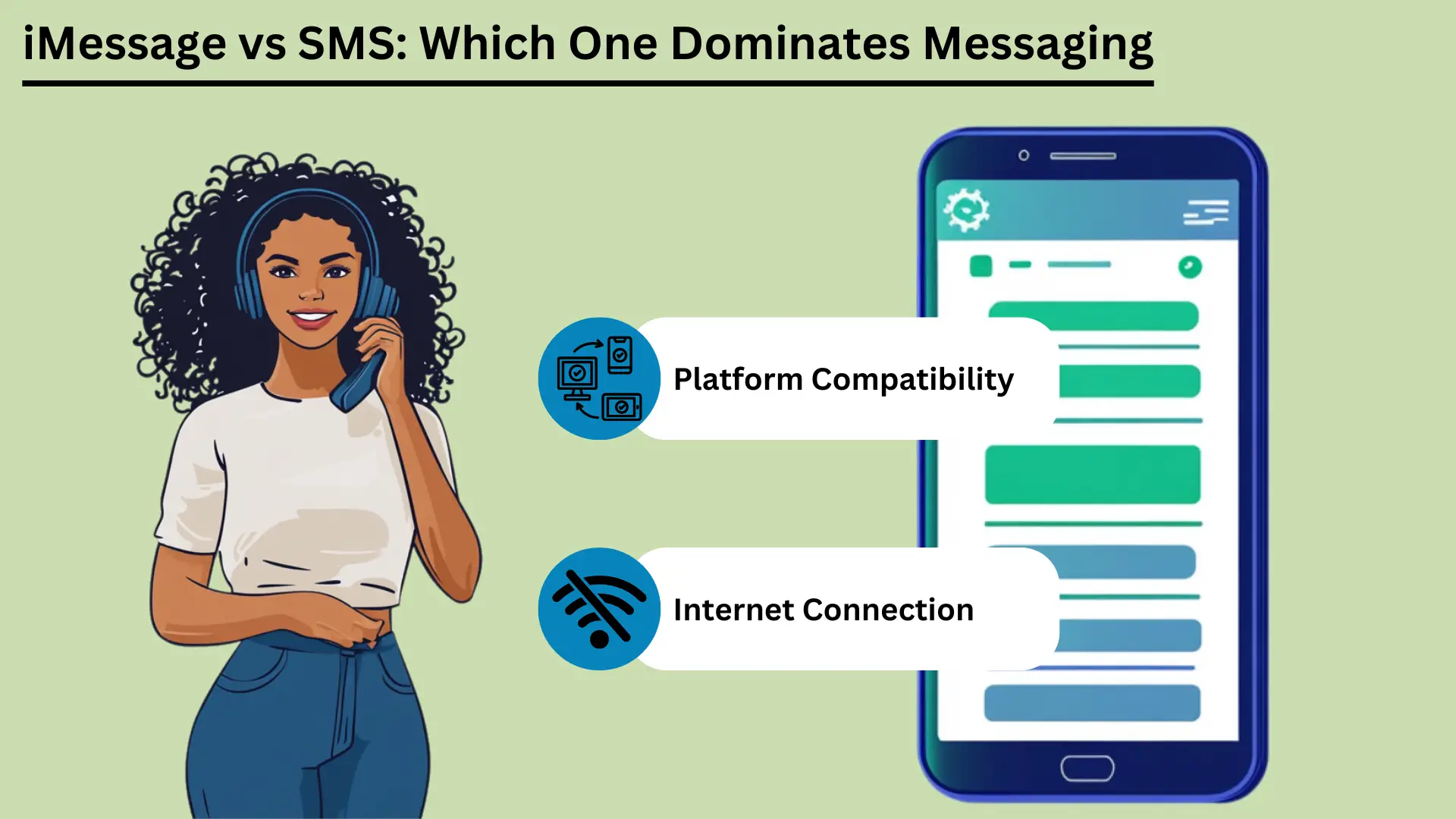
Mobile messaging is now a big part of daily life. Two of the best-known services are SMS và iMessage. SMS, short for Short Message Service, is one of the oldest messaging services. It works over cell networks and sends short text messages to almost any phone.
SMS came out in the early 1990s. It is still a reliable, low-cost way to message, especially where internet access is poor. Apple launched iMessage in 2011. It uses the internet to send messages between Apple devices.
iMessage adds photos, video and many extra features. It also keeps your messages private, and it works smoothly across Apple devices.
This post compares the two services. It covers how they differ, how they feel to use, how they connect, how much data they use, how safe they are, and where they may go next.
Điểm mấu chốt:
- SMS works over cell networks. It reaches nearly everyone, it is fast, and it needs no internet.
- iMessage uses Wi-Fi or mobile data. It supports photos, video and extra features, but only on Apple devices.
- SMS works on every phone and costs little. It suits simple messages and alerts.
- iMessage scrambles messages so only you and the other person can read them (end-to-end encryption). It also syncs across your devices and has fun, interactive features.
- Knowing these differences helps you pick the right service for your needs.
Dịch vụ tin nhắn ngắn (SMS) là gì?
Dịch vụ tin nhắn ngắn (SMS) là một text messaging service that lets you send and receive short messages of up to 160 characters over cell networks. It came out in the early 1990s. People use it all over the world because it is simple, reliable and works on almost every mobile phone. That makes it a key tool for staying in touch.
Định nghĩa và chức năng cơ bản
SMS is a text messaging service for sending short messages between mobile phones. These are called SMS texts. They travel over cell networks, and each one can hold up to 160 characters.
SMS is one of the oldest and most used messaging services in the world. It came out in the early 1990s. It does not need the internet. That makes it a dependable choice, especially where internet access is weak.
Ưu điểm của SMS
Phạm vi tiếp cận rộng và khả năng tương thích
One big advantage of SMS is that it works everywhere. Almost every mobile phone and carrier in the world supports it. Messages get through whatever phone or network people use.
This wide reach makes SMS hiệu quả tool for reaching many people, for personal use or for business. Businesses can also text people in many countries and large groups quickly.
Tốc độ và độ tin cậy
SMS messages usually arrive within seconds, so it is a quick way to reach someone. It uses the cell network, so it works even where the internet is poor.
SMS is also dependable. If the other phone is off or out of range, the network holds the message for a while. It then delivers it once the phone is back in service.
Hiệu quả chi phí
SMS is cheap. Many mobile plans include a set number of texts at no extra cost. Even when you pay per text, the price is usually low. That makes SMS a good choice for people and businesses, especially for short, urgent messages.
Các trường hợp sử dụng trong tiếp thị và thông báo
Businesses use SMS a lot for marketing and alerts. People open texts quickly and read them right away. Common uses include:
| Trường hợp sử dụng | iMessage | tin nhắn SMS |
|---|---|---|
| Giao tiếp cá nhân | Các cuộc hội thoại phong phú, tương tác, an toàn trong hệ sinh thái Apple | Giao tiếp cơ bản, phổ quát |
| Truyền thông kinh doanh | Thích hợp cho liên lạc nội bộ trong các thiết bị Apple | Phù hợp để tiếp cận mọi khách hàng |
| Chiến dịch tiếp thị | Giới hạn cho người dùng Apple, chiến dịch đa phương tiện | Phạm vi tiếp cận rộng, tỷ lệ mở cao |
| Nhắc nhở cuộc hẹn | Hiệu quả trong hệ sinh thái Apple | Hiệu quả trên mọi thiết bị |
| Thông báo giao dịch | An toàn cho người dùng Apple | Đáng tin cậy cho mọi khách hàng |
| Xác thực hai yếu tố (2FA) | Bảo mật trong hệ sinh thái Apple | Thường dùng, hiệu quả |
| Trò chuyện nhóm | Tính năng phong phú, hỗ trợ đa phương tiện | Nhắn tin nhóm cơ bản |
Because SMS is widely available, fast, dependable and cheap, people and businesses can use it for many jobs. That makes it a handy tool at home and at work.
iMessage trên thiết bị Apple là gì?
iMessage is Apple's messaging service. It lets you send texts, photos, videos and documents between Apple devices over Wi-Fi or mobile data. It is built into the Messages app on iPhone, iPad and Mac. It offers end-to-end encryption, read receipts and rich media.
This gives Apple users a secure and smooth way to message.
Định nghĩa và chức năng cơ bản
iMessage was created by Apple and launched in 2011. It sends texts, photos, videos, documents and more between Apple devices. It runs over the internet, using Wi-Fi or mobile data. That sets it apart from traditional SMS and MMS.
It is built into the Messages app on iOS and macOS. That means it works the same way on iPhones, iPads, iPods and Macs.
iMessage runs on Apple's own system. You can message other Apple users without SMS or MMS fees, as long as you have an internet connection. If the other person does not have iMessage turned on, the message switches to SMS or MMS on its own. So it still gets delivered, whatever device the person uses.
Ưu điểm của iMessage
Mã hóa và bảo mật
iMessage uses end-to-end encryption. That means only the sender and the person receiving can read the messages. This is a big plus over SMS, which has no encryption and can be intercepted on its way. Even Apple cannot read the content of your messages.
This gives users a high level of privacy and safety.
Đồng bộ hóa thiết bị trên hệ sinh thái Apple
A standout feature of iMessage is syncing. Your messages show up on every Apple device that uses your Apple ID. You can start a conversation on your iPhone, continue it on your iPad, and pick it up later on your Mac.
This is handy for people who switch between devices all day. You never miss a message.
Hỗ trợ đa phương tiện (Ảnh, Video, Tài liệu)
iMessage can share photos, videos, documents and other files. You can send high-quality media without the limits that come with MMS. You can send large files, which is helpful for detailed photos or videos, and the quality does not drop.
Các tính năng nâng cao (Xác nhận đã đọc, Chỉ báo gõ, Nhãn dán, Hiệu ứng)
iMessage has several extra features that make messaging better:
- Đọc Biên lai: You can turn on read receipts to see when someone has read your message. This confirms that the message arrived and was seen.
- Chỉ báo gõ: iMessage shows when the other person is typing. You see a small bubble with three dots at the bottom of the chat. It tells you a reply is on the way.
- Nhãn dán và hiệu ứng: You can send animated stickers and add effects such as balloons, confetti and fireworks. These make chats more fun and more personal.
- Cảm ứng kỹ thuật số: You can send hand-drawn sketches, heartbeats and other touch-based messages. This adds a personal touch to digital chats.
iMessage has strong encryption, smooth syncing, rich media and many extra features. Together they give Apple users a fuller messaging experience than SMS and MMS. That makes iMessage a strong choice for people who use Apple devices.
Sự khác biệt chính giữa iMessage và SMS
iMessage only works on Apple devices. It uses the internet to offer rich media and extra features. SMS uses cell networks and works on every mobile phone. This section compares them on how messages travel, message size, features, security, which devices they work with, and cost.
Kênh phân phối (Internet vs Mạng nhà cung cấp dịch vụ)
iMessage and SMS send messages in very different ways. iMessage uses the internet, over Wi-Fi or mobile data. That lets it offer richer media and more features. SMS uses the cell network, so it works without an internet connection.
That makes SMS easier to reach for everyone.
Kích thước tin nhắn và hỗ trợ phương tiện
An SMS can hold only 160 characters. If a message is longer, it is usually split into several messages. SMS also handles media poorly. Sending photos, videos and files needs MMS, which can be costly and unreliable.
iMessage has no character limit. It supports many types of media, including photos, videos and documents. That makes it more flexible for sharing rich content than traditional SMS.
Ưu điểm của iMessage và SMS
| Lợi thế | iMessage | tin nhắn SMS |
|---|---|---|
| Phạm vi tiếp cận rộng | Giới hạn ở các thiết bị Apple | Được hỗ trợ toàn cầu trên tất cả các thiết bị |
| Tốc độ | Nhanh chóng, phụ thuộc vào tốc độ internet | Thường được giao trong vòng vài giây |
| Độ tin cậy | Đáng tin cậy với truy cập internet | Đáng tin cậy ngay cả khi không truy cập internet |
| Hiệu quả chi phí | Tiết kiệm chi phí với gói Wi-Fi/dữ liệu | Nói chung chi phí thấp, thường được bao gồm trong kế hoạch |
| Bảo vệ | Mã hóa đầu cuối | Không mã hóa |
| Hỗ trợ đa phương tiện | Hỗ trợ ảnh, video, tài liệu | Hạn chế, cần có MMS cho phương tiện truyền thông |
| Tính năng nâng cao | Đọc biên lai, chỉ báo đánh máy, tính năng tương tác | Văn bản và biểu tượng cảm xúc cơ bản |
So sánh tính năng
- Văn bản cơ bản so với các tính năng tương tác và đa phương tiện: SMS is built for plain text. It supports simple emojis, but not much more. iMessage supports rich media and interactive features such as stickers, animated effects and Digital Touch, which lets you send hand-drawn sketches and heartbeats.
- Đọc biên lai và chỉ báo đánh máy: iMessage shows when a message was read and when the other person is typing. SMS has neither. It only shows whether a message was delivered.
Bảo mật và quyền riêng tư
Mã hóa trong iMessage so với Thiếu mã hóa trong SMS: iMessage uses end-to-end encryption. Only the sender and the person receiving can read the messages. This stops others, including Apple, from seeing or reading the content.
SMS has no encryption, so messages can be intercepted on the way. That is a real drawback for sensitive messages.
Khả năng tương thích đa nền tảng
Thiết bị Apple so với tất cả thiết bị di động: iMessage only works on Apple devices: iPhones, iPads, iPods and Macs. So you can only use it to message other Apple users. You cannot use it to message an Android phone.
SMS works on all mobile devices, whatever the brand or system. That makes it a better choice for reaching a wide audience.
Ý nghĩa chi phí
Mức sử dụng dữ liệu cho iMessage so với chi phí mỗi tin nhắn cho SMS: iMessage uses data to send messages. That can save money if you have Wi-Fi or a good data plan. But heavy use, especially sending large files, can eat a lot of data and may lead to extra charges.
Most mobile plans include a set number of texts each month. That keeps SMS costs simple. But sending more texts than your plan allows can cost extra, and MMS can be especially expensive.
Bảng tóm tắt: Sự khác biệt chính giữa iMessage và SMS
| Tính năng | iMessage | tin nhắn SMS |
|---|---|---|
| Kênh phân phối | Internet (Wi-Fi hoặc dữ liệu di động) | Mạng di động |
| Kích thước tin nhắn | Không giới hạn | 160 ký tự mỗi tin nhắn |
| Hỗ trợ truyền thông | Hình ảnh, video, tài liệu, v.v. | Hạn chế, yêu cầu MMS cho phương tiện truyền thông |
| Bảo vệ | Mã hóa đầu cuối | Không mã hóa |
| Khả năng tương thích | Chỉ các thiết bị của Apple | Tất cả các thiết bị di động |
| Trị giá | Sử dụng dữ liệu, có thể tiết kiệm chi phí | Nói chung là thấp, nhưng MMS có thể tốn kém |
| Tính năng nâng cao | Đọc biên lai, chỉ báo đánh máy, đa phương tiện, tính năng tương tác | Văn bản cơ bản, biểu tượng cảm xúc cơ bản |
Knowing these differences helps you decide which service fits your needs. Whether you care most about security, media, which devices it works with, or cost, both iMessage and SMS have clear strengths and limits.
Trải nghiệm người dùng
The user experience covers how easy a messaging service is to use, how it works with other apps, and how you can adjust notifications. iMessage has a clean look, works closely with other Apple services, and has many notification options. SMS is simple, with basic notification settings and few links to other apps.
Giao diện và khả năng sử dụng
How easy a service is to use depends a lot on its design. iMessage has a clean, simple look and works smoothly with iOS and macOS. Chats are easy to follow, writing a message is quick, and most features take little effort to reach.
SMS is also simple to use, but it lacks the extra design features of iMessage. It gives you a basic texting experience. That works fine, but it is less visual and less interactive than iMessage.
Tích hợp với các ứng dụng và dịch vụ khác
iMessage works closely with other Apple apps and services. You can share content from apps like Photos, Maps and Safari right inside iMessage. Apple Pay lets you pay quickly and safely through messages. iMessage also supports third-party app add-ons.
These let you do things like book a table or share music right inside the chat.
SMS has fewer ways to work with other apps. It can use basic phone features such as contacts and call logs, but it cannot work with apps and services the way iMessage does. That makes SMS more limited as a tool.
Quản lý và tùy chỉnh thông báo
Good notification settings matter for a good messaging experience. iMessage gives you many options. You can choose how and when you get alerts, set special alerts for certain contacts, and change sounds and vibrations. You can also mute a chat or turn on Do Not Disturb for one conversation.
This puts you in control of your alerts.
SMS notifications are more basic. You usually get standard alert tones and vibration settings with few choices. You can mute chats or change general notification settings, but you have fewer options than in iMessage.
These points on how easy each service is to use, how it works with other apps, and how you manage notifications show the strengths and limits of iMessage and SMS. They can help you choose the one that suits you.
Kết nối và khả năng truy cập thông qua mạng dữ liệu di động
Connection and access matter when you choose between iMessage and SMS. iMessage needs the internet, so you need Wi-Fi or mobile data. In return you get rich media features. SMS works over cell networks, so it works without internet, and it works on more devices.
This section looks at these differences and how they affect reach and use around the world.
Sự phụ thuộc vào kết nối Internet cho iMessage
iMessage needs an internet connection, either Wi-Fi or mobile data, to send and receive messages. That lets it offer advanced features and rich media, but it limits what you can do when you are offline.
Sự phụ thuộc của mạng di động cho SMS
SMS uses the regular cell network. So it can deliver messages even where there is no internet. All it needs is a basic cell signal. That makes it a dependable choice where internet access is poor or missing.
Phạm vi tiếp cận và giới hạn toàn cầu
iMessage only works on Apple devices. That limits its use with people who do not have Apple devices, but it works smoothly between Apple users. SMS works on all mobile devices, so it reaches almost everyone in the world. It can cost extra for international messages, though.
Tác động đến dữ liệu và lưu trữ
Data and storage are worth thinking about when you pick between iMessage and SMS. iMessage uses internet data for rich media, so it can use a lot of data and storage. SMS uses cell networks, so it uses very little data, but it supports little media.
This section covers data use, storage problems, and ways to manage both.
Sử dụng dữ liệu cho iMessage
iMessage uses Wi-Fi or mobile data to send and receive messages. That includes text, photos, videos and other media. How much data it uses depends on the type and size of the media.
For example, sending high-resolution photos and videos can use up data quickly, especially when you are not on Wi-Fi. Watch your data plan to avoid extra charges, especially if you often share large files. SMS texts, in contrast, use very little data because they go over the cell network and mostly carry text.
Mối quan tâm về lưu trữ đối với tin nhắn đa phương tiện
Because iMessage can send and receive rich media, storage can become a problem over time. Photos, videos and other large files pile up in the Messages app and take up a lot of storage on your device. This can slow the device down, so you need to clean it up now and then.
Unlike SMS, which mostly handles text, iMessage can handle lots of media. So you should keep an eye on your storage.
Chiến lược quản lý dữ liệu và lưu trữ hiệu quả
- Xóa tin nhắn cũ thường xuyên: Delete old chats and attachments now and then to free up space. You can xóa tin nhắn by hand, or set your device to delete them after a set time.
- Sử dụng iCloud để lưu trữ tin nhắn: Turn on iCloud for Messages to move messages and attachments off your device and into the cloud. This frees up space and still lets you read old chats.
- Giám sát việc sử dụng dữ liệu: Check your data use in your device settings to see how much iMessage uses. You can send lower-quality images or use Wi-Fi for large files to use less data.
- Tối ưu hóa cài đặt phương tiện: You can change iMessage settings to send smaller photos and videos. This can cut both the data you use and the storage you need.
Once you understand how iMessage uses data and storage, and use these tips, you can keep your device running well and avoid surprise charges. That keeps messaging smooth.
Mối quan tâm về bảo mật và quyền riêng tư
Security and privacy matter a lot in messaging. iMessage uses end-to-end encryption, so only the sender and the person receiving can read the messages. That gives strong protection for your data. SMS has no encryption, so it can be intercepted and read by others.
This section looks at these differences and gives tips to make your messaging safer. It helps you protect your messages.
Mã hóa và bảo vệ dữ liệu trong iMessage
iMessage has strong security thanks to end-to-end encryption. Only the sender and the person receiving can read the messages. This covers texts, photos, videos and documents.
Apple built its encryption so that not even Apple can read your messages. This gives users a high level of privacy. It also means that anyone who intercepted a message could not read it without the keys, which only the two devices hold.
Rủi ro liên quan đến SMS
SMS has no encryption, so criminals can intercept and read text messages. SMS messages travel in plain text over the cell network, and they can be intercepted in several ways. This is a real privacy risk, especially for sensitive information.
Cell carriers can also store and access SMS messages, which adds to the risk to your privacy.
Rủi ro liên quan đến SMS
SMS messages have no encryption, so criminals can intercept them. They travel in plain text over cell networks and can be intercepted in several ways. This is a real privacy risk, especially for sensitive information.
Cell carriers can also store and access SMS messages, which adds to the risk to your privacy.
Mẹo để tăng cường bảo mật tin nhắn
- Sử dụng Dịch vụ nhắn tin được mã hóa: Use encrypted services like iMessage when you can, or other safe apps such as Signal or WhatsApp. These apps use end-to-end encryption, which makes your messages much safer.
- Kích hoạt xác thực hai yếu tố (2FA): Add two-factor authentication to your messaging accounts. It adds a second check, such as a mã được gửi tới điện thoại của bạn, on top of your password.
- Luôn cập nhật phần mềm: Update your device and apps often to get the latest security bản vá lỗi and fixes. Old software can have weak spots that hackers use.
- Hãy thận trọng với Wi-Fi công cộng: Do not send sensitive information over public Wi-Fi, which is less secure and easier to spy on. If you must use it, think about using an IPsec VPN to protect your connection.
- Xem lại quyền của ứng dụng: Check the permissions you gave your messaging apps now and then. Make sure they can only reach what they need. This lowers the risk of your data being exposed.
- Sử dụng mật khẩu mạnh, độc đáo: Protect your messaging accounts with strong passwords that are different for every account. Avoid passwords that are easy to guess. A quản lý mật khẩu can keep track of them, and an Trình tạo mật khẩu trực tuyến can help you make strong ones.
Once you understand the security differences between iMessage and SMS, and follow these tips, you can make your messaging safer and better protect your personal information.
Xu hướng nhắn tin trong tương lai
Mobile messaging will keep changing as new ideas arrive. This section looks at coming iMessage features, possible improvements to SMS, and wider predictions for mobile messaging.
Những cải tiến và tính năng sắp tới trong iMessage
Apple keeps adding new features to iMessage to make it better to use. Future updates are expected to bring more artificial intelligence (AI) and machine learning, for smarter suggestions and replies.
Apple may also add better augmented reality (AR) features, more interactive message effects, and closer links with other Apple services such as Apple Pay and Apple Fitness. Apple is also likely to add more privacy features, building on its strong name for protecting user data.
Những cải tiến tiềm năng trong công nghệ SMS
SMS has changed little over the years, but big improvements are possible. Rich Communication Services (RCS) is the next step for SMS. It aims to bring many iMessage features to more people. RCS supports higher-quality photo and video sharing, read receipts, typing indicators and group chats.
As more carriers and phones adopt RCS, SMS could compete better with messaging apps. Stronger security and encryption for RCS are also expected, which would address the privacy worries about traditional SMS.
Key Trends for the Future of Mobile Messaging
- Nền tảng nhắn tin hợp nhất: One app could bring together SMS, RCS and internet-based messaging in a single place. That could make messaging simpler and more convenient.
- Increased Use of AI and Chatbots: AI and chatbots will do more of the work, such as sending automatic replies, helping customers, and offering personal responses. They can give instant help and smart reply suggestions.
- Tập trung nhiều hơn vào quyền riêng tư và bảo mật: As people worry more about their data, messaging services will likely focus on end-to-end encryption and other safety measures. Users will want more control over their data, which should lead to clearer privacy rules and stronger protection.
- Tích hợp với IoT (Internet of Things): Messaging apps could work more closely with smart devices. You could control smart home gadgets, get alerts, and talk to your devices right from a messaging app. Imagine controlling your lights or heating with a quick text message!
- Trải nghiệm đa phương tiện và AR nâng cao: Các ứng dụng trong tương lai có thể sẽ hỗ trợ đa phương tiện hơn, bao gồm nội dung 3D và thực tế tăng cường. Điều đó sẽ làm cho cuộc trò chuyện trở nên hấp dẫn và tương tác hơn. Hãy tưởng tượng bạn sử dụng AR để cho bạn bè xem bộ trang phục mới của bạn hoặc để xem một món đồ nội thất trong nhà bạn trông như thế nào trước khi bạn mua nó.
- Khả năng tương tác giữa các nền tảng: Những nỗ lực để làm cho các ứng dụng nhắn tin khác nhau hoạt động được với nhau có thể tạo ra một hệ thống được kết nối nhiều hơn. Sau đó, mọi người có thể nhắn tin cho nhau bất kỳ dịch vụ hoặc thiết bị nào họ sử dụng. Hãy tưởng tượng việc gửi tin nhắn cho bạn bè trên một ứng dụng khác mà không gặp rắc rối nào!
Bằng cách đi theo những xu hướng này, mọi người và doanh nghiệp có thể sẵn sàng cho tương lai của tin nhắn di động và sử dụng công nghệ mới để cải thiện cuộc trò chuyện và mức độ tương tác của họ.
Phần kết luận
Tóm lại, SMS và iMessage đều có những điểm mạnh rõ ràng và phục vụ những nhu cầu khác nhau. SMS hoạt động trên mọi điện thoại và đáng tin cậy. Nó vẫn là thành phần chính cho các thông điệp cơ bản và được sử dụng rộng rãi cho hoạt động tiếp thị và cảnh báo.
Nó hoạt động mà không cần truy cập internet, vì vậy nó rất có giá trị khi kết nối yếu. Nó cũng đơn giản và phổ quát nên sẽ vẫn là cách cơ bản để tiếp cận nhiều đối tượng.
Mặt khác, iMessage nổi bật trong số các thiết bị của Apple. Nó mang lại trải nghiệm nhắn tin phong phú, an toàn và tương tác. Mã hóa hai đầu, đồng bộ hóa thiết bị và đa phương tiện giúp sử dụng tốt hơn.
Khi công nghệ ngày càng phát triển, iMessage có thể sẽ có các tính năng mới, bao gồm AI và thực tế tăng cường. Điều đó giúp nó luôn dẫn đầu trong cách nhắn tin hiện đại.
Trong khi đó, SMS có thể phát triển thành Dịch vụ liên lạc đa dạng (RCS), mang đến nhiều tính năng nâng cao hơn cho nhiều người hơn và thu hẹp khoảng cách giữa SMS và các ứng dụng nhắn tin hiện đại. Biết được những điểm mạnh này và vị trí của từng điểm sẽ giúp bạn chọn được dịch vụ phù hợp với nhu cầu của mình.
Câu hỏi thường gặp
Câu hỏi thường gặp
The main difference is how they send messages. iMessage uses the internet (Wi-Fi or mobile data) for rich media and extra features. SMS uses cell networks, works on all phones, and sends basic text without internet.
No. iMessage only works on Apple devices, including iPhones, iPads, iPods and Macs. You cannot use it on Android or other non-Apple devices.
SMS has no encryption, so it can be intercepted and is less secure. iMessage uses end-to-end encryption, so only the sender and the person receiving can read the messages.
Yes. iMessage uses data to send messages, especially photos, videos and other large files. SMS does not use data, and most mobile plans include it with no extra data charges.
iMessage is expected to add more AI and augmented reality features. SMS is expected to move to Rich Communication Services (RCS), which offers higher-quality media sharing, read receipts and better security.


