 English
소개
한 커피숍은 계산대 옆에 "55555번으로 COFFEE 문자 메시지를 보내면 무료 음료를 제공합니다"라는 팻말을 붙였습니다. 일주일 만에 수백 명이 가입했습니다. 각자가 문자를 요청했기 때문에 각자는 기꺼이 문자를 받았습니다. 공개율이 높고 STOP에 응답하는 사람이 거의 없습니다.
이것이 바로 좋은 SMS 수신 동의 기능입니다. 낯선 사람을 당신의 소식을 듣고 싶어하는 구독자로 바꿔줍니다. 나쁜 것은 그 반대이며 귀하의 전화 번호를 차단할 수 있습니다.
이 가이드에서는 옵트인이 무엇인지, 옵트인을 수집하는 주요 방법과 사용할 문구에 대해 설명합니다. 또한 기록해야 할 내용과 피해야 할 실수도 다룹니다. 이는 법적 조언이 아닌 일반적인 정보입니다. 문구 및 기록 유지 조언은 CTIA 메시징 원칙 및 모범 사례(2023년 5월)를 따릅니다.
주요 시사점
- SMS 수신 동의는 사용자가 무언가를 보내기 전에 "예, 문자 메시지를 보내주세요"라고 말하는 사람입니다.
- 좋은 선택은 분명합니다. 사람들은 당신이 누구인지, 무엇을 보낼 것인지, 얼마나 자주 보낼 것인지 알아야 합니다.
- 웹 양식, 키워드, 계산대, QR 코드 또는 전화를 통해 수집할 수 있습니다.
- 가입 후 바로 확인 문자를 보내고 중지 방법을 포함하세요.
- 각 사람이 언제, 어떻게 동의했는지 기록해 두십시오. 그것은 당신의 증거입니다.
- 구매 또는 임대 목록을 사용하지 마십시오. 자신만의 것을 만들어 보세요.
SMS 수신 동의란 무엇입니까?
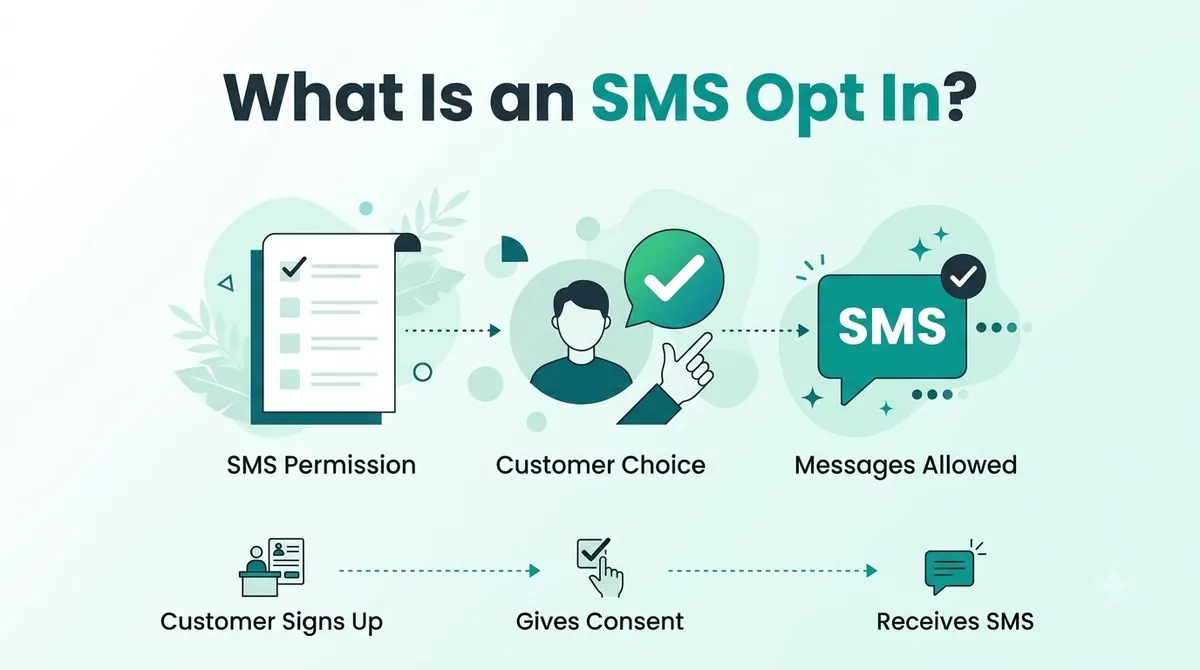
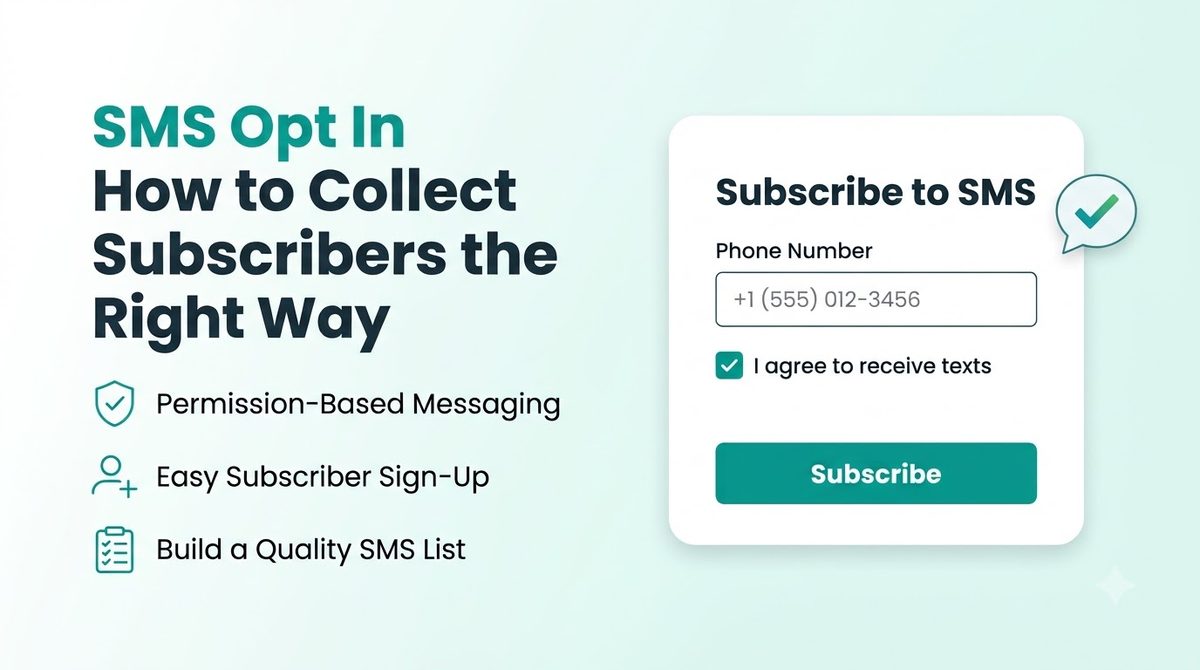
SMS 수신 동의는 고객이 귀하의 비즈니스로부터 문자 메시지를 받는 데 동의하는 순간입니다. 양식의 체크박스일 수도 있습니다. 그들이 당신에게 보내는 문자일 수도 있습니다. 이는 귀하의 매장에 있는 가입 시트일 수 있습니다.
CTIA는 미국 이동통신사의 무역 그룹입니다. 지침에 따르면 메시지는 사용자가 동의한 후에만 전송되어야 합니다. 또한 동의 세부 사항은 명확해야 하며 이용 약관에 숨겨서는 안 된다고 명시되어 있습니다.
이 게시물은 실용적인 측면, 즉 사람들이 이해하고 증명할 수 있는 동의를 수집하는 방법에 관한 것입니다.
SMS 수신 동의 준수: 짧은 버전
마케팅 텍스트의 경우 미국 법률은 단순한 '예'보다 더 높은 기준을 설정합니다. 사전 명시적 서면 동의가 필요합니다. 이는 전자적으로 가능하며 명확하고 서명된 계약을 의미합니다. SMS 마케팅 규정 준수는 여기에 설명된 것보다 더 자세한 내용을 담고 있으며, 우리는 TCPA 규정 준수 가이드.
SMS 수신 동의를 수집하는 방법
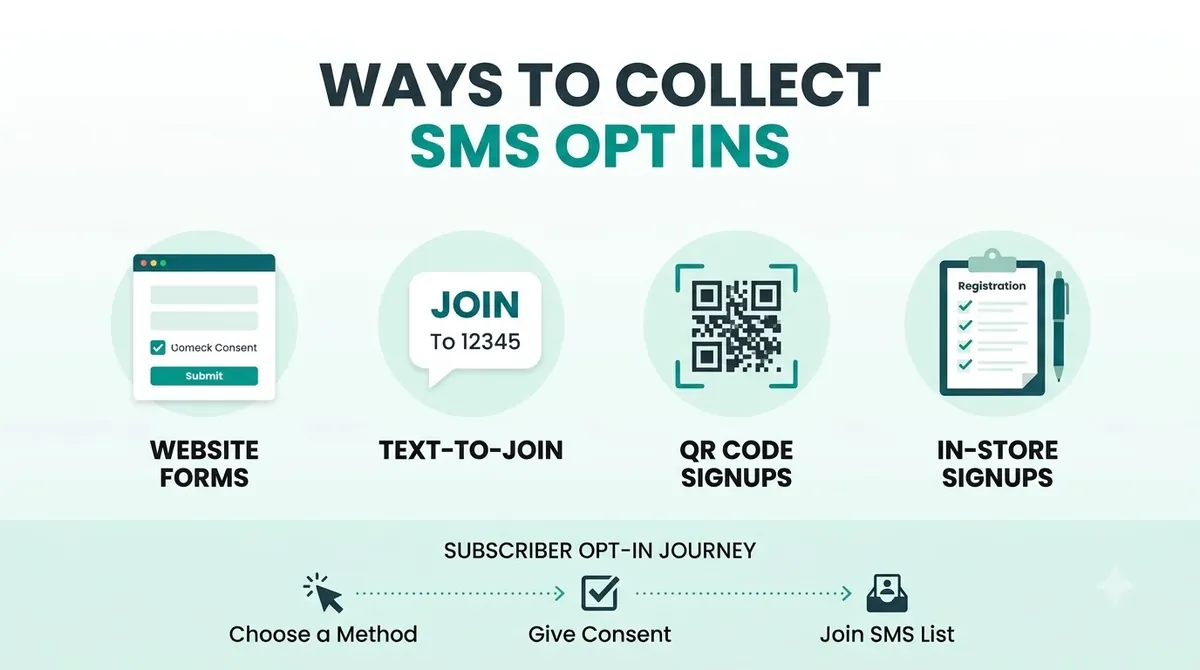
| 방법 | 작동 원리 | 다음에 가장 적합 |
|---|---|---|
| 웹 양식 | 고객이 전화번호를 입력하고 동의 상자를 선택합니다. | 웹사이트 및 방문 페이지 |
| 결제 시 체크박스 | 전화번호 필드 옆의 선택되지 않은 상자 | 온라인 상점 |
| 예어 | 고객이 귀하의 번호로 JOIN과 같은 단어를 문자로 보냅니다. | 표지판, 영수증, 소셜 게시물 |
| QR 코드 | 스캔하면 미리 채워진 텍스트나 양식이 열립니다. | 포장, 전단지, 매장 윈도우 |
| 매장 내 | 계산대에 있는 등록 시트 또는 태블릿 | 상점, 미용실, 레스토랑 |
| 전화로 | 고객이 통화 중 또는 녹음된 메뉴에 동의한 경우 | 지원팀 및 진료소 |
CTIA에는 개인이 사전 동의를 표시할 수 있는 여러 가지 방법이 나열되어 있습니다. 여기에는 웹사이트에 숫자를 입력하고, 모바일 페이지에서 버튼을 클릭하고, 키워드를 보내는 것이 포함됩니다. 판매 시점에 가입하고 전화 개수에 대해서도 동의합니다. 고객에게 적합한 것을 선택하십시오. 둘 이상을 사용할 수 있습니다.
SMS 수신 동의 언어: 말할 내용
명확한 문구는 귀하와 귀하의 고객을 보호합니다. 그만큼 CTIA 메시징 원칙 및 모범 사례 클릭 유도 문구에는 다섯 가지 사항이 포함되어야 한다고 가정해 보겠습니다. 사람들은 프로그램이 무엇인지, 메시지가 어느 번호에서 왔는지 알아야 합니다. 그들은 귀하가 누구인지, 수신 동의 조건과 수수료가 무엇인지, 수신 거부 방법을 알아야 합니다.
쉽게 말하면 SMS 수신 동의 언어는 다음을 포함해야 합니다.
- 귀하의 업체 이름입니다.
- 제안이나 주문 업데이트 등 사람들이 받게 될 문자의 종류입니다.
- 얼마나 자주 문자 메시지를 보낼 것으로 예상합니까?
- 해당 메시지 및 데이터 요금이 적용될 수 있습니다.
- How to stop, usually by replying STOP.
- A link to your privacy policy and terms.
SMS Opt In Examples You Can Copy
Your SMS opt in form is the most common place to start, so the first example is for that.
Web form or checkbox (leave the box unticked):
“Yes, text me offers and updates from Your Business at this number. Up to 4 messages a month. Message and data rates may apply. Reply STOP to cancel or HELP for help. Consent is not a condition of purchase. See our Privacy Policy and Terms.”
Keyword sign-up on a sign or receipt:
“Text JOIN to 55555 to get offers from Your Business. Up to 4 msgs/month. Msg and data rates may apply. Reply STOP to cancel, HELP for help. Terms and Privacy at yourbusiness.com/sms.”
In store, on paper or a tablet:
“I agree to receive marketing texts from Your Business at the number above. Frequency varies. Message and data rates may apply. I can reply STOP at any time. Consent is not required to buy anything.”
Swap in your own name, number and message frequency. Marketing consent has extra legal requirements, so ask a lawyer to check the final wording.
Double Opt In SMS and the Welcome Text Message
A double opt-in means two steps. The person signs up, then replies YES to an SMS opt in text message to confirm. It stops people from adding a number that is not theirs and it gives you cleaner proof. The CTIA does not require it. It is a choice, and many businesses use it for exactly those reasons.
Whether or not you use double opt-in, send a welcome text message. For recurring messages, the CTIA says to send a confirmation before any other message. It should include:
- The program name or what the person signed up for.
- How to reach customer care, such as HELP.
- How to opt out.
- That the messages are recurring and how often they will arrive.
- Any fees and how they are billed.
A simple welcome text looks like this:
“Welcome to Your Business texts! Up to 4 msgs/month. Msg and data rates may apply. Reply HELP for help, STOP to cancel.”
Make the first text useful too, such as the promised discount code. People who get what you promised stay subscribed.
How to Get SMS Opt Ins: Step by Step
1. Choose Where People Will Sign Up
Start with the place your customers already are. A checkout box suits an online shop. A till sign suits a cafe. You do not need every method on day one.
2. Write the Offer and the Wording
Tell people what they get. "Get a welcome discount and early access to sales" beats "Sign up for updates". Then add the disclosures from the section above.
3. Do Not Pre-Tick the Box
The customer should take the action. A pre-ticked box makes the consent harder to defend and it annoys people.
4. Send the Confirmation Text
Send it right after sign-up and keep it short. Include your name, how often you will text, how to get help and how to stop.
5. Record Every SMS Consent
The CTIA suggests keeping the time of consent, the method used, the wording the person saw, the campaign, the IP address, the phone number and the name or user ID. A spreadsheet works to start. A platform that logs this for you is better.
6. Honor Opt Outs Fast
Add simple SMS opt out language like "Reply STOP to opt out" to your first message and to regular messages. Handle the reply straight away. See our post on 양방향 문자 메시지 for how replies are handled.
SMS Opt In Best Practices and Common Mistakes
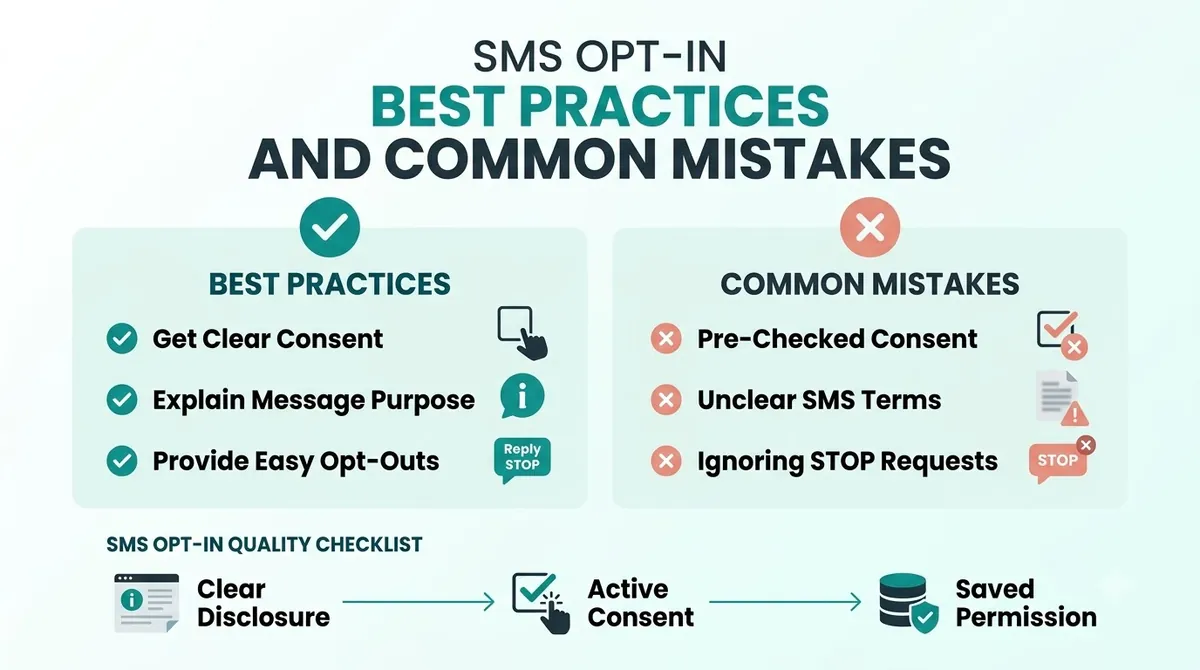
The best practices are the steps above. These are the mistakes that break them.
- Using a bought list. The CTIA says senders should not use opt-in lists that have been rented, sold or shared. Build your own SMS subscriber list, even if it grows slowly.
- Hiding consent in the terms. The opt-in details should be easy to see, not buried.
- Vague promises. If you say "occasional updates" and then send three offers a week, expect STOP replies.
- Reusing consent. An opt-in covers the program the person agreed to. A yes to order updates is not a yes to promotions.
- No proof. If someone says they never signed up and you cannot show when and how they did, you have a problem.
- Forgetting the confirmation text. It tells people it worked and how to leave.
- Sending more than you promised. Keep to the frequency you stated.
SMS Opt In for Small Business: Where to Start
You can set this up in an afternoon:
- Add an unticked consent box next to the phone number field on your form.
- Paste in the wording above and change the details.
- Write your welcome text and test it on your own phone.
- Start a consent log with a date, source and the wording used.
Then run your first campaign to a small group and see how people respond.
SMS Opt In and Carrier Registration
Collecting consent properly also helps with carrier registration. When you register a brand and campaign for 10DLC, you describe how people opt in and often show an example. Clear wording and proof of sign-ups make that easier. Read our 10DLC registration guide for the steps.
SMS Opt In Using SMSLocal
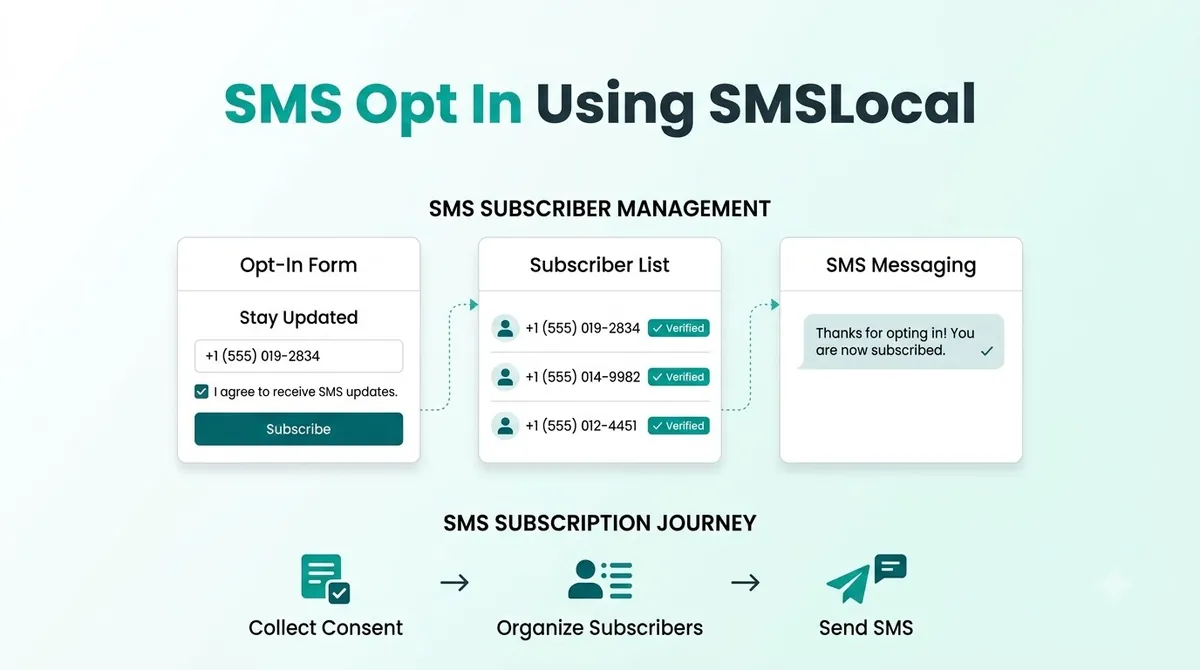
A platform helps you send, track and manage replies. It does not collect consent for you. You still need a clear form, honest wording and a record of every sign-up. Before you launch, work out how STOP replies and your consent log will be handled. The SMSLocal team can explain how opt-outs and replies work for your account.
If you are new to text marketing, our guide to what SMS marketing is is a good place to start.
Make your messages stand out with reliable, fast and effective communication. Elevate your texting game today.
결론
A good SMS opt in is simple. Ask clearly, say what people will get, send a confirmation and keep a record. Do that and your list will be smaller than a bought one, but it will be full of people who want your texts.
Start with one sign-up point and one clear message, then build from there.
SMSLocal로 무료 평가판을 시작하고 등록된 신뢰할 수 있는 메시지를 보내세요.
자주 묻는 질문
고객이 귀하의 비즈니스로부터 문자 메시지 수신에 동의하는 경우입니다. 상자에 체크 표시를 하거나 키워드를 문자로 보내거나 매장에 가입할 수도 있습니다. 상대방이 동의한 후에만 문자를 보내야 합니다.
2단계 가입입니다. 그 사람이 가입한 다음 확인을 위해 문자에 YES라고 답합니다. CTIA에서 요구하는 것은 아니지만 해당 번호가 해당 사람의 것인지 확인하는 데 도움이 됩니다.
당신이 누구인지, 사람들이 어떤 종류의 문자를 받게 될지, 얼마나 자주, 요금이 적용될 수 있는지, 어떻게 중단할지를 말해야 합니다. 개인정보 보호정책 및 약관에 대한 링크를 추가하세요.
예. CTIA는 사람들이 동의를 표시할 수 있는 한 가지 방법으로 모바일 장치에서 키워드를 보내는 것을 나열합니다. 표지판이나 영수증의 키워드 옆에 전체 공개 내용을 기재하세요.
아니요. 고객이 선택할 수 있도록 선택하지 않은 상태로 두세요. 이는 동의를 더 명확하고 방어하기 쉽게 만듭니다.
최소한 날짜와 시간, 가입 방법, 본 문구 및 전화번호는 확인하세요. CTIA는 또한 캠페인, IP 주소, 적용되는 개인의 이름 또는 사용자 ID를 제안합니다.