
 English
소개
SMS와 MMS는 현대 메시징 서비스의 핵심이며 디지털 커뮤니케이션의 기초를 나타냅니다. 그들은 몇 가지 유사점을 공유하지만 주요 측면에서도 다릅니다. 이러한 기술을 탐구함으로써 우리는 그들의 역할과 그것이 iMessage 및 WhatsApp과 같은 다른 인기 메시징 플랫폼과 어떻게 상호 작용하는지 더 잘 이해할 수 있습니다.
우리의 탐구는 또한 개인 채팅에서 상업적 용도에 이르기까지 SMS 및 MMS 메시징이 어떻게 전 세계적으로 중요한 의미를 갖는지 다룹니다. 이러한 다용도 도구는 상호 연결된 세계의 요구에 맞춰 계속해서 발전하고 있습니다. 이러한 주제를 탐색하면서 우리는 다음과 같은 이점을 얻습니다. 통찰력 우리가 매일 의사소통하는 방식에 미치는 영향에 대해 알아봅니다.
주요 시사점
- SMS와 MMS는 디지털 커뮤니케이션의 핵심입니다.
- iMessage와 WhatsApp은 독특한 방식으로 SMS와 다릅니다.
- SMS와 MMS는 전 세계적으로 광범위하게 사용됩니다.
SMS 및 MMS 메시지란 무엇입니까?
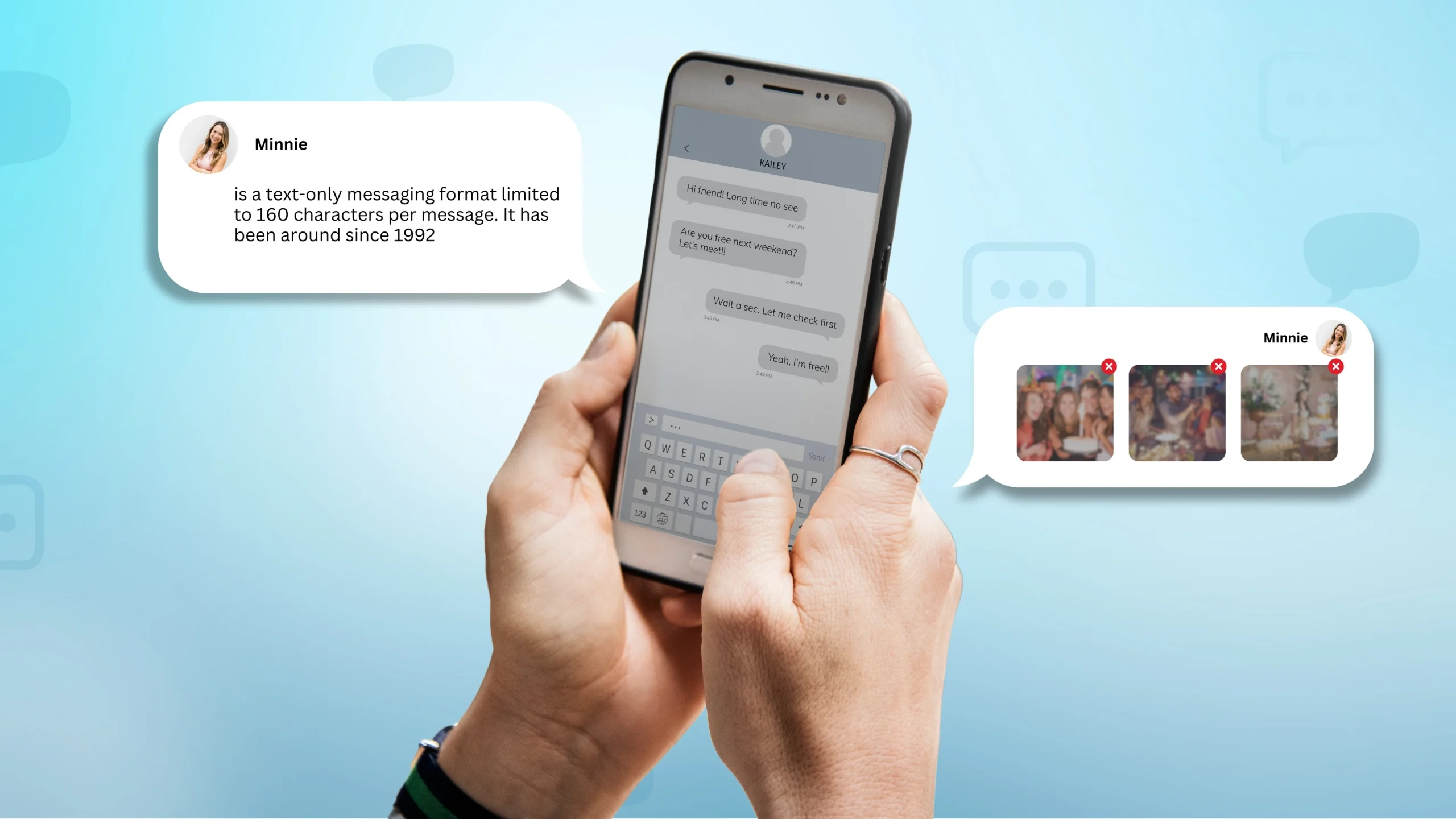
SMS(Short Message Service)는 다음으로 제한되는 텍스트 전용 메시지 형식입니다. 메시지당 160자. 이는 1992년부터 존재해 왔으며 매일 50억 명 이상의 사람들이 SMS를 보내고 받는 가장 널리 사용되는 통신 방법 중 하나입니다. Wi-Fi나 모바일 데이터를 사용하는 WhatsApp, Facebook Messenger, WeChat과 같은 메시징 앱과 달리 SMS는 모바일 네트워크 연결을 통해 작동하므로 인터넷 없이도 액세스할 수 있습니다.
반면, MMS 메시징 또는 멀티미디어 메시징 서비스는 사진, 비디오, GIF, 오디오 클립 및 최대 1,600자의 확장된 문자 메시지를 보낼 수 있는 멀티미디어 콘텐츠를 지원하여 메시징을 한 단계 더 발전시킵니다. Android 및 iPhone을 포함한 모든 스마트폰과 호환되는 MMS 텍스트를 통해 사용자는 더욱 풍부한 콘텐츠를 공유할 수 있습니다. 일반적으로 MMS 메시지에는 짧은 비디오, 오디오 클립 또는 고품질 이미지에 충분한 최대 500KB의 데이터가 포함될 수 있습니다.
SMS와 MMS는 함께 간단한 텍스트 기반 커뮤니케이션과 시각적으로 매력적인 콘텐츠 공유를 모두 지원하는 안정적이고 유연한 메시징 솔루션을 제공합니다.
MMS 메시징이란 무엇입니까?
멀티미디어 메시징 서비스는 미디어가 풍부한 콘텐츠를 보내고 받을 수 있는 메시징 형식입니다. 텍스트로만 제한되는 표준 SMS와 달리 멀티미디어 메시징 서비스는 이미지, 비디오, 오디오 파일, 이모티콘은 물론 웹사이트 링크까지 지원하므로 더욱 역동적이고 매력적인 커뮤니케이션 도구가 됩니다.
문자 메시지의 90%가 3분 이내에 확인된다는 통계를 통해 MMS는 기업이 청중과 소통할 수 있는 강력한 방법을 제공합니다. 멀티미디어 콘텐츠를 통합하는 기능은 제품 홍보, 업데이트 공유, 잠재 고객과의 접촉 등 고객과 효과적으로 소통할 수 있는 기회를 창출합니다. MMS 메시징은 시각적으로 매력적이고 영향력 있는 방법을 제공하여 커뮤니케이션을 강화하고 고객 관계를 강화합니다.
비즈니스 성공을 위해 SMS와 MMS를 활용
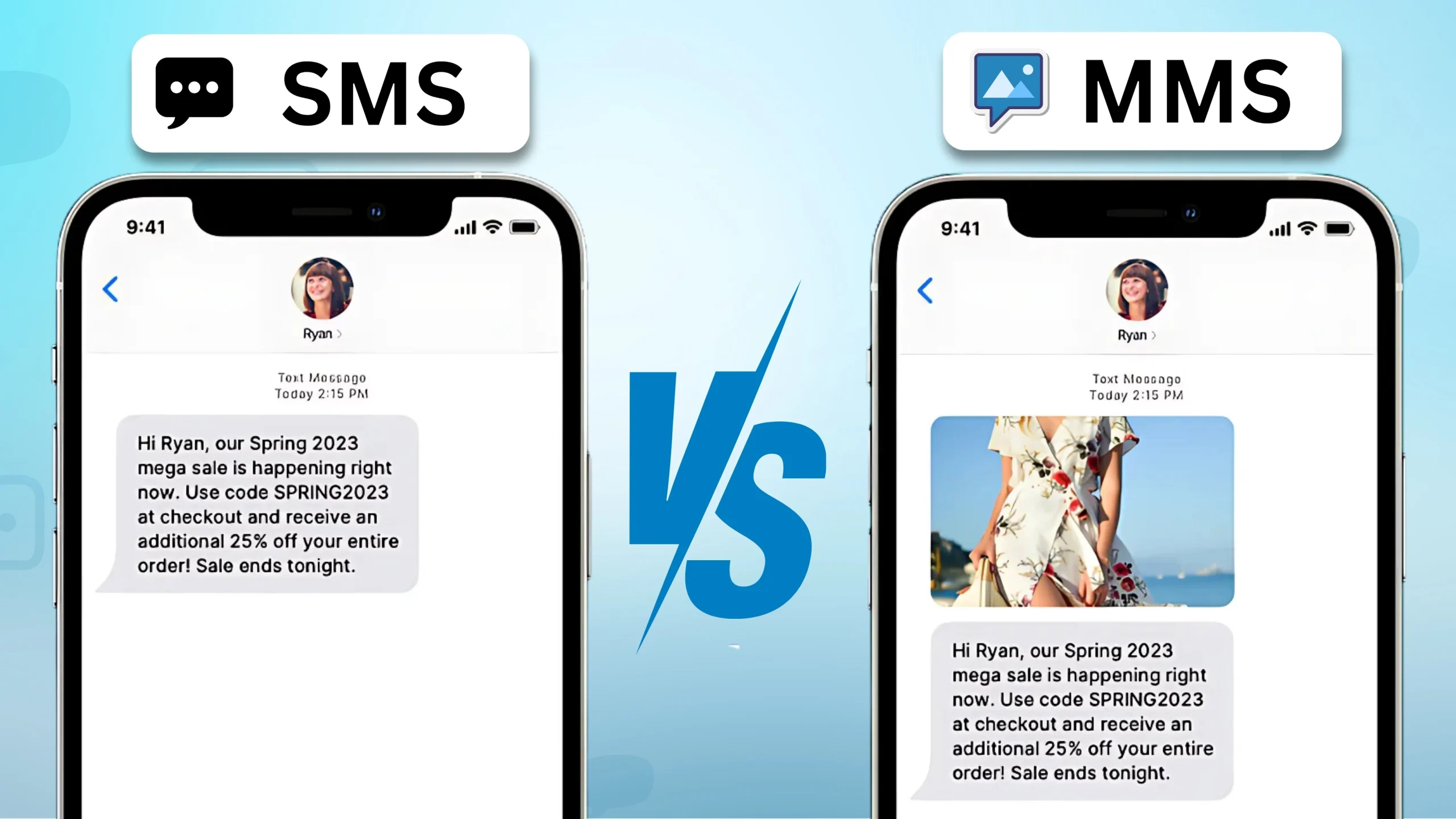
문자 메시지는 청중과 즉각적으로 소통할 수 있는 강력한 방법입니다. 이메일에 비해 SMS 및 MMS 메시지는 관심을 끌 가능성이 훨씬 더 높습니다. 실제로 문자 메시지의 거의 98%가 열리며, 이메일 열람률은 평균 약 20%입니다. 이를 통해 문자 메시지는 고객에게 계속 표시되는 효과적인 도구가 됩니다.
두 메시지 모두 청중과 소통하는 데 고유한 이점을 제공합니다. SMS는 간결하고 빠른 업데이트에 적합한 반면, MMS 텍스트는 메시지를 더욱 매력적으로 만들 수 있는 이미지, 비디오, 오디오와 같은 풍부한 콘텐츠를 제공합니다. 둘 중 하나를 선택하는 것은 비즈니스 목표와 고객과 구축하려는 연결 유형에 따라 다릅니다.
프로모션을 공유하든, 알림을 보내든, 매력적인 멀티미디어 캠페인을 만들든, 효과적으로 소통하고 결과를 도출하는 데 도움이 될 수 있습니다.
SMS: 장점과 단점
| 장점 | 단점 |
|---|---|
| 짧고 간결한 메시지(160자)는 빠르게 관심을 사로잡습니다. | 160자로 제한되어 있어 자세한 내용을 전달하기에는 충분하지 않을 수 있습니다. |
| 비용 효율적이므로 가입자 기반이 큰 기업에 이상적입니다. | 다중 부분 SMS는 메시지가 글자 수 제한을 초과하면 비용을 증가시킵니다. |
| 웹페이지 링크, 결제 대행사, 설문조사, 약속 확인 등 클릭 유도 문구를 지원합니다. | 사진, 비디오, GIF와 같은 멀티미디어 기능이 부족하여 시각 산업의 참여가 제한될 수 있습니다. |
MMS: 장점과 단점
| 장점 | 단점 |
|---|---|
| 이미지, 비디오와 같은 시각적 콘텐츠는 일반 텍스트에 비해 눈길을 끌고 매력적입니다. | 모든 휴대폰이나 데이터 요금제가 MMS를 지원하는 것은 아니므로 도달 범위가 제한됩니다. |
| SMS에 비해 더 많은 텍스트(최대 1,600자)를 허용하여 메시징에 더 많은 유연성을 제공합니다. | MMS는 SMS보다 전송 비용이 훨씬 더 비싸며, 종종 5배나 더 비쌉니다. |
| 제품과 서비스를 효과적으로 선보일 수 있는 시각적 중심의 기업에 적합합니다. | 고품질의 시각 자료나 비디오를 만드는 데는 비용이 많이 들 수 있으며, 특히 전문적인 디자인 서비스가 필요한 경우에는 더욱 그렇습니다. |
| 멀티미디어 콘텐츠로 사용자의 참여를 유도하여 캠페인을 더욱 기억에 남게 만듭니다. | 장치 화면 크기가 다양하면 수신자의 시각적 경험이 일관되지 않을 수 있습니다. |
기업이 커뮤니케이션을 위해 SMS를 사용하는 효과적인 방법
단문 메시지 서비스(SMS)는 전 세계 비즈니스를 위한 핵심 도구가 되었습니다. 고객과 쉽고 직접적인 소통을 할 수 있는 방법을 제공합니다. 기업에서는 마케팅, 알림, 고객 지원 등 다양한 목적으로 SMS를 사용합니다.
마케팅: 회사에서는 홍보 캠페인을 위해 SMS를 사용하는 경우가 많습니다. 문자 메시지는 많은 청중에게 빠르게 전달될 수 있으므로 판매, 할인 또는 신제품을 알리는 효과적인 방법이 됩니다.
알림: SMS는 경고 및 미리 알림을 보내는 데 유용합니다. 기업에서는 약속 알림, 결제 확인 또는 배송 업데이트를 보낼 수 있습니다. 이는 적시에 정보를 제공함으로써 고객 경험을 향상시키는 데 도움이 됩니다.
고객 지원: SMS는 고객이 고객 서비스에 연락할 수 있는 편리한 방법을 제공합니다. 기업은 문의 사항을 처리하고, 불만 사항을 해결하고, 문자 메시지를 통해 피드백을 수집할 수 있습니다. 이 접근 방식은 전화 통화보다 더 빠르고 관리하기 쉬운 경우가 많습니다.
이러한 용도 외에도 SMS는 높은 공개율로 인해 여전히 인기가 있습니다. 사람들은 이메일보다 문자 메시지를 더 많이 읽을 가능성이 높기 때문에 SMS는 효과적인 커뮤니케이션 채널이 됩니다. 게다가 SMS는 인터넷 연결에 의존하지 않습니다. 메시지를 의미한다 데이터 액세스 없이 사용자에게 접근할 수 있습니다.
전반적으로 SMS를 비즈니스 전략에 통합하면 커뮤니케이션을 강화하고 고객과 소통할 수 있는 안정적인 방법을 제공할 수 있습니다.
SMS VS MMS: 차이점 이해
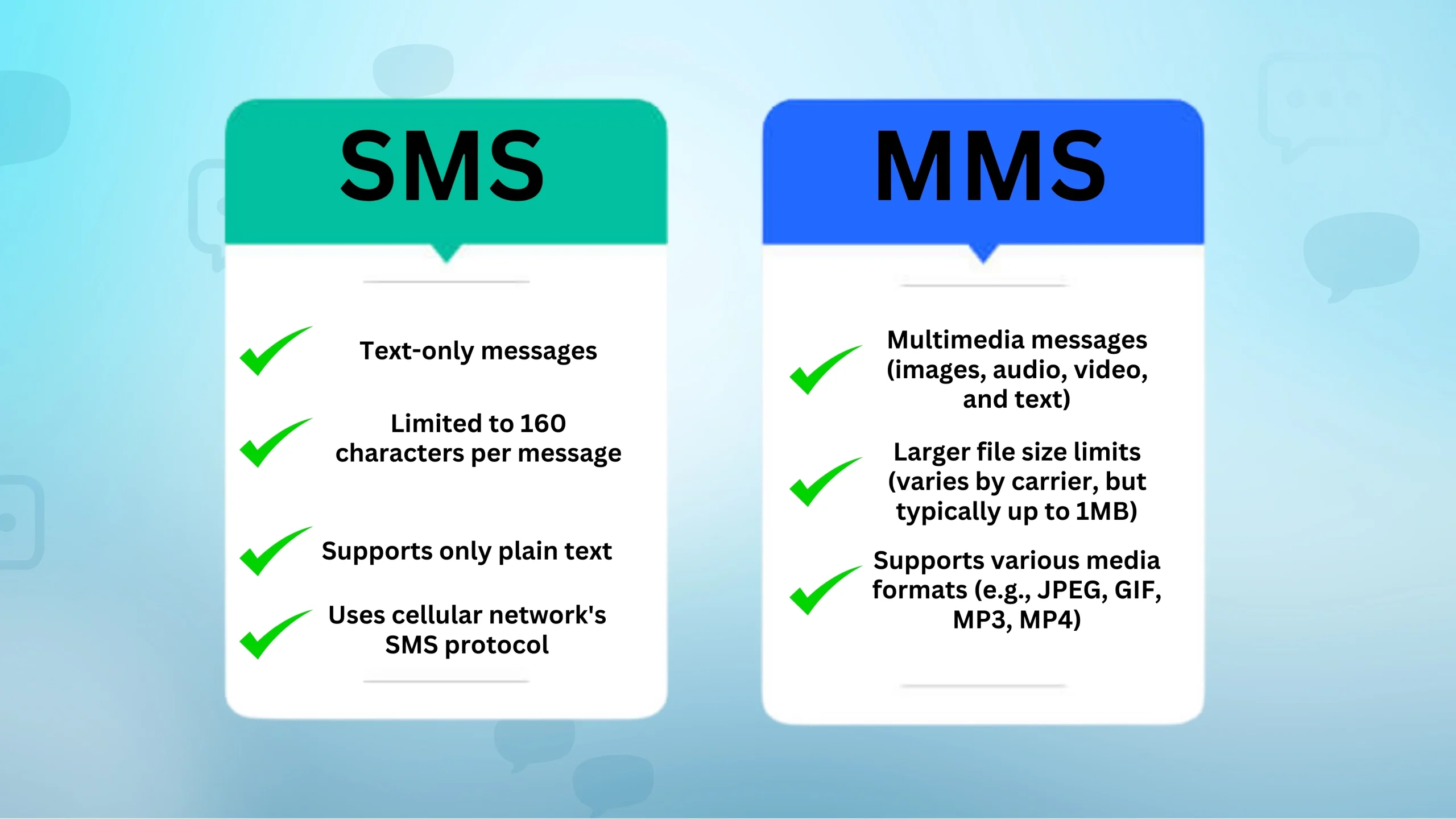
문자 메시지라고 하면 SMS(Short Message Service)와 MMS(Multimedia Messaging Service)가 자주 등장합니다. 둘 다의 방법입니다 메시지 보내기 모바일 네트워크를 통해 제공되지만 고유한 기능과 용도가 있습니다.
SMS는 문자 메시지의 가장 간단한 형태입니다. 이를 통해 한 전화기에서 다른 전화기로 일반적으로 160자로 제한되는 짧은 텍스트 전용 메시지를 보낼 수 있습니다. 간단하고 널리 사용되는 서비스로, 텍스트 기반 정보를 빠르게 전달하는 데 이상적입니다.
반면에 더 많은 다양성을 제공합니다. 이미지, 비디오, 오디오 파일과 같은 멀티미디어 콘텐츠를 전송할 수 있습니다. MMS 메시징을 사용하면 문자에만 국한되지 않기 때문에 더욱 매력적이고 자세한 메시지를 공유할 수 있습니다.
주요 차이점은 다음과 같습니다.
| 특징 | SMS | MMS |
|---|---|---|
| 콘텐츠 | 텍스트만 | 텍스트, 이미지, 비디오, 오디오 |
| 글자 수 제한 | 160자 | 엄격한 제한은 없으며 네트워크에 따라 다름 |
| 비용 | 종종 MMS보다 저렴함 | 일반적으로 미디어 콘텐츠로 인해 더 비쌉니다. |
| 사용 사례 | 빠르고 간단한 문자 커뮤니케이션 | 더욱 풍부한 메시지를 표현하기 위한 리치 미디어 공유 |
SMS는 간단하고 직접적인 의사소통에 적합하지만 멀티미디어 메시징 서비스는 미디어 파일을 공유함으로써 메시징 경험을 풍부하게 해줍니다. 이러한 서비스는 일상적인 교류에서 중요한 역할을 하며, 각 서비스는 상황에 따라 다양한 요구 사항을 충족합니다. MMS에 대해 더 자세히 알아보려면 이 자세한 리소스를 읽어보세요.
SMS 및 MMS: 차이점과 유사점은 무엇입니까?
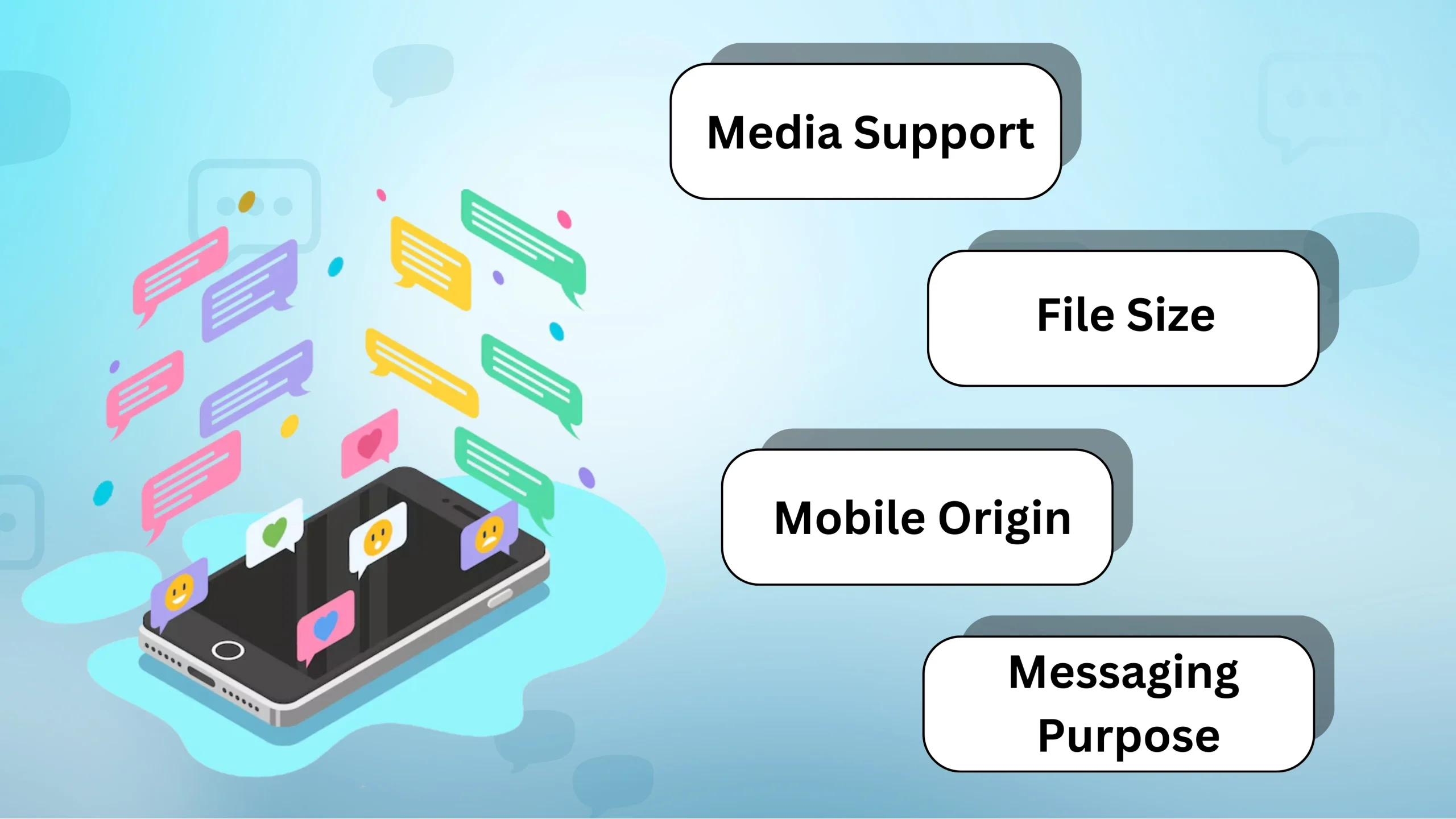
문자 및 멀티미디어 메시징을 탐색할 때 SMS와 MMS가 어떻게 다르고 겹치는지 이해하는 것이 중요합니다.
SMS(단문 메시지 서비스)
- SMS는 문자 메시지의 고전적인 형태입니다. 이를 통해 최대 160자의 짧은 문자 메시지를 보낼 수 있습니다.
- 셀룰러 네트워크를 통해 빠르게 전송되며 기능이 간단합니다.
MMS(멀티미디어 메시징 서비스)
- MMS는 SMS 기능을 확장합니다. 텍스트뿐만 아니라 이미지, 오디오, 비디오 등 다양한 미디어 유형을 보낼 수 있습니다.
- 이 메시징 형식은 더 큰 메시지를 수용하며 보다 풍부한 통신을 위해 자주 사용됩니다.
- SMS와 달리 MMS 텍스트는 동적 콘텐츠 기능으로 인해 메시징을 위한 '킬러' 애플리케이션이라고 할 수 있습니다.
SMS와 MMS 비교 및 대조
| 특징 | SMS | MMS |
|---|---|---|
| 콘텐츠 | 텍스트만(최대 160자) | 텍스트, 이미지, 오디오, 비디오 |
| 회로망 | 셀룰러 네트워크를 활용합니다 | 인터넷 또는 모바일 데이터가 필요합니다 |
| 파일 크기 | 작은 텍스트 기반 메시지로 제한됨 | 더 큰 멀티미디어 파일 지원 |
두 서비스 모두 통신을 지원하지만 서로 다른 요구 사항을 충족합니다. 빠른 교환을 위해 SMS가 선택되는 경우가 많은 반면, MMS 텍스트는 보다 표현력이 풍부한 콘텐츠에 적합합니다. 일부 사용자는 MMS가 제공하는 풍부한 콘텐츠에도 불구하고 단순성과 안정성 때문에 여전히 SMS를 선호합니다.
채택 및 사용 패턴 기술 발전에도 불구하고 모든 사람이 MMS로 전환한 것은 아닙니다. 데이터 가용성 및 전화 호환성과 같은 요소가 MMS 채택에 영향을 미칠 수 있습니다. 그럼에도 불구하고 보다 대화형 상호 작용을 원하는 사용자에게는 MMS 텍스트가 매력적인 대안을 제공합니다.
안정적이고 빠르고 효과적인 커뮤니케이션을 통해 메시지를 돋보이게 만드세요. 오늘 문자 메시지 게임을 한 단계 더 발전시켜 보세요!
당신은 또한 다음 사항을 알고 있을 수도 있습니다:
iMessage, WhatsApp 및 기타 OTT 애플리케이션 이해
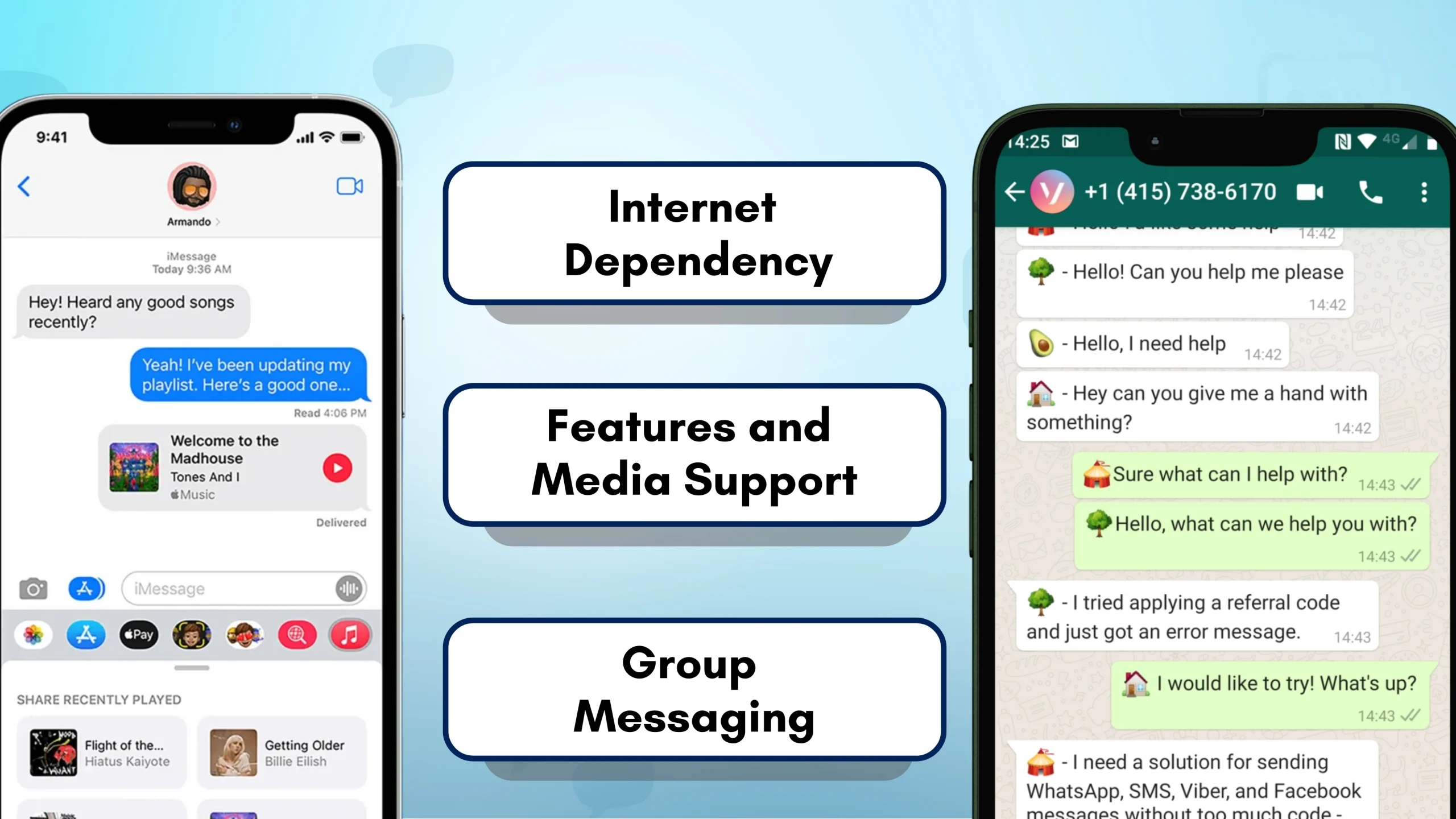
OTT(Over-the-Top) 애플리케이션은 SMS와 같은 기존 배포 방법을 우회하여 인터넷을 통해 콘텐츠를 전달하는 서비스를 말합니다. 인기 있는 예로는 iMessage, WhatsApp, Facebook Messenger 등이 있습니다. 이러한 플랫폼을 통해 사용자는 메시지를 보내고 받고, 미디어를 공유하고, 음성 및 영상 통화에 참여할 수 있습니다.
OTT 애플리케이션의 주요 기능
- 무료 메시지: OTT 앱은 일반적으로 인터넷 연결이 있는 한 무료 메시징 서비스를 제공하므로 기존 SMS 요금이 필요하지 않습니다.
- 멀티미디어 공유: 사용자는 사진, 동영상, 음성 메시지를 보낼 수 있어 일반 서비스에 비해 커뮤니케이션이 더욱 풍부해집니다.
- 암호화: 많은 OTT 애플리케이션은 엔드투엔드 암호화를 제공하여 사용자 데이터에 대한 향상된 개인 정보 보호 및 보안을 제공합니다.
기존 메시징과의 비교
| 특징 | OTT Applications (e.g., WhatsApp) | MMS/SMS |
|---|---|---|
| 비용 | Internet-based, often free | Carrier charges |
| Message Types | Text, images, video, audio | Mainly text, some images |
| 암호화 | Often end-to-end encrypted | Not typically encrypted |
OTT applications have gained widespread popularity, fundamentally changing how we communicate. They offer more functionality and flexibility than traditional text messaging services like SMS and MMS messages. As technology evolves, these apps continue to adapt, introducing features that enhance user interaction and connectivity.
Differences Between iMessage, WhatsApp, and Other OTT Applications Compared to SMS
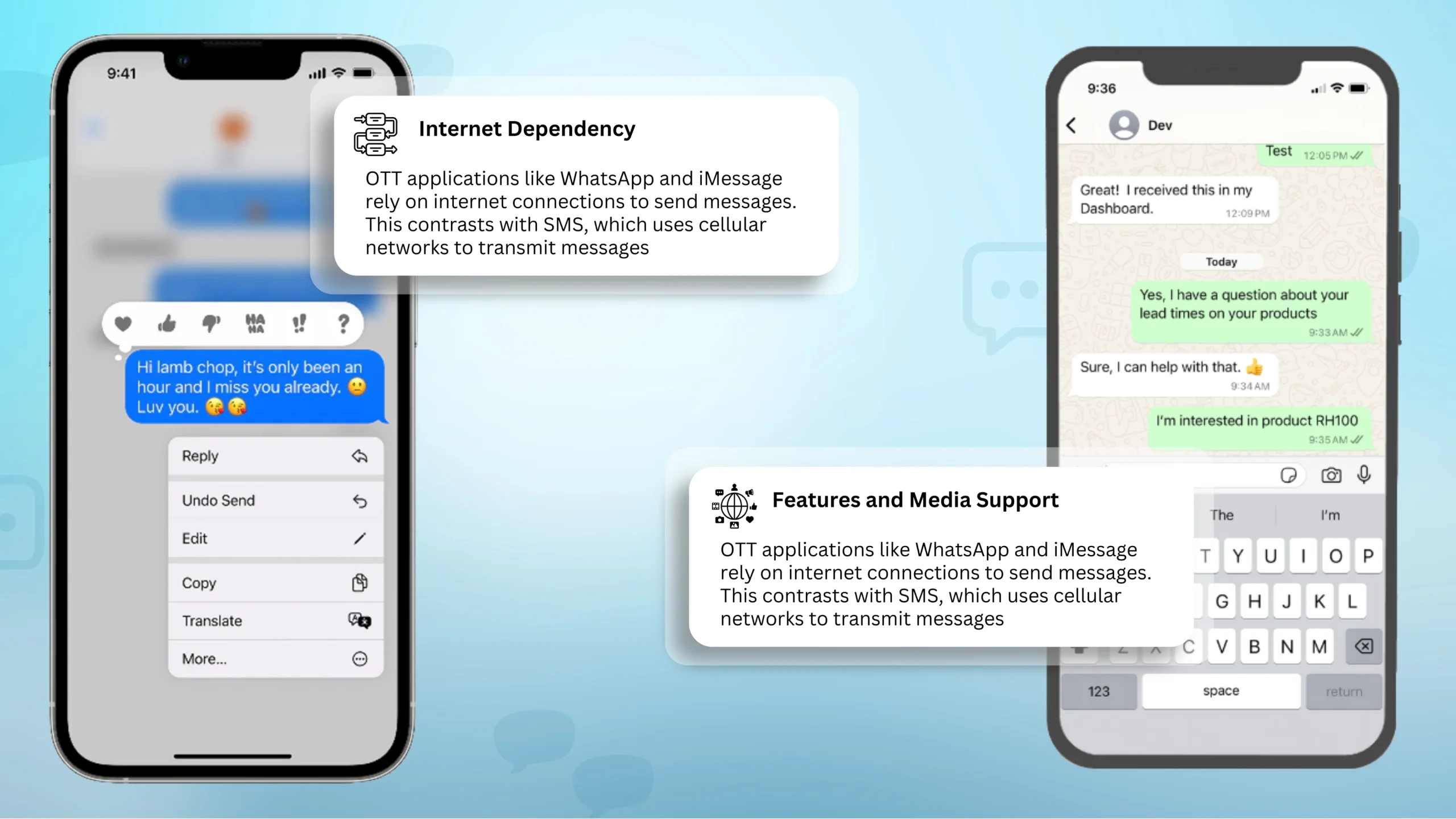
When comparing iMessage, WhatsApp, and other OTT (Over-The-Top) applications with SMS, there are several key differences to consider.
- Internet Dependency:OTT applications like WhatsApp andiMessage rely on internet connections to send messages. This contrasts with SMS, which uses cellular networks to transmit messages. So, with OTT apps, as long as we have Wi-Fi or mobile data, messaging can occur without traditional carrier fees.
- Cost:Sending SMS messages may incur charges, especially for cross-border texting, unless we have a specific plan. In contrast, OTT messaging is often free beyond any internet data costs, making them popular for international communication.
- Features and Media Support:Applications like WhatsApp and iMessage offer extensive features compared to basic SMS. These include sending multimedia messages like photos, videos, and voice notes. SMS can also support multimedia messages via MMS text, but it’s often more limited and may incur additional costs.
- Security:Many OTT services offer end-to-end encryption, which enhances message privacy. Apps like WhatsApp promote strong encryption, ensuring our conversations are secure. SMS lacks this level of security, making OTT apps preferable for privacy-conscious users.
- Group Messaging:While SMS supports basicgroup messaging, OTT applications provide more robust options. We can easily create chat groups, share rich media, and even participate in video calls. This makes OTT services more versatile for varied communication needs.
These differences highlight why users might prefer OTT applications over traditional SMS for their messaging needs. With enhanced features, reduced costs, and improved security, OTT apps are becoming the leading choice for communication in the digital age.
SMS and MMS: Global Usage
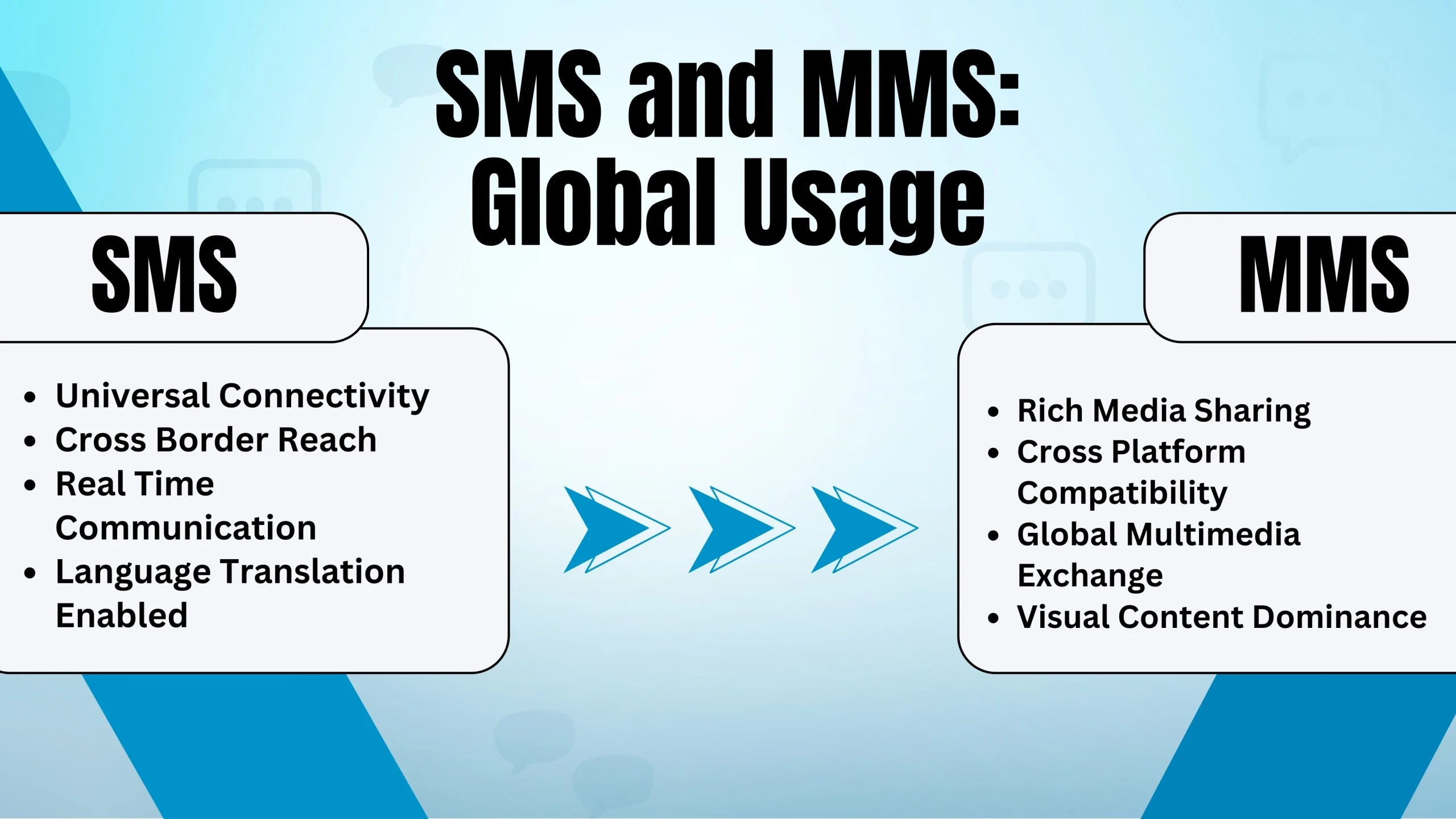
SMS (Short Message Service) and MMS (Multimedia Messaging Service) have both played significant roles in communication over the years. While SMS allows us to send text messages, MMS messages expands this by enabling multimedia content like images, audio, and video. Usage Trends
- SMS: Over two decades, SMS has become one of the most popular ways to communicate, especially for short, quick messages. It is reliable and works across almost every mobile phone worldwide.
- MMS: This service came later and allowed us to send richer content. Despite its advanced features, MMS messaging usage was not as widespread as SMS due to higher costs and compatibility issues with early mobile phones.
Key Differences
| 특징 | SMS | MMS |
|---|---|---|
| Content Type | 텍스트만 | Text, images, audio, video |
| 비용 | Usually cheaper | Can be more expensive |
| Compatibility | Works on all mobile phones | Requires compatible devices and networks |
| Data Usage | No data required | Requires data connection |
Current Uses QUERY LENGTH LIMIT EXCEEDED. MAX ALLOWED QUERY : 500 CHARS
SMS or MMS: Which Should You Choose?
When deciding between SMS and MMS messaging for your marketing campaigns, consider your business goals, target audience, and the type of product or service you’re promoting. Both options have unique strengths that can be tailored to specific needs.
When to Use SMS
SMS is perfect for quick, concise messages that include clear calls-to-action, such as clickable links. It works well for:
- Order Confirmations & Alerts: Ideal for time-sensitive updates like delivery tracking or appointment reminders.
- Text-to-Join Campaigns: Encourage customers to subscribe by texting a keyword to receive future updates.
- Marketing Promotions: Boost engagement with coupon codes, limited-time offers, and discounts.
- Payment Reminders: Automated SMS reminders are effective for collecting payments in industries like healthcare, utilities, and insurance. Research shows SMS reminders can reduce late payments by two days and improve timely payments by up to 9%.
- Transactional Updates: Send quick updates such as password resets, loan balances, or credit card status alerts.
For cost-effective communication and guaranteed deliverability, SMS is a practical choice, especially for businesses looking to maximize their reach without increasing expenses.
When to Use MMS
MMS is ideal if you want to include eye-catching visuals or longer messages. It allows you to incorporate multimedia elements, such as:
- Product Showcases: Use images, videos, or GIFs to highlight your products.
- Branding: Include your company logo to reinforce your brand identity.
- Event Invitations: Send creative invitations to events or competitions.
- Customer Engagement: Celebrate customer milestones, such as birthdays or anniversaries, with personalized multimedia messages.
- Business Cards: Share digital business cards that users can save directly to their devices.
While Multimedia Messaging Service offers richer content, it has some limitations. Media may appear differently across devices, and not all phones support MMS messages. Additionally, higher costs and the inability to confirm message views make it less reliable for campaigns where delivery guarantees are essential.
Making the Right Choice
Choose SMS for simple, budget-friendly communication with guaranteed reach and concise messaging. Opt for MMS text when visuals are key to engaging your audience and you have the budget to support multimedia campaigns. By aligning your choice with your goals, you can make the most of text messaging for your business.
SMSLocal: Your Partner in Effective Text Marketing
QUERY LENGTH LIMIT EXCEEDED. MAX ALLOWED QUERY : 500 CHARS
Conclusion
QUERY LENGTH LIMIT EXCEEDED. MAX ALLOWED QUERY : 500 CHARS
Ready to improve your communication? Choose SMS or MMS with SMSLocal to boost engagement and drive results. Get started today !
Frequently Asked Questions
MMS full form(Multimedia Messaging Service) is a messaging format that allows you to send multimedia content such as images, videos, audio files, and extended text messages (up to 1,600 characters). Unlike SMS, which is limited to text only, MMS messages enables richer communication with multimedia elements.
In text messaging, MMS meaning refers to messages that contain multimedia content, such as pictures, videos, audio files, or links. It is an enhanced version of SMS, allowing for more dynamic and visually engaging communication.
In Device Manager, “SMS MMS” typically refers to settings or components related to text messaging services, specifically the short message service (SMS) and multimedia messaging service (MMS) protocols. These settings may help manage text message features or configurations for mobile devices or communication applications.
On Android, SMS (Short Message Service) refers to basic text messages that are limited to 160 characters and can only contain text.(Multimedia Messaging Service) allows you to send messages that include multimedia such as images, videos, and audio. MMS messages often have a larger file size and require a mobile data connection.
Neither SMS nor MMS messages is inherently free. The cost of sending SMS or MMS messages depends on your mobile carrier and plan. Some mobile plans may include a certain number of SMS or MMS messages, while others may charge per message. Additionally, MMS typically costs more due to the larger file sizes and multimedia content.
SMS (Short Message Service) is a text-only service limited to 160 characters, while MMS (Multimedia Messaging Service) allows for the transmission of multimedia content such as images, videos, and audio. MMS typically allows for longer messages and supports larger file sizes, whereas SMS is more basic and cost-effective.