
 English
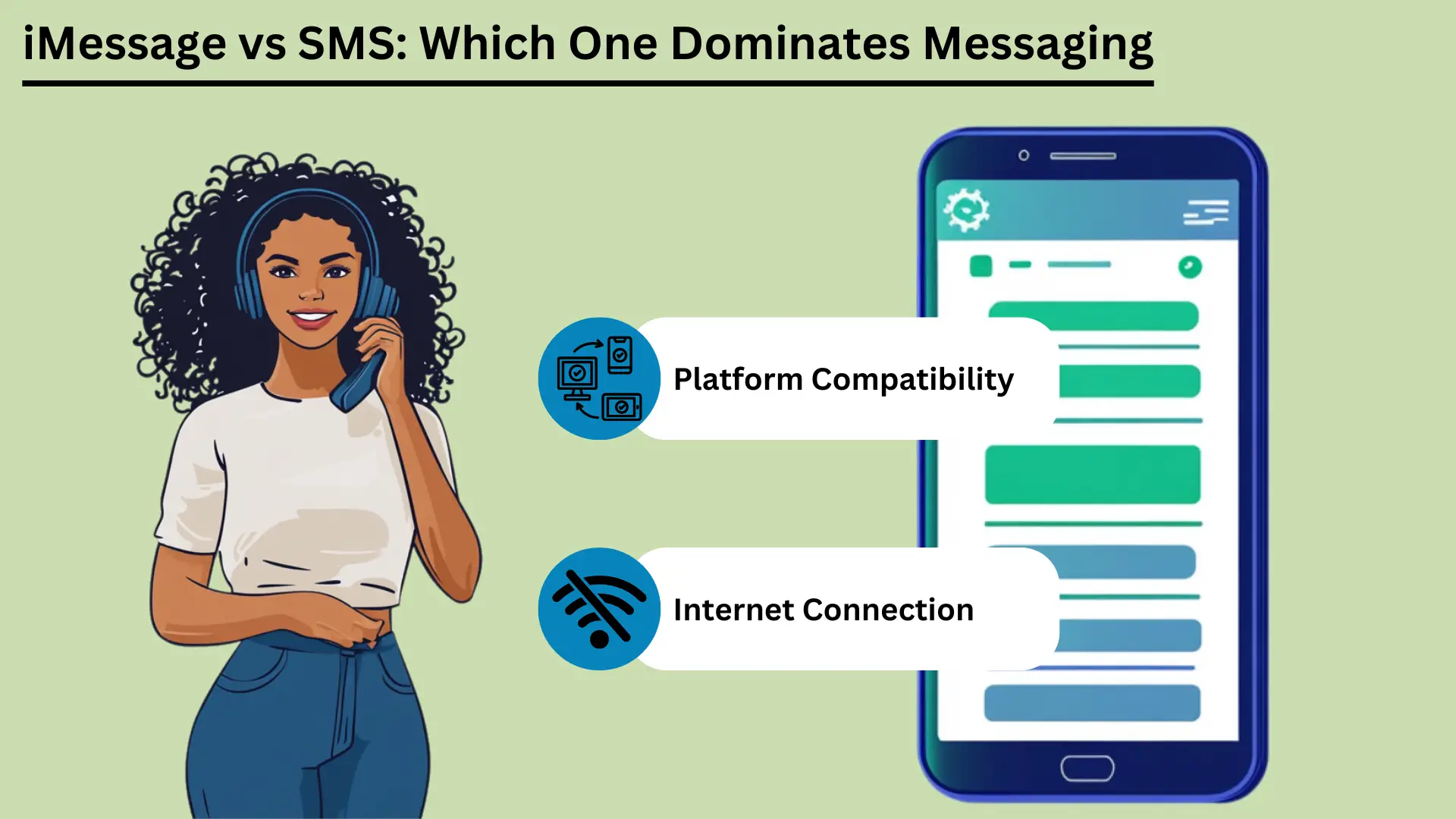
모바일 메시징은 이제 일상생활의 큰 부분을 차지합니다. 가장 잘 알려진 두 가지 서비스는 다음과 같습니다. SMS 및 아이메시지. SMS(Short Message Service)는 가장 오래된 메시지 서비스 중 하나입니다. 셀 네트워크를 통해 작동하며 거의 모든 전화로 짧은 문자 메시지를 보냅니다.
SMS는 1990년대 초에 출시되었습니다. 특히 인터넷 접속이 좋지 않은 곳에서는 여전히 안정적이고 저렴한 메시지 전송 방법입니다. Apple은 2011년에 iMessage를 출시했습니다. iMessage는 인터넷을 사용하여 Apple 기기 간에 메시지를 보냅니다.
iMessage는 사진, 비디오 및 다양한 추가 기능을 추가합니다. 또한 메시지를 비공개로 유지하며 Apple 기기 전반에서 원활하게 작동합니다.
이 게시물에서는 두 서비스를 비교합니다. 차이점, 사용 느낌, 연결 방식, 사용하는 데이터 양, 안전성 및 다음에 어디로 갈 수 있는지를 다룹니다.
주요 시사점:
- SMS는 셀 네트워크를 통해 작동합니다. 거의 모든 사람에게 도달할 수 있고 빠르며 인터넷이 필요하지 않습니다.
- iMessage는 Wi-Fi 또는 모바일 데이터를 사용합니다. 사진, 비디오 및 추가 기능을 지원하지만 Apple 장치에서만 지원됩니다.
- SMS는 모든 전화에서 작동하며 비용도 거의 들지 않습니다. 간단한 메시지와 알림에 적합합니다.
- iMessage는 메시지를 뒤섞어 귀하와 다른 사람만 읽을 수 있도록 합니다(종단 간 암호화). 또한 여러 장치에서 동기화되며 재미있고 대화형 기능을 제공합니다.
- 이러한 차이점을 알면 귀하의 필요에 맞는 올바른 서비스를 선택하는 데 도움이 됩니다.
단문 메시지 서비스(SMS)란 무엇입니까?
단문 메시지 서비스(SMS)는 보낼 수 있는 문자 메시지 서비스 셀 네트워크를 통해 최대 160자의 짧은 메시지를 받을 수 있습니다. 1990년대 초반에 나왔습니다. 간편하고 안정적이며 거의 모든 휴대폰에서 작동하기 때문에 전 세계 사람들이 이 앱을 사용합니다. 따라서 연락을 유지하는 데 중요한 도구가 됩니다.
정의 및 기본 기능
SMS는 휴대폰 간에 짧은 메시지를 보내는 문자 메시지 서비스입니다. 이를 SMS 문자라고 합니다. 셀 네트워크를 통해 이동하며 각각 최대 160자를 저장할 수 있습니다.
SMS는 세계에서 가장 오래되고 가장 많이 사용되는 메시징 서비스 중 하나입니다. 1990년대 초반에 나왔습니다. 인터넷이 필요하지 않습니다. 따라서 특히 인터넷 접속이 약한 곳에서는 신뢰할 수 있는 선택이 됩니다.
SMS의 장점
광범위한 도달 범위 및 호환성
SMS의 가장 큰 장점 중 하나는 어디에서나 작동한다는 것입니다. 전 세계 거의 모든 휴대폰과 이동통신사가 이를 지원합니다. 메시지는 사람들이 사용하는 전화나 네트워크를 통해 전달됩니다.
이 넓은 도달 범위는 효과적인 SMS 개인용 또는 사업용으로 많은 사람에게 다가가기 위한 도구입니다. 기업은 또한 여러 국가와 대규모 그룹의 사람들에게 신속하게 문자 메시지를 보낼 수 있습니다.
속도와 안정성
SMS 메시지는 일반적으로 몇 초 내에 도착하므로 누군가에게 연락하는 빠른 방법입니다. 셀 네트워크를 사용하므로 인터넷이 약한 곳에서도 작동합니다.
SMS도 신뢰할 수 있습니다. 다른 전화가 꺼져 있거나 범위를 벗어나면 네트워크는 잠시 동안 메시지를 보류합니다. 그런 다음 전화가 다시 서비스되면 이를 전달합니다.
비용 효율성
SMS는 저렴합니다. 많은 모바일 요금제에는 추가 비용 없이 정해진 수의 문자 메시지가 포함되어 있습니다. 문자당 비용을 지불하더라도 가격은 대개 저렴합니다. 따라서 SMS는 개인과 기업, 특히 짧고 긴급한 메시지에 적합한 선택입니다.
마케팅 및 알림의 사용 사례
기업에서는 마케팅 및 알림을 위해 SMS를 많이 사용합니다. 사람들은 텍스트를 빨리 열고 바로 읽습니다. 일반적인 용도는 다음과 같습니다.
| 사용 사례 | 아이메시지 | SMS |
|---|---|---|
| 개인 커뮤니케이션 | Apple 생태계 내에서 풍부하고 대화형이며 안전한 대화 | 기본적이고 보편적인 의사소통 |
| 비즈니스 커뮤니케이션 | Apple 장치 내 내부 통신에 적합 | 모든 고객에게 다가가기에 적합 |
| 마케팅 캠페인 | Apple 사용자로 제한됨, 리치 미디어 캠페인 | 광범위한 도달 범위, 높은 공개율 |
| 약속 알림 | Apple 생태계 내에서 효율적 | 모든 기기에서 효과적입니다. |
| 거래 알림 | Apple 사용자를 위한 보안 | 모든 고객에게 신뢰할 수 있는 |
| 2단계 인증(2FA) | Apple 생태계 내에서 안전하게 보호 | 일반적으로 사용됨, 효과적임 |
| 그룹 채팅 | 풍부한 기능, 멀티미디어 지원 | 기본 그룹 메시지 |
SMS는 널리 사용 가능하고 빠르고 안정적이며 저렴하기 때문에 개인과 기업은 이를 다양한 작업에 사용할 수 있습니다. 따라서 집과 직장에서 편리한 도구가 됩니다.
Apple 기기의 iMessage란 무엇입니까?
iMessage는 Apple의 메시징 서비스입니다. Wi-Fi 또는 모바일 데이터를 통해 Apple 장치 간에 텍스트, 사진, 비디오 및 문서를 보낼 수 있습니다. iPhone, iPad, Mac의 메시지 앱에 내장되어 있습니다. 엔드투엔드 암호화, 읽음 확인 및 리치 미디어를 제공합니다.
이를 통해 Apple 사용자는 안전하고 원활하게 메시지를 보낼 수 있습니다.
정의 및 기본 기능
iMessage는 Apple에서 개발하여 2011년에 출시되었습니다. Apple 기기 간에 텍스트, 사진, 비디오, 문서 등을 보냅니다. Wi-Fi 또는 모바일 데이터를 사용하여 인터넷을 통해 실행됩니다. 이는 기존 SMS 및 MMS와 차별화됩니다.
iOS 및 macOS의 메시지 앱에 내장되어 있습니다. 이는 iPhone, iPad, iPod 및 Mac에서 동일한 방식으로 작동한다는 것을 의미합니다.
iMessage는 Apple 자체 시스템에서 실행됩니다. 인터넷에 연결되어 있으면 SMS나 MMS 요금 없이 다른 Apple 사용자에게 메시지를 보낼 수 있습니다. 상대방이 iMessage를 활성화하지 않은 경우 메시지는 자동으로 SMS 또는 MMS로 전환됩니다. 따라서 그 사람이 어떤 장치를 사용하든 여전히 전달됩니다.
아이메시지의 장점
암호화 및 보안
iMessage는 엔드투엔드 암호화를 사용합니다. 즉, 보낸 사람과 받는 사람만 메시지를 읽을 수 있습니다. 이는 암호화가 없고 도중에 가로챌 수 있는 SMS에 비해 큰 장점입니다. Apple조차도 메시지 내용을 읽을 수 없습니다.
이는 사용자에게 높은 수준의 개인 정보 보호 및 안전을 제공합니다.
Apple 생태계 전반에 걸친 장치 동기화
iMessage의 뛰어난 기능은 동기화입니다. 귀하의 메시지는 귀하의 Apple ID를 사용하는 모든 Apple 기기에 표시됩니다. 당신은 할 수 있습니다 대화를 시작하다 iPhone에서, iPad에서 계속하고 나중에 Mac에서 다시 선택하세요.
이는 하루 종일 장치를 전환하는 사람들에게 편리합니다. 메시지를 놓치지 마세요.
리치 미디어 지원(사진, 비디오, 문서)
iMessage는 사진, 비디오, 문서 및 기타 파일을 공유할 수 있습니다. MMS에 따른 제한 없이 고품질 미디어를 보낼 수 있습니다. 대용량 파일을 전송할 수 있어 디테일한 사진이나 동영상 촬영에 도움이 되며, 품질도 떨어지지 않습니다.
고급 기능(읽음 확인, 입력 표시, 스티커, 효과)
iMessage에는 메시징을 개선하는 몇 가지 추가 기능이 있습니다.
- 읽음 확인: 읽음 확인을 켜서 누군가가 메시지를 읽었는지 확인할 수 있습니다. 이는 메시지가 도착했고 확인되었음을 확인합니다.
- 입력 표시기: iMessage는 상대방이 입력 중일 때 표시됩니다. 채팅 하단에 점 3개가 있는 작은 풍선이 표시됩니다. 답장이 오는 중이라고 알려줍니다.
- 스티커 및 효과: 애니메이션 스티커를 보내고 풍선, 색종이 조각, 불꽃놀이 등의 효과를 추가할 수 있습니다. 이를 통해 채팅이 더욱 재미있고 개인적으로 이루어집니다.
- 디지털 터치: 손으로 그린 스케치, 심장 박동 및 기타 터치 기반 메시지를 보낼 수 있습니다. 이는 디지털 채팅에 개인적인 느낌을 더해줍니다.
iMessage는 강력한 암호화, 원활한 동기화, 풍부한 미디어 및 다양한 추가 기능을 갖추고 있습니다. 이 두 가지를 함께 사용하면 Apple 사용자에게 SMS 및 MMS보다 더 완전한 메시징 경험을 제공할 수 있습니다. 따라서 iMessage는 Apple 기기를 사용하는 사람들에게 강력한 선택이 됩니다.
iMessage와 SMS의 주요 차이점
iMessage는 Apple 기기에서만 작동합니다. 인터넷을 사용하여 풍부한 미디어와 추가 기능을 제공합니다. SMS는 셀 네트워크를 사용하며 모든 휴대폰에서 작동합니다. 이 섹션에서는 메시지 이동 방법, 메시지 크기, 기능, 보안, 작동하는 장치 및 비용을 비교합니다.
배송 채널(인터넷 대 통신업체 네트워크)
iMessage와 SMS는 매우 다른 방식으로 메시지를 보냅니다. iMessage는 Wi-Fi나 모바일 데이터를 통해 인터넷을 사용합니다. 이를 통해 더 풍부한 미디어와 더 많은 기능을 제공할 수 있습니다. SMS는 셀 네트워크를 사용하므로 인터넷 없이 작동 연결.
이를 통해 모든 사람이 SMS를 더 쉽게 받을 수 있습니다.
메시지 크기 및 미디어 지원
SMS는 160자만 담을 수 있습니다. 메시지가 더 길면 일반적으로 여러 메시지로 분할됩니다. SMS는 또한 미디어를 제대로 처리하지 못합니다. 사진, 비디오, 파일을 보내려면 MMS가 필요하며 이는 비용이 많이 들고 신뢰할 수 없습니다.
iMessage에는 글자 수 제한이 없습니다. 사진, 비디오, 문서 등 다양한 유형의 미디어를 지원합니다. 따라서 기존 SMS보다 풍부한 콘텐츠를 더 유연하게 공유할 수 있습니다.
iMessage와 SMS의 장점
| 이점 | 아이메시지 | SMS |
|---|---|---|
| 넓은 도달 범위 | Apple 기기로 제한됨 | 모든 장치에서 보편적으로 지원됩니다. |
| 속도 | 빠르며 인터넷 속도에 따라 다름 | 일반적으로 몇 초 내에 전달됩니다. |
| 신뢰할 수 있음 | 인터넷 접속으로 안정적인 | 인터넷 접속 없이도 안정적 |
| 비용 효율성 | Wi-Fi/데이터 요금제로 비용 효율적 | 일반적으로 비용이 저렴하며 종종 계획에 포함됩니다. |
| 보안 | 엔드투엔드 암호화 | 암호화 없음 |
| 리치 미디어 지원 | 사진, 비디오, 문서 지원 | 제한적, 미디어에 MMS 필요 |
| 고급 기능 | 읽음 확인, 입력 표시기, 대화형 기능 | 기본 텍스트 및 이모티콘 |
기능 비교
- 기본 텍스트와 리치 미디어 및 대화형 기능: SMS는 일반 텍스트용으로 만들어졌습니다. 간단한 이모티콘을 지원하지만 그 이상은 지원하지 않습니다. iMessage는 스티커, 애니메이션 효과, 손으로 그린 스케치와 심장 박동을 보낼 수 있는 디지털 터치 등 풍부한 미디어와 대화형 기능을 지원합니다.
- 읽음 확인 및 입력 표시기: iMessage는 메시지를 읽었을 때와 상대방이 입력할 때를 보여줍니다. SMS에는 둘 다 없습니다. 메시지가 전달되었는지 여부만 표시됩니다.
보안 및 개인정보 보호
iMessage의 암호화와 SMS의 암호화 부족: iMessage는 엔드투엔드 암호화를 사용합니다. 보낸 사람과 받는 사람만 메시지를 읽을 수 있습니다. 이렇게 하면 Apple을 포함한 다른 사람들이 콘텐츠를 보거나 읽을 수 없습니다.
SMS에는 암호화가 없으므로 도중에 메시지를 가로챌 수 있습니다. 이는 민감한 메시지의 실제 단점입니다.
플랫폼 간 호환성
Apple 장치와 모든 모바일 장치: iMessage는 iPhone, iPad, iPod, Mac 등 Apple 기기에서만 작동합니다. 따라서 다른 Apple 사용자에게 메시지를 보내는 데에만 사용할 수 있습니다. Android 휴대폰에 메시지를 보내는 데는 사용할 수 없습니다.
SMS는 브랜드나 시스템에 관계없이 모든 모바일 장치에서 작동합니다. 따라서 광범위한 청중에게 다가가는 데 더 나은 선택이 됩니다.
비용에 미치는 영향
iMessage의 데이터 사용량과 SMS의 메시지당 비용: iMessage는 데이터를 사용하여 메시지를 보냅니다. Wi-Fi가 있거나 좋은 데이터 요금제가 있으면 비용을 절약할 수 있습니다. 그러나 과도한 사용, 특히 대용량 파일 전송은 많은 데이터를 소모할 수 있으며 추가 요금이 발생할 수 있습니다.
Most mobile plans include a set number of texts each month. That keeps SMS costs simple. But sending more texts than your plan allows can cost extra, and MMS can be especially expensive.
요약표: iMessage와 SMS의 주요 차이점
| 특징 | 아이메시지 | SMS |
|---|---|---|
| 배송채널 | 인터넷(Wi-Fi 또는 셀룰러 데이터) | 셀룰러 네트워크 |
| 메시지 크기 | 제한 없는 | 메시지당 160자 |
| 미디어 지원 | 사진, 영상, 문서 등 | 제한적, 미디어용 MMS 필요 |
| 보안 | 엔드투엔드 암호화 | 암호화 없음 |
| 호환성 | Apple 기기만 해당 | 모든 휴대기기 |
| 비용 | 데이터를 사용하여 비용 효율적일 수 있음 | 일반적으로 낮지만 MMS는 비용이 많이 들 수 있습니다. |
| 고급 기능 | 읽음 확인, 입력 표시기, 리치 미디어, 대화형 기능 | 기본 텍스트, 기본 이모티콘 |
Knowing these differences helps you decide which service fits your needs. Whether you care most about security, media, which devices it works with, or cost, both iMessage and SMS have clear strengths and limits.
사용자 경험
The user experience covers how easy a messaging service is to use, how it works with other apps, and how you can adjust notifications. iMessage has a clean look, works closely with other Apple services, and has many notification options. SMS is simple, with basic notification settings and few links to other apps.
인터페이스 및 유용성
How easy a service is to use depends a lot on its design. iMessage has a clean, simple look and works smoothly with iOS and macOS. Chats are easy to follow, writing a message is quick, and most features take little effort to reach.
SMS is also simple to use, but it lacks the extra design features of iMessage. It gives you a basic texting experience. That works fine, but it is less visual and less interactive than iMessage.
다른 앱 및 서비스와의 통합
iMessage works closely with other Apple apps and services. You can share content from apps like Photos, Maps and Safari right inside iMessage. Apple Pay lets you pay quickly and safely through messages. iMessage also supports third-party app add-ons.
These let you do things like book a table or share music right inside the chat.
SMS has fewer ways to work with other apps. It can use basic phone features such as contacts and call logs, but it cannot work with apps and services the way iMessage does. That makes SMS more limited as a tool.
알림 관리 및 사용자 정의
Good notification settings matter for a good messaging experience. iMessage gives you many options. You can choose how and when you get alerts, set special alerts for certain contacts, and change sounds and vibrations. You can also mute a chat or turn on Do Not Disturb for one conversation.
This puts you in control of your alerts.
SMS notifications are more basic. You usually get standard alert tones and vibration settings with few choices. You can mute chats or change general notification settings, but you have fewer options than in iMessage.
These points on how easy each service is to use, how it works with other apps, and how you manage notifications show the strengths and limits of iMessage and SMS. They can help you choose the one that suits you.
셀룰러 데이터 네트워크를 통한 연결 및 접근성
Connection and access matter when you choose between iMessage and SMS. iMessage needs the internet, so you need Wi-Fi or mobile data. In return you get rich media features. SMS works over cell networks, so it works without internet, and it works on more devices.
This section looks at these differences and how they affect reach and use around the world.
iMessage의 인터넷 연결에 대한 의존성
iMessage needs an internet connection, either Wi-Fi or mobile data, to send and receive messages. That lets it offer advanced features and rich media, but it limits what you can do when you are offline.
SMS에 대한 셀룰러 네트워크 의존도
SMS uses the regular cell network. So it can deliver messages even where there is no internet. All it needs is a basic cell signal. That makes it a dependable choice where internet access is poor or missing.
글로벌 범위 및 제한 사항
iMessage only works on Apple devices. That limits its use with people who do not have Apple devices, but it works smoothly between Apple users. SMS works on all mobile devices, so it reaches almost everyone in the world. It can cost extra for international messages, though.
데이터 및 스토리지에 미치는 영향
Data and storage are worth thinking about when you pick between iMessage and SMS. iMessage uses internet data for rich media, so it can use a lot of data and storage. SMS uses cell networks, so it uses very little data, but it supports little media.
This section covers data use, storage problems, and ways to manage both.
iMessage의 데이터 사용량
iMessage uses Wi-Fi or mobile data to send and receive messages. That includes text, photos, videos and other media. How much data it uses depends on the type and size of the media.
For example, sending high-resolution photos and videos can use up data quickly, especially when you are not on Wi-Fi. Watch your data plan to avoid extra charges, especially if you often share large files. SMS texts, in contrast, use very little data because they go over the cell network and mostly carry text.
멀티미디어 메시지에 대한 저장 문제
Because iMessage can send and receive rich media, storage can become a problem over time. Photos, videos and other large files pile up in the Messages app and take up a lot of storage on your device. This can slow the device down, so you need to clean it up now and then.
Unlike SMS, which mostly handles text, iMessage can handle lots of media. So you should keep an eye on your storage.
데이터와 스토리지를 효과적으로 관리하기 위한 전략
- 오래된 메시지의 정기적인 삭제: Delete old chats and attachments now and then to free up space. You can 메시지 삭제 by hand, or set your device to delete them after a set time.
- 메시지 저장을 위해 iCloud 사용: Turn on iCloud for Messages to move messages and attachments off your device and into the cloud. This frees up space and still lets you read old chats.
- 데이터 사용량 모니터링: Check your data use in your device settings to see how much iMessage uses. You can send lower-quality images or use Wi-Fi for large files to use less data.
- 미디어 설정 최적화: You can change iMessage settings to send smaller photos and videos. This can cut both the data you use and the storage you need.
Once you understand how iMessage uses data and storage, and use these tips, you can keep your device running well and avoid surprise charges. That keeps messaging smooth.
보안 및 개인 정보 보호 문제
Security and privacy matter a lot in messaging. iMessage uses end-to-end encryption, so only the sender and the person receiving can read the messages. That gives strong protection for your data. SMS has no encryption, so it can be intercepted and read by others.
This section looks at these differences and gives tips to make your messaging safer. It helps you protect your messages.
iMessage의 암호화 및 데이터 보호
iMessage has strong security thanks to end-to-end encryption. Only the sender and the person receiving can read the messages. This covers texts, photos, videos and documents.
Apple built its encryption so that not even Apple can read your messages. This gives users a high level of privacy. It also means that anyone who intercepted a message could not read it without the keys, which only the two devices hold.
SMS와 관련된 위험
SMS has no encryption, so criminals can intercept and read text messages. SMS messages travel in plain text over the cell network, and they can be intercepted in several ways. This is a real privacy risk, especially for sensitive information.
Cell carriers can also store and access SMS messages, which adds to the risk to your privacy.
SMS와 관련된 위험
SMS messages have no encryption, so criminals can intercept them. They travel in plain text over cell networks and can be intercepted in several ways. This is a real privacy risk, especially for sensitive information.
Cell carriers can also store and access SMS messages, which adds to the risk to your privacy.
메시징 보안 강화를 위한 팁
- 암호화된 메시징 서비스 사용: Use encrypted services like iMessage when you can, or other safe apps such as Signal or WhatsApp. These apps use end-to-end encryption, which makes your messages much safer.
- 2단계 인증(2FA) 활성화: Add two-factor authentication to your messaging accounts. It adds a second check, such as a 휴대전화로 전송된 코드, on top of your password.
- 소프트웨어를 최신 상태로 유지: Update your device and apps often to get the latest security 패치 and fixes. Old software can have weak spots that hackers use.
- 공용 Wi-Fi 사용 시 주의하세요: Do not send sensitive information over public Wi-Fi, which is less secure and easier to spy on. If you must use it, think about using an IPsec VPN to protect your connection.
- 앱 권한 검토: Check the permissions you gave your messaging apps now and then. Make sure they can only reach what they need. This lowers the risk of your data being exposed.
- 강력하고 고유한 비밀번호를 사용하세요. Protect your messaging accounts with strong passwords that are different for every account. Avoid passwords that are easy to guess. A 비밀번호 관리자 can keep track of them, and an 온라인 비밀번호 생성기 can help you make strong ones.
Once you understand the security differences between iMessage and SMS, and follow these tips, you can make your messaging safer and better protect your personal information.
메시징의 미래 동향
Mobile messaging will keep changing as new ideas arrive. This section looks at coming iMessage features, possible improvements to SMS, and wider predictions for mobile messaging.
iMessage의 혁신과 향후 기능
Apple keeps adding new features to iMessage to make it better to use. Future updates are expected to bring more artificial intelligence (AI) and machine learning, for smarter suggestions and replies.
Apple may also add better augmented reality (AR) features, more interactive message effects, and closer links with other Apple services such as Apple Pay and Apple Fitness. Apple is also likely to add more privacy features, building on its strong name for protecting user data.
SMS 기술의 잠재적인 개선
SMS has changed little over the years, but big improvements are possible. Rich Communication Services (RCS) is the next step for SMS. It aims to bring many iMessage features to more people. RCS supports higher-quality photo and video sharing, read receipts, typing indicators and group chats.
As more carriers and phones adopt RCS, SMS could compete better with messaging apps. Stronger security and encryption for RCS are also expected, which would address the privacy worries about traditional SMS.
Key Trends for the Future of Mobile Messaging
- 통합 메시징 플랫폼: One app could bring together SMS, RCS and internet-based messaging in a single place. That could make messaging simpler and more convenient.
- Increased Use of AI and Chatbots: AI and chatbots will do more of the work, such as sending automatic replies, helping customers, and offering personal responses. They can give instant help and smart reply suggestions.
- 개인 정보 보호 및 보안에 더욱 집중: As people worry more about their data, messaging services will likely focus on end-to-end encryption and other safety measures. Users will want more control over their data, which should lead to clearer privacy rules and stronger protection.
- IoT(사물 인터넷)와의 통합: Messaging apps could work more closely with smart devices. You could control smart home gadgets, get alerts, and talk to your devices right from a messaging app. Imagine controlling your lights or heating with a quick text message!
- 향상된 멀티미디어 및 AR 경험: Future apps will likely support richer media, including 3D content and augmented reality. That would make chats more engaging and interactive. Imagine using AR to show a friend your new outfit, or to see how a piece of furniture would look in your home before you buy it.
- 플랫폼 간 상호 운용성: Efforts to make different messaging apps work with each other could create a more connected system. People could then message each other whatever service or device they use. Imagine sending a message to a friend on a different app with no hassle!
By following these trends, people and businesses can get ready for the future of mobile messaging and use new technology to improve their chats and engagement.
결론
In short, SMS and iMessage each have clear strengths and serve different needs. SMS works on every phone and is dependable. It is still a staple for basic messages and is widely used for marketing and alerts.
It works without internet access, so it is very valuable where connections are weak. It is also simple and universal, so it will stay a basic way to reach a wide audience.
iMessage, on the other hand, stands out among Apple devices. It gives a rich, secure and interactive messaging experience. End-to-end encryption, device syncing and rich media make it better to use.
As technology moves on, iMessage will likely get new features, including AI and augmented reality. That keeps it at the front of modern messaging.
Meanwhile, SMS may grow into Rich Communication Services (RCS), which would bring more advanced features to more people and close the gap between SMS and modern messaging apps. Knowing these strengths and where each is heading helps you choose the service that fits your needs.
FAQ
자주 묻는 질문
가장 큰 차이점은 메시지를 보내는 방법입니다. iMessage는 풍부한 미디어와 추가 기능을 위해 인터넷(Wi-Fi 또는 모바일 데이터)을 사용합니다. SMS는 셀 네트워크를 사용하고 모든 전화에서 작동하며 인터넷 없이 기본 텍스트를 보냅니다.
아니요. iMessage는 iPhone, iPad, iPod, Mac을 포함한 Apple 기기에서만 작동합니다. Android 또는 기타 Apple 이외의 기기에서는 사용할 수 없습니다.
SMS에는 암호화가 없으므로 가로채기가 가능하고 보안성이 떨어집니다. iMessage는 종단 간 암호화를 사용하므로 보내는 사람과 받는 사람만 메시지를 읽을 수 있습니다.
예. iMessage는 데이터를 사용하여 메시지, 특히 사진, 비디오 및 기타 대용량 파일을 보냅니다. SMS는 데이터를 사용하지 않으며 대부분의 모바일 요금제에는 추가 데이터 요금 없이 포함됩니다.
iMessage에는 더 많은 AI 및 증강 현실 기능이 추가될 것으로 예상됩니다. SMS는 고품질 미디어 공유, 읽음 확인 및 향상된 보안을 제공하는 RCS(Rich Communication Services)로 이동할 것으로 예상됩니다.


