
 English
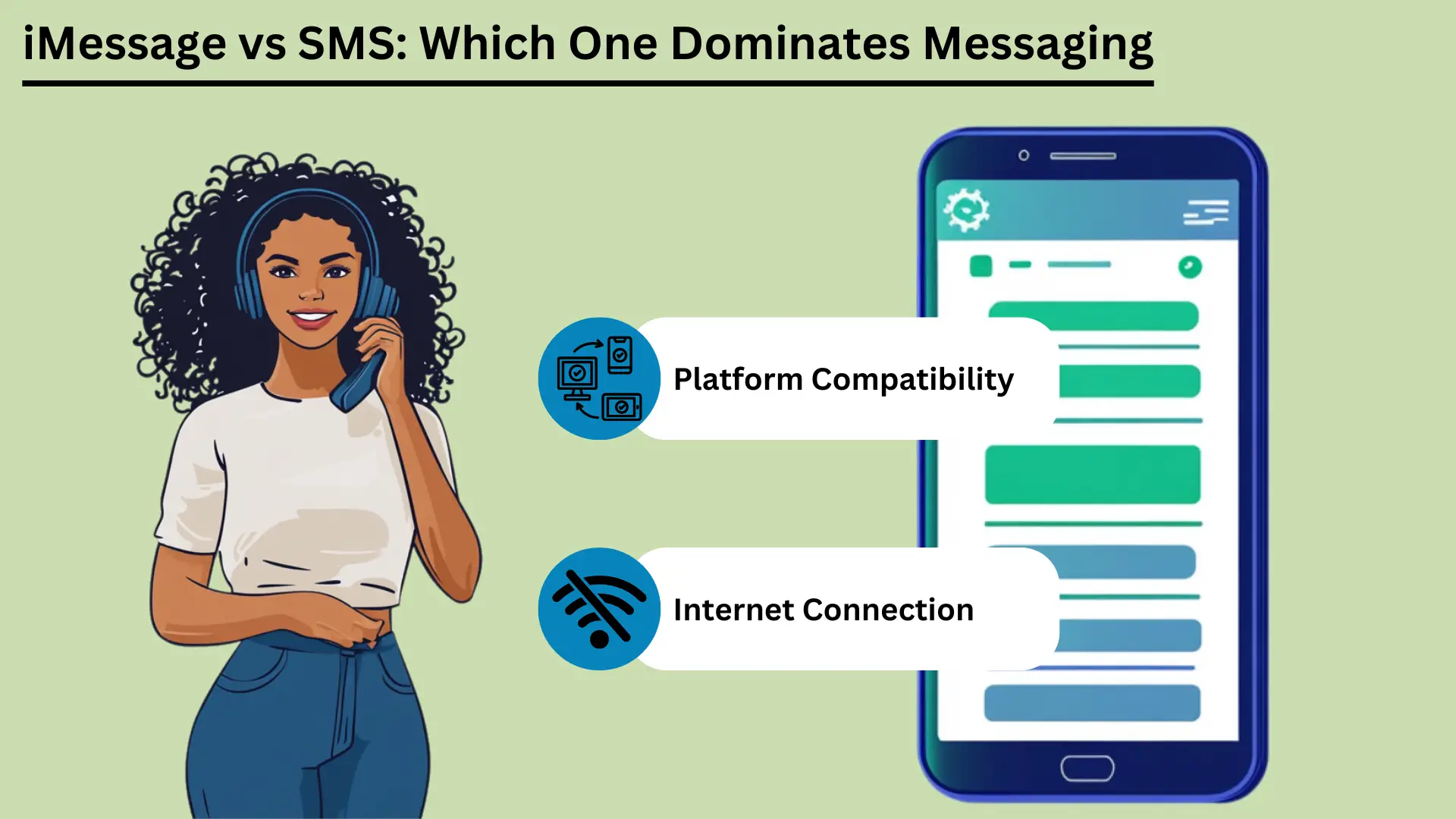
Mobile messaging is now a big part of daily life. Two of the best-known services are SMS と iMessage. SMS, short for Short Message Service, is one of the oldest messaging services. It works over cell networks and sends short text messages to almost any phone.
SMS came out in the early 1990s. It is still a reliable, low-cost way to message, especially where internet access is poor. Apple launched iMessage in 2011. It uses the internet to send messages between Apple devices.
iMessage adds photos, video and many extra features. It also keeps your messages private, and it works smoothly across Apple devices.
This post compares the two services. It covers how they differ, how they feel to use, how they connect, how much data they use, how safe they are, and where they may go next.
重要なポイント:
- SMS works over cell networks. It reaches nearly everyone, it is fast, and it needs no internet.
- iMessage uses Wi-Fi or mobile data. It supports photos, video and extra features, but only on Apple devices.
- SMS works on every phone and costs little. It suits simple messages and alerts.
- iMessage scrambles messages so only you and the other person can read them (end-to-end encryption). It also syncs across your devices and has fun, interactive features.
- Knowing these differences helps you pick the right service for your needs.
ショートメッセージサービス(SMS)とは何ですか?
ショートメッセージサービス(SMS)は、 text messaging service that lets you send and receive short messages of up to 160 characters over cell networks. It came out in the early 1990s. People use it all over the world because it is simple, reliable and works on almost every mobile phone. That makes it a key tool for staying in touch.
定義と基本機能
SMS is a text messaging service for sending short messages between mobile phones. These are called SMS texts. They travel over cell networks, and each one can hold up to 160 characters.
SMS is one of the oldest and most used messaging services in the world. It came out in the early 1990s. It does not need the internet. That makes it a dependable choice, especially where internet access is weak.
SMSのメリット
幅広い対応範囲と互換性
One big advantage of SMS is that it works everywhere. Almost every mobile phone and carrier in the world supports it. Messages get through whatever phone or network people use.
This wide reach makes SMSは効果的 tool for reaching many people, for personal use or for business. Businesses can also text people in many countries and large groups quickly.
スピードと信頼性
SMS messages usually arrive within seconds, so it is a quick way to reach someone. It uses the cell network, so it works even where the internet is poor.
SMS is also dependable. If the other phone is off or out of range, the network holds the message for a while. It then delivers it once the phone is back in service.
費用対効果
SMS is cheap. Many mobile plans include a set number of texts at no extra cost. Even when you pay per text, the price is usually low. That makes SMS a good choice for people and businesses, especially for short, urgent messages.
マーケティングと通知における使用例
Businesses use SMS a lot for marketing and alerts. People open texts quickly and read them right away. Common uses include:
| 使用事例 | iメッセージ | SMS |
|---|---|---|
| 個人的なコミュニケーション | Apple エコシステム内でのリッチでインタラクティブな安全な会話 | 基本的で普遍的なコミュニケーション |
| ビジネスコミュニケーション | Apple デバイス内の内部通信に適しています | すべての顧客にリーチするのに適しています |
| マーケティングキャンペーン | Appleユーザー限定、リッチメディアキャンペーン | 幅広いリーチ、高い開封率 |
| 予約のリマインダー | Apple エコシステム内で効率的 | すべてのデバイスで効果的 |
| 取引通知 | Apple ユーザーにとって安全 | すべてのお客様にとって信頼できる |
| 二要素認証 (2FA) | Apple エコシステム内での安全性 | よく使われる、効果的な |
| グループチャット | 豊富な機能、マルチメディアをサポート | 基本的なグループメッセージング |
Because SMS is widely available, fast, dependable and cheap, people and businesses can use it for many jobs. That makes it a handy tool at home and at work.
Apple デバイスの iMessage とは何ですか?
iMessage is Apple's messaging service. It lets you send texts, photos, videos and documents between Apple devices over Wi-Fi or mobile data. It is built into the Messages app on iPhone, iPad and Mac. It offers end-to-end encryption, read receipts and rich media.
This gives Apple users a secure and smooth way to message.
定義と基本機能
iMessage was created by Apple and launched in 2011. It sends texts, photos, videos, documents and more between Apple devices. It runs over the internet, using Wi-Fi or mobile data. That sets it apart from traditional SMS and MMS.
It is built into the Messages app on iOS and macOS. That means it works the same way on iPhones, iPads, iPods and Macs.
iMessage runs on Apple's own system. You can message other Apple users without SMS or MMS fees, as long as you have an internet connection. If the other person does not have iMessage turned on, the message switches to SMS or MMS on its own. So it still gets delivered, whatever device the person uses.
iMessage の利点
暗号化とセキュリティ
iMessage uses end-to-end encryption. That means only the sender and the person receiving can read the messages. This is a big plus over SMS, which has no encryption and can be intercepted on its way. Even Apple cannot read the content of your messages.
This gives users a high level of privacy and safety.
Apple エコシステム全体でのデバイスの同期
A standout feature of iMessage is syncing. Your messages show up on every Apple device that uses your Apple ID. You can start a conversation on your iPhone, continue it on your iPad, and pick it up later on your Mac.
This is handy for people who switch between devices all day. You never miss a message.
リッチメディアのサポート (写真、ビデオ、ドキュメント)
iMessage can share photos, videos, documents and other files. You can send high-quality media without the limits that come with MMS. You can send large files, which is helpful for detailed photos or videos, and the quality does not drop.
高度な機能 (開封確認、タイピング インジケーター、ステッカー、エフェクト)
iMessage has several extra features that make messaging better:
- 受信確認を読む: You can turn on read receipts to see when someone has read your message. This confirms that the message arrived and was seen.
- タイピングインジケーター: iMessage shows when the other person is typing. You see a small bubble with three dots at the bottom of the chat. It tells you a reply is on the way.
- ステッカーとエフェクト: You can send animated stickers and add effects such as balloons, confetti and fireworks. These make chats more fun and more personal.
- デジタルタッチ: You can send hand-drawn sketches, heartbeats and other touch-based messages. This adds a personal touch to digital chats.
iMessage has strong encryption, smooth syncing, rich media and many extra features. Together they give Apple users a fuller messaging experience than SMS and MMS. That makes iMessage a strong choice for people who use Apple devices.
iMessage と SMS の主な違い
iMessage only works on Apple devices. It uses the internet to offer rich media and extra features. SMS uses cell networks and works on every mobile phone. This section compares them on how messages travel, message size, features, security, which devices they work with, and cost.
配信チャネル (インターネット vs キャリア ネットワーク)
iMessage and SMS send messages in very different ways. iMessage uses the internet, over Wi-Fi or mobile data. That lets it offer richer media and more features. SMS uses the cell network, so it works without an internet connection.
That makes SMS easier to reach for everyone.
メッセージのサイズとメディアのサポート
An SMS can hold only 160 characters. If a message is longer, it is usually split into several messages. SMS also handles media poorly. Sending photos, videos and files needs MMS, which can be costly and unreliable.
iMessage has no character limit. It supports many types of media, including photos, videos and documents. That makes it more flexible for sharing rich content than traditional SMS.
iMessage と SMS の利点
| アドバンテージ | iメッセージ | SMS |
|---|---|---|
| ワイドリーチ | Apple デバイスに限定 | すべてのデバイスで普遍的にサポートされています |
| スピード | 高速、インターネット速度に依存 | 通常は数秒以内に配信されます |
| 信頼性 | インターネットアクセスで安心 | インターネットにアクセスできない場合でも信頼できる |
| 費用対効果 | Wi-Fi/データプランで費用対効果が高い | 一般に低コストで、プランに含まれることが多い |
| 安全 | エンドツーエンドの暗号化 | 暗号化なし |
| リッチメディアのサポート | 写真、ビデオ、ドキュメントをサポート | 限定的、メディアには MMS が必要 |
| 高度な機能 | 開封確認、入力インジケーター、インタラクティブ機能 | 基本的なテキストと絵文字 |
機能の比較
- 基本的なテキストとリッチメディアおよびインタラクティブ機能: SMS is built for plain text. It supports simple emojis, but not much more. iMessage supports rich media and interactive features such as stickers, animated effects and Digital Touch, which lets you send hand-drawn sketches and heartbeats.
- 開封確認と入力インジケーター: iMessage shows when a message was read and when the other person is typing. SMS has neither. It only shows whether a message was delivered.
セキュリティとプライバシー
iMessage の暗号化と SMS の暗号化の欠如: iMessage uses end-to-end encryption. Only the sender and the person receiving can read the messages. This stops others, including Apple, from seeing or reading the content.
SMS has no encryption, so messages can be intercepted on the way. That is a real drawback for sensitive messages.
クロスプラットフォーム互換性
Apple デバイスとすべてのモバイル デバイス: iMessage only works on Apple devices: iPhones, iPads, iPods and Macs. So you can only use it to message other Apple users. You cannot use it to message an Android phone.
SMS works on all mobile devices, whatever the brand or system. That makes it a better choice for reaching a wide audience.
コストへの影響
iMessage のデータ使用量と SMS のメッセージごとのコスト: iMessage uses data to send messages. That can save money if you have Wi-Fi or a good data plan. But heavy use, especially sending large files, can eat a lot of data and may lead to extra charges.
Most mobile plans include a set number of texts each month. That keeps SMS costs simple. But sending more texts than your plan allows can cost extra, and MMS can be especially expensive.
概要表: iMessage と SMS の主な違い
| 特徴 | iメッセージ | SMS |
|---|---|---|
| 配信チャネル | インターネット (Wi-Fi または携帯電話データ) | 携帯電話ネットワーク |
| メッセージサイズ | 無制限 | メッセージあたり 160 文字 |
| メディアサポート | 写真、ビデオ、ドキュメントなど | 制限あり、メディアには MMS が必要 |
| 安全 | エンドツーエンドの暗号化 | 暗号化なし |
| 互換性 | Apple デバイスのみ | すべてのモバイルデバイス |
| 料金 | データを使用するため、費用対効果が高くなります | 一般に低コストですが、MMS はコストがかかる場合があります |
| 高度な機能 | 開封確認、入力インジケーター、リッチメディア、インタラクティブ機能 | 基本的なテキスト、基本的な絵文字 |
Knowing these differences helps you decide which service fits your needs. Whether you care most about security, media, which devices it works with, or cost, both iMessage and SMS have clear strengths and limits.
ユーザーエクスペリエンス
The user experience covers how easy a messaging service is to use, how it works with other apps, and how you can adjust notifications. iMessage has a clean look, works closely with other Apple services, and has many notification options. SMS is simple, with basic notification settings and few links to other apps.
インターフェースと使いやすさ
How easy a service is to use depends a lot on its design. iMessage has a clean, simple look and works smoothly with iOS and macOS. Chats are easy to follow, writing a message is quick, and most features take little effort to reach.
SMS is also simple to use, but it lacks the extra design features of iMessage. It gives you a basic texting experience. That works fine, but it is less visual and less interactive than iMessage.
他のアプリやサービスとの統合
iMessage works closely with other Apple apps and services. You can share content from apps like Photos, Maps and Safari right inside iMessage. Apple Pay lets you pay quickly and safely through messages. iMessage also supports third-party app add-ons.
These let you do things like book a table or share music right inside the chat.
SMS has fewer ways to work with other apps. It can use basic phone features such as contacts and call logs, but it cannot work with apps and services the way iMessage does. That makes SMS more limited as a tool.
通知の管理とカスタマイズ
Good notification settings matter for a good messaging experience. iMessage gives you many options. You can choose how and when you get alerts, set special alerts for certain contacts, and change sounds and vibrations. You can also mute a chat or turn on Do Not Disturb for one conversation.
This puts you in control of your alerts.
SMS notifications are more basic. You usually get standard alert tones and vibration settings with few choices. You can mute chats or change general notification settings, but you have fewer options than in iMessage.
These points on how easy each service is to use, how it works with other apps, and how you manage notifications show the strengths and limits of iMessage and SMS. They can help you choose the one that suits you.
携帯電話データネットワーク経由の接続性とアクセス性
Connection and access matter when you choose between iMessage and SMS. iMessage needs the internet, so you need Wi-Fi or mobile data. In return you get rich media features. SMS works over cell networks, so it works without internet, and it works on more devices.
This section looks at these differences and how they affect reach and use around the world.
iMessage のインターネット接続への依存
iMessage needs an internet connection, either Wi-Fi or mobile data, to send and receive messages. That lets it offer advanced features and rich media, but it limits what you can do when you are offline.
SMS に対する携帯電話ネットワークへの依存
SMS uses the regular cell network. So it can deliver messages even where there is no internet. All it needs is a basic cell signal. That makes it a dependable choice where internet access is poor or missing.
世界的な範囲と制限
iMessage only works on Apple devices. That limits its use with people who do not have Apple devices, but it works smoothly between Apple users. SMS works on all mobile devices, so it reaches almost everyone in the world. It can cost extra for international messages, though.
データとストレージへの影響
Data and storage are worth thinking about when you pick between iMessage and SMS. iMessage uses internet data for rich media, so it can use a lot of data and storage. SMS uses cell networks, so it uses very little data, but it supports little media.
This section covers data use, storage problems, and ways to manage both.
iMessage のデータ使用量
iMessage uses Wi-Fi or mobile data to send and receive messages. That includes text, photos, videos and other media. How much data it uses depends on the type and size of the media.
For example, sending high-resolution photos and videos can use up data quickly, especially when you are not on Wi-Fi. Watch your data plan to avoid extra charges, especially if you often share large files. SMS texts, in contrast, use very little data because they go over the cell network and mostly carry text.
マルチメディア メッセージのストレージに関する懸念
Because iMessage can send and receive rich media, storage can become a problem over time. Photos, videos and other large files pile up in the Messages app and take up a lot of storage on your device. This can slow the device down, so you need to clean it up now and then.
Unlike SMS, which mostly handles text, iMessage can handle lots of media. So you should keep an eye on your storage.
データとストレージを効果的に管理するための戦略
- 古いメッセージの定期的な削除: Delete old chats and attachments now and then to free up space. You can メッセージを削除する by hand, or set your device to delete them after a set time.
- メッセージストレージに iCloud を使用する: Turn on iCloud for Messages to move messages and attachments off your device and into the cloud. This frees up space and still lets you read old chats.
- データ使用量の監視: Check your data use in your device settings to see how much iMessage uses. You can send lower-quality images or use Wi-Fi for large files to use less data.
- メディア設定の最適化: You can change iMessage settings to send smaller photos and videos. This can cut both the data you use and the storage you need.
Once you understand how iMessage uses data and storage, and use these tips, you can keep your device running well and avoid surprise charges. That keeps messaging smooth.
セキュリティとプライバシーの問題
Security and privacy matter a lot in messaging. iMessage uses end-to-end encryption, so only the sender and the person receiving can read the messages. That gives strong protection for your data. SMS has no encryption, so it can be intercepted and read by others.
This section looks at these differences and gives tips to make your messaging safer. It helps you protect your messages.
iMessage の暗号化とデータ保護
iMessage has strong security thanks to end-to-end encryption. Only the sender and the person receiving can read the messages. This covers texts, photos, videos and documents.
Apple built its encryption so that not even Apple can read your messages. This gives users a high level of privacy. It also means that anyone who intercepted a message could not read it without the keys, which only the two devices hold.
SMS に関連するリスク
SMS has no encryption, so criminals can intercept and read text messages. SMS messages travel in plain text over the cell network, and they can be intercepted in several ways. This is a real privacy risk, especially for sensitive information.
Cell carriers can also store and access SMS messages, which adds to the risk to your privacy.
SMS に関連するリスク
SMS messages have no encryption, so criminals can intercept them. They travel in plain text over cell networks and can be intercepted in several ways. This is a real privacy risk, especially for sensitive information.
Cell carriers can also store and access SMS messages, which adds to the risk to your privacy.
メッセージングのセキュリティを強化するためのヒント
- 暗号化されたメッセージング サービスを使用します。 Use encrypted services like iMessage when you can, or other safe apps such as Signal or WhatsApp. These apps use end-to-end encryption, which makes your messages much safer.
- 2 要素認証 (2FA) を有効にする: Add two-factor authentication to your messaging accounts. It adds a second check, such as a 携帯電話に送信されたコード, on top of your password.
- ソフトウェアを最新の状態に保つ: Update your device and apps often to get the latest security パッチ and fixes. Old software can have weak spots that hackers use.
- 公衆 Wi-Fi には注意してください: Do not send sensitive information over public Wi-Fi, which is less secure and easier to spy on. If you must use it, think about using an IPsec VPN to protect your connection.
- アプリの権限を確認します。 Check the permissions you gave your messaging apps now and then. Make sure they can only reach what they need. This lowers the risk of your data being exposed.
- 強力でユニークなパスワードを使用してください。 Protect your messaging accounts with strong passwords that are different for every account. Avoid passwords that are easy to guess. A パスワードマネージャー can keep track of them, and an オンラインパスワードジェネレーター can help you make strong ones.
Once you understand the security differences between iMessage and SMS, and follow these tips, you can make your messaging safer and better protect your personal information.
メッセージングの将来のトレンド
Mobile messaging will keep changing as new ideas arrive. This section looks at coming iMessage features, possible improvements to SMS, and wider predictions for mobile messaging.
iMessage の革新性と今後の機能
Apple keeps adding new features to iMessage to make it better to use. Future updates are expected to bring more artificial intelligence (AI) and machine learning, for smarter suggestions and replies.
Apple may also add better augmented reality (AR) features, more interactive message effects, and closer links with other Apple services such as Apple Pay and Apple Fitness. Apple is also likely to add more privacy features, building on its strong name for protecting user data.
SMS テクノロジーの改善の可能性
SMS has changed little over the years, but big improvements are possible. Rich Communication Services (RCS) is the next step for SMS. It aims to bring many iMessage features to more people. RCS supports higher-quality photo and video sharing, read receipts, typing indicators and group chats.
As more carriers and phones adopt RCS, SMS could compete better with messaging apps. Stronger security and encryption for RCS are also expected, which would address the privacy worries about traditional SMS.
Key Trends for the Future of Mobile Messaging
- ユニファイド メッセージング プラットフォーム: One app could bring together SMS, RCS and internet-based messaging in a single place. That could make messaging simpler and more convenient.
- Increased Use of AI and Chatbots: AI and chatbots will do more of the work, such as sending automatic replies, helping customers, and offering personal responses. They can give instant help and smart reply suggestions.
- プライバシーとセキュリティへのさらなる重点: As people worry more about their data, messaging services will likely focus on end-to-end encryption and other safety measures. Users will want more control over their data, which should lead to clearer privacy rules and stronger protection.
- IoT (モノのインターネット) との統合: Messaging apps could work more closely with smart devices. You could control smart home gadgets, get alerts, and talk to your devices right from a messaging app. Imagine controlling your lights or heating with a quick text message!
- 強化されたマルチメディアと AR エクスペリエンス: Future apps will likely support richer media, including 3D content and augmented reality. That would make chats more engaging and interactive. Imagine using AR to show a friend your new outfit, or to see how a piece of furniture would look in your home before you buy it.
- プラットフォーム間の相互運用性: Efforts to make different messaging apps work with each other could create a more connected system. People could then message each other whatever service or device they use. Imagine sending a message to a friend on a different app with no hassle!
By following these trends, people and businesses can get ready for the future of mobile messaging and use new technology to improve their chats and engagement.
結論
In short, SMS and iMessage each have clear strengths and serve different needs. SMS works on every phone and is dependable. It is still a staple for basic messages and is widely used for marketing and alerts.
It works without internet access, so it is very valuable where connections are weak. It is also simple and universal, so it will stay a basic way to reach a wide audience.
iMessage, on the other hand, stands out among Apple devices. It gives a rich, secure and interactive messaging experience. End-to-end encryption, device syncing and rich media make it better to use.
As technology moves on, iMessage will likely get new features, including AI and augmented reality. That keeps it at the front of modern messaging.
Meanwhile, SMS may grow into Rich Communication Services (RCS), which would bring more advanced features to more people and close the gap between SMS and modern messaging apps. Knowing these strengths and where each is heading helps you choose the service that fits your needs.
よくある質問
よくある質問
The main difference is how they send messages. iMessage uses the internet (Wi-Fi or mobile data) for rich media and extra features. SMS uses cell networks, works on all phones, and sends basic text without internet.
No. iMessage only works on Apple devices, including iPhones, iPads, iPods and Macs. You cannot use it on Android or other non-Apple devices.
SMS has no encryption, so it can be intercepted and is less secure. iMessage uses end-to-end encryption, so only the sender and the person receiving can read the messages.
Yes. iMessage uses data to send messages, especially photos, videos and other large files. SMS does not use data, and most mobile plans include it with no extra data charges.
iMessage is expected to add more AI and augmented reality features. SMS is expected to move to Rich Communication Services (RCS), which offers higher-quality media sharing, read receipts and better security.


