
 English
„Planen und Senden von Texten zu bestimmten Zeiten“ ist eine bahnbrechende Funktion, die sowohl Privatpersonen als auch Unternehmen dabei hilft, eine zeitnahe und organisierte Kommunikation aufrechtzuerhalten. Dieses Tool macht das manuelle Versenden von Nachrichten überflüssig und stellt sicher, dass wichtige Benachrichtigungen die Empfänger zum günstigsten Zeitpunkt erreichen. Ganz gleich, ob es sich um eine persönliche Erinnerung oder ein geschäftliches Update handelt: Die Möglichkeit, Textnachrichten zu planen, steigert die Produktivität, verbessert die Organisation und verbessert die Kommunikationseffizienz.
Wichtige Erkenntnisse:
- Planen Sie Texte im Voraus, um wichtige Fristen nicht zu verpassen.
- Automatisieren Sie Routinenachrichten, um Zeit und mentalen Freiraum zu schaffen.
- Verbessern Sie die Kommunikationszuverlässigkeit, indem Sie Nachrichten zu optimalen Zeiten senden.
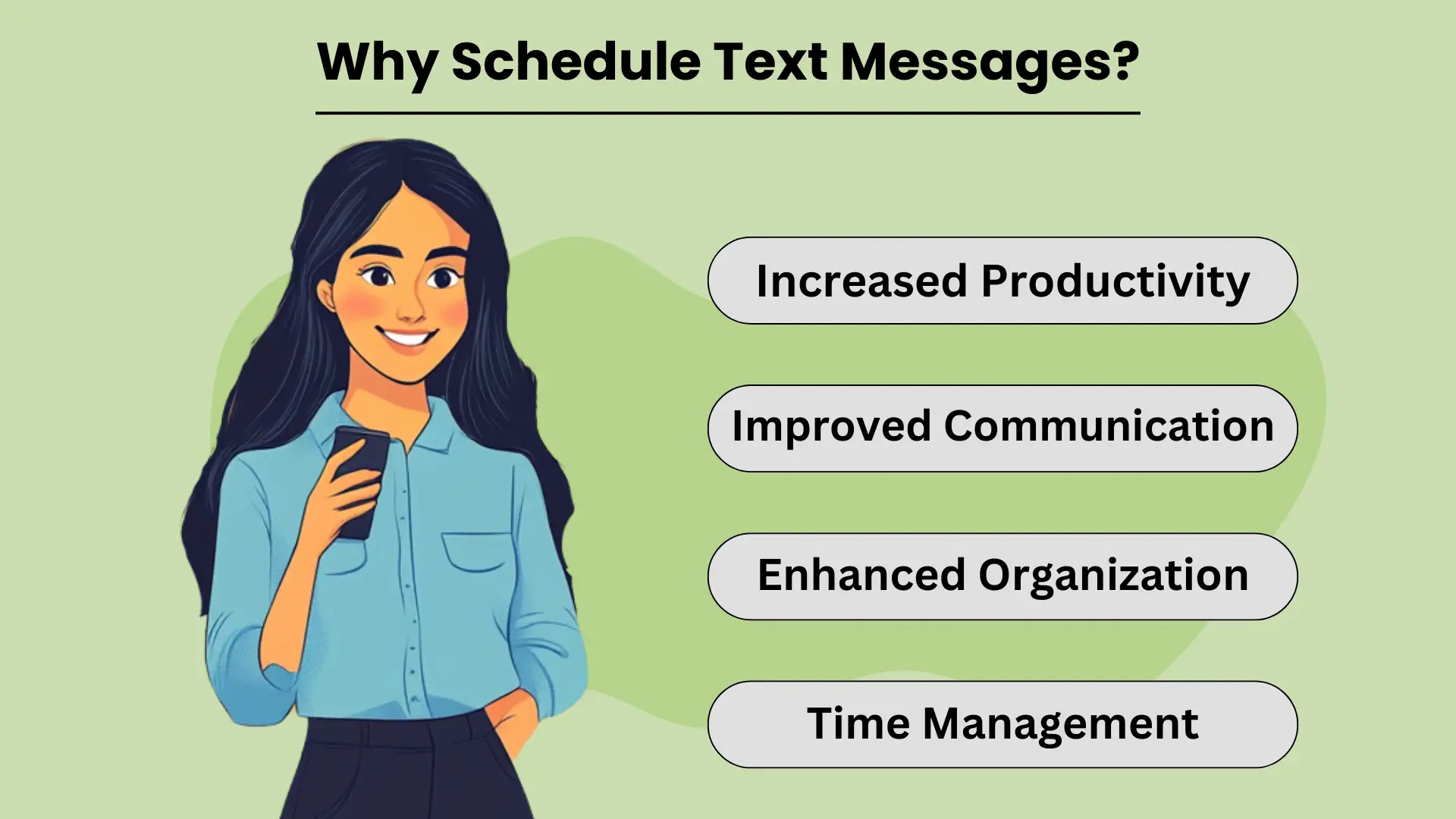
Warum Textnachrichten planen?
Terminplanung Textnachrichten allows individuals and businesses to send timely and relevant information without needing to manually hit “send” at the perfect moment. This simple yet powerful tool helps streamline communication by automating routine messages, ensuring that important information reaches the recipient when it’s most impactful.
Whether it’s personal reminders or business notifications, scheduled Das Versenden von SMS bietet eine Vielzahl von Vorteilen, die die Kommunikation verbessern Effizienz und Produktivität. Mit dieser Funktion können Sie Ihren Tag besser organisieren, Aufgaben effektiv verwalten und sicherstellen, dass wichtige Nachrichten gesendet werden, selbst wenn Sie zu beschäftigt sind, um dies in Echtzeit zu tun.
Erhöhte Produktivität
By scheduling texts in advance, you eliminate the need to remember to send each message manually. This not only saves time but also frees up your mental space to focus on more important tasks. For businesses, this feature can help automate customer communication, allowing you to handle high volumes of messages effortlessly.
Ultimately, scheduling texts improves your overall productivity, as it reduces the distractions that come with managing communication throughout the day.
Verbesserte Kommunikation
Geplante Nachrichten stellen sicher, dass Ihre Mitteilungen zu den am besten geeigneten Zeiten gesendet werden. Unabhängig davon, ob Sie Geburtstagsgrüße, Erinnerungen oder Geschäftsaktualisierungen senden, ermöglicht die Voreinstellung dieser Nachrichten eine rechtzeitige Zustellung. Dies verbessert die Konsistenz und Zuverlässigkeit Ihrer Kommunikation und baut stärkere Beziehungen sowohl zu persönlichen Kontakten als auch zu Kunden auf. Wenn Empfänger Nachrichten genau zum richtigen Zeitpunkt erhalten, kann dies zu einer besseren Interaktion und Antwortraten führen.
Verbesserte Organisation und Zeitmanagement
Das Planen von Texten ist ein wichtiges Werkzeug, um organisiert zu bleiben. Indem Sie Nachrichten im Voraus festlegen, vermeiden Sie das Risiko, wichtige Termine oder Fristen zu vergessen, z. B. beim Versenden von Veranstaltungseinladungen oder Erinnerungen. Das hilft auch dabei Zeitmanagement, as it allows you to plan out your communication in one go, freeing up time for other responsibilities.
Additionally, scheduled texting helps businesses manage customer interaction efficiently, especially for routine notifications, without the need to disrupt daily operations.
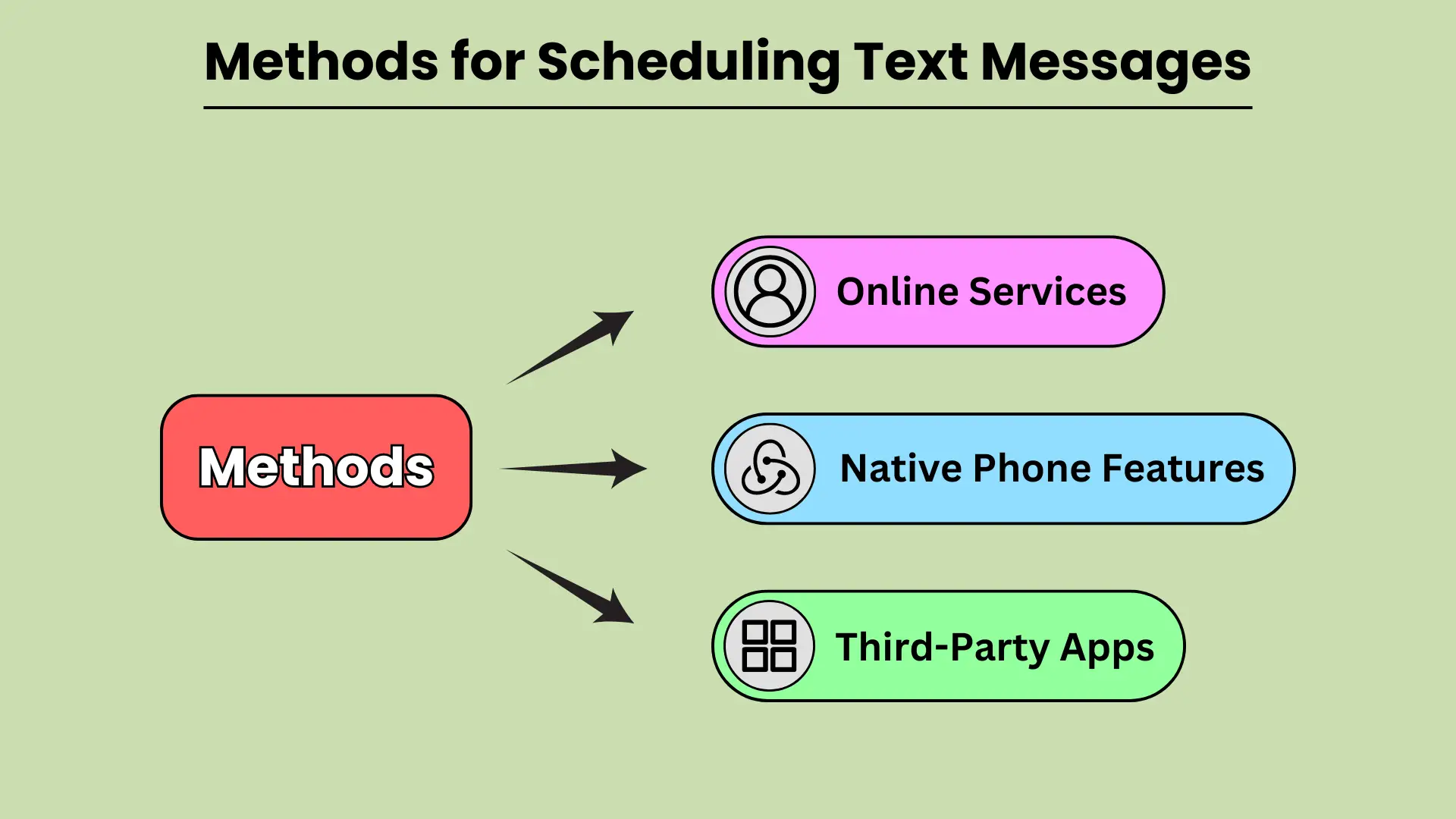
Methoden zum Planen von Textnachrichten
Terminplanung Textnachrichten can be a powerful tool to improve communication, ensuring your messages reach recipients at the most convenient time. Whether you need to send a reminder, a birthday wish, or a business notification, scheduling texts helps you plan ahead and avoid forgetting important messages.
There are various methods available for scheduling texts, from built-in phone features to third-party apps and even web-based services. In this guide, we will explore how you can leverage native phone features on Android and iOS, third-party apps, and online platforms to schedule your text messages seamlessly.
Native Telefonfunktionen
Modern smartphones come equipped with built-in features that allow users to schedule texts without relying on external apps. Android devices, particularly those using Google Messages and Samsung Messages, provide simple and intuitive options for scheduling messages. With Google Messages, users can long-press the send button to select a date and time for sending the text.
Similarly, Samsung Messages offers the option under message settings. On iOS, the Shortcuts app provides automation to schedule texts, while the Scheduled Send feature in iMessage allows users to select when a message should be delivered.
Dank der nativen Telefonfunktionen können Sie Textnachrichten bequem und schnell planen.
Apps von Drittanbietern
If you want more flexibility or additional features, third-party apps are a great alternative for scheduling texts. Apps like SMS Scheduler on Android allow users to schedule multiple texts, set recurring messages, and manage their schedule with ease.
For iOS users, apps like Text Schedule offer similar functionality, enabling users to automate text delivery at specified times. Other notable apps include Pulse SMS and Textra, both of which are available on Android and provide advanced scheduling options.
Apps von Drittanbietern bieten eine bessere Anpassung und Kontrolle für die Planung von Texten.
Online-Dienste
For businesses or users who prefer to schedule texts from a web-based platform, several online services offer robust solutions. Platforms like Twilio, Nexmo, and MessageBird allow users to schedule bulk text messages, integrate SMS functionality into their apps, and manage messaging campaigns efficiently.
These platforms are especially useful for businesses that need to send automated messages, reminders, or marketing communications to large audiences. By using online services, users can schedule messages with precision and scale their communication efforts.
Für die Planung von Texten im größeren Umfang eignen sich Online-Dienste hervorragend.
So planen Sie Textnachrichten auf beliebten Plattformen
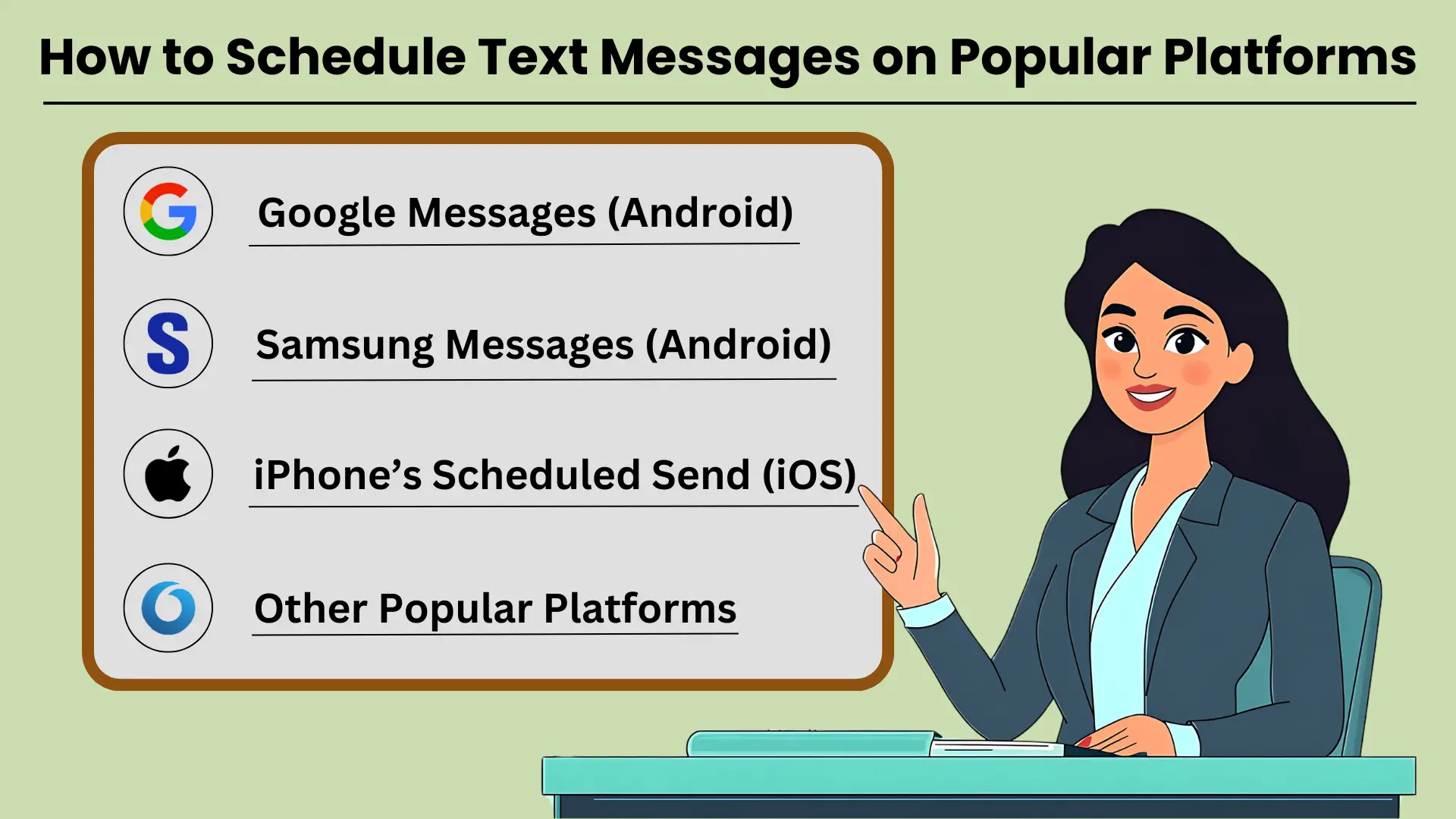
Textnachrichten planen is a helpful tool for ensuring that your messages are sent at the right time, whether for personal reminders, business communications, or social occasions. Many popular platforms like Google Messages, Samsung Messages, and iPhone’s Scheduled Send feature allow users to schedule texts easily.
With these tools, you can set your messages to go out at a specific date and time. This ensures that your communication is well-timed and impactful. In this guide, we’ll provide Schritt-für-Schritt-Anleitung zum Planen von Textnachrichten on several popular messaging platforms. This helps you make the most of this feature.
Google-Nachrichten (Android)
Google Messages ist eine weit verbreitete Messaging-App auf Android-Geräten, die eine einfache Möglichkeit bietet, Textnachrichten zu planen. Befolgen Sie diese Schritte:
- Öffnen Sie Google Messages auf Ihrem Android-Gerät.
- Wählen Sie den Kontakt aus, dem Sie eine Nachricht senden möchten.
- Geben Sie Ihre Nachricht wie gewohnt ein.
- Halten Sie die Senden-Taste gedrückt. Daraufhin wird die Option „Senden planen“ angezeigt.
- Wählen Sie eine voreingestellte Zeit oder tippen Sie auf „Datum und Uhrzeit auswählen“, um einen benutzerdefinierten Zeitplan festzulegen.
- Bestätigen Sie die geplante Zeit und senden Sie Ihre Nachricht.
Durch die Planung einer Nachricht wird sichergestellt, dass Ihr Text den Empfänger dann erreicht, wenn er am relevantesten ist.
Samsung-Nachrichten (Android)
Für Samsung Galaxy-Benutzer bietet die native Samsung Messages-App auch eine Nachrichtenplanungsfunktion. So verwenden Sie es:
- Öffnen Sie die Samsung Messages-App auf Ihrem Galaxy-Gerät.
- Wählen Sie die Konversation aus oder starten Sie eine neue mit dem Kontakt, dem Sie eine Nachricht senden möchten.
- Geben Sie Ihre Nachricht in das Textfeld ein.
- Tippen Sie auf das „+“-Symbol oder die Optionsschaltfläche und wählen Sie dann „Nachricht planen“.
- Legen Sie das Datum und die Uhrzeit für den Versand der Nachricht fest.
- Tippen Sie auf „Senden“ und Ihre Nachricht wird geplant.
Durch das Planen von Textnachrichten mit Samsung Messages können Sie wichtige Mitteilungen ganz einfach verwalten.
Geplantes Senden des iPhones (iOS)
Unter iOS ist die Funktion zum geplanten Senden nicht nativ in der Nachrichten-App verfügbar, aber mit Verknüpfungen können Sie diesen Vorgang automatisieren:
- Öffnen Sie die Shortcuts-App auf Ihrem iPhone.
- Tippen Sie auf das „+“-Symbol, um eine neue Automatisierung zu erstellen.
- Wählen Sie „Persönliche Automatisierung erstellen“ und wählen Sie „Tageszeit“.
- Stellen Sie die gewünschte Zeit ein und tippen Sie dann auf „Weiter“.
- Fügen Sie die Aktion „Nachricht senden“ hinzu und geben Sie Ihre Nachricht ein.
- Wählen Sie den Kontakt aus und tippen Sie zum Abschluss auf „Weiter“.
- Überprüfen Sie die Automatisierung und tippen Sie dann auf „Fertig“.
Mit den iPhone-Verknüpfungen können Sie Textnachrichten planen, um sicherzustellen, dass Ihre Kommunikation pünktlich erfolgt.
Andere beliebte Plattformen
Neben Android- und iPhone-Plattformen erfordern auch andere Messaging-Apps wie WhatsApp, Telegram und Facebook Messenger Apps von Drittanbietern oder integrierte Funktionen zum Planen von Nachrichten. Diese Plattformen verfügen möglicherweise nicht über native Planungsfunktionen, können aber mit externen Tools verwaltet werden.
Erweiterte Planungsfunktionen für effektive SMS-Kommunikation
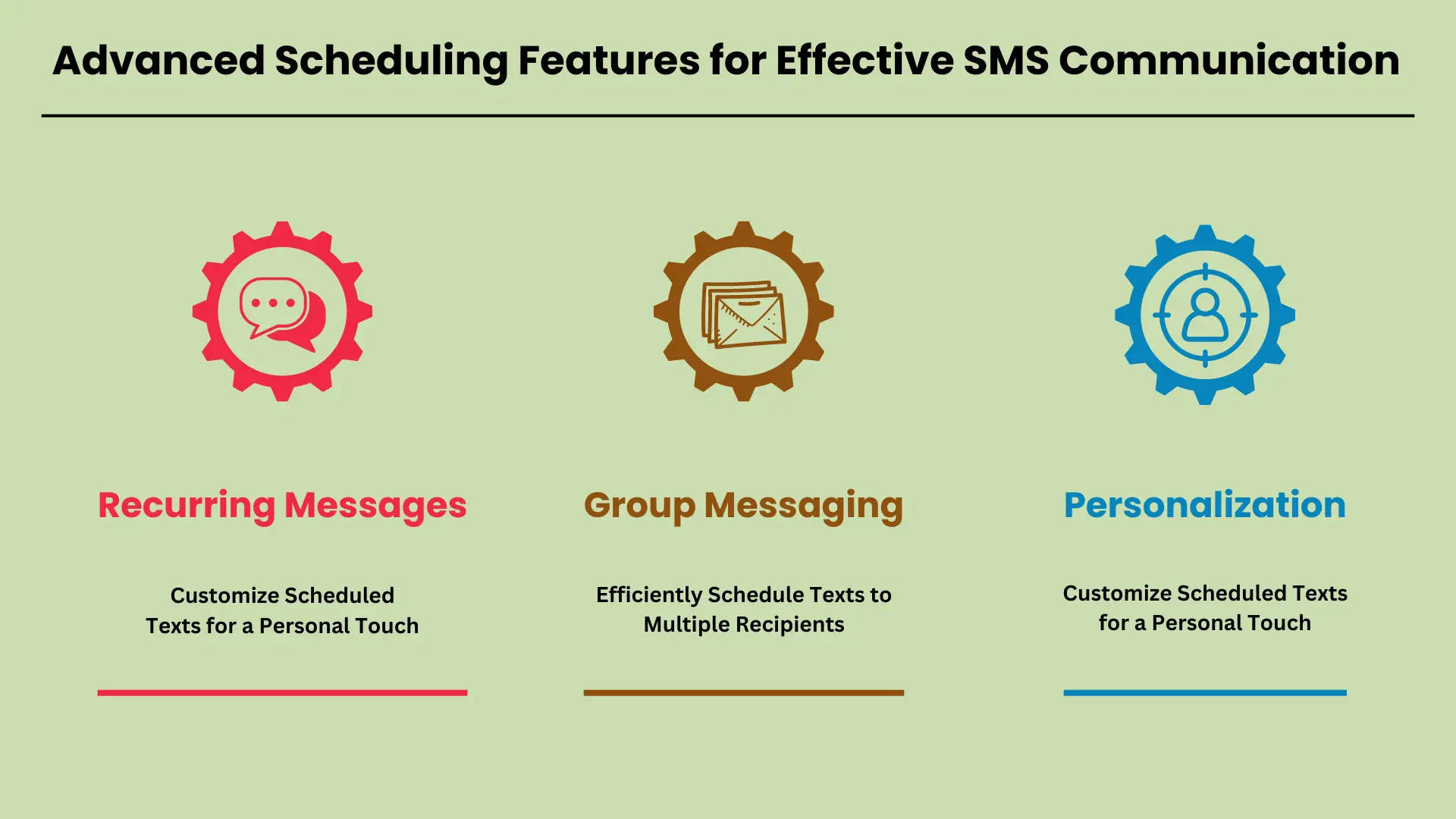
In der heutigen schnelllebigen Welt sind erweiterte Planungsfunktionen für SMS communication have become a necessity. Businesses and individuals alike rely on these tools to automate regular updates, notifications, and reminders. With advanced scheduling, you can ensure that important messages are delivered at the right time, without manual intervention.
Whether you’re sending reminders for appointments, group messages to a team, or personalized texts to customers, scheduling tools offer flexibility and efficiency. In this guide, we will explore key features like recurring messages, group messaging, and personalization, showing how they can streamline communication.
Wiederkehrende Nachrichten: Richten Sie regelmäßige Benachrichtigungen und Erinnerungen ein
Recurring messages allow you to automate routine texts, making it easy to send regular updates, reminders, or notifications. For instance, businesses can schedule daily, weekly, or monthly texts to remind customers about appointments or payment deadlines. Setting up recurring messages typically involves selecting the frequency, duration, and content of the text.
Most SMS platforms offer intuitive scheduling options where you simply pick the start date, end date, and the interval for message repetition. This ensures that your audience receives timely reminders without you having to manually send each message.
Gruppennachrichten: Planen Sie Textnachrichten effizient an mehrere Empfänger
Group messaging is a valuable feature for sending a single message to multiple recipients at once. This is particularly useful for teams, customer groups, or event attendees who need to receive the same information simultaneously. Scheduling group messages allows you to plan communication in advance, ensuring everyone is informed at the right time.
SMS platforms often support bulk messaging tools where you can easily upload contacts, compose a message, and set a specific date and time for delivery. This eliminates the need to manually send messages to each recipient and ensures consistent communication across your audience.
Personalisierung: Passen Sie geplante Texte für eine persönliche Note an
Personalization options take scheduled messages to the next level by allowing you to customize content with names, dates, or other specific information. Whether you’re addressing customers by their first name or adding personalized details like appointment times or order numbers, this feature enhances the recipient’s experience.
SMS platforms often support custom fields where you can automatically insert individualized data into each scheduled message. This approach not only improves engagement but also makes your communication feel more personal, which is crucial for building strong customer relationships.
Integrieren Sie diese erweiterten Planungsfunktionen in Ihre Eine SMS-Strategie kann die Kommunikation erheblich verbessern Effizienz und Personalisierung.
Beheben häufiger Probleme beim geplanten SMS-Versand
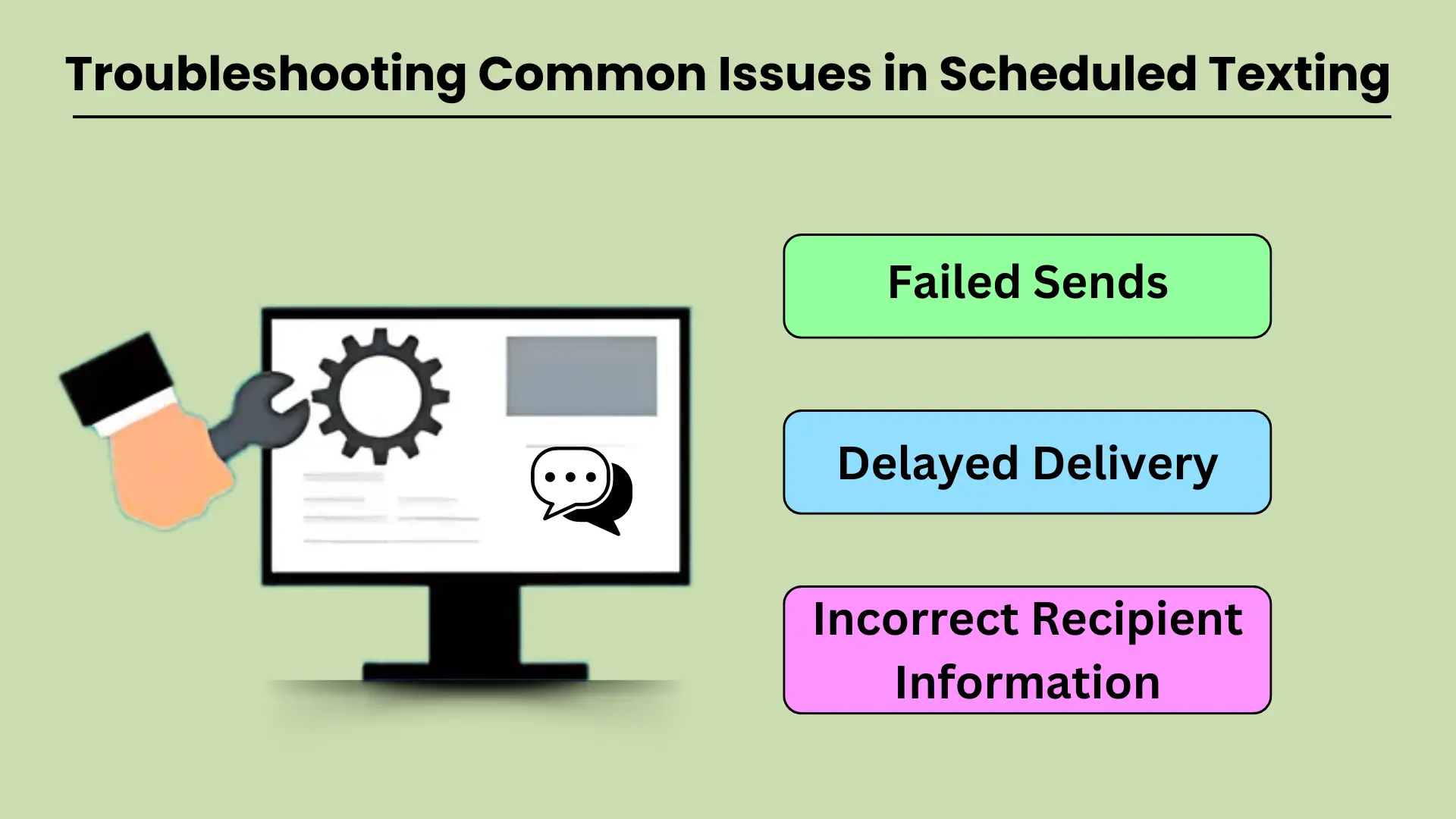
Scheduled texting is a valuable tool for businesses and individuals who want to streamline their communication. However, like any technology, it can sometimes experience issues that prevent messages from being delivered as intended. Common problems such as failed sends, delayed deliveries, and incorrect recipient information can disrupt workflows and reduce the effectiveness of scheduled texting.
Understanding the potential causes behind these issues and knowing how to troubleshoot them effectively is crucial for maintaining smooth communication. This guide will walk you through addressing the most common technical difficulties and provide practical solutions to keep your messaging operations running smoothly.
Fehlgeschlagene Sendungen
Failed message sends are a frustrating issue that can occur for several reasons. The most common cause is poor network connectivity. If your device or the recipient’s phone lacks a stable network connection, the message may fail to send at the scheduled time.
Another factor could be incorrect settings in the SMS-App B. die falsche Zeitzonenkonfiguration oder veraltete App-Versionen. Darüber hinaus kann es sein, dass das Telefon des Empfängers während der geplanten Sendezeit ausgeschaltet oder außer Betrieb war, was zu einem Ausfall führen kann.
Um dieses Problem zu beheben, stellen Sie sicher, dass beide Geräte mit einem stabilen Netzwerk verbunden sind und dass der SMS-Dienst richtig konfiguriert ist. Überprüfen Sie die App-Einstellungen, aktualisieren Sie auf die neueste Version und stellen Sie sicher, dass die Nummer des Empfängers korrekt ist.
Verzögerte Lieferung
Delayed message delivery is another common issue in scheduled texting, and it often results from network congestion or service provider delays. Sometimes, a message might get delayed if the recipient’s network is overloaded, especially during peak hours or when there is high demand on the server.
Other times, the scheduled message might encounter delays if the sender’s device or network is experiencing issues, like low battery, data congestion, or poor signal strength.
Um dieses Problem zu beheben, stellen Sie sicher, dass Ihr Gerät über ein starkes Netzwerksignal und eine ausreichende Akkulaufzeit verfügt. Sie können auch versuchen, die Nachricht manuell zu senden, wenn die Verzögerung weiterhin besteht, oder Kontakt Wenden Sie sich an Ihren Dienstanbieter, um nach etwaigen Ausfällen oder Verlangsamungen zu suchen.
Falsche Empfängerinformationen
Eines der am besten vermeidbaren Probleme beim geplanten SMS-Versand ist das Versenden von Nachrichten an den falschen Empfänger. Dies geschieht häufig durch manuelle Eingabefehler bei der Eingabe der Kontaktdaten des Empfängers oder bei der Auswahl des falschen Kontakts aus einer Liste. Eine weitere mögliche Ursache ist eine veraltete Kontaktliste, in der sich die Informationen des Empfängers geändert, aber nicht im System aktualisiert wurden.
Um dieses Problem zu vermeiden, überprüfen Sie die Empfängerinformationen noch einmal, bevor Sie Nachrichten planen. Es empfiehlt sich außerdem, Ihre Kontaktliste regelmäßig zu aktualisieren, um die Richtigkeit sicherzustellen. Wenn eine Nachricht an die falsche Person gesendet wird, informieren Sie diese umgehend und senden Sie die Nachricht erneut an den richtigen Empfänger.
Tipps zur Fehlerbehebung
Für jedes der oben genannten Probleme finden Sie hier einige zusätzliche Tipps zur Fehlerbehebung:
- Überprüfen Sie Ihre Netzwerkverbindung: Stellen Sie sicher, dass sowohl Ihr Gerät als auch das Gerät des Empfängers über stabile Netzwerkverbindungen verfügen.
- Aktualisieren Sie Ihre App: Halten Sie Ihre Messaging-App auf dem neuesten Stand, um Fehler und Störungen zu vermeiden, die sich auf geplante SMS auswirken könnten.
- Einstellungen überprüfen: Überprüfen Sie noch einmal, ob die richtige Zeitzone, das richtige Datum und die richtige Uhrzeit für Ihre geplanten Nachrichten eingestellt wurden.
- Testen Sie Ihr System: Bevor Sie wichtige geplante Nachrichten senden, senden Sie eine Testnachricht an sich selbst oder einen Kollegen, um sicherzustellen, dass das System ordnungsgemäß funktioniert.
Integration geplanter Textnachrichten mit anderen Tools: Verbesserung der Automatisierung und Kommunikation
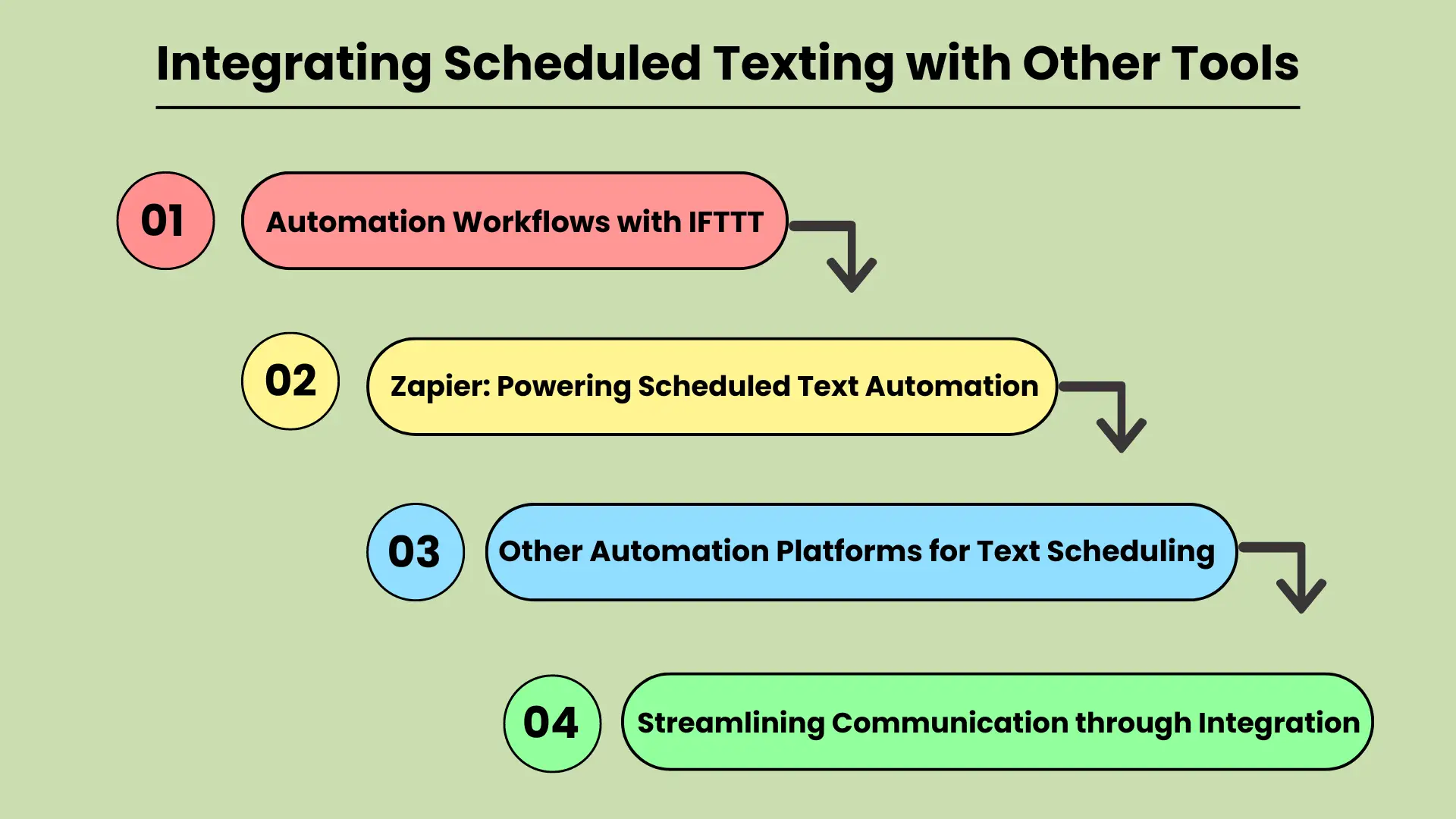
In today’s fast-paced digital world, businesses and individuals are constantly looking for ways to improve their communication efficiency. Integrating scheduled texting with other productivity tools is a powerful strategy for streamlining workflows and automating tasks.
Whether you’re managing marketing campaigns or personal reminders, tools like IFTTT (If This Then That) and Zapier can be key to automating text message scheduling. These platforms connect various apps and services, allowing users to create custom workflows that automatically trigger scheduled texts based on specific events or actions.
This integration not only saves time but also ensures that important messages are sent at the right time, improving communication reliability and effectiveness.
Automatisierungsworkflows mit IFTTT
IFTTT is a popular automation platform that allows users to create “applets” — simple connections between different tools and services. By integrating scheduled texting with IFTTT, users can set up triggers for sending texts when specific conditions are met.
For example, you could automatically send a reminder text to clients when an event is added to a Google Calendar or to any Kalender-Apps. This type of automation helps eliminate manual texting tasks, ensuring that no communication is missed.
Integrating scheduled texting with IFTTT makes it easy to automate repetitive tasks and streamline communication workflows.
Zapier: Geplante Textautomatisierung ermöglichen
Zapier is another powerful tool for connecting apps and automating workflows. Similar to IFTTT, Zapier allows users to set up “zaps” that automate tasks between various apps, including text messaging platforms. With Zapier, businesses can schedule texts based on events, form submissions, or any other activity within their workflow.
For example, a new lead generated in your CRM kann eine geplante SMS-Nachverfolgung auslösen. Diese Integration verringert das Risiko verpasster Gelegenheiten und gewährleistet eine zeitnahe Kommunikation, wodurch die Kundenbindung und die Teameffizienz verbessert werden.
Andere Automatisierungsplattformen für die Textplanung
Apart from IFTTT and Zapier, many other automation platforms offer similar capabilities for integrating scheduled texting. These platforms may focus on specific industries or use cases but share the goal of enhancing workflow automation. Tools like Automate.io and Integromat provide similar functionality, allowing users to connect different applications and automate scheduled texting for various tasks.
By leveraging these tools, businesses and individuals can improve the accuracy and timeliness of their communications while freeing up valuable time for more strategic activities.
Optimierte Kommunikation durch Integration
QUERY LENGTH LIMIT EXCEEDED. MAX ALLOWED QUERY : 500 CHARS
Die Integration geplanter SMS-Nachrichten steigert sowohl die Produktivität als auch die Kommunikationseffizienz und macht sie zu einem wesentlichen Bestandteil moderner Arbeitsabläufe.
Abschluss
Planen und Versenden von Textnachrichten unter a bestimmte Zeit is an essential feature for anyone looking to streamline their communication and enhance efficiency. Whether for personal use or business, this tool ensures that you never miss an important moment, while also reducing the time spent managing routine communications. With options available through native phone features, third-party apps, and online platforms, scheduling texts is more accessible than ever.
Indem Sie die Terminplanung in Ihre täglichen Kommunikationsgewohnheiten integrieren, sparen Sie nicht nur Zeit, sondern verbessern auch die Qualität und Aktualität Ihrer Interaktionen. Insbesondere Unternehmen können von der Automatisierung der Kundenkommunikation, dem Versenden von Erinnerungen und der nahtlosen Verwaltung großer Nachrichtenmengen profitieren. Das Planen von Texten ist eine einfache, aber wirkungsvolle Strategie zur Steigerung der Produktivität und zur Aufrechterhaltung einer organisierten, zeitnahen Kommunikation.
Häufig gestellte Fragen
Auf Android können Sie Textnachrichten mit Google Messages oder Samsung Messages planen. Geben Sie einfach Ihre Nachricht ein, halten Sie die Senden-Taste gedrückt und wählen Sie die gewünschte Sendezeit aus. Ut elit tellus, luctus nec ullamcorper mattis, pulvinar dapibus leo.
Ja, mit der Shortcuts-App auf dem iPhone können Sie Textnachrichten automatisieren und planen, indem Sie eine benutzerdefinierte Automatisierung einrichten.
Zu den beliebten Apps zum Planen von Texten gehören SMS Scheduler, Pulse SMS und Textra für Android, während Text Schedule eine gängige Option für iOS-Benutzer ist.
Durch die Planung von Textnachrichten können Unternehmen die Kundenkommunikation automatisieren und so die rechtzeitige Zustellung von Benachrichtigungen, Erinnerungen und Werbeaktionen ohne manuelles Eingreifen sicherstellen.
Ja, Online-Dienste wie Twilio und Nexmo ermöglichen die Planung von Massennachrichten, was sie ideal für Unternehmen macht, die automatisierte Nachrichten an ein großes Publikum senden müssen.


