
 English
介绍
通过文字介绍自己感觉像是一个挑战,尤其是当您试图在 160 个字符内给人留下良好的第一印象时(尽管彩信允许更多的空间,最多 1,600 个字符)。
您不仅需要介绍您是谁,还必须传达为什么收件人应该足够关心回复。这是简洁性和影响力之间的微妙平衡。
我花了很多时间研究真正的企业主使用的有效策略,以通过文字吸引并给人留下积极的印象。在本博客中,我将分享重要提示和一些实用模板,您可以使用它们来自信地介绍自己或您的业务。
要点
- 清楚地介绍自己,并使用收件人的姓名对消息进行个性化设置。
- 保持文本简短并集中于关键信息。
- 包括营销信息的退出选项,并考虑自动化以提高效率。
- 通过保持友好的语气、明确你的意图并首先测试你的信息来避免错误。
什么是介绍文本?
简介 文字只是消息 您发送邮件以开始与新朋友的对话。无论您是要联系客户、同事还是潜在的业务合作伙伴,从一开始就设定正确的基调很重要。
您的目标是向您的联系人表明您是值得信赖的、平易近人的,并且您可以提供有价值的东西。如果做得好,深思熟虑的介绍可以带来新的机会、更牢固的关系,甚至更多的收入。
将您的介绍文本视为数字形式的友好“你好”——这是建立联系的第一步。这是为了向另一端的人表明你是真诚的、易于交谈并且有值得分享的东西。精彩的介绍文字为新的可能性、更好的工作关系打开了大门,最终甚至可以提高您的利润。
介绍文本的基本结构
假设您是一名自由平面设计师,刚刚在当地的一次活动中遇到了一位潜在客户,并且您想要发送后续文本。以下是如何使用上述步骤构建介绍文本的方法:
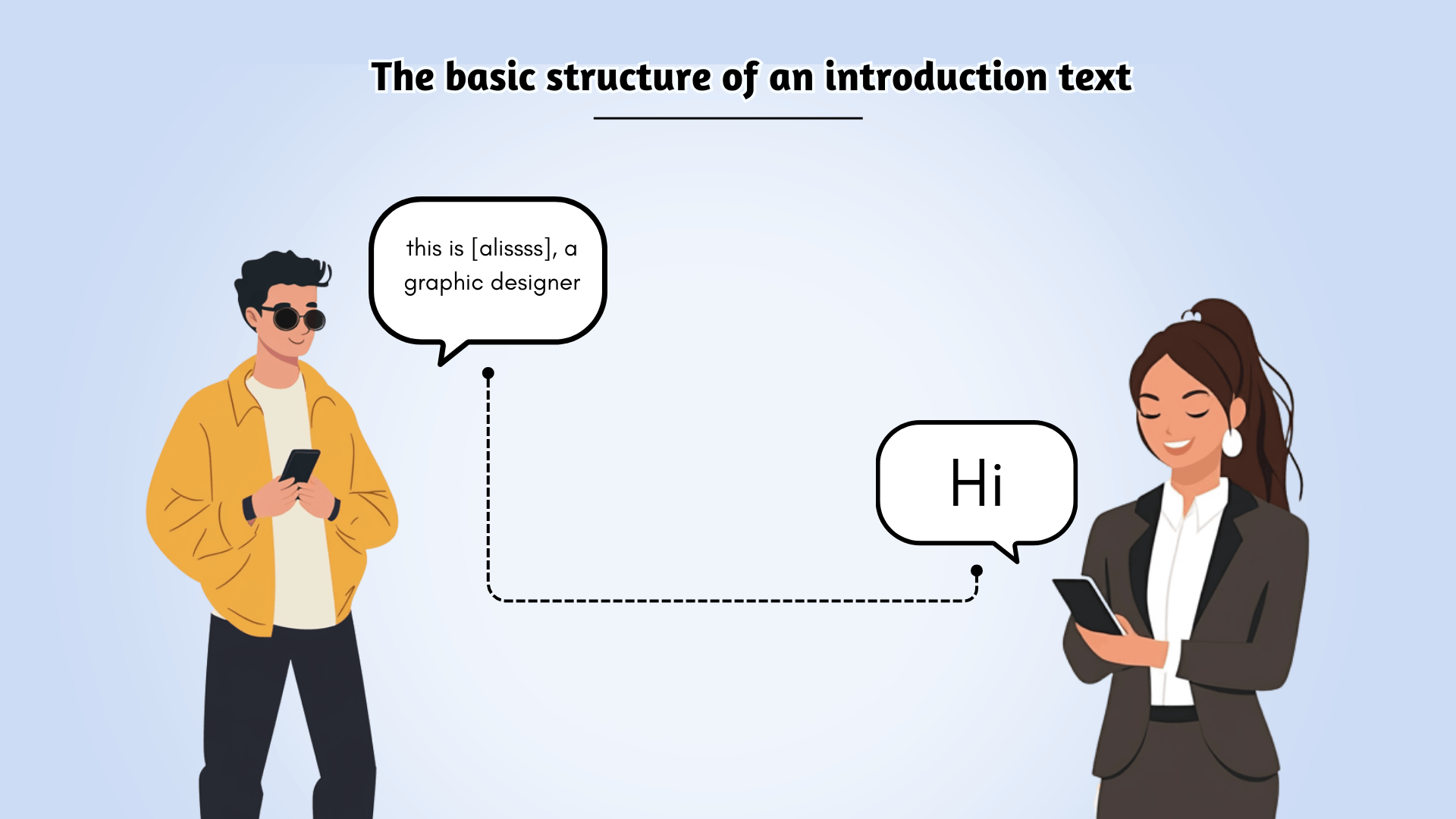
设想:
我是一个 AI人性化,在这里通过个性化、引人入胜的内容来增强您的服务,从而推动结果。让我们共同努力提升您的品牌并提高客户参与度。
以友好的问候开始: 就像面对面时一样,以热情的“嗨”开始,以保持随意和平易近人的感觉。
例子:“嗨[名字],”
解释一下你是谁: 介绍一下你自己和你的业务。提及你是谁,如果可能的话,将其与最初的联系联系起来。
例子:“我是[您的名字],一位平面设计师。在[活动名称]上与您聊天真是太棒了!”
说出你想要什么: 开门见山地解释你的信息的目的,无论是跟进对话还是提供服务。
例子:“我很乐意讨论如何帮助您即将进行的项目并创建符合您愿景的设计。”
包括号召性用语: 以清晰、可操作的请求结束。通过提供下一步(无论是安排会议还是回复您的消息),让收件人轻松回复。
例子:“请随时在此处回复或在我的日历中预订时间 [插入日历链接]。期待联系!”
全文消息示例:
“嗨[姓名],我是[您的名字],一位平面设计师。很高兴在[活动名称]上与您聊天!我很乐意讨论如何帮助您即将进行的项目并创建符合您愿景的设计。请随时在此处回复或在我的日历中预订时间[插入日历链接]。期待联系!”
这种结构可确保您的文本友好、简洁且以行动为导向,从而提高获得回复的机会!
介绍消息模板:如何通过文本介绍自己
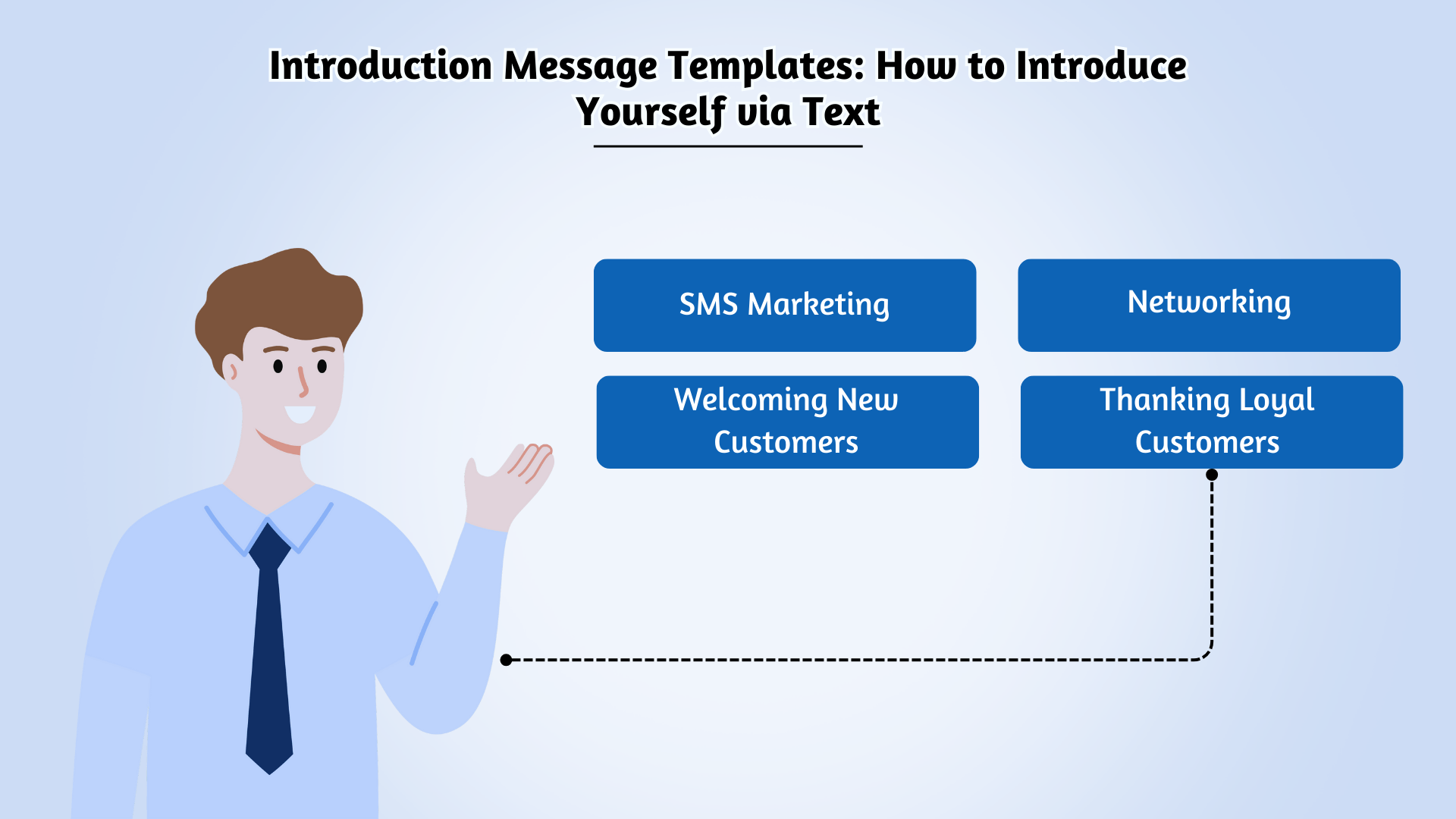
让我们探讨一些发送介绍的场景 短信 可能会派上用场。无论您是要联系客户、员工还是新的业务联系,这些短信模板都将帮助您创造良好的第一印象。请随意根据您的需求定制它们!
短信营销
当您发送第一条短信营销短信时,重要的是要确认收件人的订阅并提醒他们可以随时选择退出。您可能还想在第一条消息中请求双重选择加入。
示例模板:
- “您好 [姓名],感谢您选择接收来自 [公司名称] 的短信更新。请回复 Y 进行确认。您可以随时通过向 [简码] 发送 STOP 短信来选择退出。”
- “您好[姓名],感谢您向[公司]订购!这是您的收据:[URL]。当您的订单送达时,我们会通知您。敬请关注!”
联网
社交活动或会议后的后续文字可以打开令人兴奋的商机之门,并使用 mobile business cards can make it even easier to share your contact details seamlessly. This is also a great way to invite new customers or loyal subscribers to any special events hosted by your company.
示例模板:
- “Hi [Name], great meeting you at [Event] on [Date]! Let’s discuss how we can collaborate to help each other’s businesses. Let me know when’s a good time for a call. [Your Name], [Business Name].”
- “Hey [Name], [Business Name] is hosting our monthly New Subs Gala on [Date/Time/Place]—there’ll be food, drinks, and special discounts! We’d love to see you there!”
Welcoming New Customers
When you gain a new customer, a warm and welcoming text can set the tone for future communication. It’s an opportunity to confirm their purchase, keep them in the loop with further details, and provide them with free accounting templates.
Example Template:
- “Welcome to [Company], [Name]! We’re so happy to have you with us. Here are your documents: [URL]. If you need any help, feel free to reach out at [Number].”
Thanking Loyal Customers
Showing appreciation for loyal customers helps build a stronger connection. Many businesses offer rewards or loyalty programs—use this as a chance to show your gratitude and encourage repeat business.
Example Template:
- “Welcome to [Company]’s loyalty program, [Name]! As a thank you, you’re now eligible for 15% off your next purchase. Happy shopping!”
Converting Sales Leads
If you’ve captured a lead’s contact info through your website, send a quick and friendly introduction text to help turn them into a customer. Whether it’s a product inquiry or service request, your message should guide them to the next step.
Example Template:
- “Hi [Name], thanks for your interest in [Business Name]! Please call us at [Number] so we can connect you with one of our advisors. Looking forward to speaking with you!”
New Employee Onboarding
When a new employee joins your team, a thoughtful welcome text helps them feel valued right away. You can also use text to share essential information like links to company resources or events.
示例模板:
- “Welcome aboard, [Name]! Hope you’re settling in well. Be sure to check out the intranet for company news and upcoming internal events: [URL]. [Your Name], HR.”
- “Hi everyone! Join me in welcoming [New Employee Name, Job Title] to the [Department] team at [Company]. We’ll have a face-to-face intro at lunch today! [Your Name], HR.”
Event Invitations
When hosting an event, sending a personal text message invitation helps you engage your audience and increase attendance. Whether it’s for a webinar, a product launch, or a networking event, a text invitation is a quick and direct way to reach your audience.
Example Template:
- “Hi [Name], we’re excited to invite you to [Event Name] on [Date/Time]! Join us for [Event Highlights], and don’t miss out on exclusive perks. RSVP here: [Link]”
Customer Feedback Requests
After a service or product delivery, sending a text requesting feedback shows your customers that you value their input and helps improve your offerings. Make it easy for them to share their thoughts and encourage further engagement.
Example Template:
- “Hi [Name], thank you for choosing [Company]. We’d love to hear your thoughts on your recent experience! Please reply with a rating or visit [Link] to leave a review. Your feedback helps us improve!”
By tailoring these templates to your needs, you can create a positive, engaging introduction, whether you’re connecting with customers, colleagues, or new employees. The key is to keep it friendly, professional, and clear.
您可能还知道:
通过可靠、快速、有效的沟通,让您的信息脱颖而出。立即提升您的短信游戏水平!
Tips for Crafting a Best Introductory Text Message
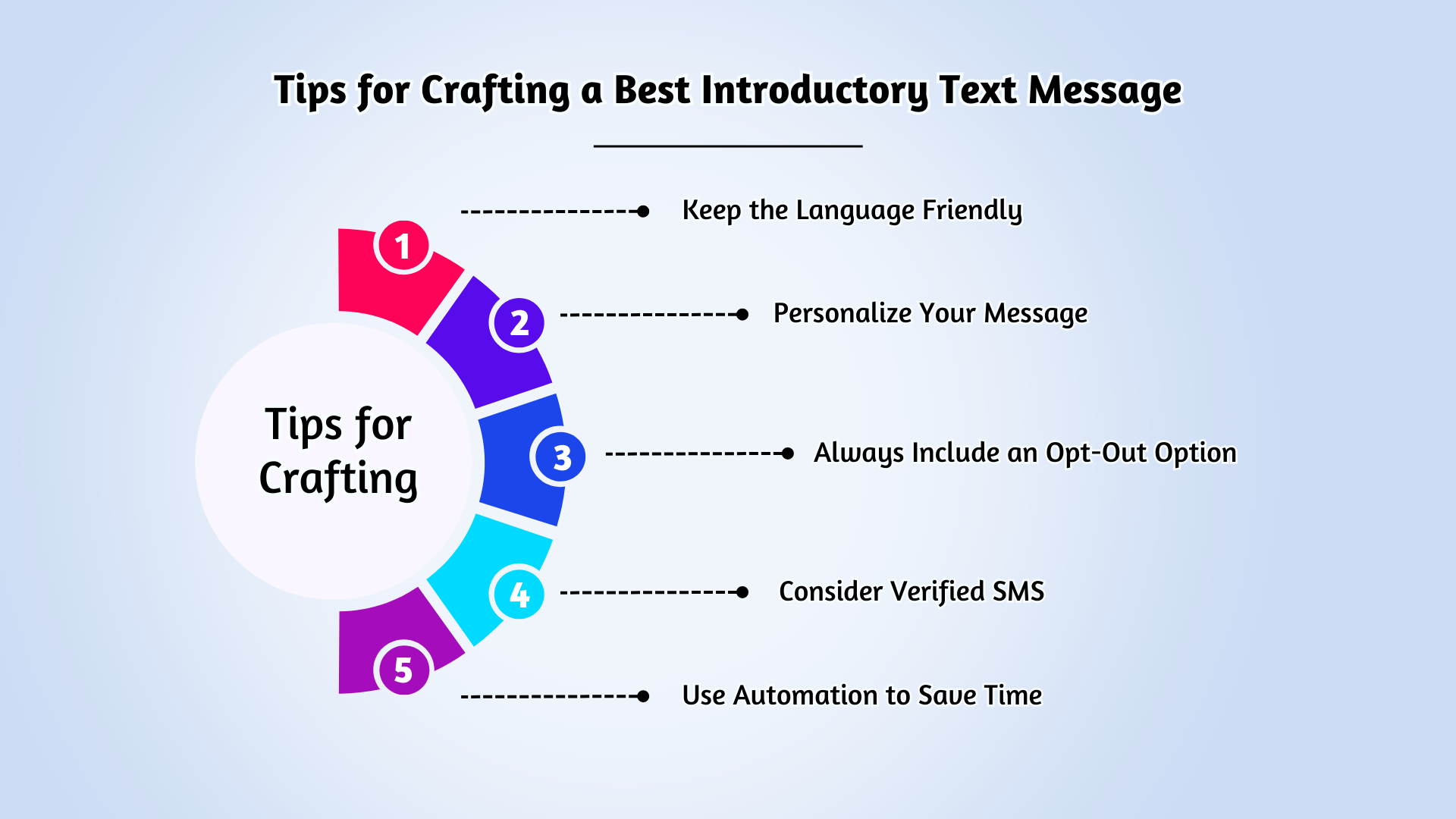
When you’re introducing yourself or your business via text, it’s important to make a great first impression. Here are some tips to ensure your introductory message stands out in a friendly and effective way:
- Keep the Language Friendly:Even though you’re texting for business, there’s no need to go overboard with formality. The tone of text communication is typically informal—after all, we text our friends and family in a casual way. So, feel free to keep it light and conversational, but still professional.
- Personalize Your Message:A small touch like addressing the recipient by their name can go a long way. It adds a level of familiarity and makes your message feel more personal and engaging.
- Always Include an Opt-Out Option:This is a must for all types of marketing texts, including your introductory messages. Giving recipients the option to opt-out ensures you’re respecting their preferences and also staying compliant with regulations.
- Consider Verified SMS:If you’re messaging existing or potential customers, consider using Verified SMS (branded messages). This adds a layer of trust, as it helps the recipient know that the message is coming from a legitimate source, making your communication more reliable and professional.
- Use Automation to Save Time:In the world of SMS marketing, automation can be a huge time-saver. You can automate introductory (or welcome) texts to be triggered whenever someone opts in to receive messages. This ensures timely and consistent communication without manual effort.
- Be Clear About Your Purpose:Make sure the recipient understands the purpose of your message right away. Whether you’re introducing your business, offering a discount, or scheduling a meeting, providing clear details in your introductory text helps set the right expectations and makes your message more effective.
By following these simple tips, you’ll create introductory text messages that feel genuine, professional, and easy to respond to, helping you build stronger connections with your audience.
Common Mistakes to Avoid in Introductory Text Messages
While it’s important to get your introductory text right, there are a few common mistakes you’ll want to avoid to ensure your message comes across as professional and effective. Here are some key things to keep in mind:
- Don’t Overwhelm with Information:While it’s important to include the necessary details, don’t overload your recipient with too much information in your first message. Keep it concise and relevant to the purpose of your introduction. Too much info can be off-putting and cause confusion.
- Avoid a Formal or Robotic Tone:As mentioned earlier, text messaging is typically informal. Avoid sounding too stiff or robotic in your messages. A conversational tone works better and helps build rapport with the recipient.
- Never Skip the Opt-Out Option:You should never send a marketing text without offering the option for the recipient to opt out. Not providing this option can lead to complaints or legal issues, so always include a simple opt-out prompt, like “Text STOP to unsubscribe.”
- Don’t Be Vague About Your Intentions:One of the biggest mistakes in an introductory text is not clearly stating why you’re reaching out. Make sure your recipient knows exactly what the message is about and what action they should take (whether it’s replying, visiting a link, or scheduling a meeting).
- Avoid Excessive Use of Emojis and Symbols:While a few 表情符号 可以给你的文字增添温暖,用表情符号或过多的符号来填充你的信息可能会被认为是不专业或垃圾邮件。保持简单,仅在增强信息时才使用表情符号。
- 不要使用未经验证的号码:如果您正在给业务联系人或客户发短信,使用未经验证的或随机的号码可能会降低信任度。始终使用经过验证的号码或品牌消息服务(例如经过验证的短信),以使您的通信更加可信。
专业提示:在发送短信之前先对其进行测试。快速测试可确保一切看起来都很好,包括格式、链接和个性化设置,帮助您避免错误。
结论
总之,打造一个 有效的介绍短信 无论您是要接触新客户、员工还是业务联系人,这对于建立牢固的联系至关重要。通过保持您的信息清晰、友好且以行动为导向,您可以为有意义的互动奠定基调。请记住个性化您的文本,包括号召性用语,并始终提供选择退出选项以维持信任。避免常见错误,例如用太多信息让收件人不知所措或使用过于正式的语气。借助这些提示和模板,您可以自信地介绍自己和您的业务,确保您的信息引起共鸣并鼓励参与。
借助 SMSLocal 强大的平台,您可以轻松自动化和管理您的短信活动,确保每次都能进行及时、专业的沟通。立即开始使用 SMSLocal 来简化您的沟通并留下良好的第一印象!
立即自动化您的介绍消息并吸引您的受众。从现在开始,简化您的沟通!
常见问题解答
通过文字介绍自己时,请保持友好且切中要点。以热情的问候开始,然后是您的名字,并简要解释您联系的原因。这有助于树立积极的基调并明确您的目标。
以专业而友好的问候开始定下基调。接下来介绍您自己,包括您的姓名和任何相关详细信息。然后,说明您联系的原因,确保收件人理解您的消息的目的。
以友好的问候开始,然后介绍你自己并清楚地解释你的信息的目的。如果可能的话,添加个人风格或提及任何共同的联系,以使您的介绍更具吸引力。
要在 WhatsApp 上介绍自己,请以友好的问候语开始,例如“嗨[姓名]!”接下来是您的姓名以及您联系原因的简短说明。例如,“嗨,我是[您的名字],我在[活动/地点]遇见了您,想联系!”保持随意性和对话性,同时明确传达信息的原因。
文本中的介绍是您发送给某人以开始对话的初始消息。它通常包括问候语、您的姓名或身份,以及关于您的消息目的的明确声明,无论是出于专业还是个人原因。
以下是介绍消息的示例:“嗨 [姓名],我是 [您的名字]。我们在 [活动/地点] 见面。我想联系并联系。期待与您聊天!”
保持友好、尊重和简单。首先打招呼,介绍自己,并提及共同的兴趣或一些轻松的事情。例如: “嘿[她的名字],我是[你的名字]。我注意到我们都喜欢[共同的兴趣],我想打个招呼!” 保持休闲和真诚!