
 English
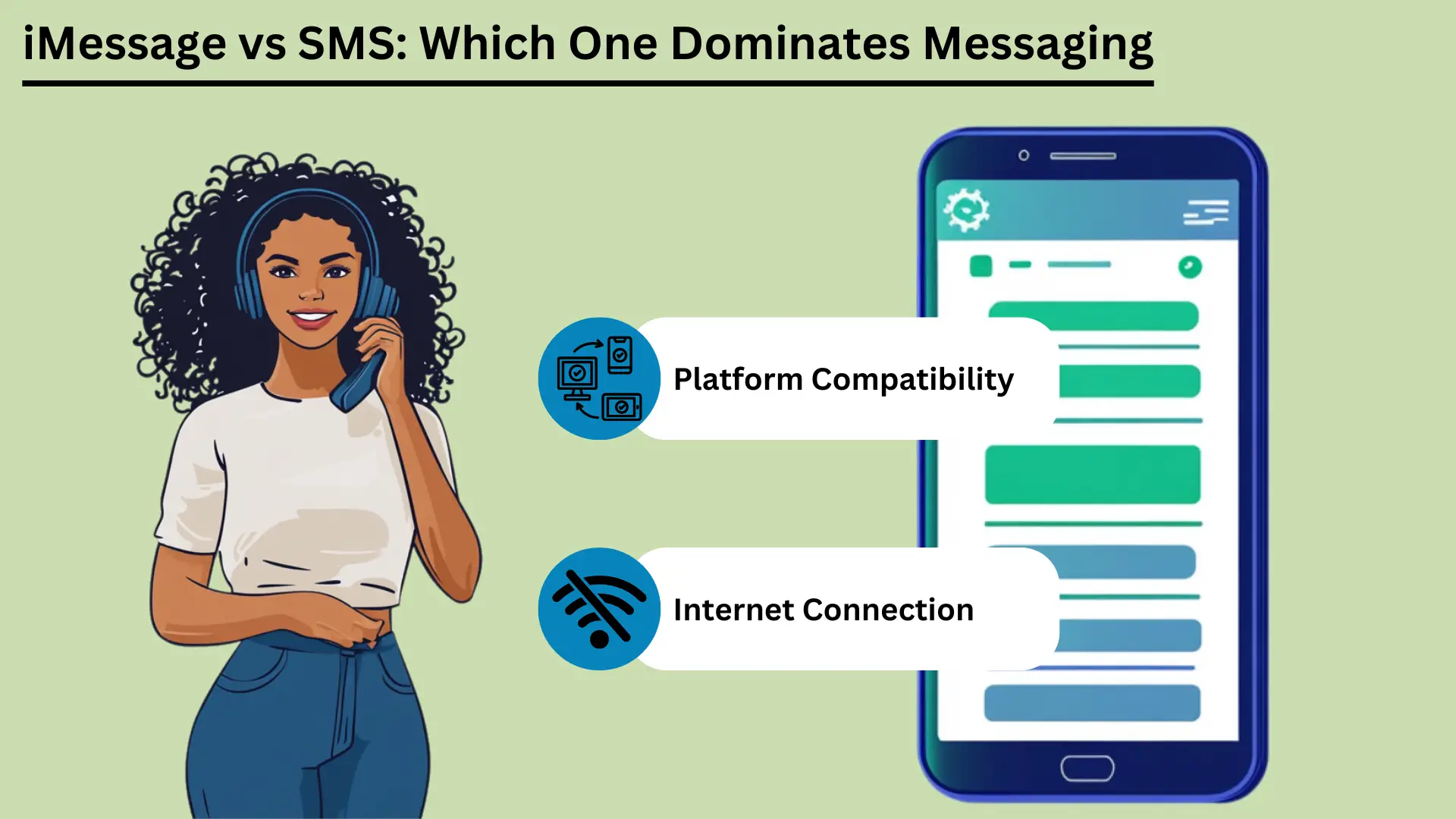
Mobile messaging is now a big part of daily life. Two of the best-known services are SMS ve iMessage. SMS, short for Short Message Service, is one of the oldest messaging services. It works over cell networks and sends short text messages to almost any phone.
SMS came out in the early 1990s. It is still a reliable, low-cost way to message, especially where internet access is poor. Apple launched iMessage in 2011. It uses the internet to send messages between Apple devices.
iMessage adds photos, video and many extra features. It also keeps your messages private, and it works smoothly across Apple devices.
This post compares the two services. It covers how they differ, how they feel to use, how they connect, how much data they use, how safe they are, and where they may go next.
Temel Çıkarımlar:
- SMS works over cell networks. It reaches nearly everyone, it is fast, and it needs no internet.
- iMessage uses Wi-Fi or mobile data. It supports photos, video and extra features, but only on Apple devices.
- SMS works on every phone and costs little. It suits simple messages and alerts.
- iMessage scrambles messages so only you and the other person can read them (end-to-end encryption). It also syncs across your devices and has fun, interactive features.
- Knowing these differences helps you pick the right service for your needs.
Kısa Mesaj Servisi (SMS) Nedir?
Kısa Mesaj Servisi (SMS) bir text messaging service that lets you send and receive short messages of up to 160 characters over cell networks. It came out in the early 1990s. People use it all over the world because it is simple, reliable and works on almost every mobile phone. That makes it a key tool for staying in touch.
Tanım ve Temel İşlevsellik
SMS is a text messaging service for sending short messages between mobile phones. These are called SMS texts. They travel over cell networks, and each one can hold up to 160 characters.
SMS is one of the oldest and most used messaging services in the world. It came out in the early 1990s. It does not need the internet. That makes it a dependable choice, especially where internet access is weak.
SMS'in avantajları
Geniş Erişim ve Uyumluluk
One big advantage of SMS is that it works everywhere. Almost every mobile phone and carrier in the world supports it. Messages get through whatever phone or network people use.
This wide reach makes SMS etkili tool for reaching many people, for personal use or for business. Businesses can also text people in many countries and large groups quickly.
Hız ve Güvenilirlik
SMS messages usually arrive within seconds, so it is a quick way to reach someone. It uses the cell network, so it works even where the internet is poor.
SMS is also dependable. If the other phone is off or out of range, the network holds the message for a while. It then delivers it once the phone is back in service.
Maliyet Verimliliği
SMS is cheap. Many mobile plans include a set number of texts at no extra cost. Even when you pay per text, the price is usually low. That makes SMS a good choice for people and businesses, especially for short, urgent messages.
Pazarlama ve Bildirimlerdeki Kullanım Örnekleri
Businesses use SMS a lot for marketing and alerts. People open texts quickly and read them right away. Common uses include:
| Kullanım Örneği | iMesaj | SMS |
|---|---|---|
| Kişisel İletişim | Apple ekosisteminde zengin, etkileşimli, güvenli görüşmeler | Temel, evrensel iletişim |
| İş İletişimi | Apple cihazları içindeki dahili iletişimler için uygundur | Tüm müşterilere ulaşmaya uygundur |
| Pazarlama Kampanyaları | Apple kullanıcılarıyla sınırlı, zengin medya kampanyaları | Geniş erişim, yüksek açılma oranları |
| Randevu Hatırlatıcıları | Apple ekosisteminde verimli | Tüm cihazlarda etkili |
| İşlem Bildirimleri | Apple kullanıcıları için güvenli | Tüm müşteriler için güvenilir |
| İki Faktörlü Kimlik Doğrulama (2FA) | Apple ekosistemi içinde güvende olun | Yaygın olarak kullanılan, etkili |
| Grup Sohbetleri | Zengin özelliklere sahip, multimedyayı destekler | Temel grup mesajlaşması |
Because SMS is widely available, fast, dependable and cheap, people and businesses can use it for many jobs. That makes it a handy tool at home and at work.
Apple Cihazlarda iMessage nedir?
iMessage is Apple's messaging service. It lets you send texts, photos, videos and documents between Apple devices over Wi-Fi or mobile data. It is built into the Messages app on iPhone, iPad and Mac. It offers end-to-end encryption, read receipts and rich media.
This gives Apple users a secure and smooth way to message.
Tanım ve Temel İşlevsellik
iMessage was created by Apple and launched in 2011. It sends texts, photos, videos, documents and more between Apple devices. It runs over the internet, using Wi-Fi or mobile data. That sets it apart from traditional SMS and MMS.
It is built into the Messages app on iOS and macOS. That means it works the same way on iPhones, iPads, iPods and Macs.
iMessage runs on Apple's own system. You can message other Apple users without SMS or MMS fees, as long as you have an internet connection. If the other person does not have iMessage turned on, the message switches to SMS or MMS on its own. So it still gets delivered, whatever device the person uses.
iMessage'ın avantajları
Şifreleme ve Güvenlik
iMessage uses end-to-end encryption. That means only the sender and the person receiving can read the messages. This is a big plus over SMS, which has no encryption and can be intercepted on its way. Even Apple cannot read the content of your messages.
This gives users a high level of privacy and safety.
Apple Ekosisteminde Cihaz Senkronizasyonu
A standout feature of iMessage is syncing. Your messages show up on every Apple device that uses your Apple ID. You can start a conversation on your iPhone, continue it on your iPad, and pick it up later on your Mac.
This is handy for people who switch between devices all day. You never miss a message.
Zengin Medya Desteği (Fotoğraflar, Videolar, Belgeler)
iMessage can share photos, videos, documents and other files. You can send high-quality media without the limits that come with MMS. You can send large files, which is helpful for detailed photos or videos, and the quality does not drop.
Gelişmiş Özellikler (Okuma Bilgileri, Yazma Göstergeleri, Çıkartmalar, Efektler)
iMessage has several extra features that make messaging better:
- Makbuzları Okuyun: You can turn on read receipts to see when someone has read your message. This confirms that the message arrived and was seen.
- Yazma Göstergeleri: iMessage shows when the other person is typing. You see a small bubble with three dots at the bottom of the chat. It tells you a reply is on the way.
- Çıkartmalar ve Efektler: You can send animated stickers and add effects such as balloons, confetti and fireworks. These make chats more fun and more personal.
- Dijital Dokunuş: You can send hand-drawn sketches, heartbeats and other touch-based messages. This adds a personal touch to digital chats.
iMessage has strong encryption, smooth syncing, rich media and many extra features. Together they give Apple users a fuller messaging experience than SMS and MMS. That makes iMessage a strong choice for people who use Apple devices.
iMessage ve SMS Arasındaki Temel Farklılıklar
iMessage only works on Apple devices. It uses the internet to offer rich media and extra features. SMS uses cell networks and works on every mobile phone. This section compares them on how messages travel, message size, features, security, which devices they work with, and cost.
Teslimat Kanalı (İnternet ve Operatör Ağı)
iMessage and SMS send messages in very different ways. iMessage uses the internet, over Wi-Fi or mobile data. That lets it offer richer media and more features. SMS uses the cell network, so it works without an internet connection.
That makes SMS easier to reach for everyone.
Mesaj Boyutu ve Medya Desteği
An SMS can hold only 160 characters. If a message is longer, it is usually split into several messages. SMS also handles media poorly. Sending photos, videos and files needs MMS, which can be costly and unreliable.
iMessage has no character limit. It supports many types of media, including photos, videos and documents. That makes it more flexible for sharing rich content than traditional SMS.
iMessage ve SMS'in avantajları
| Avantaj | iMesaj | SMS |
|---|---|---|
| Geniş Erişim | Apple cihazlarıyla sınırlıdır | Tüm cihazlarda evrensel olarak desteklenir |
| Hız | Hızlı, internet hızına bağlı | Genellikle saniyeler içinde teslim edilir |
| Güvenilirlik | İnternet erişimiyle güvenilir | İnternet erişimi olmasa bile güvenilir |
| Maliyet Verimliliği | Wi-Fi/veri planıyla uygun maliyetli | Genellikle düşük maliyetlidir ve genellikle planlara dahil edilir |
| Güvenlik | Uçtan uca şifreleme | Şifreleme yok |
| Zengin Medya Desteği | Fotoğrafları, videoları ve belgeleri destekler | Sınırlı, medya için MMS gerekli |
| Gelişmiş Özellikler | Okundu bilgileri, yazma göstergeleri, etkileşimli özellikler | Temel metin ve emojiler |
Özellikler Karşılaştırması
- Temel Metin ve Zengin Medya ve Etkileşimli Özellikler: SMS is built for plain text. It supports simple emojis, but not much more. iMessage supports rich media and interactive features such as stickers, animated effects and Digital Touch, which lets you send hand-drawn sketches and heartbeats.
- Makbuzları ve Yazma Göstergelerini Okuyun: iMessage shows when a message was read and when the other person is typing. SMS has neither. It only shows whether a message was delivered.
Güvenlik ve Gizlilik
iMessage'da Şifreleme ve SMS'te Şifreleme Eksikliği: iMessage uses end-to-end encryption. Only the sender and the person receiving can read the messages. This stops others, including Apple, from seeing or reading the content.
SMS has no encryption, so messages can be intercepted on the way. That is a real drawback for sensitive messages.
Platformlar Arası Uyumluluk
Apple Cihazları ve Tüm Mobil Cihazlar Karşılaştırması: iMessage only works on Apple devices: iPhones, iPads, iPods and Macs. So you can only use it to message other Apple users. You cannot use it to message an Android phone.
SMS works on all mobile devices, whatever the brand or system. That makes it a better choice for reaching a wide audience.
Maliyet Etkileri
iMessage için Veri Kullanımı ve SMS için Mesaj Başına Maliyet: iMessage uses data to send messages. That can save money if you have Wi-Fi or a good data plan. But heavy use, especially sending large files, can eat a lot of data and may lead to extra charges.
Most mobile plans include a set number of texts each month. That keeps SMS costs simple. But sending more texts than your plan allows can cost extra, and MMS can be especially expensive.
Özet Tablosu: iMessage ve SMS Arasındaki Temel Farklılıklar
| Özellik | iMesaj | SMS |
|---|---|---|
| Teslimat Kanalı | İnternet (Wi-Fi veya hücresel veri) | Hücresel ağ |
| Mesaj Boyutu | Sınırsız | Mesaj başına 160 karakter |
| Medya Desteği | Fotoğraflar, videolar, belgeler vb. | Sınırlıdır, medya için MMS gerektirir |
| Güvenlik | Uçtan uca şifreleme | Şifreleme yok |
| Uyumluluk | Yalnızca Apple cihazları | Tüm mobil cihazlar |
| Maliyet | Verileri kullanır, uygun maliyetli olabilir | Genellikle düşüktür ancak MMS pahalı olabilir |
| Gelişmiş Özellikler | Okundu bilgileri, yazma göstergeleri, zengin medya, etkileşimli özellikler | Temel metin, temel emojiler |
Knowing these differences helps you decide which service fits your needs. Whether you care most about security, media, which devices it works with, or cost, both iMessage and SMS have clear strengths and limits.
Kullanıcı Deneyimi
The user experience covers how easy a messaging service is to use, how it works with other apps, and how you can adjust notifications. iMessage has a clean look, works closely with other Apple services, and has many notification options. SMS is simple, with basic notification settings and few links to other apps.
Arayüz ve Kullanılabilirlik
How easy a service is to use depends a lot on its design. iMessage has a clean, simple look and works smoothly with iOS and macOS. Chats are easy to follow, writing a message is quick, and most features take little effort to reach.
SMS is also simple to use, but it lacks the extra design features of iMessage. It gives you a basic texting experience. That works fine, but it is less visual and less interactive than iMessage.
Diğer Uygulamalar ve Hizmetlerle Entegrasyon
iMessage works closely with other Apple apps and services. You can share content from apps like Photos, Maps and Safari right inside iMessage. Apple Pay lets you pay quickly and safely through messages. iMessage also supports third-party app add-ons.
These let you do things like book a table or share music right inside the chat.
SMS has fewer ways to work with other apps. It can use basic phone features such as contacts and call logs, but it cannot work with apps and services the way iMessage does. That makes SMS more limited as a tool.
Bildirim Yönetimi ve Özelleştirme
Good notification settings matter for a good messaging experience. iMessage gives you many options. You can choose how and when you get alerts, set special alerts for certain contacts, and change sounds and vibrations. You can also mute a chat or turn on Do Not Disturb for one conversation.
This puts you in control of your alerts.
SMS notifications are more basic. You usually get standard alert tones and vibration settings with few choices. You can mute chats or change general notification settings, but you have fewer options than in iMessage.
These points on how easy each service is to use, how it works with other apps, and how you manage notifications show the strengths and limits of iMessage and SMS. They can help you choose the one that suits you.
Hücresel Veri Ağları Aracılığıyla Bağlantı ve Erişilebilirlik
Connection and access matter when you choose between iMessage and SMS. iMessage needs the internet, so you need Wi-Fi or mobile data. In return you get rich media features. SMS works over cell networks, so it works without internet, and it works on more devices.
This section looks at these differences and how they affect reach and use around the world.
iMessage için İnternet Bağlantısına Bağımlılık
iMessage needs an internet connection, either Wi-Fi or mobile data, to send and receive messages. That lets it offer advanced features and rich media, but it limits what you can do when you are offline.
SMS için Hücresel Ağa Güvenme
SMS uses the regular cell network. So it can deliver messages even where there is no internet. All it needs is a basic cell signal. That makes it a dependable choice where internet access is poor or missing.
Küresel Erişim ve Sınırlamalar
iMessage only works on Apple devices. That limits its use with people who do not have Apple devices, but it works smoothly between Apple users. SMS works on all mobile devices, so it reaches almost everyone in the world. It can cost extra for international messages, though.
Veri ve Depolama Üzerindeki Etki
Data and storage are worth thinking about when you pick between iMessage and SMS. iMessage uses internet data for rich media, so it can use a lot of data and storage. SMS uses cell networks, so it uses very little data, but it supports little media.
This section covers data use, storage problems, and ways to manage both.
iMessage için Veri Kullanımı
iMessage uses Wi-Fi or mobile data to send and receive messages. That includes text, photos, videos and other media. How much data it uses depends on the type and size of the media.
For example, sending high-resolution photos and videos can use up data quickly, especially when you are not on Wi-Fi. Watch your data plan to avoid extra charges, especially if you often share large files. SMS texts, in contrast, use very little data because they go over the cell network and mostly carry text.
Multimedya Mesajlarına İlişkin Depolama Kaygıları
Because iMessage can send and receive rich media, storage can become a problem over time. Photos, videos and other large files pile up in the Messages app and take up a lot of storage on your device. This can slow the device down, so you need to clean it up now and then.
Unlike SMS, which mostly handles text, iMessage can handle lots of media. So you should keep an eye on your storage.
Verileri ve Depolamayı Etkin Bir Şekilde Yönetme Stratejileri
- Eski Mesajların Düzenli Olarak Silinmesi: Delete old chats and attachments now and then to free up space. You can mesajları sil by hand, or set your device to delete them after a set time.
- Mesaj Depolama için iCloud'u Kullanma: Turn on iCloud for Messages to move messages and attachments off your device and into the cloud. This frees up space and still lets you read old chats.
- Veri Kullanımını İzleme: Check your data use in your device settings to see how much iMessage uses. You can send lower-quality images or use Wi-Fi for large files to use less data.
- Medya Ayarlarını Optimize Etme: You can change iMessage settings to send smaller photos and videos. This can cut both the data you use and the storage you need.
Once you understand how iMessage uses data and storage, and use these tips, you can keep your device running well and avoid surprise charges. That keeps messaging smooth.
Güvenlik ve Gizlilik Kaygıları
Security and privacy matter a lot in messaging. iMessage uses end-to-end encryption, so only the sender and the person receiving can read the messages. That gives strong protection for your data. SMS has no encryption, so it can be intercepted and read by others.
This section looks at these differences and gives tips to make your messaging safer. It helps you protect your messages.
iMessage'da Şifreleme ve Veri Koruma
iMessage has strong security thanks to end-to-end encryption. Only the sender and the person receiving can read the messages. This covers texts, photos, videos and documents.
Apple built its encryption so that not even Apple can read your messages. This gives users a high level of privacy. It also means that anyone who intercepted a message could not read it without the keys, which only the two devices hold.
SMS ile İlişkili Riskler
SMS has no encryption, so criminals can intercept and read text messages. SMS messages travel in plain text over the cell network, and they can be intercepted in several ways. This is a real privacy risk, especially for sensitive information.
Cell carriers can also store and access SMS messages, which adds to the risk to your privacy.
SMS ile İlişkili Riskler
SMS messages have no encryption, so criminals can intercept them. They travel in plain text over cell networks and can be intercepted in several ways. This is a real privacy risk, especially for sensitive information.
Cell carriers can also store and access SMS messages, which adds to the risk to your privacy.
Mesajlaşma Güvenliğini Artırmaya Yönelik İpuçları
- Şifreli Mesajlaşma Hizmetlerini Kullanın: Use encrypted services like iMessage when you can, or other safe apps such as Signal or WhatsApp. These apps use end-to-end encryption, which makes your messages much safer.
- İki Faktörlü Kimlik Doğrulamayı (2FA) Etkinleştirin: Add two-factor authentication to your messaging accounts. It adds a second check, such as a telefonunuza gönderilen kod, on top of your password.
- Yazılımı Güncel Tutun: Update your device and apps often to get the latest security yamalar and fixes. Old software can have weak spots that hackers use.
- Herkese açık Wi-Fi konusunda dikkatli olun: Do not send sensitive information over public Wi-Fi, which is less secure and easier to spy on. If you must use it, think about using an IPsec VPN to protect your connection.
- Uygulama İzinlerini İnceleyin: Check the permissions you gave your messaging apps now and then. Make sure they can only reach what they need. This lowers the risk of your data being exposed.
- Güçlü, Benzersiz Şifreler Kullanın: Protect your messaging accounts with strong passwords that are different for every account. Avoid passwords that are easy to guess. A şifre yöneticisi can keep track of them, and an çevrimiçi şifre oluşturucu can help you make strong ones.
Once you understand the security differences between iMessage and SMS, and follow these tips, you can make your messaging safer and better protect your personal information.
Mesajlaşmada Gelecekteki Eğilimler
Mobile messaging will keep changing as new ideas arrive. This section looks at coming iMessage features, possible improvements to SMS, and wider predictions for mobile messaging.
iMessage'daki Yenilikler ve Gelecek Özellikler
Apple keeps adding new features to iMessage to make it better to use. Future updates are expected to bring more artificial intelligence (AI) and machine learning, for smarter suggestions and replies.
Apple may also add better augmented reality (AR) features, more interactive message effects, and closer links with other Apple services such as Apple Pay and Apple Fitness. Apple is also likely to add more privacy features, building on its strong name for protecting user data.
SMS Teknolojisindeki Potansiyel İyileştirmeler
SMS has changed little over the years, but big improvements are possible. Rich Communication Services (RCS) is the next step for SMS. It aims to bring many iMessage features to more people. RCS supports higher-quality photo and video sharing, read receipts, typing indicators and group chats.
As more carriers and phones adopt RCS, SMS could compete better with messaging apps. Stronger security and encryption for RCS are also expected, which would address the privacy worries about traditional SMS.
Key Trends for the Future of Mobile Messaging
- Birleşik Mesajlaşma Platformları: One app could bring together SMS, RCS and internet-based messaging in a single place. That could make messaging simpler and more convenient.
- Increased Use of AI and Chatbots: AI and chatbots will do more of the work, such as sending automatic replies, helping customers, and offering personal responses. They can give instant help and smart reply suggestions.
- Gizlilik ve Güvenliğe Daha Fazla Odaklanma: As people worry more about their data, messaging services will likely focus on end-to-end encryption and other safety measures. Users will want more control over their data, which should lead to clearer privacy rules and stronger protection.
- IoT (Nesnelerin İnterneti) ile entegrasyon: Messaging apps could work more closely with smart devices. You could control smart home gadgets, get alerts, and talk to your devices right from a messaging app. Imagine controlling your lights or heating with a quick text message!
- Gelişmiş Multimedya ve AR Deneyimleri: Future apps will likely support richer media, including 3D content and augmented reality. That would make chats more engaging and interactive. Imagine using AR to show a friend your new outfit, or to see how a piece of furniture would look in your home before you buy it.
- Platformlar Arası Birlikte Çalışabilirlik: Efforts to make different messaging apps work with each other could create a more connected system. People could then message each other whatever service or device they use. Imagine sending a message to a friend on a different app with no hassle!
By following these trends, people and businesses can get ready for the future of mobile messaging and use new technology to improve their chats and engagement.
Çözüm
In short, SMS and iMessage each have clear strengths and serve different needs. SMS works on every phone and is dependable. It is still a staple for basic messages and is widely used for marketing and alerts.
It works without internet access, so it is very valuable where connections are weak. It is also simple and universal, so it will stay a basic way to reach a wide audience.
iMessage, on the other hand, stands out among Apple devices. It gives a rich, secure and interactive messaging experience. End-to-end encryption, device syncing and rich media make it better to use.
As technology moves on, iMessage will likely get new features, including AI and augmented reality. That keeps it at the front of modern messaging.
Meanwhile, SMS may grow into Rich Communication Services (RCS), which would bring more advanced features to more people and close the gap between SMS and modern messaging apps. Knowing these strengths and where each is heading helps you choose the service that fits your needs.
SSS'ler
Sıkça Sorulan Sorular
The main difference is how they send messages. iMessage uses the internet (Wi-Fi or mobile data) for rich media and extra features. SMS uses cell networks, works on all phones, and sends basic text without internet.
No. iMessage only works on Apple devices, including iPhones, iPads, iPods and Macs. You cannot use it on Android or other non-Apple devices.
SMS has no encryption, so it can be intercepted and is less secure. iMessage uses end-to-end encryption, so only the sender and the person receiving can read the messages.
Yes. iMessage uses data to send messages, especially photos, videos and other large files. SMS does not use data, and most mobile plans include it with no extra data charges.
iMessage is expected to add more AI and augmented reality features. SMS is expected to move to Rich Communication Services (RCS), which offers higher-quality media sharing, read receipts and better security.


