
 English
Wstęp
Masz dość ważnych aktualizacji klientów, które gubią się w zatłoczonych skrzynkach e-mailowych? Czy wiesz, że wiadomości SMS mają oszałamiający współczynnik otwarć wynoszący 98% w porównaniu do zaledwie 20% w przypadku wiadomości e-mail? Na tym polega siła SMS-ów transakcyjnych. Wyobraź sobie, że docierasz do klientów bezpośrednio na ich telefony, natychmiastz przesłaniem, które naprawdę ma znaczenie. To nie są wybuchy marketingowe; są to osobiste i istotne aktualizacje – potwierdzenia zamówień, hasła jednorazowe (OTP), przypomnienia o spotkaniach, powiadomienia o dostawie – wysyłane automatycznie, dokładnie we właściwym momencie, za pomocą solidnej platformy SMSLocal.
W tym artykule przyjrzymy się, jak działa transakcyjny SMS, kiedy go używać, i podzielimy się prawdziwymi przykładami, które pomogą Ci stworzyć wiadomości, które docenią Twoi klienci – a wszystko to dzięki SMSLocal.
Kluczowe wnioski:
- Transakcyjne wiadomości SMS dostarczają wiadomości zależne od czasu, wyzwalane przez działania użytkownika (np. OTP, potwierdzenia zamówień) za pośrednictwem SMSLocal.
- Informują, nie sprzedają – nie mają charakteru promocyjnego.
- Działa w różnych branżach: bankowości, służbie zdrowia, e-commerce, logistyce i nie tylko.
- Ma 98% otwartych stawek i działa bez Internetu.
- Łatwa automatyzacja za pomocą interfejsu API SMS SMSLocal i intuicyjnej platformy.
Co to jest SMS transakcyjny?
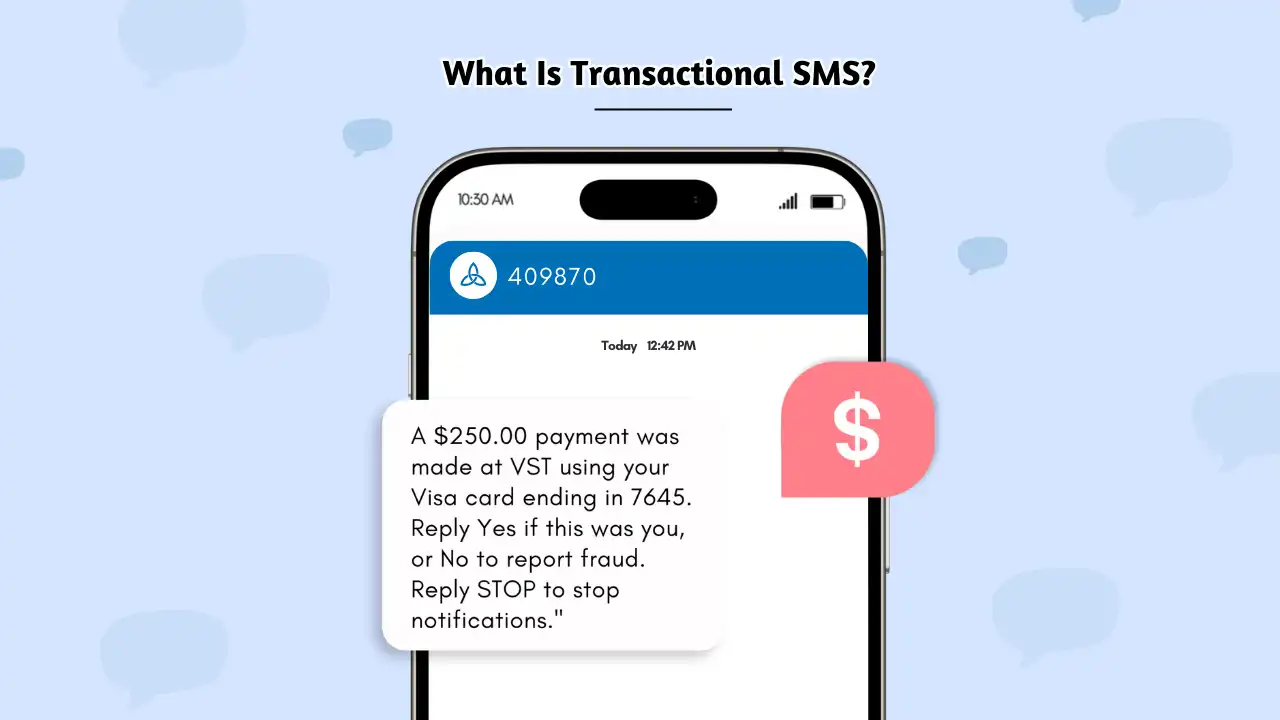
Transakcyjne SMS-y to sposób, w jaki firmy wysyłają niezbędne wiadomości jeden na jednego wiadomości tekstowe bezpośrednio na telefon klienta – automatycznie i w czasie rzeczywistym. SMS-y te powstają w wyniku konkretnych działań podejmowanych przez Klienta, takich jak złożenie zamówienia, zalogowanie się na konto, czy rezerwacja spotkania. Wszystko polega na dostarczaniu właściwych informacji we właściwym czasie.
Kluczowa różnica? Nie chodzi o sprzedaż. Inaczej SMS-y promocyjne, który koncentruje się na transakcjach i marketingu, transakcyjny SMS ma na celu informowanie, potwierdzanie lub ostrzeganie klienta o czymś bezpośrednio związanym z jego interakcją z Twoją firmą. Pomyśl o tym jak o pomocnym, automatycznym asystencie.
Rzeczywiste zastosowania transakcyjnych SMS-ów (z przykładami)
Firmy z różnych branż korzystają z transakcyjnych wiadomości SMS obsługiwanych przez platformy, aby zapewnić klientom aktualne informacje, bezpieczeństwo i aktualność. Te automatyczne SMS-y są wysyłane w odpowiedzi na działanie użytkownika lub gdy konieczne jest natychmiastowe dostarczenie krytycznych informacji.
Oto kilka typowych przykładów z rozszerzonymi szczegółami i odmianami:
Uwierzytelnienie logowania (OTP SMS):
- Podstawowy: Kiedy użytkownik się loguje, otrzymuje SMS-em jednorazowe hasło (OTP) w celu weryfikacji jego tożsamości.
- Przykład: Twój kod logowania to 682390. Ten kod jest ważny przez 10 minut. Nie udostępniaj go nikomu.
Odzyskiwanie konta: Jeśli użytkownik zapomni hasła, może zostać wysłane hasło jednorazowe, które pomoże mu odzyskać dostęp.
Przykład: Twój kod resetowania hasła dla [Twoja firma] to 123456. Użyj go, aby utworzyć nowe hasło.
Alerty bankowe – aktywność karty kredytowej:
- Powiadomienie o transakcji: Powiadamiaj klientów o każdej transakcji na ich koncie.
- Przykład: Uwaga: Twoja karta została obciążona opłatą w wysokości 175 USD z numerem kończącym się na 8732. Jeśli to nie Ty, zadzwoń do nas pod numer 1-800-XXX.
Alerty salda: Powiadamiaj klientów, gdy ich saldo spadnie poniżej określonego progu.
Przykład: saldo Twojego konta wynosi poniżej 100 USD. Doładuj konto, aby uniknąć przerw w świadczeniu usług.
Podejrzana aktywność: ostrzegaj klientów o potencjalnie oszukańczych działaniach.
Przykład: Wykryto nietypową aktywność na Twojej karcie. Próbowano dokonać transakcji na kwotę 500 USD w [Lokalizacja]. Odpowiedz TAK, jeśli to byłeś ty, NIE, jeśli nie.
Aktualizacje zamówień i wysyłek w handlu elektronicznym:
- Potwierdzenie zamówienia: Potwierdź, że zamówienie zostało pomyślnie złożone.
- Przykład: Dziękujemy za zakupy u nas! Twoje zamówienie nr 4521 zostało potwierdzone i przetwarzane.
Potwierdzenie wysyłki: Poinformuj klientów, że ich zamówienie zostało wysłane.
Przykład: Twoje zamówienie nr 4521 zostało wysłane! Śledź to tutaj: [link do strony śledzenia w Twojej witrynie]
Potwierdzenie dostawy: Powiadom klientów o dostarczeniu zamówienia.
Przykład: Twoje zamówienie nr 4521 zostało dostarczone! Mamy nadzieję, że będziesz zadowolony z zakupu.
Opóźnienie dostawy: aktywnie informuj klientów o wszelkich opóźnieniach.
Przykład: Przepraszamy, ale w Twoim zamówieniu nr 4521 występuje opóźnienie. Nowy przewidywany termin dostawy to [Data]. Śledź to tutaj: [link]
Aktualizacje lotów od linii lotniczych:
- Zmiany bramek: Poinformuj pasażerów o zmianach bramek.
- Przykład: Aktualizacja lotu: Twój lot DL405 odlatuje teraz o 20:15 ze stanowiska C22.
Opóźnienia/anulacje: Aktualizuj w czasie rzeczywistym status lotu.
Przykład: Twój lot DL405 został opóźniony. Nowy przewidywany czas odjazdu to 21:30. Przepraszamy za niedogodności.
Sprawdź Przypomnienia
Przykład: Nadszedł czas odprawy na lot DL405. Sprawdź tutaj: [link]
Przypomnienia o wizytach w służbie zdrowia:
- Confirmation: Confirm the appointment details.
- Example: You have an appointment with Dr. Kapoor on Mar 28 at 3:00 PM. Reply 1 to confirm or 2 to reschedule.
Reminders: Send reminders closer to the appointment time.
Example: Reminder: Your appointment with Dr. Kapoor is tomorrow at 3:00 PM. Please arrive 15 minutes early.
Prescription Refills
Example: Your prescription for [medication] is ready for refilling. Contact us at [number] to order.
Transactional text messages, when executed correctly, feel like a helpful notification rather than a business intrusion. It saves time, reduces confusion, and builds trust because customers receive the information they need precisely when they need it, all while adhering to corporate policies.
Być może znasz także:
Bulk Text Message: A Complete Guide to Boost Your Communication
Transactional vs. Promotional SMS: What’s the Difference?
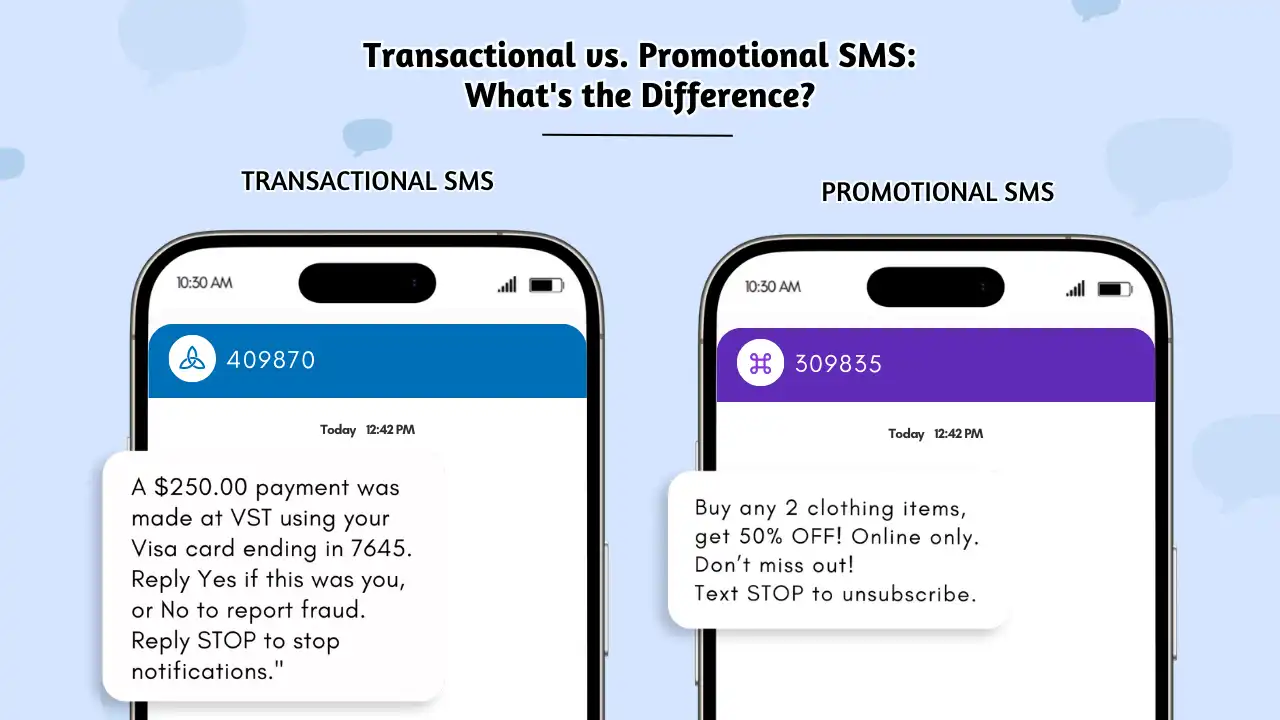
It’s crucial to understand the distinction between transactional and promotional SMS. A transactional SMS is sent in response to a customer’s action (booking a flight, placing an order). A promotional SMS, on the other hand, is sent to promote a sale or offer.
Here’s a detailed comparison:
| Funkcja | Transactional SMS | SMS-y promocyjne |
|---|---|---|
| Purpose | Sends important updates, alerts, or confirmations related to a specific transaction or user action. | Promotes offers, sales, discounts, or general brand messages. |
| Consent Requirement | May not always require explicit opt-in consent (depending on local laws and the nature of the message), but transparency is key. See the “Consent” section below for details. | Always requires prior express written consent (opt-in). |
| Delivery Time | 24/7 delivery – even outside business hours, as these messages are often time-sensitive. | Typically limited to specific hours (e.g., 9 am–9 pm) to comply with regulations and avoid disturbing recipients. |
| Common Uses | OTPs, order confirmations, shipping alerts, appointment reminders, account activity alerts, password resets. | Discounts, special offers, new product launches, event promotions, holiday greetings with promotional content. |
| DND Numbers | Often delivered even if the number is on a Do Not Disturb (DND) list (if allowed by law and the message is considered essential). | Generally blocked for users registered under Do Not Disturb (DND) lists. |
| Przykład | Your OTP is 932187. Use it to complete your login. Valid for 10 mins. | Hurry! Get 20% off all items today only. Shop now at: www.shoplink.com |
For promotional SMS, explicit opt-in isalwaysrequired.
Pro Tip: Use transactional SMS service when the message is expected or necessary (like order updates or security alerts). Use promotional messages only when you have explicit consent and are trying to market something or drive a sale.
Key Benefits of Transactional SMS for Businesses and Customers
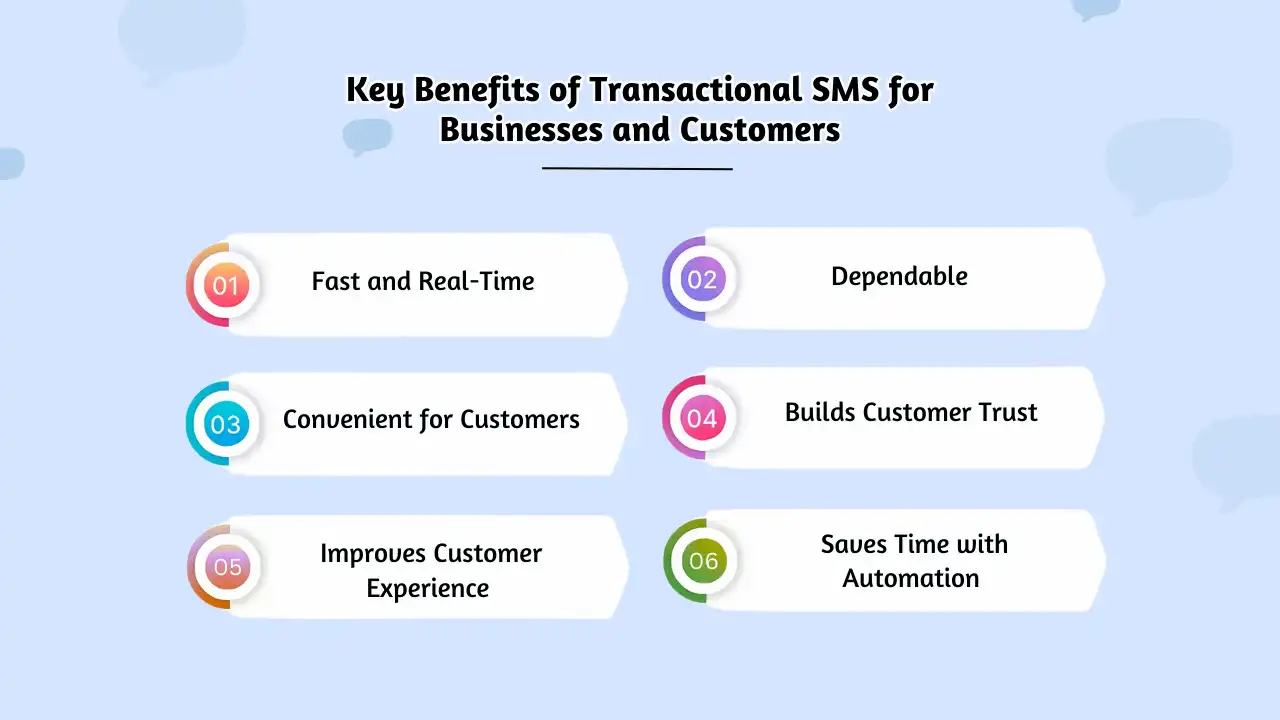
Transactional SMS service, especially when powered by a platform like SMSLocal, offers significant advantages:
It’s Fast and Real-Time:
Today’s customers expect updates without delay. In fact, according to recent customer experience insights, around 80% of consumers expect a response from brands within 24 hours of taking action. SMS Transactional messages delivers information the moment something important happens—like confirming a payment, sending an OTP, or notifying about a delivery. That instant response builds trust.
It’s Dependable:
Unlike emails that might get lost in a spam folder or app notifications that depend on Wi-Fi, SMS runs on mobile networks. That means even in areas with poor internet connectivity, your customer will still receive the message—making transactional SMS a reliable channel for essential communication.
It’s Convenient for Customers:
There’s no need for your customer to log into a portal, search their email inbox, or open an app. Transactional text messages delivers the information they need right to their phone’s lock screen—no effort required. It’s easy, accessible, and always within reach.
It Improves Customer Experience:
People like to be kept in the loop—especially when it comes to things like their orders, appointments, or accounts. Even if the news isn’t ideal (like a shipping delay), sending a proactive update via SMS reduces the number of support calls by up to 40% and keeps customers calm, informed, and reassured.
It Builds Customer Trust:
When customers can track their order status or receive timely alerts about their account, they feel more confident in your service. Trust leads to loyalty. And loyal customers stick around longer—businesses that use transactional SMS service for order updates see a 15% increase in repeat purchase rates, demonstrating the power of consistent communication.
It Saves Time with Automation:
One of the best things about transactional SMS is that it’s fully automatable. You can set up triggers in your system to send messages instantly after certain actions—like purchases, sign-ups, or logins—without manual involvement. This saves time for your team and ensures your customer gets consistent updates, every time.
In short: Transactional SMS helps you stay connected with your customers in a way that’s fast, efficient, and appreciated. It’s a smart communication channel that delivers value both for the business and the customer.
Spraw, aby Twoje wiadomości wyróżniały się dzięki niezawodnej, szybkiej i skutecznej komunikacji. Podnieś poziom swojej gry w wysyłanie SMS-ów już dziś!
How to Send Transactional SMS Messages with SMSLocal: 5 Simple Steps
Sending transactional SMS messages with SMSLocal is straightforward. Here’s a step-by-step guide:
Connect Your Systems Using the SMSLocal API:
- Zapisać się for a free SMSLocal account: Get started at [link to your signup page].
- Access the SMSLocal API documentation: Find detailed instructions and code examples (supporting Python, Java, PHP, Node.js, .NET Core, and more) on our developer portal [link to your API documentation].
- Get your API key: Your unique API key is found in your SMSLocal dashboard.
- Integrate the API: Use our code libraries and examples to connect your website, CRM, or application to the SMSLocal platform. This allows your systems to trigger SMS messages automatically.
Launch an SMS Opt-In Campaign (Even for Transactional Messages):
- Use SMSLocal’s opt-in tools: We provide widgets and forms you can easily embed on your website or app.
- Collect opt-ins at key points:
- Website pop-ups: Ask for SMS update permissions.
- Checkout checkboxes: Let customers opt-in to order updates.
- Email receipts: Offer SMS alerts for future interactions.
- In-store signage: Invite users to receive SMS notifications.
Be transparent: Clearly explain what type of updates customers will receive.
Build Message Templates within SMSLocal:
- Log into your SMSLocal dashboard: Access the template creation section.
- Create templates for common scenarios: Order confirmations, shipping updates, appointment reminders, etc.
- Use variables: Personalize messages with customer names, order numbers, appointment times, etc. (e.g., Hi [FirstName], your order #[OrderNumber] has been shipped!).
- SMSLocal’s template editor ensures consistency and helps you avoid errors.
Start Small With One Campaign (and Track Results in SMSLocal):
- Choose a single use case: Begin with order shipping updates or appointment confirmations.
- Use SMSLocal’s reporting dashboard: Monitor open rates, click-through rates (if applicable), and unsubscribe/opt-out rates.
- High opt-out rates? Adjust your messaging tone or frequency. SMSLocal provides the data you need to optimize.
Refine Your Strategy and Expand Messaging (Using SMSLocal’s Insights):
- Analyze SMSLocal’s reports: Identify areas for improvement and new opportunities.
- Are customers asking about order status? Automate SMS updates.
- Many calls for rescheduling appointments? Implement SMS reminders.
- Users missing updates? Consider SMS notifications.
- Expand your use cases: Add messages for post-purchase support, delivery reminders, event notifications, feedback requests – all managed within SMSLocal.
Best Practices for Sending Effective Transactional SMS
To ensure your transactional SMS messages are effective and well-received:
- Personalize Every Message: Use variables (customer name, order number) to make your messages relevant. Many SMS platforms offer a template system to help you easily add personalized elements.
- Keep It Short and Relevant: Stick to essential information only. Aim to keep your messages under 160 characters to ensure clarity and readability.
- Add a Clear Call-to-Action (CTA): Tell the customer exactly what to do next—whether it’s tracking an order, confirming an appointment, or taking another action.
- Include an Opt-Out Option: Even for transactional messages, always offer a way for recipients to unsubscribe (e.g., “Reply STOP to unsubscribe”).
- Send Messages Promptly: Send SMS messages immediately after the trigger event to ensure timely delivery and relevant communication.
- Use Smart Automation: Don’t send messages manually. Set up triggers within your system (connected to your SMS platform’s API) to automate message sending based on actions like logins, purchases, or delivery updates.
- Test Your Messages: Before launching a campaign, send test messages to yourself and your team to ensure everything is working correctly.
- Monitor Performance: Regularly review your reports to track open rates, click-through rates, and opt-out rates. Use this data to optimize your messaging.
Real Examples of Transactional SMS (Templates)
Here are more examples, across different industries, with adaptable templates:
Bookings & Appointment Reminders
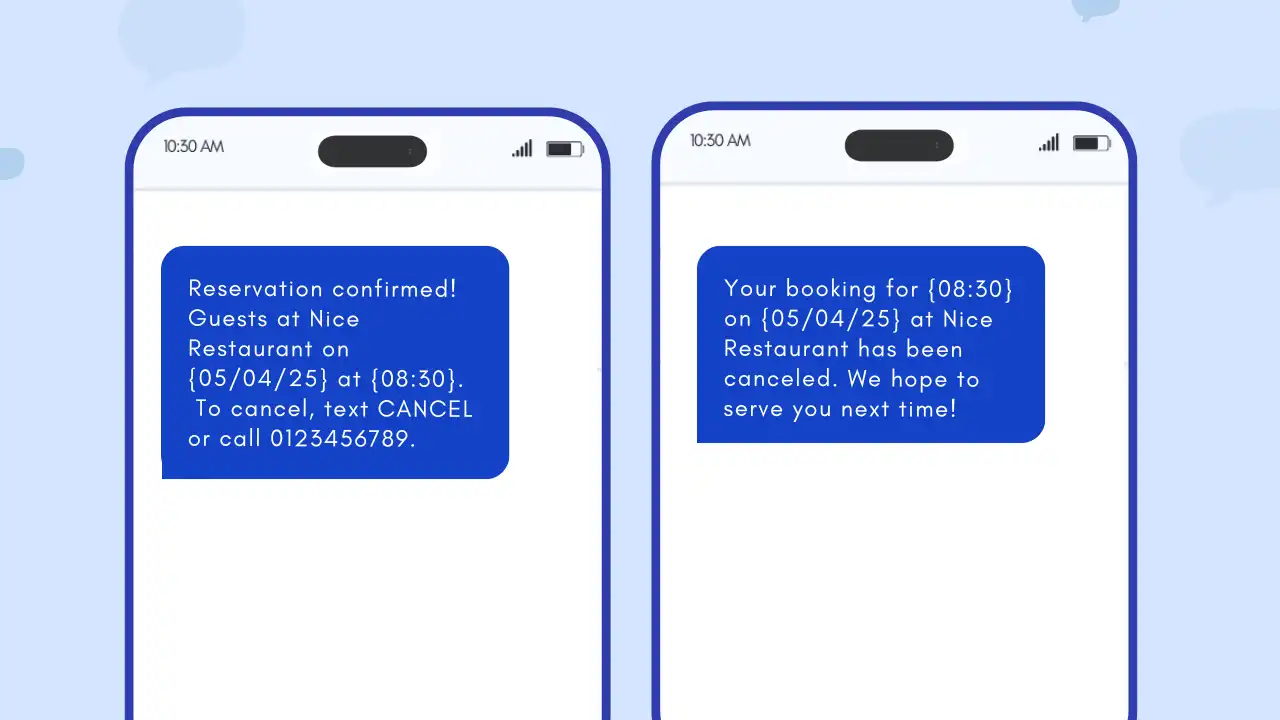
Przykład: A healthcare platform sends Transactional SMS for appointment reminders to reduce no-shows.
Template – Appointment Reminder: Hi [First Name], your appointment at [Clinic Name] is confirmed for [Date] at [Time]. Reply STOP to unsubscribe.
Account Verification & Login Security
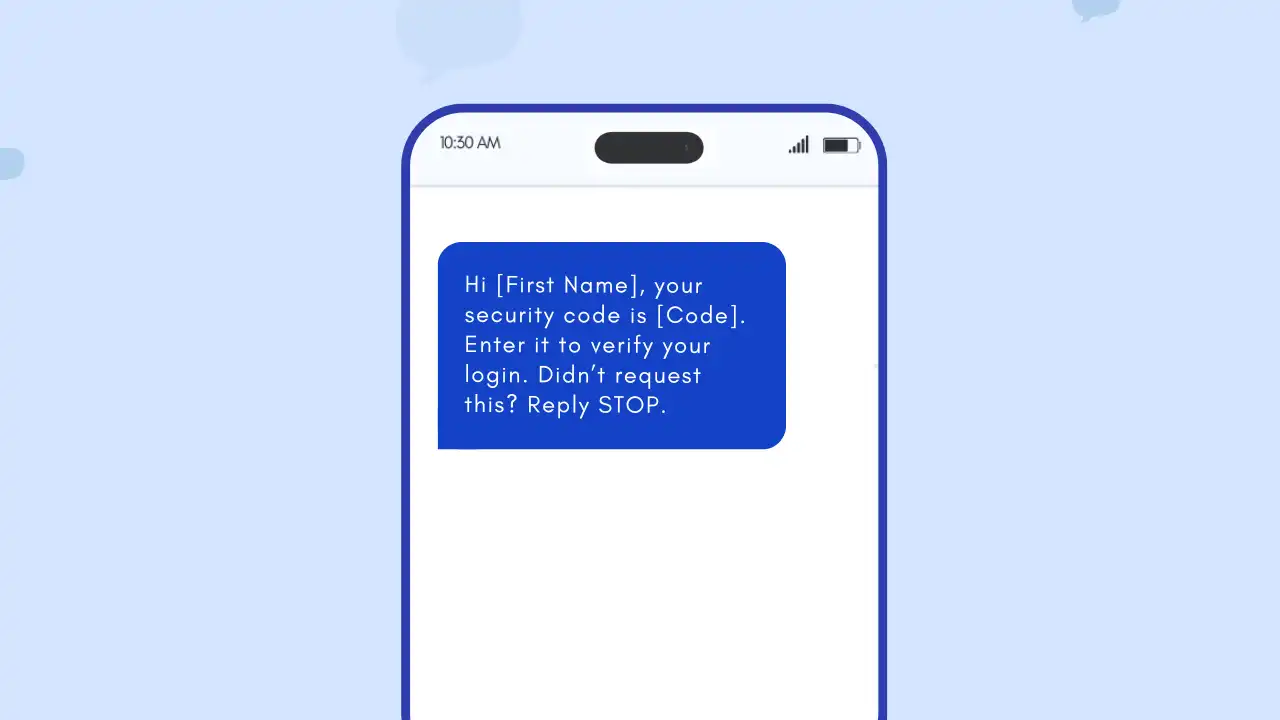
Przykład: A bank sends OTPs for secure logins.
Template – Login Verification: Hi [First Name], your security code is [Code]. Enter it to verify your login. Didn’t request this? Reply STOP.
Quick Sign-Ups & OTP-Based Access
Przykład: A parking app uses OTPs for quick sign-ups and secure access.
Template – OTP Sign-Up: Welcome to [App Name], [First Name]! Your code is [Code]. Enter it to finish setting up your account. Not you? Reply STOP.
Fraud Detection Alerts
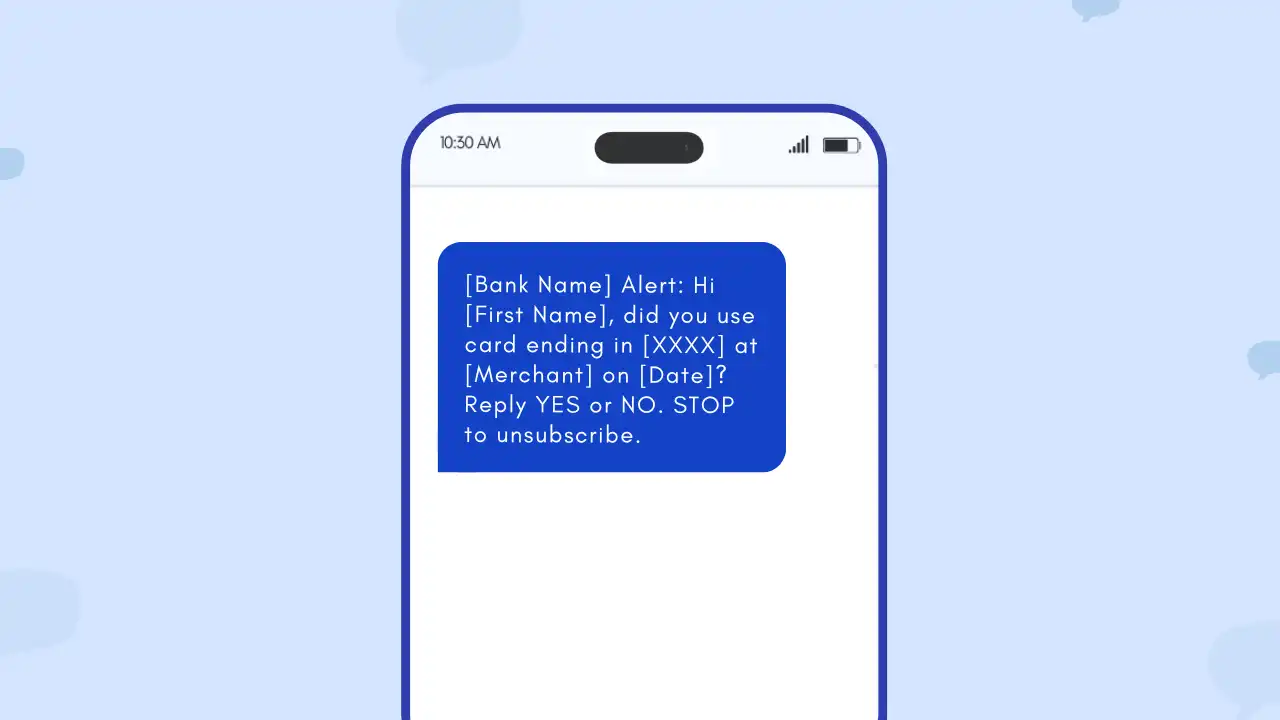
Przykład: A payment platform sends real-time fraud alerts.
Template – Fraud Alert: [Bank Name] Alert: Hi [First Name], did you use card ending in [XXXX] at [Merchant] on [Date]? Reply YES or NO. STOP to unsubscribe.
Delivery Notifications
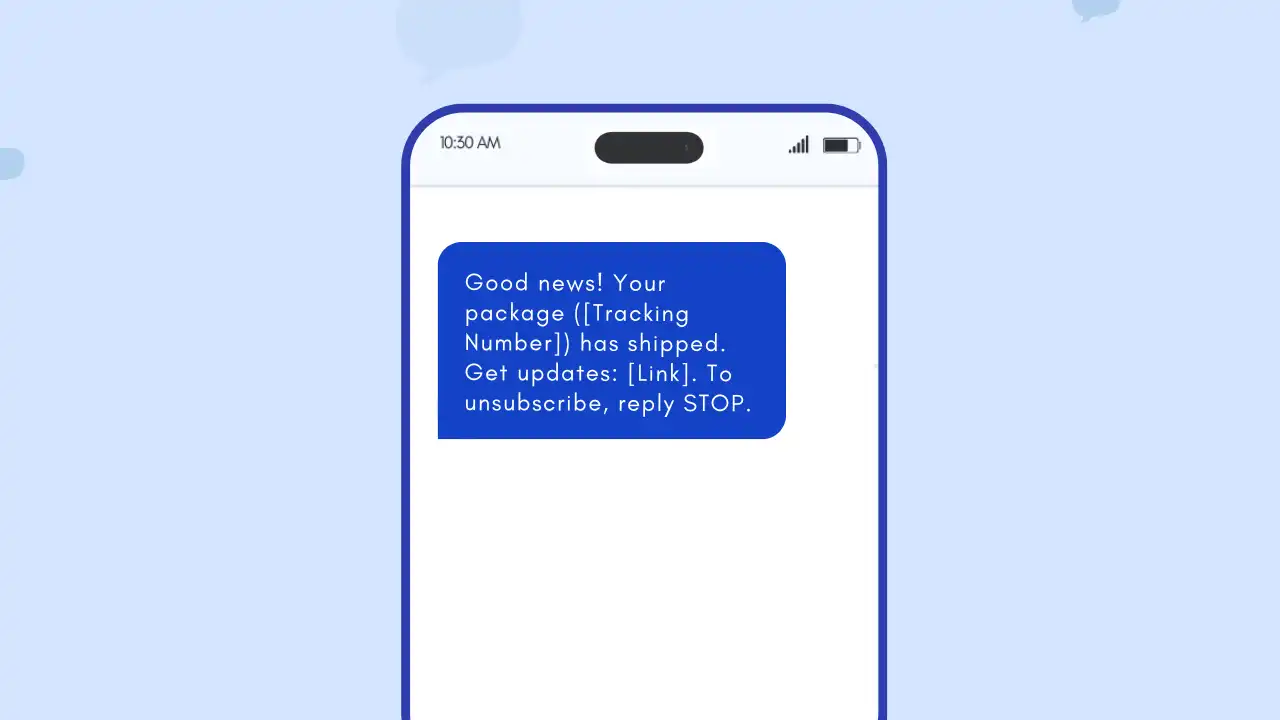
Przykład: An e-commerce company sends live shipping updates.
Templates – Delivery Updates:
- Hi [First Name], your order ([Tracking Number]) is on its way!
- Good news! Your package ([Tracking Number]) has shipped. Get updates: [Link]. To unsubscribe, reply STOP.
- [First Name], your delivery is scheduled for today. Track it here: [Link]. STOP to unsubscribe.
- [First Name], your package ([Tracking Number]) has been delivered! We hope you enjoy your purchase. Reply STOP to opt-out.
Order Confirmations & Status Updates
Przykład: A retailer sends order confirmations and status updates.
Template – Order Confirmation: Hi [First Name], your order has been confirmed! Your tracking number is [Tracking Number]. View details: [Link]. Reply STOP to opt-out.
Emergency Alerts
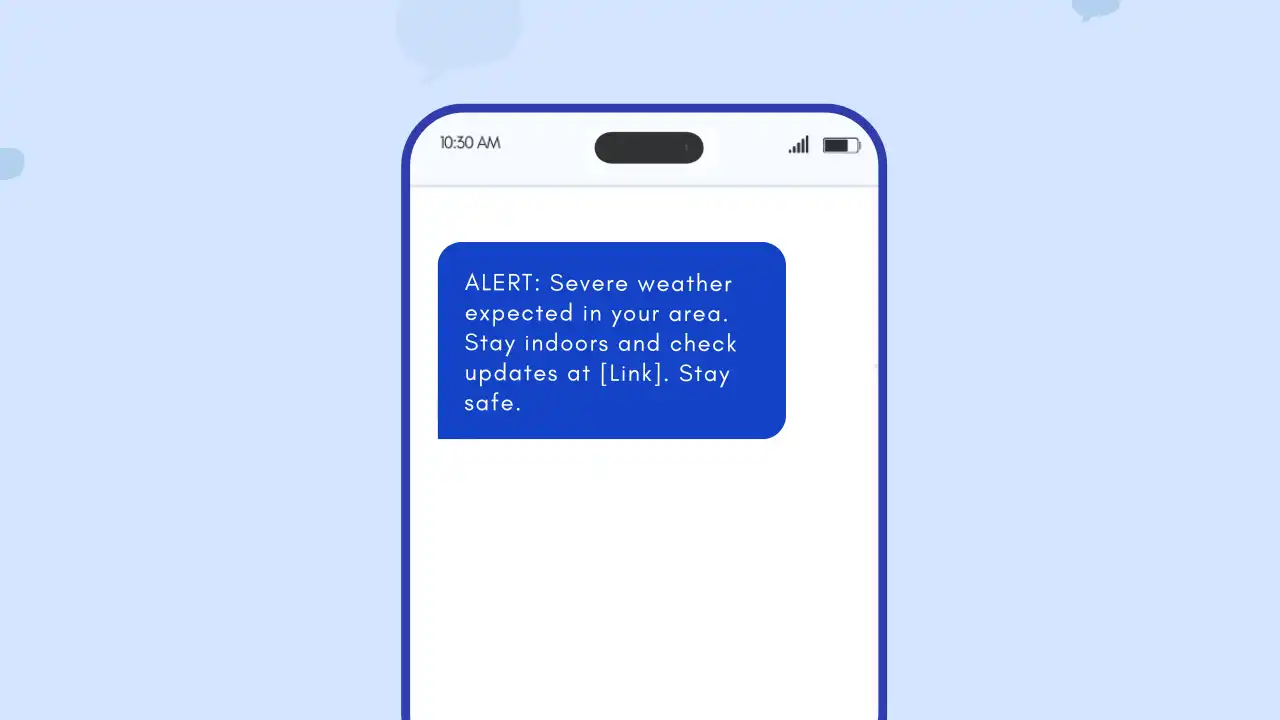
Przykład: Government agencies and schools send emergency alerts.
Template – Emergency Alert: ALERT: Severe weather expected in your area. Stay indoors and check updates at [Link]. Stay safe.
Internal Communication via Transactional SMS Service
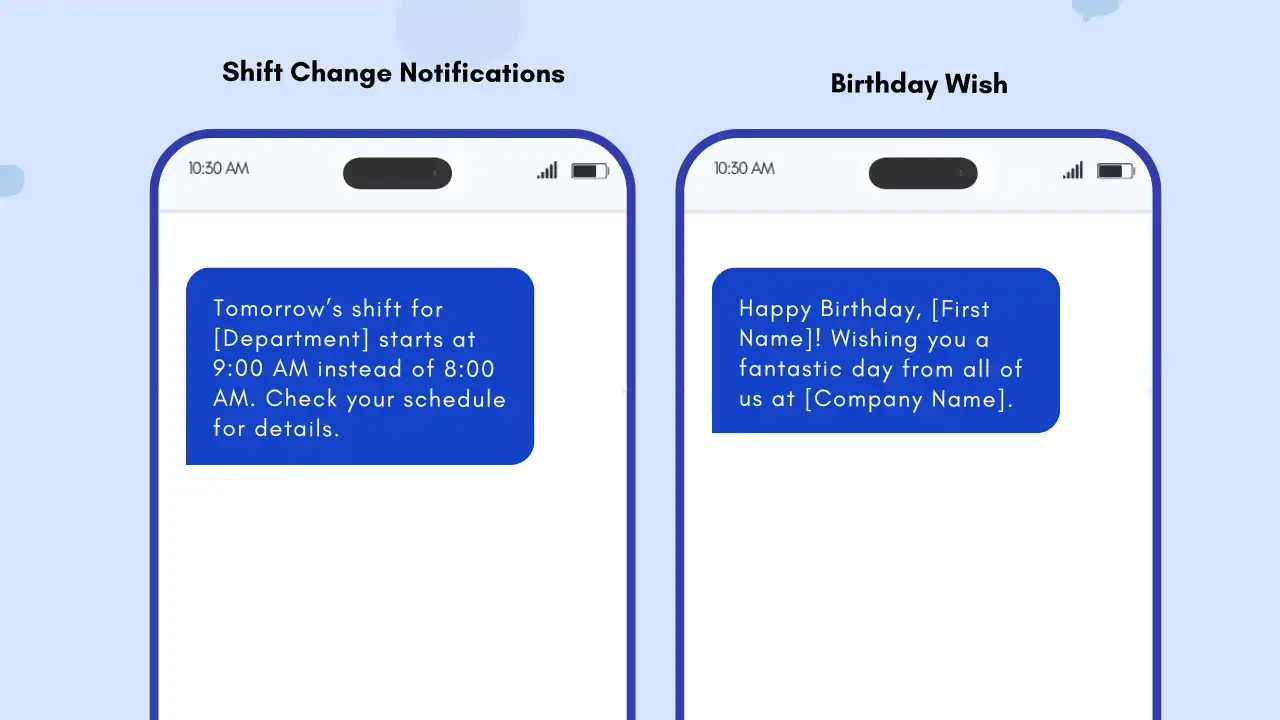
Transactional SMS service isn’t just for customers. It can also be used for internal updates:
- 🔄 People Updates:
- Template – People Update: Team update: Please welcome [Name] to the [Department] team! Starting from [Date].
🔁 Shift Change Notifications:
Template – Shift Change Notification: Shift update: Tomorrow’s shift for [Department] starts at 9:00 AM instead of 8:00 AM. Check your schedule for details.
🎉 Birthday & Work Anniversary Wishes:
Template – Birthday/Anniversary Notification: Happy Birthday, [First Name]! Wishing you a fantastic day from all of us at [Company Name]. 🎉 or Congrats [First Name] on your 1-year work anniversary! Thanks for being part of the team.
Być może znasz także:
10 najlepszych dostawców API SMS do wysyłania wiadomości tekstowych
Consent and Legal Requirements
The rules around SMS consent vary significantly by region. While transactional SMS may sometimes be sent without explicit opt-in, this depends heavily on local laws (like the TCPA in the US, GDPR in Europe, and other regulations worldwide) and the type of transactional message.
- TCPA (USA): The Telephone Consumer Protection Act distinguishes between informational and promotional messages. Informational transactional text messages (e.g., a one-time password) generally have less stringent consent requirements than promotional messages, which require prior express written consent.
- GDPR (Europe): The General Data Protection Regulation requires a lawful basis for processing personal data, which includes sending SMS. For transactional SMS, this could be “contractual necessity” (e.g., sending an order confirmation) or “legitimate interest” (e.g., sending a security alert), but transparency and the ability to opt-out are crucial.
- Other Regions: Many other countries have their own specific regulations regarding Marketing SMS-owy and consent.
Best Practice: Even when not strictly required by law, it’s always best practice to obtain clear consent before sending any type of SMS message. This builds trust and ensures a positive customer experience. SMSLocal provides tools to help you manage opt-ins and comply with relevant regulations.
Wniosek
Transactional SMS isn’t just a communication channel – it’s a powerful way to build trust, deliver instant updates, and improve the overall customer experience. SMSLocal provides a user-friendly platform and powerful API to make implementing and managing transactional SMS easy and effective.
Start your free trial with SMSLocal today and see how easy it is to connect with your customers
Często zadawane pytania
An automated SMS triggered by user actions, such as order updates or login verification. These messages provide essential information directly related to a specific interaction, such as payment confirmation or appointment reminders.
Yes—most regions require clear consent before sending SMS, even if the message isn’t promotional. While transactional messages may sometimes have more lenient consent requirements, it’s best practice to always ensure transparency and provide an opt-out option.
SMSLocal offers flexible pricing plans based on your messaging volume and destination. Visit our pricing page [link to your pricing page] for detailed rates and to find a plan that fits your needs.
Businesses of all sizes and across various industries use transactional SMS, including: • Banks and financial institutions • Healthcare providers • E-commerce stores • Travel and hospitality companies • Logistics and delivery services • Educational institutions • Government agencies And many more!
• Sign up for a free SMSLocal account [link to signup]. • Access our API documentation [link to documentation]. • Get your API key from your dashboard. • Integrate our API with your systems. • Create message templates within the SMSLocal platform. • Set up triggers to automate message sending. • Monitor your results and optimize your campaigns using SMSLocal’s reporting tools.