
 English
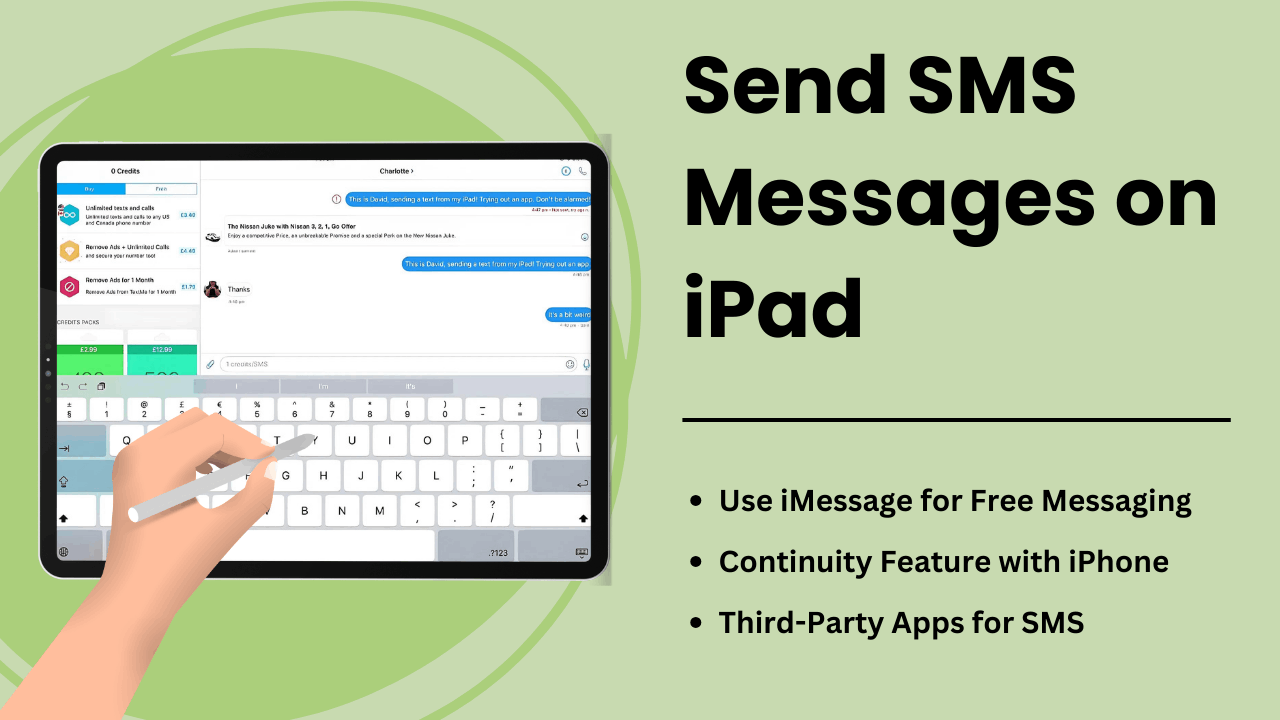
Met het verzenden van sms-berichten op de iPad kunnen gebruikers de functionaliteit van de tablet uitbreiden en er een robuust communicatiemiddel van maken. Hoewel iPads niet zijn uitgerust met native sms-mogelijkheden zoals iPhones, bieden de continuïteitsfunctie van Apple en berichtenapps van derden handige manieren om sms-berichten op het apparaat te verzenden en te ontvangen.
Of u nu een professional bent die de communicatie wil stroomlijnen of een gewone gebruiker bent die op zoek is naar gemakkelijke toegang: als u begrijpt hoe sms op een iPad werkt, kunt u uw gebruikerservaring aanzienlijk verbeteren. In deze handleiding worden de methoden, technische aspecten, voordelen en tips voor het oplossen van problemen besproken Sms-berichten verzenden op een iPad.
Belangrijkste afhaalrestaurants:
- De continuïteitsfunctie van Apple: u kunt sms-berichten verzenden en ontvangen op een iPad wanneer deze via dezelfde Apple ID aan een iPhone is gekoppeld.
- Apps van derden: met sms-diensten zoals Google Voice of WhatsApp kunnen gebruikers de noodzaak van een iPhone omzeilen.
- SMS Relay: het technische proces waarmee de iPad sms-berichten via de iPhone kan verzenden met behulp van iCloud- en Apple ID-synchronisatie.
- Verbeterde productiviteit: Met een groter scherm en multitaskingfuncties biedt de iPad verbeterde berichtenervaringen.
- Tips voor het oplossen van problemen: Veelvoorkomende problemen zoals berichtfouten kunnen worden opgelost door de instellingen aan te passen of uw Apple-apparaten correct te synchroniseren.
Wat is SMS-berichten verzenden op de iPad
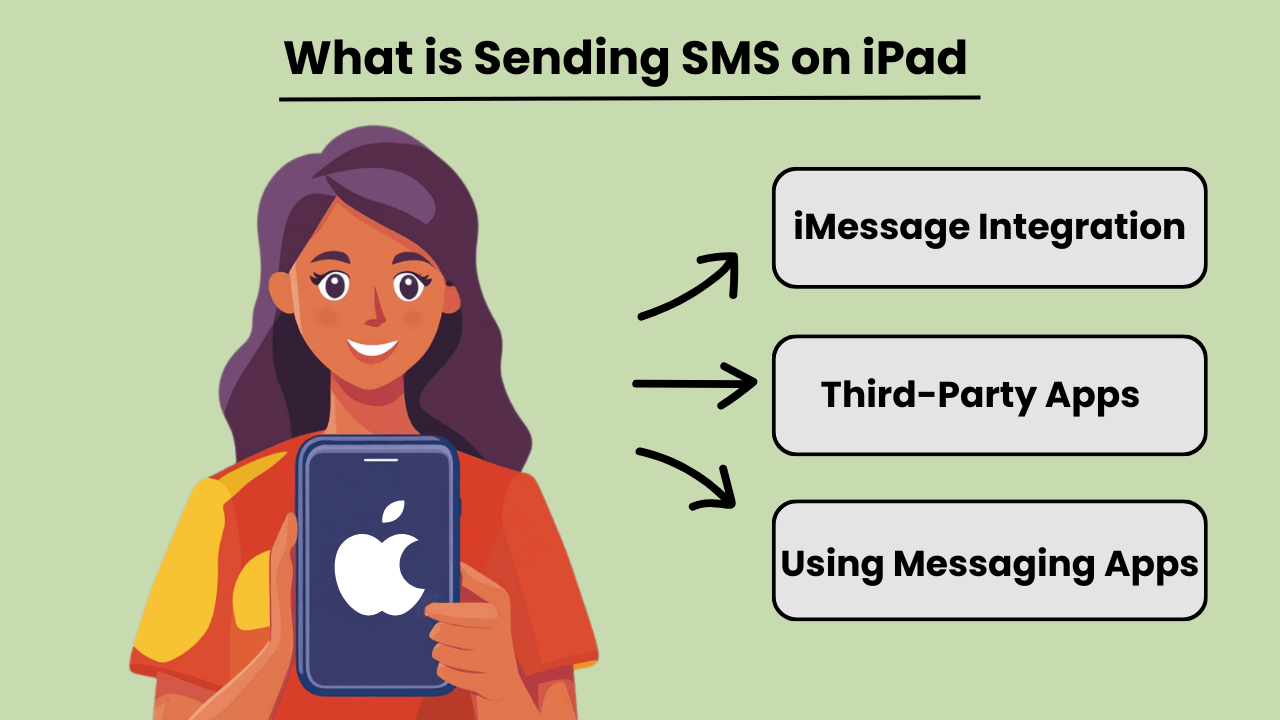
Verstuur SMS-berichten op een iPad stelt gebruikers in staat traditionele sms-berichten te verzenden en te ontvangen, ook al zijn iPads niet inherent ontworpen voor mobiele communicatie zoals iPhones. Via integratie met een iPhone of door berichtenapps van derden te gebruiken, hebben gebruikers toegang SMS-berichten mogelijkheden. Deze functie wordt beschikbaar wanneer zowel de iPad als de iPhone zijn aangemeld bij dezelfde Apple ID, met behulp van de continuïteitsfunctie van Apple.
Naast de iPhone-verbinding worden er verschillende apps aangeboden SMS-berichten mogelijkheden rechtstreeks op de iPad, waardoor gebruikers niet-Apple-apparaten kunnen bereiken. Door apps als Google Voice of WhatsApp te gebruiken, kunnen gebruikers de afhankelijkheid van een telefoon volledig omzeilen en sms-berichten verzenden via de internetverbinding van hun iPad.
Het belang van sms-berichten op de iPad
SMS-berichten op een iPad verbeteren de veelzijdigheid van het apparaat, waardoor het nuttiger wordt voor gebruikers die afhankelijk zijn van constante communicatie. Voor professionals of individuen die de voorkeur geven aan een groter scherm, kan het verzenden van teksten via een iPad de communicatie stroomlijnen zonder dat er tussen apparaten hoeft te worden gewisseld. Het brengt de voordelen van desktop-sms'en naar een draagbare tablet, waardoor naadloze workflows mogelijk zijn.
Bovendien kan de mogelijkheid om rechtstreeks vanaf een iPad sms-berichten te verzenden de toegankelijkheid verbeteren, vooral voor gebruikers die mogelijk moeite hebben met typen op kleinere apparaten. De integratie van berichtenapps of Continuity zorgt ervoor dat alle communicatie op één apparaat gecentraliseerd blijft.
Voordelen van het integreren van iPad met sms-functies
Integrating SMS features on an iPad offers several advantages, such as improved productivity and convenience. By linking an iPhone and iPad, users can send and receive messages from any device. This ensures that important conversations are not missed while switching between devices. This seamless transition between devices fosters greater flexibility.
Bovendien stelt het gebruik van apps die sms op iPads ondersteunen gebruikers in staat internationaal te communiceren zonder dure sms-kosten, waardoor het een kosteneffectieve oplossing is. Het grotere scherm en de robuuste toetsenbordopties op de iPad verbeteren ook de algehele berichtenervaring.
Hoe werkt het verzenden van sms op iPad: technisch overzicht
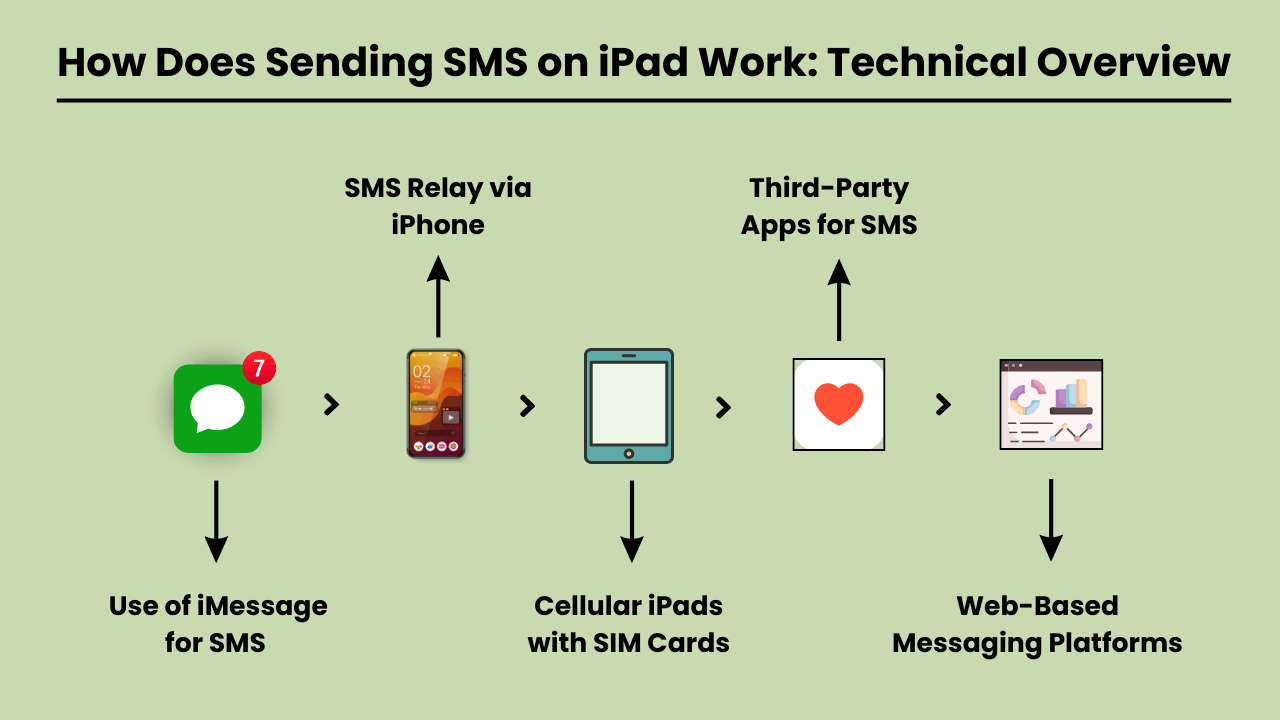
Sms-berichten verzenden on an iPad involves using a technical system that integrates with both iOS and cellular carrier services. Since iPads are typically Wi-Fi-only devices or rely on cellular data, they lack native SMS functionality found in traditional phones.
To enable SMS on an iPad, Apple uses a feature called SMS Relay, which is part of the Continuity suite in iOS. SMS Relay allows iPads to send and receive SMS and MMS messages through a paired iPhone, bridging the gap between the device’s limitations and the capabilities of cellular networks.
This process relies on the seamless integration of iCloud services, Apple ID, and carrier support to ensure messages are delivered as they would be from a traditional phone.
SMS Relay en iCloud-services
SMS Relay is de ruggengraat van Sms-berichten verzenden on an iPad. When you send a message from an iPad, the message is first routed through iCloud to the paired iPhone. The iPhone then sends the message through the cellular network as an SMS.
Similarly, when a message is received on the iPhone, it is relayed to the iPad via iCloud, enabling a synchronized messaging experience across devices.
This functionality requires that both the iPad and iPhone are signed in to the same iCloud account and connected to the same Wi-Fi network, although sometimes Bluetooth pairing can enhance this communication.
Rol van iOS in SMS-integratie
The iOS system plays a critical role in integrating SMS functionality on iPads. It manages the handoff between devices, allowing seamless communication between the iPhone and the iPad.
The Messages app on iOS is designed to handle both iMessages and SMS/MMS, and when SMS Relay is enabled, iOS automatically determines which type of message should be sent based on the recipient.
The iOS ecosystem ensures that even though the iPad lacks cellular connectivity for SMS, it can leverage the iPhone’s network capabilities to send and receive messages.
Carrier-services SMS-relay inschakelen
Carrier services are essential for making SMS Relay work, as they are responsible for transmitting SMS and MMS through the cellular network. While iCloud handles the relay between Apple devices, it is the carrier that ensures the actual delivery of the messages to non-Apple devices.
For this reason, the iPhone involved in the SMS Relay must have a valid carrier plan that supports SMS services. Carrier compatibility is crucial, as not all carriers may fully support all aspects of Apple’s Continuity features, especially when it comes to international networks.
Voordelen van het verzenden van sms-berichten op de iPad: waarom u het zou moeten gebruiken
The iPad has become an essential tool for communication, offering convenience, versatility, and ease of use. One of the key features is the ability to send SMS messages directly from the device.
Whether you’re at home, in the office, or on the go, Sms-berichten verzenden op een iPad biedt aanzienlijke voordelen die uw communicatie-ervaring verbeteren. Het grotere scherm van de iPad, de intuïtieve interface en de mogelijkheid om te synchroniseren met andere Apple-apparaten maken het mogelijk Moeiteloos en efficiënter sms'en.
Additionally, SMS functionality on an iPad provides seamless connectivity, allowing users to stay in touch with friends, family, and colleagues from virtually anywhere. With the rise of digital communication, using an iPad to send SMS is not only practical but also a smart choice for modern users.
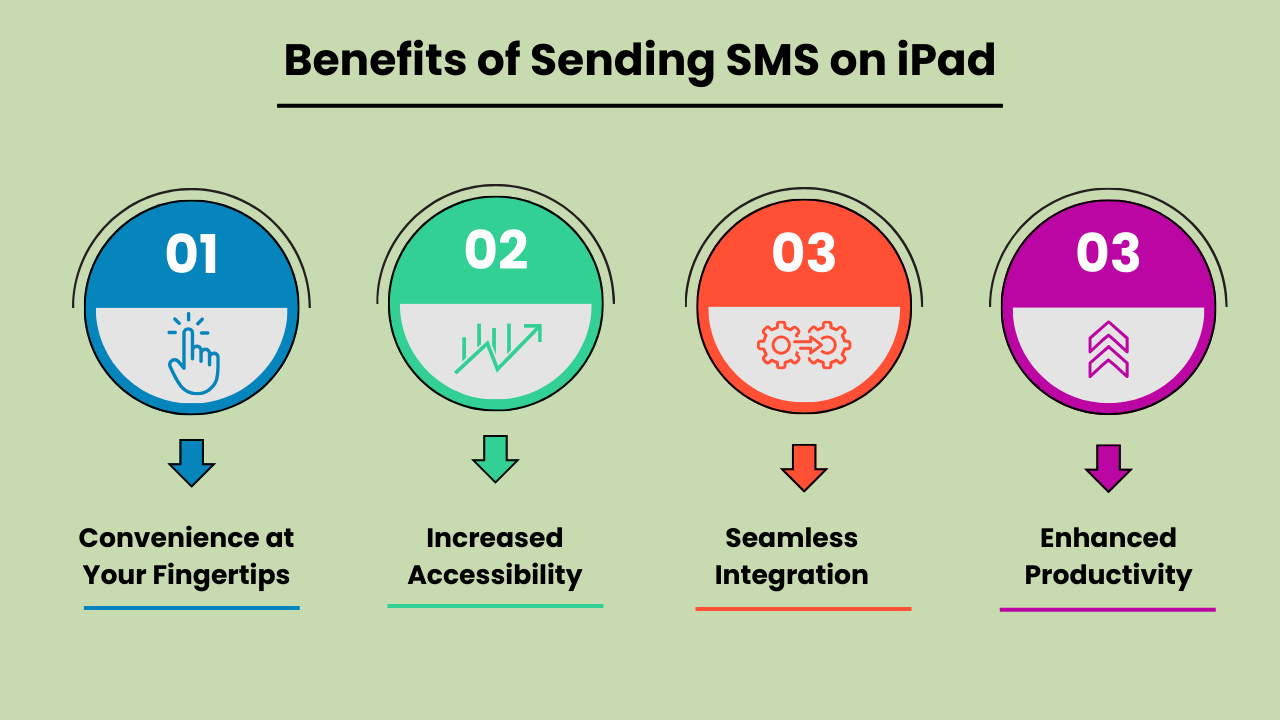
Gemak binnen handbereik
Sms-berichten verzenden op een iPad biedt ongeëvenaard gemak. In tegenstelling tot traditionele mobiele telefoons zorgt het grotere scherm van de iPad ervoor dat u comfortabeler kunt typen en berichten kunt lezen. Of u nu een snelle update verzendt of een uitgebreid gesprek voert, de gebruiksvriendelijke interface van de iPad zorgt ervoor dat uw berichten gemakkelijk worden verzonden. Dit gemak maakt het een ideaal apparaat voor zowel persoonlijke als professionele communicatiebehoeften.
Verhoogde toegankelijkheid
The iPad’s SMS functionality provides increased accessibility, especially for individuals who might find smaller mobile devices difficult to use. The larger, clearer screen is particularly helpful for those with visual impairments or limited dexterity. Additionally, with the ability to connect to Wi-Fi, users can send SMS messages without relying solely on a mobile network. This ensures accessibility even in areas with poor cell service.
Naadloze integratie met andere Apple-apparaten
One of the biggest advantages of Send SMS Messages on an iPad is its seamless integration with other Apple devices. Messages sent on an iPad can be synced across all devices within the Apple ecosystem, including iPhones and MacBooks.
This feature allows users to pick up conversations from any device, providing flexibility and continuity in communication. It enhances productivity by ensuring that no messages are missed, regardless of the device being used at the moment.
Verbeterde productiviteit voor multitasking
Using an iPad to send SMS boosts productivity, particularly for multitaskers. With the iPad’s split-screen feature, you can send messages while simultaneously browsing the web, taking notes, or working on other tasks. This multitasking capability is especially beneficial for professionals who need to communicate while working on projects or accessing information on the go.
The ability to handle multiple tasks efficiently on one device makes the iPad a powerful tool for staying productive and connected.
De beste methode kiezen voor het verzenden van sms-berichten op de iPad: opties en overwegingen
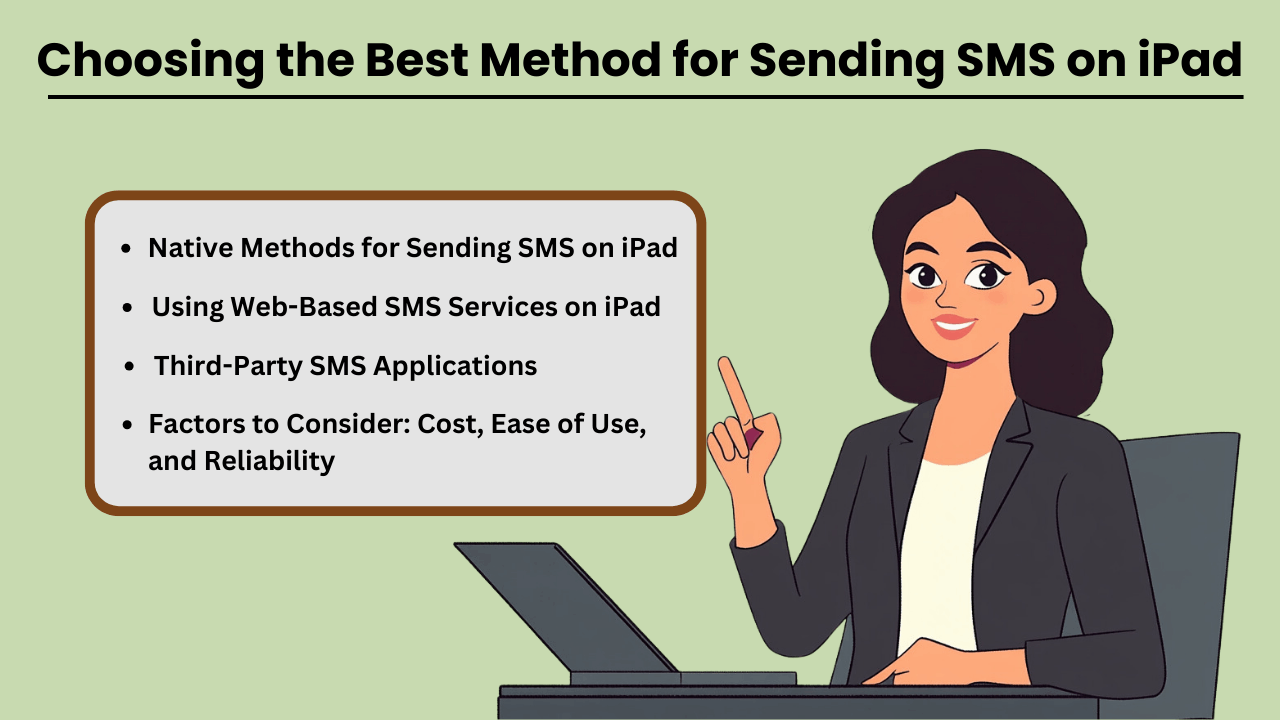
Send SMS Messages on an iPad can be done through several methods, both native and third-party. While iPads are not designed for direct SMS capabilities like iPhones, Apple has made it possible through its continuity features.
This allows users to send and receive text messages if they own an iPhone paired with their iPad via iMessage. Additionally, third-party apps provide robust solutions for SMS sending without an iPhone, often catering to business or high-volume needs.
When selecting a method, factors such as cost, ease of use, and reliability play crucial roles in determining the most suitable option for both personal and business use.
Systeemeigen methoden voor het verzenden van sms-berichten op iPad
If you already own an iPhone, Apple’s native messaging solution, iMessage, allows you to send SMS from your iPad seamlessly. This method leverages Apple’s ecosystem, offering a smooth experience with minimal setup.
The advantage of this approach is that it is highly reliable, as it uses your iPhone’s mobile network to relay messages through the iPad. Moreover, it is cost-effective since you don’t need any additional apps or subscriptions, making it an ideal solution for casual, everyday use.
SMS-applicaties van derden
Voor degenen zonder iPhone of die geavanceerde functies nodig hebben, bieden applicaties van derden zoals Google Voice, TextNow en WhatsApp alternatieven. Deze apps zijn ontworpen om te bieden Sms functionality using a data or Wi-Fi connection, enabling users to send messages globally.
These services can be more versatile than iMessage, as they allow communication with non-Apple devices without relying on phone network continuity. While some services are free, others come with premium features at a cost, offering features like message scheduling, bulkverzendingen geavanceerde rapportage.
Te overwegen factoren: kosten, gebruiksgemak en betrouwbaarheid
When choosing the best method for sending SMS on your iPad, it is essential to weigh factors such as cost, ease of use, and reliability. Native methods like iMessage come at no extra cost but require an iPhone, whereas third-party apps may involve subscription fees or in-app purchases.
Ease of use also varies, with native options generally being simpler for Apple users. However, third-party apps often provide a wider range of features, especially for business purposes. Reliability is critical as well—native methods tend to be highly dependable, while the reliability of third-party apps may vary based on network quality and app provider stability.
Webgebaseerde sms-diensten gebruiken op de iPad
Web-based SMS services are another option for sending texts from your iPad, especially if you don’t want to install additional apps. Services like Twilio, SendPulse, and ClickSend allow users to send SMS directly from their browser.
These platforms are ideal for businesses needing bulk messaging or marketing solutions, providing features such as automation, message scheduling, and analytics. While highly functional, these services often require a subscription and may not be as user-friendly for personal use. However, they are an excellent choice for those looking for scalability and advanced messaging capabilities.
Veelvoorkomende problemen oplossen bij het verzenden van sms-berichten op de iPad: oplossingen en oplossingen
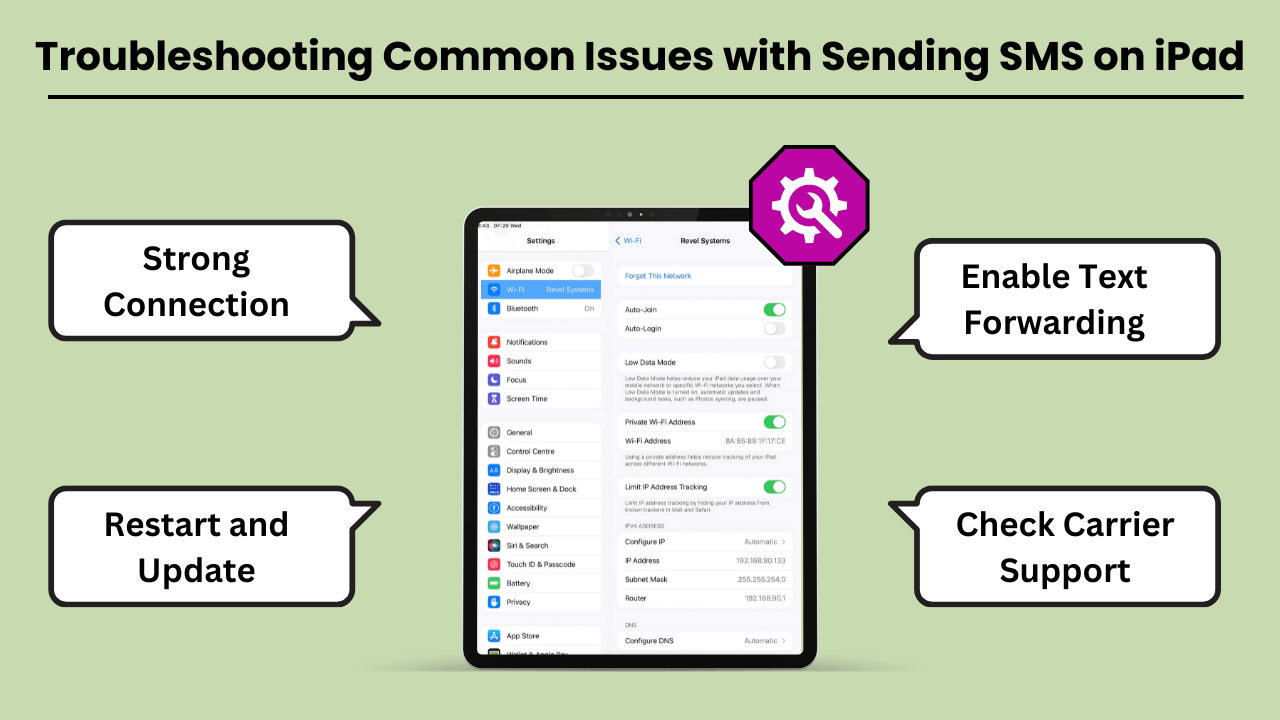
Verstuur SMS-berichten op een iPad can be a convenient way to stay connected. But users often encounter various issues that can disrupt the experience. The most common problems include the inability to send messages, message delivery failures, and issues related to syncing with iPhone or cellular networks.
These problems can arise due to several reasons, such as incorrect settings, software bugs, or carrier-related issues. Fortunately, most of these problems can be resolved with a few troubleshooting steps. In this guide, we’ll explore the common errors and offer practical solutions to get your iPad’s messaging feature back on track.
Whether the issue lies with the device, network, or settings, these tips will help you fix it quickly and efficiently.
Veelvoorkomende fouten en problemen bij het verzenden van sms-berichten op de iPad
One of the most common issues iPad users face is not being able to send or receive SMS messages through the Messages app. This issue often occurs if your iPad is not properly synced with your iPhone or cellular service.
Additionally, software glitches, incorrect message settings, or a weak Wi-Fi connection can lead to these failures. Another issue could be related to network connectivity or problems with the carrier settings, which might prevent the iPad from sending SMS, even though it is connected to Wi-Fi.
Tips en oplossingen voor probleemoplossing
If you are unable to send SMS messages on your iPad, the first step is to check your device settings. Ensure that your iPad is connected to the same Apple ID as your iPhone and that Text Message Forwarding is enabled.
If the issue persists, restarting your iPad and checking for any available software updates can often resolve bugs. Additionally, ensure that your carrier supports SMS on the iPad, and consider resetting network settings to clear out any connection-related issues. Another tip is to make sure you have a strong Wi-Fi or cellular connection.
Conclusie
Sending SMS Messages on an iPad brings convenience, especially for users who appreciate a larger screen and the ability to sync messaging across devices. By using the Continuity feature, iPads seamlessly integrate with iPhones to enable SMS functionality, while third-party apps expand the messaging capabilities even further.
This integration not only improves communication but also boosts productivity by allowing users to send messages without switching between devices. Understanding the setup, technical process, and troubleshooting tips ensures a smooth experience for both personal and professional use.
Additionally, utilizing SMS on an iPad offers greater flexibility and accessibility, particularly for users who prefer working on a larger screen or require assistive features. It bridges the gap between multiple devices, ensuring that important conversations continue uninterrupted.
Whether for personal messaging or professional communication, Sending SMS Messages on an iPad not only enhances user convenience but also streamlines workflows. This makes it a valuable tool in the Apple ecosystem. With a better understanding of how SMS works on the iPad, users can fully harness its potential for seamless, on-the-go communication.
Veelgestelde vragen
U kunt berichtenapps van derden, zoals Google Voice, WhatsApp of TextNow, gebruiken om sms-berichten te verzenden via de internetverbinding van uw iPad.
Ja, als u de continuïteitsfunctie met uw iPhone gebruikt, moeten beide apparaten op hetzelfde Wi-Fi-netwerk zijn aangesloten. Als alternatief zijn apps van derden afhankelijk van een Wi-Fi- of dataverbinding.
Controleer of beide apparaten zijn ingelogd op dezelfde Apple ID en of het doorsturen van sms-berichten is ingeschakeld op uw iPhone. Het opnieuw opstarten van beide apparaten kan dit probleem ook oplossen.on Content
Apps like Google Voice, WhatsApp and TextNow allow you to send SMS on your iPad without needing an iPhone.
Ja, met apps als WhatsApp, TextNow of Google Voice kun je tegen lagere of geen kosten internationaal sms'en, afhankelijk van de functies van de app.


