
 English
導入
RCS メッセージングは、グループ チャット、開封確認、リッチ メディアなどの機能を備え、モバイル マーケティングで成長しています。それでも、多くのユーザーは、そのシンプルさ、信頼性、普遍的な互換性、オフライン アクセス、およびデバイス間でのサポートにより SMS を好みます。簡単なコミュニケーションの場合、SMS は依然として信頼性が高く、広くアクセス可能な選択肢です。
RCS は強化された通信オプションを提供しますが、必ずしもすべての人にとって最適であるとは限りません。 RCS の問題に気づいた場合、または単純に SMS の単純な性質を好む場合は、従来のテキスト メッセージング形式に戻すことを検討しているかもしれません。
このガイドでは、Android スマートフォンで RCS を無効にして SMS (つまり、RCS から SMS) に戻す方法を説明します。ただし、手順に入る前に、まず詳しく見てみましょう。 RCS メッセージングとは何ですか そしてなぜ一部の人が RCS ではなく SMS を選ぶのか。
重要なポイント
- RCS は、マルチメディア共有、開封確認、グループ チャットなどの拡張機能を提供しますが、インターネットが必要です。
- RCS の採用は進行中です。両方 送信者と受信者が必要とするのは 互換性のあるデバイスとネットワークのサポート。
- iPhone ユーザーがメッセージ設定を通じて RCS を有効にするには、iOS 18 以降が必要です。
- SMS は世界共通の互換性があり、国際メッセージングの信頼性が高くなります。
- SMS は、RCS に比べてバッテリーとデータの使用量が少なくなります。
RCSとは何ですか?
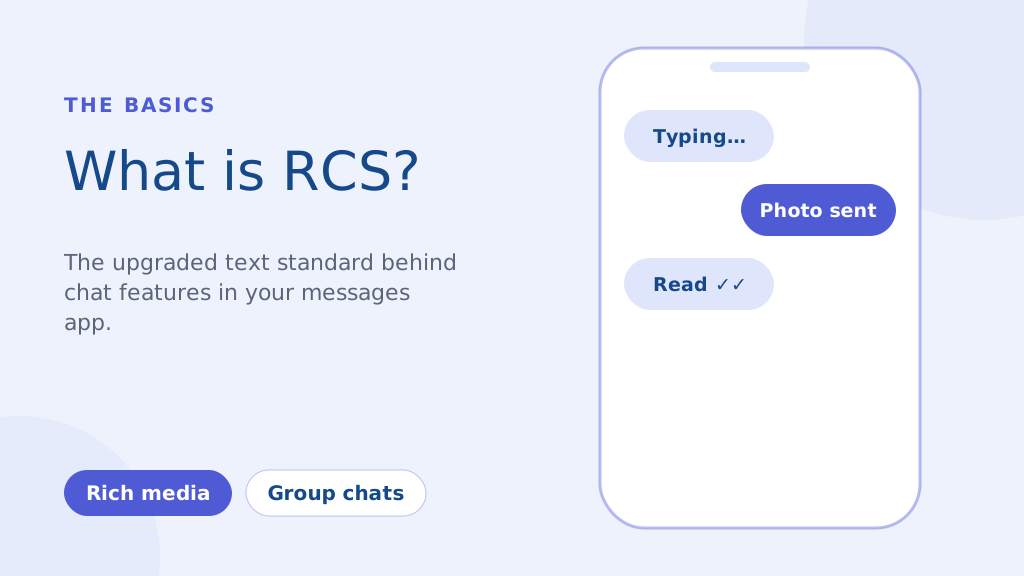
RCS (Rich Communication Services) は、老朽化したプロトコルに代わる次世代の通信プロトコルです。 SMS と MMS 規格。これは本質的に、携帯電話のデフォルトのメッセージング アプリに組み込まれた、より現代的なメッセージング エクスペリエンスです。主な機能は次のとおりです。
- メディアリッチなメッセージング: MMS の厳しい圧縮を行わずに、高品質の写真やビデオを共有します。
- タイピングインジケーターと開封確認: 誰かがいつ入力しているのか、いつメッセージを読んでいるのかを確認できます。
- 強化されたグループチャット: 従来の SMS よりも強力なグループ メッセージング機能。
携帯電話ネットワークに依存する SMS とは異なり、RCS はインターネット (Wi-Fi またはモバイル データ) 経由で動作します。これにより、より豊富な機能が可能になりますが、送信者と受信者の両方が互換性のあるデバイスと完全な機能を実現するためのネットワーク サポートを必要とすることも意味します。
2016 年の主要な取り組みは、RCS を Android のユニバーサル標準にすることを目的としていましたが、採用はまだ進行中です。企業はマーケティングに RCS をますます活用しています キャンペーン、SMS よりもさらにインタラクティブなエクスペリエンスを提供します。ただし、ここで強調したように、SMS の信頼性が最重要となる状況は依然として多くあります。
Android で rcs を SMS チャットに変更する方法 (ステップバイステップ ガイド)
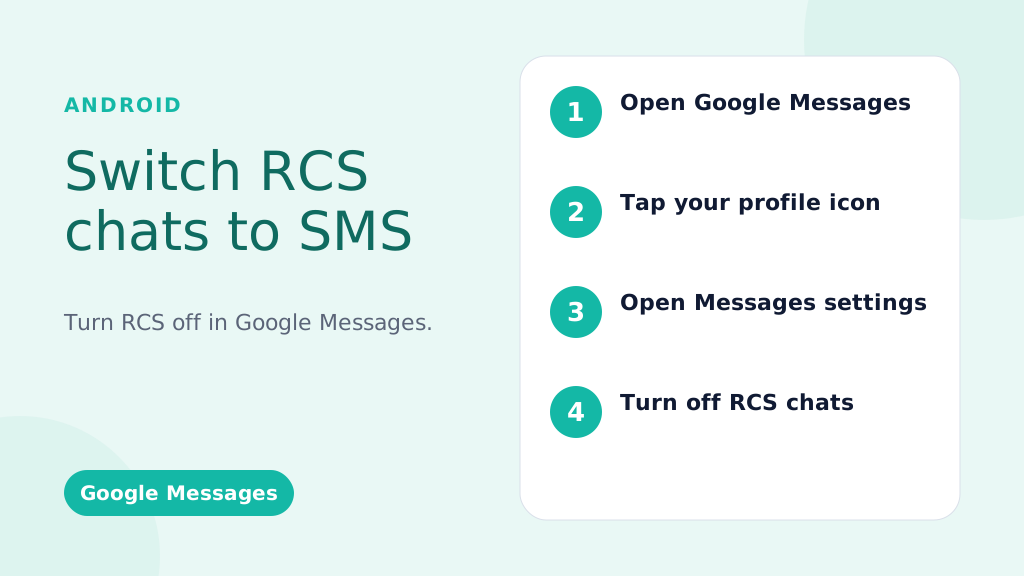
これらの手順は、ほとんどの Android スマートフォンのデフォルトのメッセージング アプリである Google メッセージに関するものです。
RCS をグローバルに無効にする (すべての会話で RCS をオフにする):
- Google メッセージ アプリを開きます。メッセージ アイコン (通常は青い吹き出し) を見つけてタップします。
- プロフィール写真/アイコンをタップします。これは通常、アプリの右上隅にあります。
- 「メッセージ設定」(または一部のバージョンでは「設定」)を選択します。
- 「RCS チャット」(または「チャット機能」 - 文言は若干異なる場合があります)をタップします。
- 「RCS チャットをオンにする」(または同等のスイッチ)をオフに切り替えます。決定の確認を求められる場合があります。
- (オプションですが推奨) 電話機を再起動します。これにより、変更がすぐに有効になります。
特定の会話に対して RCS を無効にする (限定的可用性):
重要: この機能は常に利用できるわけではありません。お使いの携帯電話、Android のバージョン、通信事業者によって異なります。
- 会話を開く: 特定の会話に移動します。
- 三点メニュー (⋮) をタップします。通常は右上にあります。
- 「詳細」、「情報」、または「設定」を探します。正確な表現は異なります。
- 利用可能な場合は、「SMS および MMS メッセージのみを送信する」または「使用する」などのオプションを見つけます。 SMS/MMS“: Toggle this on. If you don’t see this option, your phone/carrier doesn’t support this feature.
信頼性が高く、迅速かつ効果的なコミュニケーションにより、メッセージを目立たせることができます。今すぐあなたのテキストメッセージングゲームをレベルアップしましょう!
Troubleshooting: RCS Messages Still Sending?
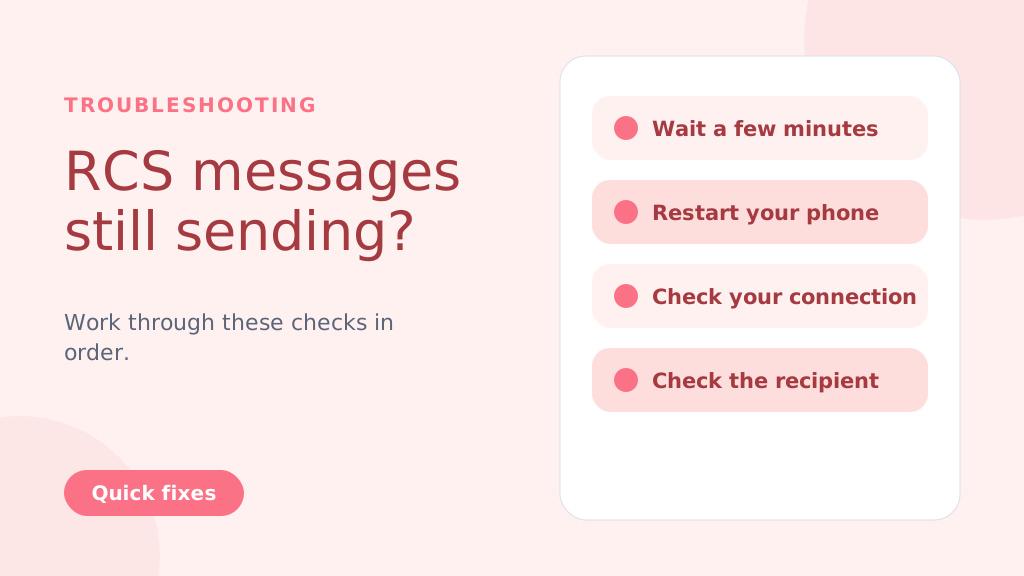
Even after disabling RCS, messages might still try to send as RCS temporarily. Try these steps:
- Wait: Give it a few minutes for the changes to take effect.
- Restart Your Phone: A reboot often resolves lingering issues.
- Check Your Connection: Temporarily turn off Wi-Fi and mobile data to force SMS delivery.
- Check the Recipient’s Status: If the recipient has RCS enabled and a strong connection, your message might still go through as RCS (this is beyond your control).
- Clear App Cache and Data (Advanced Users): Go to Settings > Apps > Messages > Storage > Clear Cache and Clear Data. Caution: This will clear your message history within the Google Messages app
Why People Choose to Change from RCS to SMS
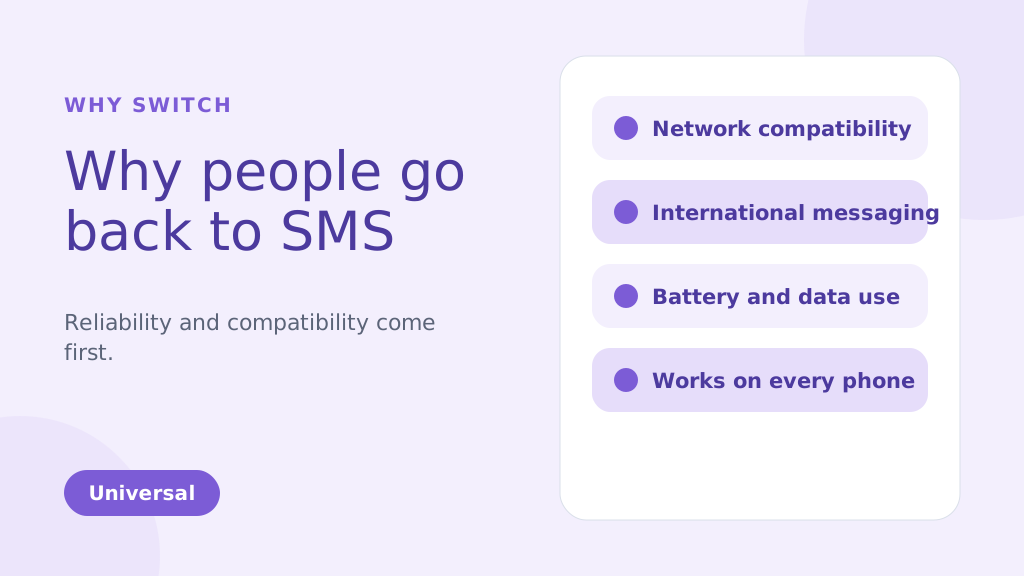
While RCS brings many enhanced features compared to traditional SMS, there are several reasons why you might choose to change from RCS to SMS. Below are some of the common factors that could make SMS a more suitable option for your messaging needs:
1. Network Compatibility Issues
One of the biggest reasons people might change from RCS TO SMS is reliability. RCS message depends on both an internet connection and carrier support, which has slowed its adoption. Unlike SMS, which works universally, RCS requires both the sender and receiver to be on compatible devices and networks. If they aren’t, your RCS message will default to SMS, leading to inconsistencies in message delivery.
2. International Messaging
SMS remains the more reliable option for international communication. RCS may face challenges when sending messages to international numbers because not all global carriers support it. This can result in delayed or undelivered messages. SMS, however, works on almost every carrier worldwide, making it a more dependable option for cross-border messaging.
3. Battery and Data Usage
RCS uses an internet connection to send and receive messages. This can quickly drain your phone’s battery and consume data, especially when Wi-Fi is unavailable. SMS, on the other hand, uses the carrier’s cellular network and doesn’t require an internet connection. This makes it more energy-efficient and data-friendly, particularly when sending multiple messages throughout the day.
4. Personal Preference
Some people simply prefer the simplicity of SMS over the advanced features of RCS. While RCS offers features like group chats, read receipts, and media sharing, not everyone needs or wants these extras. If you prefer straightforward, no-frills communication, SMS can be the more appealing option for your messaging style.
5. More Reliable During Network Congestion
During peak times, such as large events or emergencies, SMS and A2P messages tend to be more reliable, as they don’t depend on data connections like RCS. This ensures better message delivery even when networks are congested.
6. Compatible with All Phones
SMS is universally supported by nearly all mobile phones and networks. Unlike RCS, which requires both the sender and recipient to have compatible devices and carriers, SMS can be sent to any phone.
This ensures that your messages will always reach the recipient, regardless of their phone type or network.
SMS is especially ideal for use cases like OTP verification for user authentication, where reliability is crucial.
プロのヒント: If you’re switching from RCS to SMS, consider disabling RCS in your messaging app settings to avoid sending messages that may not be delivered due to compatibility issues. This ensures all your messages are sent via SMS, providing a more reliable and universal communication method.
以下のこともご存知かもしれません:
RCS vs SMS: Key Differences and Incredible Benefits Explained
Key Advantages of SMSLocal:
- Guaranteed Delivery: We ensure your messages are delivered, even if RCS fails.
- Automatic Switching: No manual intervention is needed. Our system automatically switches to SMS.
- Seamless Experience: Your recipients receive the message, regardless of their device or settings.
- Peace of Mind: Know that your important messages will always get through.
- Ideal for Business: Perfect for appointment reminders, delivery notifications, urgent alerts, and any communication where delivery is critical.
結論
Switching from RCS to SMS is a straightforward process, but it’s important to weigh the pros and cons of each messaging format. RCS offers advanced features, including rich media sharing and read receipts, which are beneficial for those with compatible devices and networks.
However, for users seeking simplicity, reliability, or international compatibility, SMS remains the preferred option. By following the steps outlined for Android and iPhone devices, you can easily switch between these two messaging services based on your preferences.
For a seamless messaging experience, whether you’re using SMS, RCS, or even other channels like WhatsApp, consider signing up with SMSLocal. SMSLocal provides an all-in-one platform to manage your messaging needs efficiently and effectively.
Why not have it all in one place? Sign up with smslocal to access RCS, WhatsApp, SMS, and email all from a single platform
よくある質問
Google メッセージの [SMS と MMS メッセージのみを送信する] 設定、RCS が利用できないこと、ネットワークが弱いこと、または RCS に対する通信事業者のサポートがないことが原因で、携帯電話が SMS を送信している可能性があります。
RCS は、マルチメディア共有やリアルタイム入力インジケーターなどの拡張機能にインターネット接続 (データまたは Wi-Fi) を使用しますが、SMS は携帯電話ネットワークに依存しているため、これらの機能がありません。
• Open Settings: Tap on the Settings app on your iPhone. • Go to Messages: Scroll down and select Messages. • Disable iMessage: Toggle off iMessage to switch to SMS. Restart iPhone: Restart your iPhone to ensure SMS is enabled.
メッセージは引き続き受信しますが、RCS メッセージ チャットではなく、SMS/MMS として受信されます。 RCS 機能は表示されません。
はい、同じ手順に従ってスイッチをオンに戻すことで、いつでも簡単に RCS を再度有効にできます。
• Open Google Messages: Launch the app on your Android phone. • Go to Settings: Tap your profile picture and select Settings. • チャット機能を有効にする: [チャット機能] で [チャット機能を有効にする] をオンにします。 • 電話番号の確認: プロンプトが表示されたら、SMS 経由で電話番号を確認します。 • 通信事業者のサポートを確認する: 通信事業者が RCS メッセージングをサポートしていることを確認してください。 • Google Play サービスを更新する: Google Play サービスとメッセージ アプリが最新であることを確認します。
SMS は、インターネット接続と通信事業者のサポートに依存する RCS メッセージとは異なり、ほぼ全域をカバーする携帯電話ネットワークに依存しています。
• Open Google Messages: Launch the app on your Android phone. • [設定] に移動します: プロフィール写真をタップし、[設定] を選択します。 • チャット機能を無効にする: [チャット機能] で [チャット機能を有効にする] をオフに切り替えます。 • 電話番号の確認: プロンプトが表示されたら、SMS 経由で番号を確認します。 • 通信事業者のサポートを確認する: 通信事業者が SMS をサポートしていることを確認してください。 • 電話を再起動する: 電話を再起動して、変更を適用します。


