
 English
Perkenalan
Pesan RCS berkembang dalam pemasaran seluler dengan fitur seperti obrolan grup, tanda terima telah dibaca, dan media kaya. Namun, banyak pengguna lebih memilih SMS karena kesederhanaannya, keandalannya, kompatibilitas universal, akses offline, dan dukungan lintas perangkat. Untuk komunikasi langsung, SMS tetap menjadi pilihan yang dapat diandalkan dan dapat diakses secara luas.
Meskipun RCS menawarkan opsi komunikasi yang lebih baik, RCS tidak selalu cocok untuk semua orang. Jika Anda melihat masalah dengan RCS atau lebih menyukai SMS yang sederhana, Anda mungkin ingin kembali ke format pesan teks klasik.
Dalam panduan ini, kami akan memandu Anda tentang cara menonaktifkan RCS dan beralih kembali ke SMS (yaitu RCS ke SMS) di ponsel Android Anda. Namun sebelum masuk ke langkah-langkahnya, mari kita lihat lebih dekat terlebih dahulu apa itu pesan RCS dan mengapa sebagian orang mungkin memilih SMS dibandingkan RCS.
Poin-poin penting
- RCS menawarkan fitur yang disempurnakan seperti berbagi multimedia, tanda terima telah dibaca, dan obrolan grup tetapi memerlukan internet.
- Adopsi RCS sedang berlangsung; keduanya kebutuhan pengirim dan penerima perangkat yang kompatibel dan dukungan jaringan.
- Pengguna iPhone memerlukan iOS 18+ untuk mengaktifkan RCS melalui pengaturan Pesan.
- SMS kompatibel secara universal dan lebih dapat diandalkan untuk pengiriman pesan internasional.
- SMS menggunakan lebih sedikit baterai dan data dibandingkan dengan RCS.
Apa itu RCS?
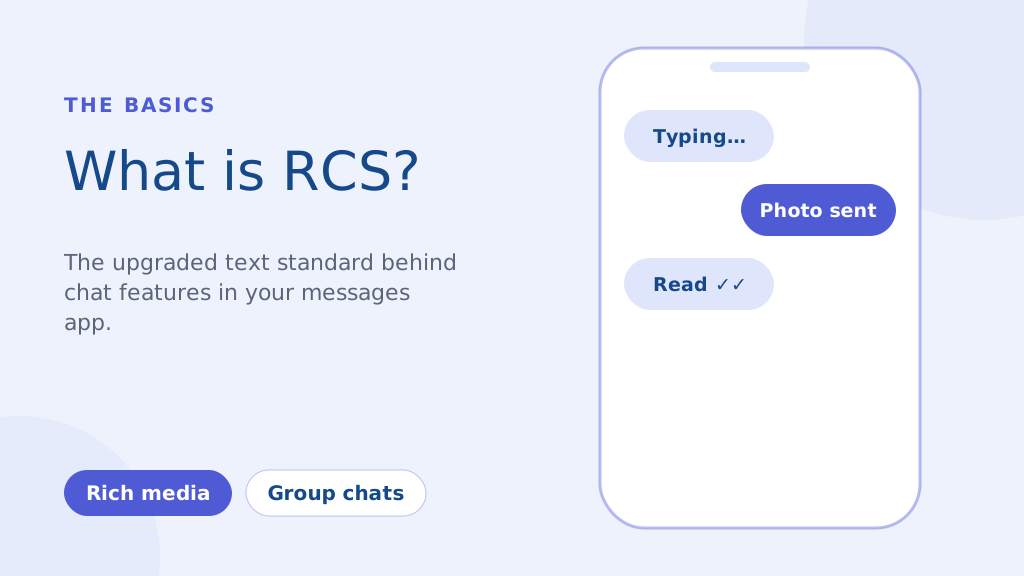
RCS, atau Rich Communication Services, adalah protokol komunikasi generasi berikutnya yang dirancang untuk menggantikan penuaan SMS dan MMS standar. Ini pada dasarnya adalah pengalaman perpesanan yang lebih modern yang tertanam dalam aplikasi perpesanan default ponsel Anda. Fitur utama meliputi:
- Pesan Kaya Media: Bagikan foto dan video berkualitas tinggi tanpa kompresi MMS yang parah.
- Indikator Pengetikan & Tanda Terima Telah Dibaca: Lihat kapan seseorang sedang mengetik dan kapan mereka membaca pesan Anda.
- Obrolan Grup yang Ditingkatkan: Kemampuan perpesanan grup yang lebih tangguh dibandingkan SMS tradisional.
Berbeda dengan SMS yang bergantung pada jaringan seluler Anda, RCS beroperasi melalui internet (Wi-Fi atau data seluler). Hal ini memungkinkan fitur yang lebih kaya, namun juga berarti pengirim dan penerima memerlukan perangkat yang kompatibel dan dukungan jaringan untuk fungsionalitas penuh.
Meskipun inisiatif besar pada tahun 2016 bertujuan menjadikan RCS sebagai standar universal di Android, penerapannya masih terus berlangsung. Dunia usaha semakin memanfaatkan RCS untuk pemasaran kampanye, menawarkan lebih banyak pengalaman interaktif daripada yang dimungkinkan oleh SMS. Namun, seperti yang telah kami soroti, masih banyak situasi di mana ketergantungan SMS adalah hal yang terpenting.
Cara mengubah rcs menjadi obrolan sms di Android (Panduan Langkah demi Langkah)
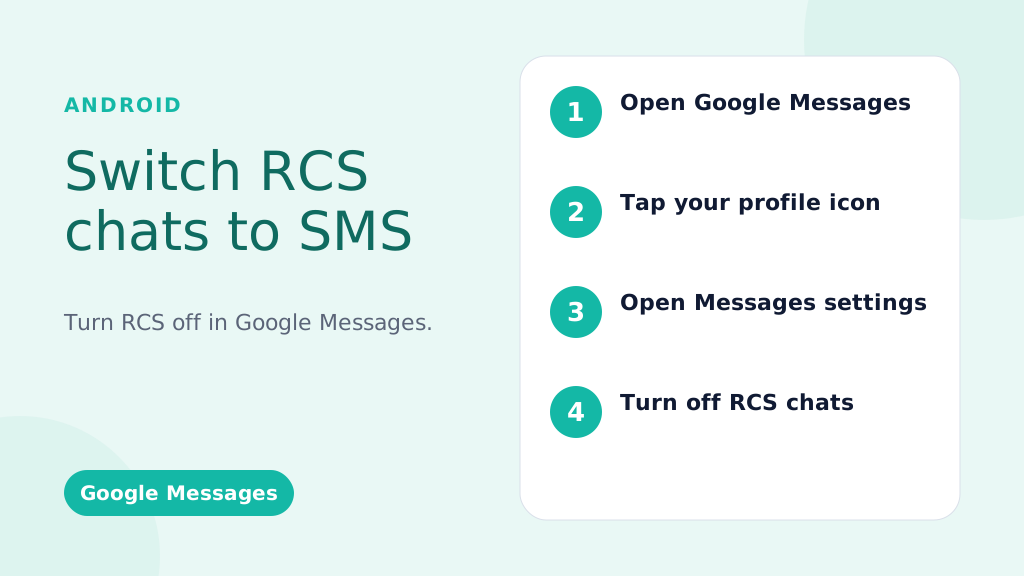
Petunjuk ini ditujukan untuk Google Message, aplikasi perpesanan default di sebagian besar ponsel Android.
Menonaktifkan RCS Secara Global (Mematikannya untuk Semua Percakapan):
- Buka Aplikasi Google Pesan: Temukan ikon Pesan (biasanya gelembung ucapan berwarna biru) dan ketuk ikon tersebut.
- Ketuk Gambar/Ikon Profil Anda: Biasanya terletak di pojok kanan atas aplikasi.
- Pilih “Pengaturan Pesan” (atau hanya “Pengaturan” pada beberapa versi).
- Ketuk “Obrolan RCS” (atau “Fitur Obrolan” – kata-katanya mungkin sedikit berbeda).
- Nonaktifkan “Aktifkan Obrolan RCS” (atau tombol serupa). Anda mungkin diminta untuk mengonfirmasi keputusan Anda.
- (Opsional namun Direkomendasikan) Nyalakan Ulang Ponsel Anda: Ini membantu memastikan perubahan segera diterapkan.
Menonaktifkan RCS untuk Percakapan Tertentu (Ketersediaan Terbatas):
Penting: Fitur ini tidak selalu tersedia. Itu tergantung pada ponsel Anda, versi Android, dan operator.
- Buka Percakapan: Buka percakapan tertentu.
- Ketuk Menu Tiga Titik (⋮): Biasanya di kanan atas.
- Cari “Detail”, “Informasi”, atau “Pengaturan”: Kata-kata yang tepat bervariasi.
- JIKA TERSEDIA, temukan opsi seperti “Hanya Kirim Pesan SMS dan MMS” atau “Gunakan SMS/MMS“: Toggle this on. If you don’t see this option, your phone/carrier doesn’t support this feature.
Jadikan pesan Anda menonjol dengan komunikasi yang andal, cepat, dan efektif. Tingkatkan permainan SMS Anda hari ini!
Troubleshooting: RCS Messages Still Sending?
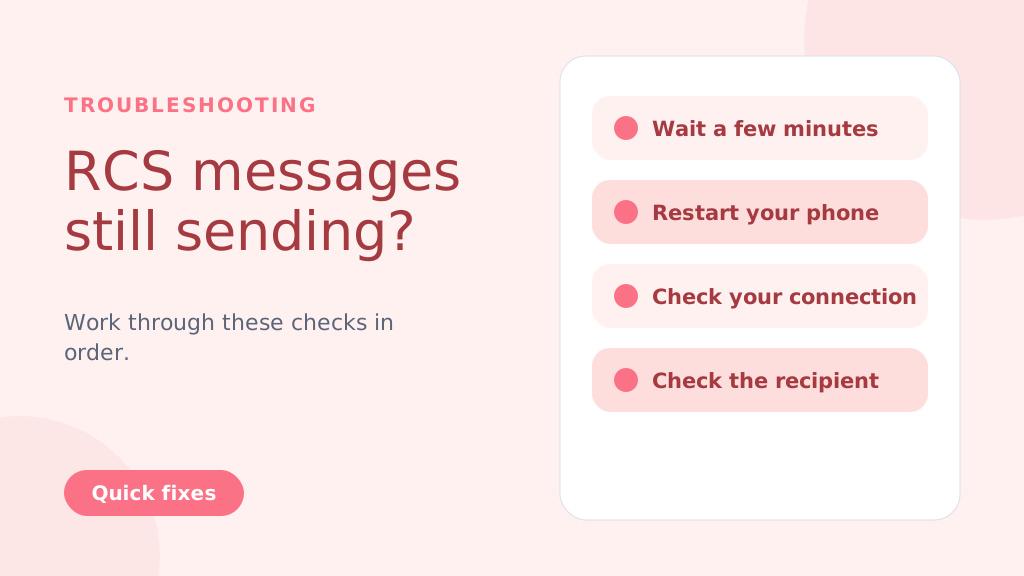
Even after disabling RCS, messages might still try to send as RCS temporarily. Try these steps:
- Wait: Give it a few minutes for the changes to take effect.
- Restart Your Phone: A reboot often resolves lingering issues.
- Check Your Connection: Temporarily turn off Wi-Fi and mobile data to force SMS delivery.
- Check the Recipient’s Status: If the recipient has RCS enabled and a strong connection, your message might still go through as RCS (this is beyond your control).
- Clear App Cache and Data (Advanced Users): Go to Settings > Apps > Messages > Storage > Clear Cache and Clear Data. Caution: This will clear your message history within the Google Messages app
Why People Choose to Change from RCS to SMS
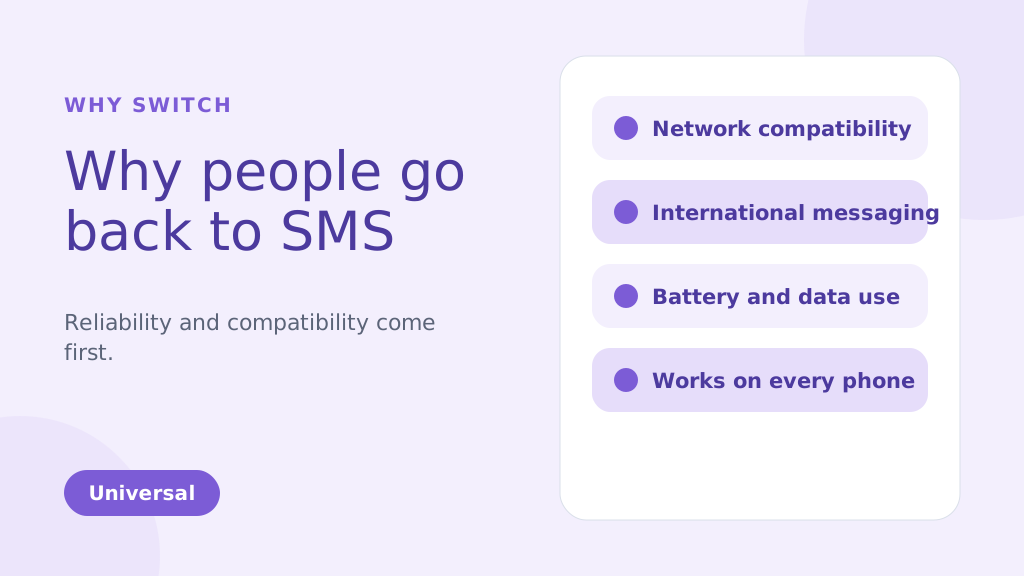
While RCS brings many enhanced features compared to traditional SMS, there are several reasons why you might choose to change from RCS to SMS. Below are some of the common factors that could make SMS a more suitable option for your messaging needs:
1. Network Compatibility Issues
One of the biggest reasons people might change from RCS TO SMS is reliability. RCS message depends on both an internet connection and carrier support, which has slowed its adoption. Unlike SMS, which works universally, RCS requires both the sender and receiver to be on compatible devices and networks. If they aren’t, your RCS message will default to SMS, leading to inconsistencies in message delivery.
2. International Messaging
SMS remains the more reliable option for international communication. RCS may face challenges when sending messages to international numbers because not all global carriers support it. This can result in delayed or undelivered messages. SMS, however, works on almost every carrier worldwide, making it a more dependable option for cross-border messaging.
3. Battery and Data Usage
RCS uses an internet connection to send and receive messages. This can quickly drain your phone’s battery and consume data, especially when Wi-Fi is unavailable. SMS, on the other hand, uses the carrier’s cellular network and doesn’t require an internet connection. This makes it more energy-efficient and data-friendly, particularly when sending multiple messages throughout the day.
4. Personal Preference
Some people simply prefer the simplicity of SMS over the advanced features of RCS. While RCS offers features like group chats, read receipts, and media sharing, not everyone needs or wants these extras. If you prefer straightforward, no-frills communication, SMS can be the more appealing option for your messaging style.
5. More Reliable During Network Congestion
During peak times, such as large events or emergencies, SMS and A2P messages tend to be more reliable, as they don’t depend on data connections like RCS. This ensures better message delivery even when networks are congested.
6. Compatible with All Phones
SMS is universally supported by nearly all mobile phones and networks. Unlike RCS, which requires both the sender and recipient to have compatible devices and carriers, SMS can be sent to any phone.
This ensures that your messages will always reach the recipient, regardless of their phone type or network.
SMS is especially ideal for use cases like OTP verification for user authentication, where reliability is crucial.
Kiat Pro: If you’re switching from RCS to SMS, consider disabling RCS in your messaging app settings to avoid sending messages that may not be delivered due to compatibility issues. This ensures all your messages are sent via SMS, providing a more reliable and universal communication method.
Anda mungkin juga tahu:
RCS vs SMS: Key Differences and Incredible Benefits Explained
Key Advantages of SMSLocal:
- Guaranteed Delivery: We ensure your messages are delivered, even if RCS fails.
- Automatic Switching: No manual intervention is needed. Our system automatically switches to SMS.
- Seamless Experience: Your recipients receive the message, regardless of their device or settings.
- Peace of Mind: Know that your important messages will always get through.
- Ideal for Business: Perfect for appointment reminders, delivery notifications, urgent alerts, and any communication where delivery is critical.
Kesimpulan
Switching from RCS to SMS is a straightforward process, but it’s important to weigh the pros and cons of each messaging format. RCS offers advanced features, including rich media sharing and read receipts, which are beneficial for those with compatible devices and networks.
However, for users seeking simplicity, reliability, or international compatibility, SMS remains the preferred option. By following the steps outlined for Android and iPhone devices, you can easily switch between these two messaging services based on your preferences.
For a seamless messaging experience, whether you’re using SMS, RCS, or even other channels like WhatsApp, consider signing up with SMSLocal. SMSLocal provides an all-in-one platform to manage your messaging needs efficiently and effectively.
Why not have it all in one place? Sign up with smslocal to access RCS, WhatsApp, SMS, and email all from a single platform
Pertanyaan yang Sering Diajukan
Ponsel Anda mungkin mengirim SMS karena pengaturan “Hanya Kirim pesan SMS dan MMS” di Google Message, kurangnya ketersediaan RCS, jaringan lemah, atau tidak ada dukungan operator untuk RCS.
RCS menggunakan koneksi internet (data atau Wi-Fi) untuk fitur yang ditingkatkan seperti berbagi multimedia dan indikator pengetikan waktu nyata, sedangkan SMS bergantung pada jaringan seluler dan tidak memiliki fitur-fitur ini.
• Open Settings: Tap on the Settings app on your iPhone. • Go to Messages: Scroll down and select Messages. • Disable iMessage: Toggle off iMessage to switch to SMS. Restart iPhone: Restart your iPhone to ensure SMS is enabled.
Anda akan tetap menerima pesan, namun pesan tersebut akan diterima sebagai SMS/MMS, bukan chat pesan RCS. Anda tidak akan melihat fitur RCS.
Ya, aktifkan kembali RCS dengan mudah kapan saja dengan mengikuti langkah yang sama dan mengaktifkan kembali tombolnya.
• Open Google Messages: Launch the app on your Android phone. • Go to Settings: Tap your profile picture and select Settings. • Enable Chat Features: Toggle on Enable Chat Features under Chat Features. • Verify Phone Number: Confirm your phone number via SMS if prompted. • Check Carrier Support: Ensure your carrier supports RCS messaging. • Update Google Play Services: Make sure Google Play Services and the Messages app are up to date.
SMS bergantung pada jaringan seluler, yang memiliki jangkauan hampir universal, tidak seperti pesan RCS, yang bergantung pada konektivitas internet dan dukungan operator.
• Open Google Messages: Launch the app on your Android phone. • Go to Settings: Tap your profile picture and selectSettings. • Disable Chat Features: Toggle offEnable Chat FeaturesunderChat Features. • Verify Phone Number: Confirm your number via SMS if prompted. • Check Carrier Support: Ensure your carrier supports SMS. • Restart Phone: Restart your phone to apply the changes.


