
 English
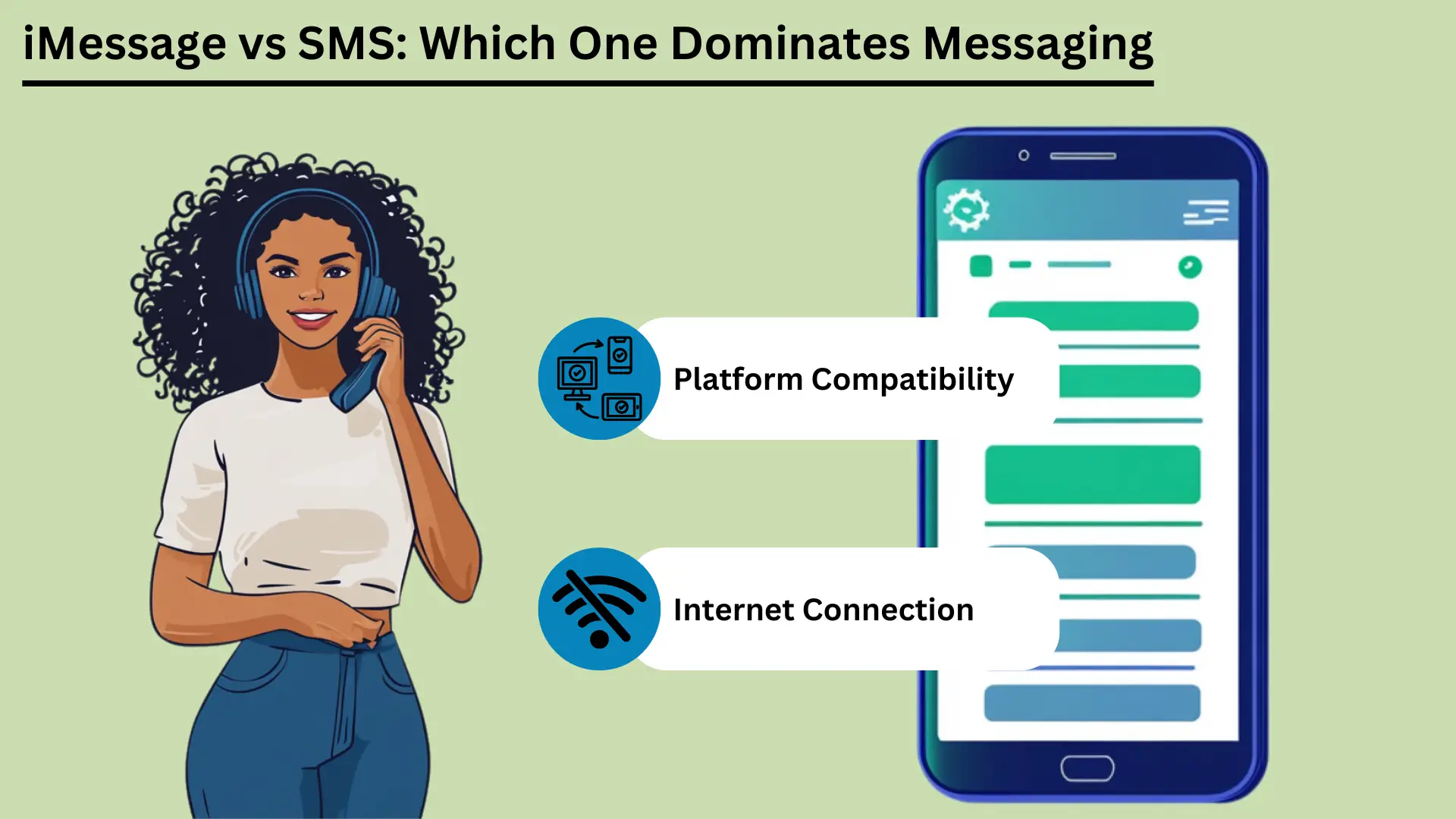
La mensajería móvil es ahora una gran parte de la vida diaria. Dos de los servicios más conocidos son SMS y iMessage. SMS, abreviatura de Short Message Service, es uno de los servicios de mensajería más antiguos. Funciona a través de redes móviles y envía mensajes de texto cortos a casi cualquier teléfono.
Los SMS aparecieron a principios de los años 90. Sigue siendo una forma confiable y de bajo costo de enviar mensajes, especialmente donde el acceso a Internet es deficiente. Apple lanzó iMessage en 2011. Utiliza Internet para enviar mensajes entre dispositivos Apple.
iMessage agrega fotos, videos y muchas funciones adicionales. También mantiene sus mensajes privados y funciona sin problemas en todos los dispositivos Apple.
Esta publicación compara los dos servicios. Cubre en qué se diferencian, cómo se sienten al usarlos, cómo se conectan, cuántos datos usan, qué tan seguros son y hacia dónde pueden ir a continuación.
Conclusiones clave:
- Los SMS funcionan a través de redes móviles. Llega a casi todo el mundo, es rápido y no necesita Internet.
- iMessage utiliza Wi-Fi o datos móviles. Admite fotos, vídeos y funciones adicionales, pero sólo en dispositivos Apple.
- Los SMS funcionan en todos los teléfonos y cuestan poco. Se adapta a mensajes y alertas simples.
- iMessage codifica los mensajes para que sólo usted y la otra persona puedan leerlos (cifrado de extremo a extremo). También se sincroniza entre sus dispositivos y tiene funciones divertidas e interactivas.
- Conocer estas diferencias le ayudará a elegir el servicio adecuado para sus necesidades.
¿Qué es el servicio de mensajes cortos (SMS)?
El servicio de mensajes cortos (SMS) es un servicio de mensajería de texto que te permite enviar y recibir mensajes cortos de hasta 160 caracteres a través de redes celulares. Salió a principios de los años 1990. La gente lo usa en todo el mundo porque es simple, confiable y funciona en casi todos los teléfonos móviles. Eso lo convierte en una herramienta clave para mantenerse en contacto.
Definición y funcionalidad básica
SMS es un servicio de mensajería de texto para enviar mensajes cortos entre teléfonos móviles. Estos se denominan mensajes de texto SMS. Viajan a través de redes celulares y cada uno puede contener hasta 160 caracteres.
Los SMS son uno de los servicios de mensajería más antiguos y utilizados del mundo. Salió a principios de los años 1990. No necesita internet. Eso lo convierte en una opción confiable, especialmente donde el acceso a Internet es débil.
Ventajas de los SMS
Amplio alcance y compatibilidad
Una gran ventaja de los SMS es que funciona en todas partes. Casi todos los teléfonos móviles y operadores del mundo lo admiten. Los mensajes llegan a través de cualquier teléfono o red que utilice la gente.
Este amplio alcance hace SMS un efectivo herramienta para llegar a muchas personas, para uso personal o para negocios. Las empresas también pueden enviar mensajes de texto rápidamente a personas de muchos países y a grupos grandes.
Velocidad y confiabilidad
Los mensajes SMS suelen llegar en segundos, por lo que es una forma rápida de comunicarse con alguien. Utiliza la red celular, por lo que funciona incluso donde Internet es deficiente.
Los SMS también son fiables. Si el otro teléfono está apagado o fuera de alcance, la red retiene el mensaje por un tiempo. Luego lo entrega una vez que el teléfono vuelve a estar en servicio.
Rentabilidad
Los SMS son baratos. Muchos planes móviles incluyen una cantidad determinada de mensajes de texto sin costo adicional. Incluso cuando pagas por mensaje de texto, el precio suele ser bajo. Eso hace que los SMS sean una buena opción para personas y empresas, especialmente para mensajes breves y urgentes.
Casos de uso en marketing y notificaciones
Las empresas utilizan mucho los SMS para marketing y alertas. La gente abre los textos rápidamente y los lee de inmediato. Los usos comunes incluyen:
| Caso de uso | iMessage | SMS |
|---|---|---|
| comunicación personal | Conversaciones ricas, interactivas y seguras dentro del ecosistema de Apple | Comunicación básica y universal. |
| Comunicaciones Empresariales | Adecuado para comunicaciones internas dentro de dispositivos Apple | Adecuado para llegar a todos los clientes |
| Campañas de marketing | Limitado a usuarios de Apple, campañas de medios enriquecidos | Amplio alcance, altas tasas de apertura |
| Recordatorios de citas | Eficiente dentro del ecosistema Apple | Efectivo en todos los dispositivos |
| Notificaciones de transacciones | Seguro para usuarios de Apple | Confiable para todos los clientes |
| Autenticación de dos factores (2FA) | Seguro dentro del ecosistema de Apple | De uso común, eficaz. |
| Chats grupales | Rico en funciones, compatible con multimedia | Mensajería grupal básica |
Debido a que los SMS están ampliamente disponibles, son rápidos, confiables y baratos, las personas y las empresas pueden usarlos para muchos trabajos. Eso la convierte en una herramienta útil en casa y en el trabajo.
¿Qué es iMessage en dispositivos Apple?
iMessage es el servicio de mensajería de Apple. Le permite enviar mensajes de texto, fotos, videos y documentos entre dispositivos Apple a través de Wi-Fi o datos móviles. Está integrado en la aplicación Mensajes de iPhone, iPad y Mac. Ofrece cifrado de extremo a extremo, recibos de lectura y medios enriquecidos.
Esto brinda a los usuarios de Apple una forma segura y sencilla de enviar mensajes.
Definición y funcionalidad básica
iMessage fue creado por Apple y lanzado en 2011. Envía textos, fotos, vídeos, documentos y más entre dispositivos Apple. Funciona a través de Internet, mediante Wi-Fi o datos móviles. Eso lo diferencia de los SMS y MMS tradicionales.
Está integrado en la aplicación Mensajes en iOS y macOS. Eso significa que funciona de la misma manera en iPhones, iPads, iPods y Macs.
iMessage se ejecuta en el propio sistema de Apple. Puedes enviar mensajes a otros usuarios de Apple sin tarifas de SMS o MMS, siempre que tengas una conexión a Internet. Si la otra persona no tiene iMessage activado, el mensaje cambia a SMS o MMS por sí solo. Por lo tanto, aún se entrega, sea cual sea el dispositivo que utilice la persona.
Ventajas de iMessage
Cifrado y seguridad
iMessage utiliza cifrado de extremo a extremo. Eso significa que sólo el remitente y la persona que recibe pueden leer los mensajes. Esta es una gran ventaja sobre los SMS, que no tienen cifrado y pueden ser interceptados en su camino. Ni siquiera Apple puede leer el contenido de tus mensajes.
Esto brinda a los usuarios un alto nivel de privacidad y seguridad.
Sincronización de dispositivos en todo el ecosistema de Apple
Una característica destacada de iMessage es la sincronización. Tus mensajes aparecen en todos los dispositivos Apple que utilizan tu ID de Apple. Puede iniciar una conversación en tu iPhone, continúa en tu iPad y retomalo más tarde en tu Mac.
Esto es útil para las personas que cambian de dispositivo todo el día. Nunca te pierdes un mensaje.
Soporte Rich Media (fotos, vídeos, documentos)
iMessage puede compartir fotos, vídeos, documentos y otros archivos. Puede enviar medios de alta calidad sin los límites que vienen con MMS. Puede enviar archivos grandes, lo cual es útil para fotografías o videos detallados, y la calidad no disminuye.
Funciones avanzadas (recibos de lectura, indicadores de escritura, pegatinas, efectos)
iMessage tiene varias funciones adicionales que mejoran la mensajería:
- Leer recibos: Puede activar las confirmaciones de lectura para ver cuándo alguien ha leído su mensaje. Esto confirma que el mensaje llegó y fue visto.
- Indicadores de escritura: iMessage muestra cuando la otra persona está escribiendo. Verás una pequeña burbuja con tres puntos en la parte inferior del chat. Le indica que hay una respuesta en camino.
- Pegatinas y efectos: Puedes enviar stickers animados y agregar efectos como globos, confeti y fuegos artificiales. Esto hace que los chats sean más divertidos y personales.
- Toque digital: Puede enviar bocetos dibujados a mano, latidos del corazón y otros mensajes táctiles. Esto agrega un toque personal a los chats digitales.
iMessage tiene un cifrado sólido, sincronización fluida, medios enriquecidos y muchas funciones adicionales. Juntos brindan a los usuarios de Apple una experiencia de mensajería más completa que los SMS y MMS. Eso convierte a iMessage en una buena opción para las personas que usan dispositivos Apple.
Diferencias clave entre iMessage y SMS
iMessage sólo funciona en dispositivos Apple. Utiliza Internet para ofrecer medios enriquecidos y funciones adicionales. Los SMS utilizan redes móviles y funcionan en todos los teléfonos móviles. Esta sección los compara sobre cómo viajan los mensajes, el tamaño de los mensajes, las características, la seguridad, con qué dispositivos funcionan y el costo.
Canal de entrega (Internet versus red de operador)
iMessage y SMS envían mensajes de formas muy diferentes. iMessage utiliza Internet, a través de Wi-Fi o datos móviles. Eso le permite ofrecer medios más ricos y más funciones. SMS utiliza la red celular, por lo que funciona sin internet conexión.
Eso hace que los SMS sean más accesibles para todos.
Tamaño del mensaje y soporte multimedia
Un SMS sólo puede contener 160 caracteres. Si un mensaje es más largo, normalmente se divide en varios mensajes. Los SMS también manejan mal los medios. Para enviar fotos, vídeos y archivos se necesita MMS, lo que puede resultar costoso y poco fiable.
iMessage no tiene límite de caracteres. Admite muchos tipos de medios, incluidos fotografías, vídeos y documentos. Eso lo hace más flexible para compartir contenido enriquecido que los SMS tradicionales.
Ventajas de iMessage y SMS
| Ventaja | iMessage | SMS |
|---|---|---|
| Amplio alcance | Limitado a dispositivos Apple | Compatible universalmente en todos los dispositivos |
| Velocidad | Rápido, depende de la velocidad de Internet | Normalmente se entrega en segundos |
| Fiabilidad | Confiable con acceso a internet | Fiable incluso sin acceso a Internet |
| Rentabilidad | Rentable con plan de datos/Wi-Fi | Generalmente de bajo costo, a menudo incluido en los planes. |
| Seguridad | Cifrado de extremo a extremo | Sin cifrado |
| Soporte de medios enriquecidos | Soporta fotos, vídeos, documentos. | Limitado, se requiere MMS para los medios |
| Funciones avanzadas | Leer recibos, indicadores de escritura, funciones interactivas. | Texto básico y emojis |
Comparación de características
- Texto básico frente a Rich Media y funciones interactivas: Los SMS están diseñados para texto sin formato. Admite emojis simples, pero no mucho más. iMessage admite medios enriquecidos y funciones interactivas como pegatinas, efectos animados y Digital Touch, que le permite enviar bocetos y latidos del corazón dibujados a mano.
- Leer recibos e indicadores de escritura: iMessage muestra cuándo se leyó un mensaje y cuándo la otra persona está escribiendo. SMS no tiene ninguna de las dos cosas. Solo muestra si se entregó un mensaje.
Seguridad y privacidad
Cifrado en iMessage frente a falta de cifrado en SMS: iMessage utiliza cifrado de extremo a extremo. Sólo el remitente y la persona que recibe pueden leer los mensajes. Esto impide que otros, incluido Apple, vean o lean el contenido.
Los SMS no tienen cifrado, por lo que los mensajes pueden interceptarse en el camino. Este es un verdadero inconveniente para los mensajes sensibles.
Compatibilidad multiplataforma
Dispositivos Apple frente a todos los dispositivos móviles: iMessage sólo funciona en dispositivos Apple: iPhone, iPad, iPod y Mac. Por lo tanto, sólo puedes usarlo para enviar mensajes a otros usuarios de Apple. No puedes usarlo para enviar mensajes a un teléfono Android.
Los SMS funcionan en todos los dispositivos móviles, sea cual sea la marca o el sistema. Eso lo convierte en una mejor opción para llegar a una amplia audiencia.
Implicaciones de costos
Uso de datos para iMessage versus costo por mensaje para SMS: iMessage utiliza datos para enviar mensajes. Eso puede ahorrar dinero si tienes Wi-Fi o un buen plan de datos. Pero el uso intensivo, especialmente el envío de archivos grandes, puede consumir una gran cantidad de datos y generar cargos adicionales.
Most mobile plans include a set number of texts each month. That keeps SMS costs simple. But sending more texts than your plan allows can cost extra, and MMS can be especially expensive.
Tabla resumen: Diferencias clave entre iMessage y SMS
| Característica | iMessage | SMS |
|---|---|---|
| Canal de entrega | Internet (Wi-Fi o datos móviles) | Red celular |
| Tamaño del mensaje | Ilimitado | 160 caracteres por mensaje |
| Soporte de medios | Fotos, vídeos, documentos, etc. | Limitado, requiere MMS para medios |
| Seguridad | Cifrado de extremo a extremo | Sin cifrado |
| Compatibilidad | Solo dispositivos Apple | Todos los dispositivos móviles |
| Costo | Utiliza datos, puede ser rentable | Generalmente bajo, pero MMS puede ser costoso |
| Funciones avanzadas | Leer recibos, indicadores de mecanografía, medios enriquecidos y funciones interactivas. | Texto básico, emojis básicos. |
Knowing these differences helps you decide which service fits your needs. Whether you care most about security, media, which devices it works with, or cost, both iMessage and SMS have clear strengths and limits.
Experiencia de usuario
The user experience covers how easy a messaging service is to use, how it works with other apps, and how you can adjust notifications. iMessage has a clean look, works closely with other Apple services, and has many notification options. SMS is simple, with basic notification settings and few links to other apps.
Interfaz y usabilidad
How easy a service is to use depends a lot on its design. iMessage has a clean, simple look and works smoothly with iOS and macOS. Chats are easy to follow, writing a message is quick, and most features take little effort to reach.
SMS is also simple to use, but it lacks the extra design features of iMessage. It gives you a basic texting experience. That works fine, but it is less visual and less interactive than iMessage.
Integración con otras aplicaciones y servicios
iMessage works closely with other Apple apps and services. You can share content from apps like Photos, Maps and Safari right inside iMessage. Apple Pay lets you pay quickly and safely through messages. iMessage also supports third-party app add-ons.
These let you do things like book a table or share music right inside the chat.
SMS has fewer ways to work with other apps. It can use basic phone features such as contacts and call logs, but it cannot work with apps and services the way iMessage does. That makes SMS more limited as a tool.
Gestión y personalización de notificaciones
Good notification settings matter for a good messaging experience. iMessage gives you many options. You can choose how and when you get alerts, set special alerts for certain contacts, and change sounds and vibrations. You can also mute a chat or turn on Do Not Disturb for one conversation.
This puts you in control of your alerts.
SMS notifications are more basic. You usually get standard alert tones and vibration settings with few choices. You can mute chats or change general notification settings, but you have fewer options than in iMessage.
These points on how easy each service is to use, how it works with other apps, and how you manage notifications show the strengths and limits of iMessage and SMS. They can help you choose the one that suits you.
Conectividad y Accesibilidad a través de Redes de Datos Celulares
Connection and access matter when you choose between iMessage and SMS. iMessage needs the internet, so you need Wi-Fi or mobile data. In return you get rich media features. SMS works over cell networks, so it works without internet, and it works on more devices.
This section looks at these differences and how they affect reach and use around the world.
Dependencia de la conectividad a Internet para iMessage
iMessage needs an internet connection, either Wi-Fi or mobile data, to send and receive messages. That lets it offer advanced features and rich media, but it limits what you can do when you are offline.
Dependencia de la red celular para SMS
SMS uses the regular cell network. So it can deliver messages even where there is no internet. All it needs is a basic cell signal. That makes it a dependable choice where internet access is poor or missing.
Alcance global y limitaciones
iMessage only works on Apple devices. That limits its use with people who do not have Apple devices, but it works smoothly between Apple users. SMS works on all mobile devices, so it reaches almost everyone in the world. It can cost extra for international messages, though.
Impacto en los datos y el almacenamiento
Data and storage are worth thinking about when you pick between iMessage and SMS. iMessage uses internet data for rich media, so it can use a lot of data and storage. SMS uses cell networks, so it uses very little data, but it supports little media.
This section covers data use, storage problems, and ways to manage both.
Uso de datos para iMessage
iMessage uses Wi-Fi or mobile data to send and receive messages. That includes text, photos, videos and other media. How much data it uses depends on the type and size of the media.
For example, sending high-resolution photos and videos can use up data quickly, especially when you are not on Wi-Fi. Watch your data plan to avoid extra charges, especially if you often share large files. SMS texts, in contrast, use very little data because they go over the cell network and mostly carry text.
Preocupaciones sobre el almacenamiento de mensajes multimedia
Because iMessage can send and receive rich media, storage can become a problem over time. Photos, videos and other large files pile up in the Messages app and take up a lot of storage on your device. This can slow the device down, so you need to clean it up now and then.
Unlike SMS, which mostly handles text, iMessage can handle lots of media. So you should keep an eye on your storage.
Estrategias para gestionar datos y almacenamiento de forma eficaz
- Eliminación periódica de mensajes antiguos: Delete old chats and attachments now and then to free up space. You can borrar mensajes by hand, or set your device to delete them after a set time.
- Usando iCloud para almacenamiento de mensajes: Turn on iCloud for Messages to move messages and attachments off your device and into the cloud. This frees up space and still lets you read old chats.
- Monitoreo del uso de datos: Check your data use in your device settings to see how much iMessage uses. You can send lower-quality images or use Wi-Fi for large files to use less data.
- Optimización de la configuración de medios: You can change iMessage settings to send smaller photos and videos. This can cut both the data you use and the storage you need.
Once you understand how iMessage uses data and storage, and use these tips, you can keep your device running well and avoid surprise charges. That keeps messaging smooth.
Preocupaciones de seguridad y privacidad
Security and privacy matter a lot in messaging. iMessage uses end-to-end encryption, so only the sender and the person receiving can read the messages. That gives strong protection for your data. SMS has no encryption, so it can be intercepted and read by others.
This section looks at these differences and gives tips to make your messaging safer. It helps you protect your messages.
Cifrado y protección de datos en iMessage
iMessage has strong security thanks to end-to-end encryption. Only the sender and the person receiving can read the messages. This covers texts, photos, videos and documents.
Apple built its encryption so that not even Apple can read your messages. This gives users a high level of privacy. It also means that anyone who intercepted a message could not read it without the keys, which only the two devices hold.
Riesgos asociados con los SMS
SMS has no encryption, so criminals can intercept and read text messages. SMS messages travel in plain text over the cell network, and they can be intercepted in several ways. This is a real privacy risk, especially for sensitive information.
Cell carriers can also store and access SMS messages, which adds to the risk to your privacy.
Riesgos asociados con los SMS
SMS messages have no encryption, so criminals can intercept them. They travel in plain text over cell networks and can be intercepted in several ways. This is a real privacy risk, especially for sensitive information.
Cell carriers can also store and access SMS messages, which adds to the risk to your privacy.
Consejos para mejorar la seguridad de la mensajería
- Utilice servicios de mensajería cifrada: Use encrypted services like iMessage when you can, or other safe apps such as Signal or WhatsApp. These apps use end-to-end encryption, which makes your messages much safer.
- Habilite la autenticación de dos factores (2FA): Add two-factor authentication to your messaging accounts. It adds a second check, such as a código enviado a tu teléfono, on top of your password.
- Mantenga el software actualizado: Update your device and apps often to get the latest security parches and fixes. Old software can have weak spots that hackers use.
- Tenga cuidado con las redes Wi-Fi públicas: Do not send sensitive information over public Wi-Fi, which is less secure and easier to spy on. If you must use it, think about using an IPsec VPN to protect your connection.
- Revisar los permisos de la aplicación: Check the permissions you gave your messaging apps now and then. Make sure they can only reach what they need. This lowers the risk of your data being exposed.
- Utilice contraseñas seguras y únicas: Protect your messaging accounts with strong passwords that are different for every account. Avoid passwords that are easy to guess. A administrador de contraseñas can keep track of them, and an generador de contraseñas en línea can help you make strong ones.
Once you understand the security differences between iMessage and SMS, and follow these tips, you can make your messaging safer and better protect your personal information.
Tendencias futuras en mensajería
Mobile messaging will keep changing as new ideas arrive. This section looks at coming iMessage features, possible improvements to SMS, and wider predictions for mobile messaging.
Innovaciones y próximas funciones en iMessage
Apple keeps adding new features to iMessage to make it better to use. Future updates are expected to bring more artificial intelligence (AI) and machine learning, for smarter suggestions and replies.
Apple may also add better augmented reality (AR) features, more interactive message effects, and closer links with other Apple services such as Apple Pay and Apple Fitness. Apple is also likely to add more privacy features, building on its strong name for protecting user data.
Mejoras potenciales en la tecnología SMS
SMS has changed little over the years, but big improvements are possible. Rich Communication Services (RCS) is the next step for SMS. It aims to bring many iMessage features to more people. RCS supports higher-quality photo and video sharing, read receipts, typing indicators and group chats.
As more carriers and phones adopt RCS, SMS could compete better with messaging apps. Stronger security and encryption for RCS are also expected, which would address the privacy worries about traditional SMS.
Key Trends for the Future of Mobile Messaging
- Plataformas de mensajería unificada: One app could bring together SMS, RCS and internet-based messaging in a single place. That could make messaging simpler and more convenient.
- Increased Use of AI and Chatbots: AI and chatbots will do more of the work, such as sending automatic replies, helping customers, and offering personal responses. They can give instant help and smart reply suggestions.
- Mayor enfoque en la privacidad y la seguridad: As people worry more about their data, messaging services will likely focus on end-to-end encryption and other safety measures. Users will want more control over their data, which should lead to clearer privacy rules and stronger protection.
- Integración con IoT (Internet de las Cosas): Messaging apps could work more closely with smart devices. You could control smart home gadgets, get alerts, and talk to your devices right from a messaging app. Imagine controlling your lights or heating with a quick text message!
- Experiencias multimedia y AR mejoradas: Future apps will likely support richer media, including 3D content and augmented reality. That would make chats more engaging and interactive. Imagine using AR to show a friend your new outfit, or to see how a piece of furniture would look in your home before you buy it.
- Interoperabilidad entre plataformas: Efforts to make different messaging apps work with each other could create a more connected system. People could then message each other whatever service or device they use. Imagine sending a message to a friend on a different app with no hassle!
By following these trends, people and businesses can get ready for the future of mobile messaging and use new technology to improve their chats and engagement.
Conclusión
In short, SMS and iMessage each have clear strengths and serve different needs. SMS works on every phone and is dependable. It is still a staple for basic messages and is widely used for marketing and alerts.
It works without internet access, so it is very valuable where connections are weak. It is also simple and universal, so it will stay a basic way to reach a wide audience.
iMessage, on the other hand, stands out among Apple devices. It gives a rich, secure and interactive messaging experience. End-to-end encryption, device syncing and rich media make it better to use.
As technology moves on, iMessage will likely get new features, including AI and augmented reality. That keeps it at the front of modern messaging.
Meanwhile, SMS may grow into Rich Communication Services (RCS), which would bring more advanced features to more people and close the gap between SMS and modern messaging apps. Knowing these strengths and where each is heading helps you choose the service that fits your needs.
Preguntas frecuentes
Preguntas frecuentes
La principal diferencia es cómo envían mensajes. iMessage utiliza Internet (Wi-Fi o datos móviles) para medios enriquecidos y funciones adicionales. Los SMS utilizan redes móviles, funcionan en todos los teléfonos y envían mensajes de texto básicos sin Internet.
No. iMessage solo funciona en dispositivos Apple, incluidos iPhone, iPad, iPod y Mac. No puede usarlo en Android ni en otros dispositivos que no sean Apple.
Los SMS no tienen cifrado, por lo que pueden ser interceptados y son menos seguros. iMessage utiliza cifrado de extremo a extremo, por lo que sólo el remitente y la persona que lo recibe pueden leer los mensajes.
Sí. iMessage utiliza datos para enviar mensajes, especialmente fotos, vídeos y otros archivos grandes. Los SMS no utilizan datos y la mayoría de los planes móviles los incluyen sin cargos de datos adicionales.
Se espera que iMessage agregue más funciones de inteligencia artificial y realidad aumentada. Se espera que los SMS pasen a Rich Communication Services (RCS), que ofrece intercambio de medios de mayor calidad, recibos de lectura y mejor seguridad.


