
 English
Invoering
RCS-berichten worden steeds populairder in mobiele marketing, met functies als groepschats, leesbevestigingen en rich media. Toch geven veel gebruikers de voorkeur aan SMS vanwege de eenvoud, betrouwbaarheid, universele compatibiliteit, offline toegang en ondersteuning op verschillende apparaten. Voor eenvoudige communicatie blijft sms een betrouwbare en breed toegankelijke keuze.
Hoewel RCS verbeterde communicatieopties biedt, is het niet altijd de beste oplossing voor iedereen. Als je problemen met RCS hebt opgemerkt of gewoon de voorkeur geeft aan het eenvoudige karakter van sms, wil je misschien terugkeren naar het klassieke sms-formaat.
In deze handleiding laten we u zien hoe u RCS kunt uitschakelen en terug kunt schakelen naar SMS (d.w.z. RCS naar SMS) op uw Android-telefoon. Maar voordat we in de stappen duiken, laten we eerst eens nader kijken wat is RCS-berichten en waarom sommige mensen SMS boven RCS verkiezen.
Belangrijkste afhaalrestaurants
- RCS biedt verbeterde functies zoals het delen van multimedia, leesbevestigingen en groepschats, maar vereist internet.
- De adoptie van RCS is aan de gang; beide zender en ontvanger nodig hebben compatibele apparaten en netwerkondersteuning.
- iPhone-gebruikers hebben iOS 18+ nodig om RCS in te schakelen via de Berichten-instellingen.
- SMS is universeel compatibel en betrouwbaarder voor internationale berichtenuitwisseling.
- SMS gebruikt minder batterij en data vergeleken met RCS.
Wat is RCS?
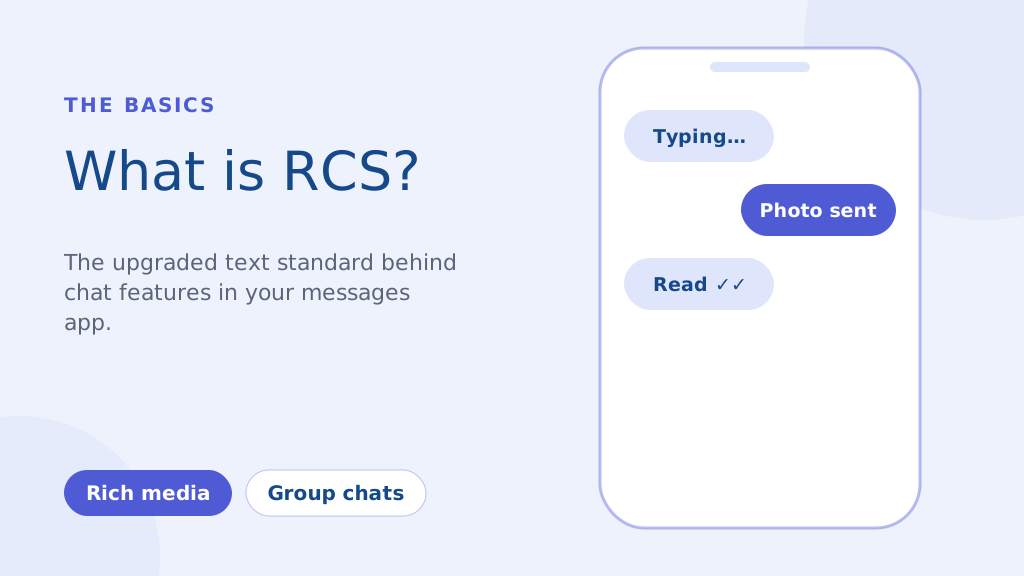
RCS, of Rich Communication Services, is een communicatieprotocol van de volgende generatie dat is ontworpen om de veroudering te vervangen SMS en MMS normen. Het is in wezen een modernere berichtenervaring die is ingebouwd in de standaard berichten-app van je telefoon. De belangrijkste kenmerken zijn onder meer:
- Mediarijke berichtenuitwisseling: Deel foto's en video's van hoge kwaliteit zonder de zware compressie van MMS.
- Type-indicatoren en leesbevestigingen: Zie wanneer iemand aan het typen is en wanneer hij/zij je bericht heeft gelezen.
- Verbeterde groepschats: Robuuste mogelijkheden voor groepsberichten dan traditionele sms-berichten.
In tegenstelling tot sms, dat afhankelijk is van uw mobiele netwerk, werkt RCS via internet (Wi-Fi of mobiele data). Dit zorgt voor rijkere functies, maar het betekent ook dat zowel de zender als de ontvanger compatibele apparaten en netwerkondersteuning nodig hebben voor volledige functionaliteit.
Hoewel een groot initiatief uit 2016 tot doel had om van RCS een universele standaard op Android te maken, is de adoptie nog steeds aan de gang. Bedrijven maken steeds meer gebruik van RCS voor marketing campagnes, die meer interactieve ervaringen biedt dan sms mogelijk maakt. Zoals we echter hebben benadrukt, zijn er nog steeds veel situaties waarin de betrouwbaarheid van sms van het grootste belang is.
Hoe u rcs kunt wijzigen in sms-chats op Android (stapsgewijze handleiding)
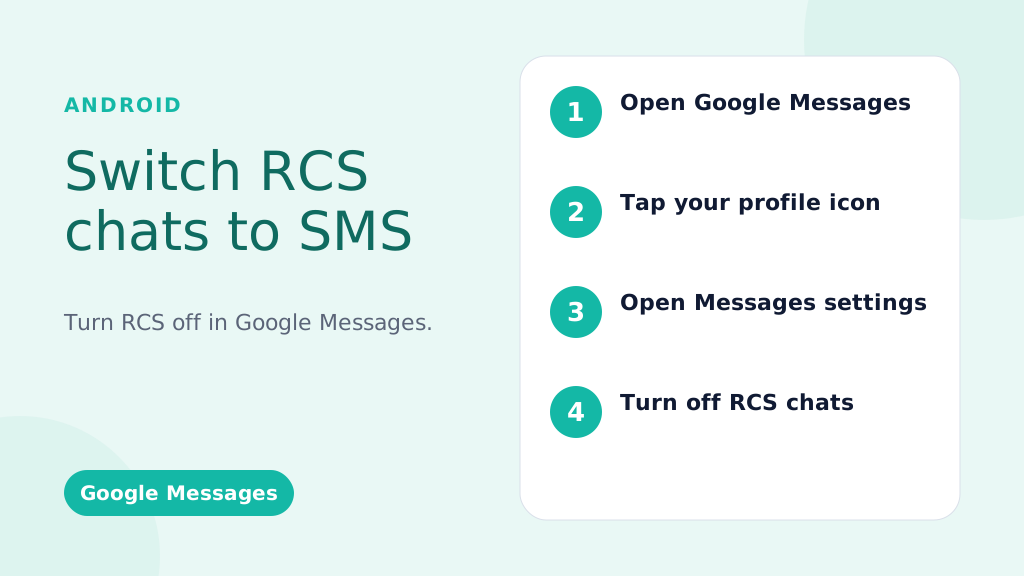
Deze instructies zijn bedoeld voor Google Berichten, de standaard berichten-app op de meeste Android-telefoons.
RCS wereldwijd uitschakelen (uitschakelen voor alle gesprekken):
- Open de Google Berichten-app: Zoek het Berichten-pictogram (meestal een blauwe tekstballon) en tik erop.
- Tik op uw profielfoto/pictogram: dit bevindt zich meestal in de rechterbovenhoek van de app.
- Selecteer “Berichtinstellingen” (of alleen “Instellingen” bij sommige versies).
- Tik op ‘RCS Chats’ (of ‘Chatfuncties’ – de bewoording kan enigszins variëren).
- Schakel 'RCS-chats inschakelen' uit (of de equivalente schakelaar). Mogelijk wordt u gevraagd uw beslissing te bevestigen.
- (Optioneel maar aanbevolen) Start uw telefoon opnieuw op: dit zorgt ervoor dat de wijzigingen onmiddellijk van kracht worden.
RCS uitschakelen voor een specifiek gesprek (beperkte beschikbaarheid):
Belangrijk: Deze functie is niet altijd beschikbaar. Het hangt af van uw telefoon, Android-versie en provider.
- Open het gesprek: Ga naar het specifieke gesprek.
- Tik op het menu met drie stippen (⋮): meestal rechtsboven.
- Zoek naar 'Details', 'Informatie' of 'Instellingen': de exacte bewoording varieert.
- INDIEN BESCHIKBAAR, zoek een optie zoals 'Alleen sms- en mms-berichten verzenden' of 'Gebruiken' Sms/mms“: Toggle this on. If you don’t see this option, your phone/carrier doesn’t support this feature.
Laat uw berichten opvallen met betrouwbare, snelle en effectieve communicatie. Verbeter vandaag nog uw sms-spel!
Troubleshooting: RCS Messages Still Sending?
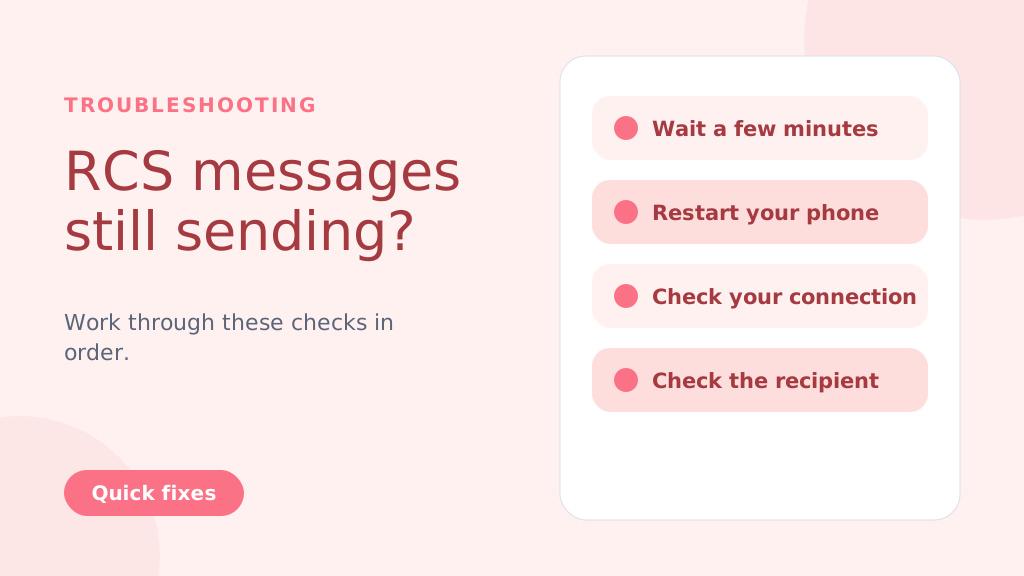
Even after disabling RCS, messages might still try to send as RCS temporarily. Try these steps:
- Wait: Give it a few minutes for the changes to take effect.
- Restart Your Phone: A reboot often resolves lingering issues.
- Check Your Connection: Temporarily turn off Wi-Fi and mobile data to force SMS delivery.
- Check the Recipient’s Status: If the recipient has RCS enabled and a strong connection, your message might still go through as RCS (this is beyond your control).
- Clear App Cache and Data (Advanced Users): Go to Settings > Apps > Messages > Storage > Clear Cache and Clear Data. Caution: This will clear your message history within the Google Messages app
Why People Choose to Change from RCS to SMS
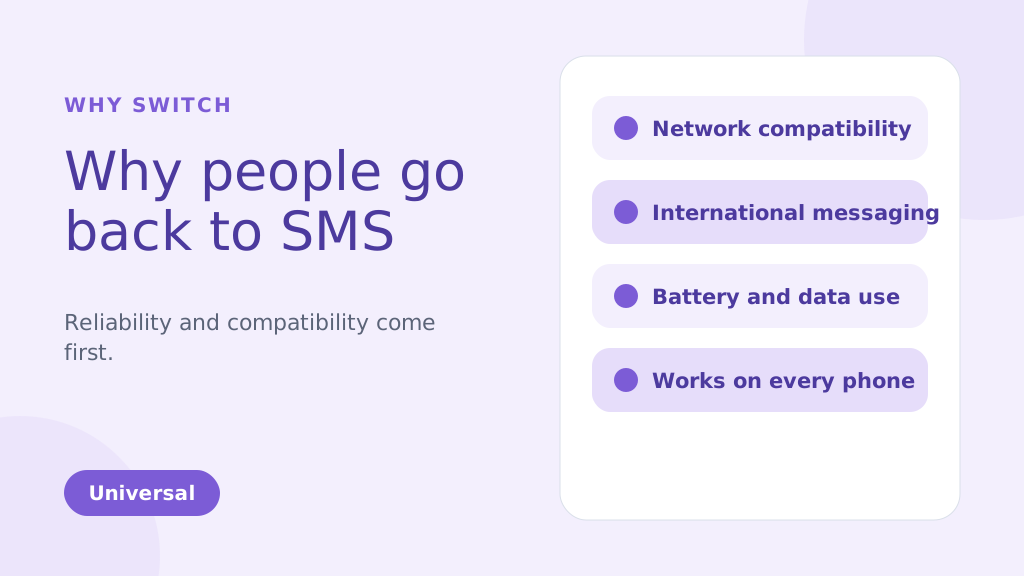
While RCS brings many enhanced features compared to traditional SMS, there are several reasons why you might choose to change from RCS to SMS. Below are some of the common factors that could make SMS a more suitable option for your messaging needs:
1. Network Compatibility Issues
One of the biggest reasons people might change from RCS TO SMS is reliability. RCS message depends on both an internet connection and carrier support, which has slowed its adoption. Unlike SMS, which works universally, RCS requires both the sender and receiver to be on compatible devices and networks. If they aren’t, your RCS message will default to SMS, leading to inconsistencies in message delivery.
2. International Messaging
SMS remains the more reliable option for international communication. RCS may face challenges when sending messages to international numbers because not all global carriers support it. This can result in delayed or undelivered messages. SMS, however, works on almost every carrier worldwide, making it a more dependable option for cross-border messaging.
3. Battery and Data Usage
RCS uses an internet connection to send and receive messages. This can quickly drain your phone’s battery and consume data, especially when Wi-Fi is unavailable. SMS, on the other hand, uses the carrier’s cellular network and doesn’t require an internet connection. This makes it more energy-efficient and data-friendly, particularly when sending multiple messages throughout the day.
4. Personal Preference
Some people simply prefer the simplicity of SMS over the advanced features of RCS. While RCS offers features like group chats, read receipts, and media sharing, not everyone needs or wants these extras. If you prefer straightforward, no-frills communication, SMS can be the more appealing option for your messaging style.
5. More Reliable During Network Congestion
During peak times, such as large events or emergencies, SMS and A2P messages tend to be more reliable, as they don’t depend on data connections like RCS. This ensures better message delivery even when networks are congested.
6. Compatible with All Phones
SMS is universally supported by nearly all mobile phones and networks. Unlike RCS, which requires both the sender and recipient to have compatible devices and carriers, SMS can be sent to any phone.
This ensures that your messages will always reach the recipient, regardless of their phone type or network.
SMS is especially ideal for use cases like OTP verification for user authentication, where reliability is crucial.
Pro-tip: If you’re switching from RCS to SMS, consider disabling RCS in your messaging app settings to avoid sending messages that may not be delivered due to compatibility issues. This ensures all your messages are sent via SMS, providing a more reliable and universal communication method.
Misschien weet je ook:
RCS vs SMS: Key Differences and Incredible Benefits Explained
Key Advantages of SMSLocal:
- Guaranteed Delivery: We ensure your messages are delivered, even if RCS fails.
- Automatic Switching: No manual intervention is needed. Our system automatically switches to SMS.
- Seamless Experience: Your recipients receive the message, regardless of their device or settings.
- Peace of Mind: Know that your important messages will always get through.
- Ideal for Business: Perfect for appointment reminders, delivery notifications, urgent alerts, and any communication where delivery is critical.
Conclusie
Switching from RCS to SMS is a straightforward process, but it’s important to weigh the pros and cons of each messaging format. RCS offers advanced features, including rich media sharing and read receipts, which are beneficial for those with compatible devices and networks.
However, for users seeking simplicity, reliability, or international compatibility, SMS remains the preferred option. By following the steps outlined for Android and iPhone devices, you can easily switch between these two messaging services based on your preferences.
For a seamless messaging experience, whether you’re using SMS, RCS, or even other channels like WhatsApp, consider signing up with SMSLocal. SMSLocal provides an all-in-one platform to manage your messaging needs efficiently and effectively.
Why not have it all in one place? Sign up with smslocal to access RCS, WhatsApp, SMS, and email all from a single platform
Veelgestelde vragen
Uw telefoon verzendt mogelijk een sms vanwege de instelling 'Alleen sms- en mms-berichten verzenden' in Google Berichten, een gebrek aan RCS-beschikbaarheid, een zwak netwerk of geen providerondersteuning voor RCS.
RCS maakt gebruik van een internetverbinding (data of Wi-Fi) voor verbeterde functies zoals het delen van multimedia en realtime type-indicatoren, terwijl SMS afhankelijk is van mobiele netwerken en deze functies ontbeert.
• Open Settings: Tap on the Settings app on your iPhone. • Go to Messages: Scroll down and select Messages. • Disable iMessage: Toggle off iMessage to switch to SMS. Restart iPhone: Restart your iPhone to ensure SMS is enabled.
Je ontvangt nog steeds berichten, maar ze komen binnen als sms/mms, en niet als RCS-berichtchats. U zult geen RCS-functies zien.
Ja, u kunt RCS op elk gewenst moment eenvoudig opnieuw inschakelen door dezelfde stappen te volgen en de schakelaar weer in te schakelen.
• Open Google Messages: Launch the app on your Android phone. • Go to Settings: Tap your profile picture and select Settings. • Chatfuncties inschakelen: Schakel Chatfuncties inschakelen in onder Chatfuncties. • Telefoonnummer verifiëren: Bevestig uw telefoonnummer via sms als daarom wordt gevraagd. • Controleer providerondersteuning: Zorg ervoor dat uw provider RCS-berichten ondersteunt. • Update Google Play Services: Zorg ervoor dat Google Play Services en de Berichten-app up-to-date zijn.
SMS is afhankelijk van het mobiele netwerk, dat vrijwel universele dekking heeft, in tegenstelling tot RCS-berichten, dat afhankelijk is van internetconnectiviteit en ondersteuning door providers.
• Open Google Messages: Launch the app on your Android phone. • Ga naar Instellingen: Tik op uw profielfoto en selecteer Instellingen. • Chatfuncties uitschakelen: Schakel Chatfuncties inschakelen uit onder Chatfuncties. • Telefoonnummer verifiëren: Bevestig uw nummer via sms als daarom wordt gevraagd. • Controleer providerondersteuning: zorg ervoor dat uw provider sms ondersteunt. • Telefoon opnieuw opstarten: Start uw telefoon opnieuw op om de wijzigingen toe te passen.


