English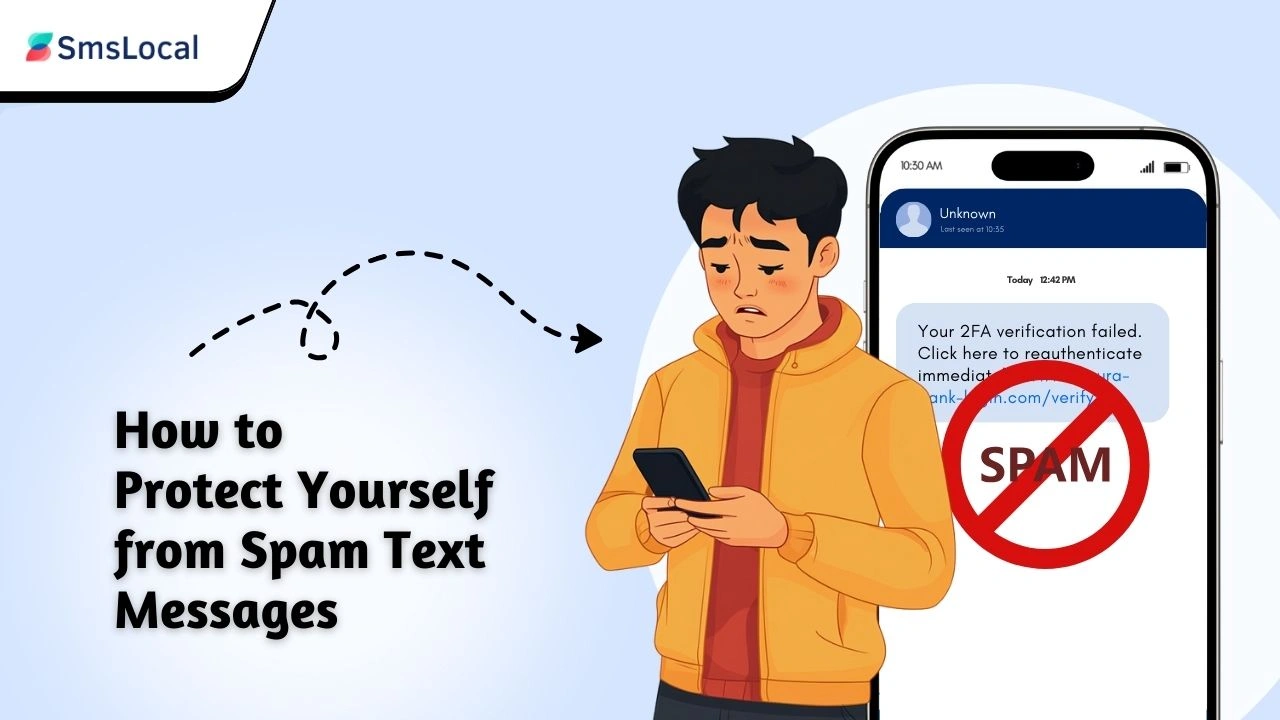
Perkenalan
Pernahkah Anda menerima pesan teks yang tampak mencurigakan, mengklaim bahwa Anda telah memenangkan hadiah, atau sangat membutuhkan Anda untuk mengambil tindakan? Pesan-pesan ini tidak hanya mengganggu—tetapi juga bisa berbahaya. Cara mengenali dan melaporkan pesan teks spam semakin penting, karena penipu menggunakannya untuk mencuri informasi pribadi dan uang Anda. Dari penawaran palsu hingga upaya phishing, pesan-pesan ini datang dalam berbagai bentuk.
Dalam panduan ini, kami akan menunjukkan kepada Anda cara mengenali, melaporkan, dan melindungi diri Anda dari teks-teks yang menipu ini. Pada akhirnya, Anda akan dibekali dengan pengetahuan untuk menangani spam dan menjaga keamanan informasi pribadi Anda. Siap menghentikan spam? Mari selami!
Poin Penting:
- Pelajari cara mengidentifikasi pesan teks spam dan mengenali taktik penipuan yang umum.
- Pahami cara melaporkan teks spam untuk melindungi diri sendiri dan orang lain.
- Temukan langkah-langkah praktis untuk memblokir dan memfilter pesan spam di ponsel Anda.
- Pelajari cara menjaga keamanan informasi pribadi Anda dari penipu.
- Pahami mengapa teks spam berbahaya dan bagaimana teks tersebut dapat menyebabkan pencurian identitas dan kerugian finansial.
Apa Itu Pesan Teks Spam?
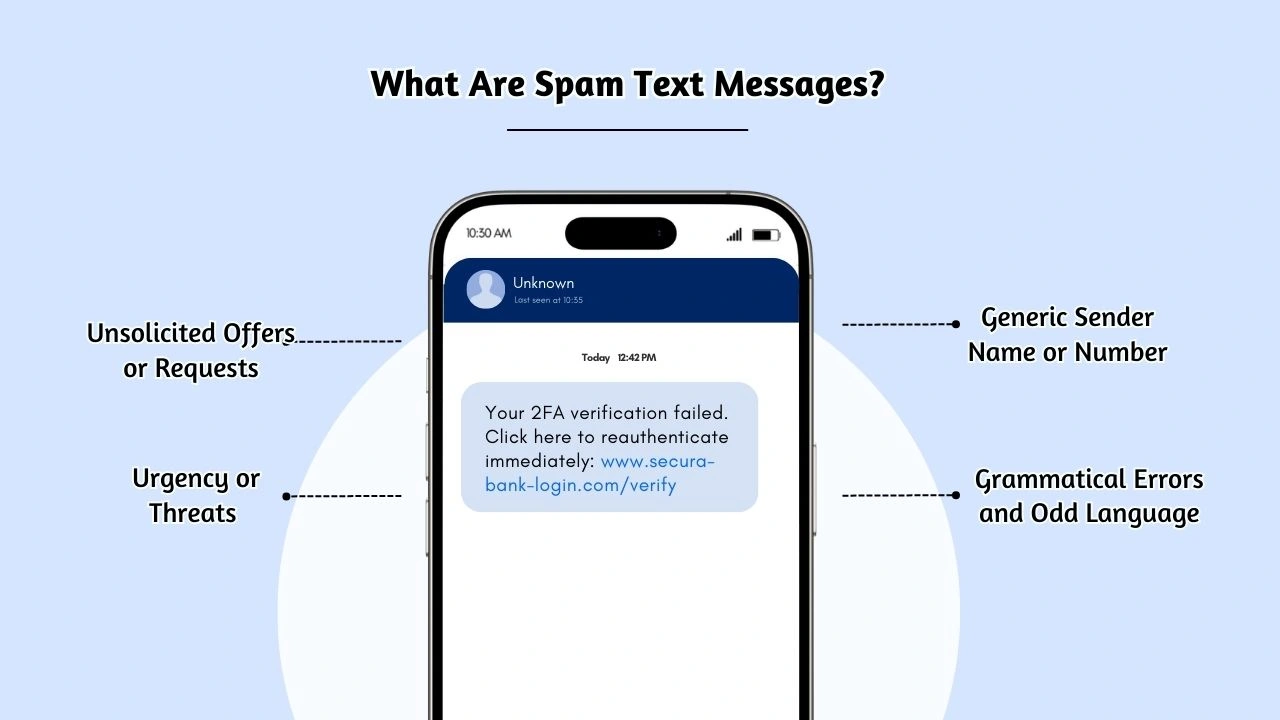
Pesan spam adalah pesan yang tidak diminta dan sering kali bersifat penipuan yang dikirim ke ponsel Anda untuk mengiklankan produk, layanan, atau penipuan. Teks-teks ini biasanya berasal dari sumber yang tidak diketahui atau mencurigakan dan mungkin melibatkan promosi, kesepakatan, atau permintaan informasi pribadi. Tujuannya biasanya untuk menipu penerima agar mengklik link, mendownload lampiran, atau membagikan data sensitif seperti kata sandi atau nomor kartu kredit. Pesan-pesan ini melanggar Undang-Undang Perlindungan Konsumen Telepon (TCPA), yang mengatur komunikasi telemarketing. Menambahkan referensi ke undang-undang yang relevan (TCPA) dan menghubungkan ke penjelasan akan memperkuat otoritas.
Memahami apa yang memenuhi syarat sebagai spam sangat penting untuk tetap aman dan melindungi informasi pribadi Anda. Mari kita uraikan ciri-ciri utamanya sehingga Anda dapat dengan mudah mengidentifikasinya.
Cara Mengidentifikasi Pesan Teks Palsu
Mengenali pesan spam adalah langkah pertama untuk melindungi diri Anda dari penipuan. Berikut beberapa tanda umum yang harus diwaspadai:
1. Penawaran atau Permintaan yang Tidak Diminta
Teks spam sering kali menawarkan sesuatu yang tidak diminta, seperti hadiah, hadiah, atau diskon yang belum Anda masukkan. Anda mungkin menerima pesan tak terduga yang memberitahukan bahwa Anda telah memenangkan kartu hadiah atau lotere. Bisnis yang sah umumnya tidak mengirimkan pesan seperti itu tanpa keterlibatan sebelumnya.
2. Urgensi atau Ancaman
Penipu sering kali menimbulkan kesan mendesak dalam pesannya, seperti mengancam akan menangguhkan akun Anda atau mengambil tindakan hukum jika Anda tidak segera bertindak. Frasa umum seperti "Akun Anda telah disusupi. Klik di sini untuk mengamankannya sekarang!" adalah tanda-tanda khas penipuan phishing pesan teks.
3. Tautan atau Lampiran Mencurigakan
Pesan spam biasanya berisi tautan atau lampiran yang mengarah ke situs web palsu atau memasang malware. Tautan ini mungkin mengklaim menawarkan lebih banyak informasi atau memberikan pembaruan untuk suatu akun tetapi dimaksudkan untuk mencuri informasi pribadi Anda. Selalu berhati-hati saat mengeklik tautan dalam teks dari pengirim yang tidak dikenal. Untuk meningkatkan keamanan Anda, pertimbangkan untuk menjalankan a tes VPN gratis untuk memastikan koneksi Anda bersifat pribadi dan terlindungi saat menjelajah atau mengeklik tautan.
4. Nama atau Nomor Pengirim Umum
Pesan spam mungkin berasal dari nama umum seperti “Keamanan Bank” atau “Layanan Pelanggan” atau dari nomor aneh yang tidak dikenali. Pengirim ini tidak memberikan informasi apa pun tentang siapa mereka atau bagaimana mereka memperoleh detail kontak Anda, sehingga membuat mereka curiga. Hal ini sering disebut sebagai “spoofing”, yaitu pengirim menyamarkan identitas aslinya. Menambahkan istilah seperti “spoofing” dan menjelaskannya menambah kedalaman. Selain itu, berhati-hatilah terhadap nomor internasional yang tidak Anda kenali. Menambahkan informasi nomor internasional.
5. Kesalahan Tata Bahasa dan Bahasa Ganjil
Jika teks berisi frasa yang janggal, kesalahan ejaan, atau tata bahasa yang buruk, kemungkinan besar itu adalah pesan teks palsu. Bisnis yang sah biasanya mengirimkan komunikasi tertulis secara profesional, sehingga tanda-tanda penulisan yang ceroboh akan menimbulkan tanda bahaya.
You may also know:
How to stop spam texts: Simple Steps to Block and Avoid Scammers
Why Do I Get Spam Text Messages?
Spam messages are a popular tool for scammers because they can be sent in large volumes with minimal effort, and even a small percentage of responses can yield significant profits. Scammers know that many people are unaware of how to identify fake text messages, making them an easy target for fraudulent activities. These messages are often sent to thousands of active phone numbers, hoping that just a few recipients will fall for the scam.
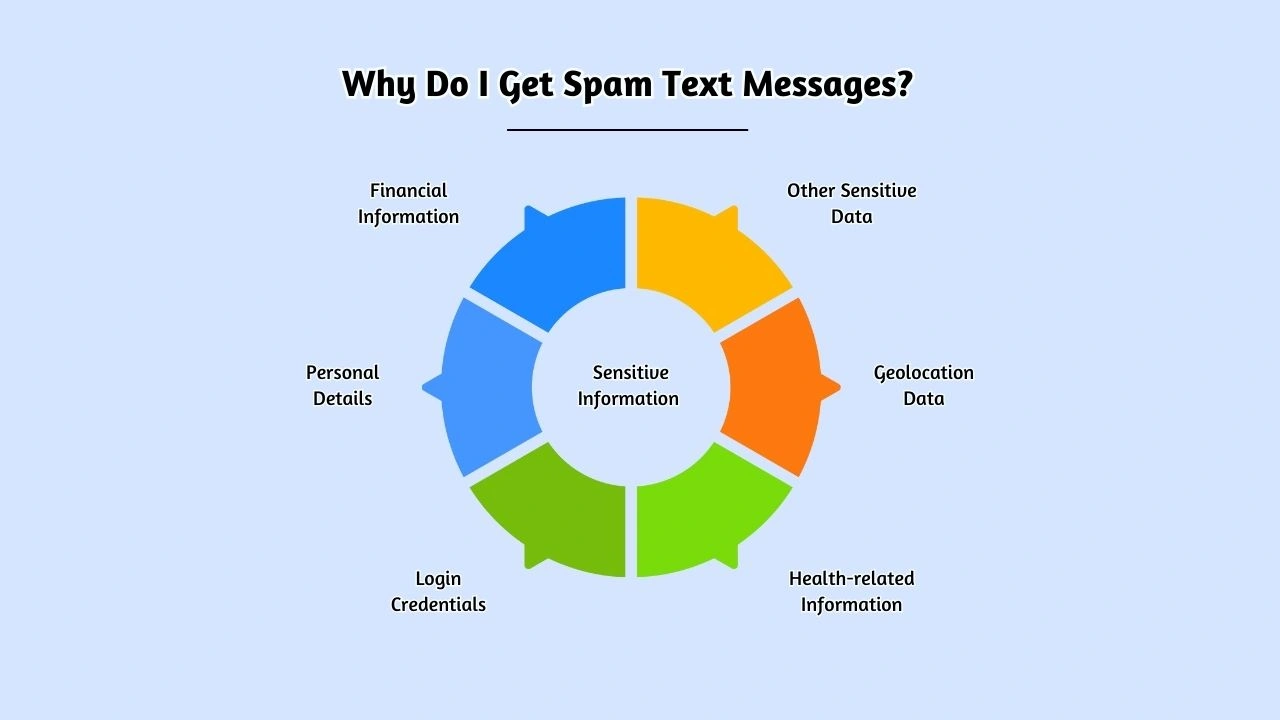
Spammers use various tactics to gather sensitive information from their targets, including:
- Personal details such as your name, address, phone number, and date of birth.
- Financial information like credit card numbers, bank account details, and passwords.
- Login credentials for your online accounts, such as email, social media profiles, and bank accounts.
- Health-related information such as medical records or insurance details.
- Geolocation data, which can be used to track your movements or identify your home or work location.
- Other sensitive data, which may be exploited for identity theft or fraud schemes.
Understanding why and how spam texts are sent can help you stay vigilant and take action to protect your information from scammers.
Make your messages stand out with reliable, fast, and effective communication. Elevate your texting game today!
Common Signs of Spam Text Messages
Spam text messages are becoming more common, and it’s essential to recognize the signs before you fall victim to fraud. Understanding the typical red flags can help protect you and your personal information. Here are the most common signs to look out for:
- Unsolicited Offers or Requests You may receive a message offering a prize or promotion that you haven’t entered or signed up for. These texts often claim you’ve won a prize or are eligible for an exclusive deal but require you to take immediate action, such as clicking a link or sharing personal details. If you haven’t entered any contest or received a prior communication, it’s likely a scam. Example: “Congratulations! You’ve won a $500 gift card. Click here to claim your prize!”
- Urgency or Threats Scammers often use high-pressure tactics to create urgency. They might claim your account is compromised or that there’s a problem with a transaction. The goal is to make you panic and act quickly, without thinking. These messages will often ask you to click a link or call a number to “resolve” the issue. Example: “Your account has been suspended due to suspicious activity. Click here to secure your account immediately!”
- Suspicious Links or Attachments One of the most obvious signs of a spam text is the inclusion of unfamiliar or suspicious links or attachments. These may appear to be official but are designed to redirect you to a fake website or download malware onto your phone. Never click on links or open attachments from unknown senders, especially if they seem too good to be true. Example: “Your package is waiting! Click here to confirm delivery details.”
- Generic Sender Names or Numbers Spam messages often come from vague names like “Bank Security” or “Customer Service” or from phone numbers that seem random or unfamiliar. Legitimate businesses usually use official branding or recognizable contact information. If you receive a message from a generic name or an unknown number, proceed with caution. Example: “Important alert from your bank. Call 1-800-123-4567 now!”
- Grammatical Errors and Odd Language Many scam texts contain awkward phrasing, spelling mistakes, or unprofessional language. This is a clear sign the message may be fraudulent. Legitimate businesses take care to ensure their communications are clear and professionally written. If you spot any errors, it’s a strong indication the message is not from a trustworthy source. Example: “You Have Won! Pls Confirm Your Bank Infos Now to Recieve Your Winnings.”
How to Report Spam Text Messages?
Reporting spam messages is a crucial step in stopping these messages from reaching others. Here’s how you can report them effectively:
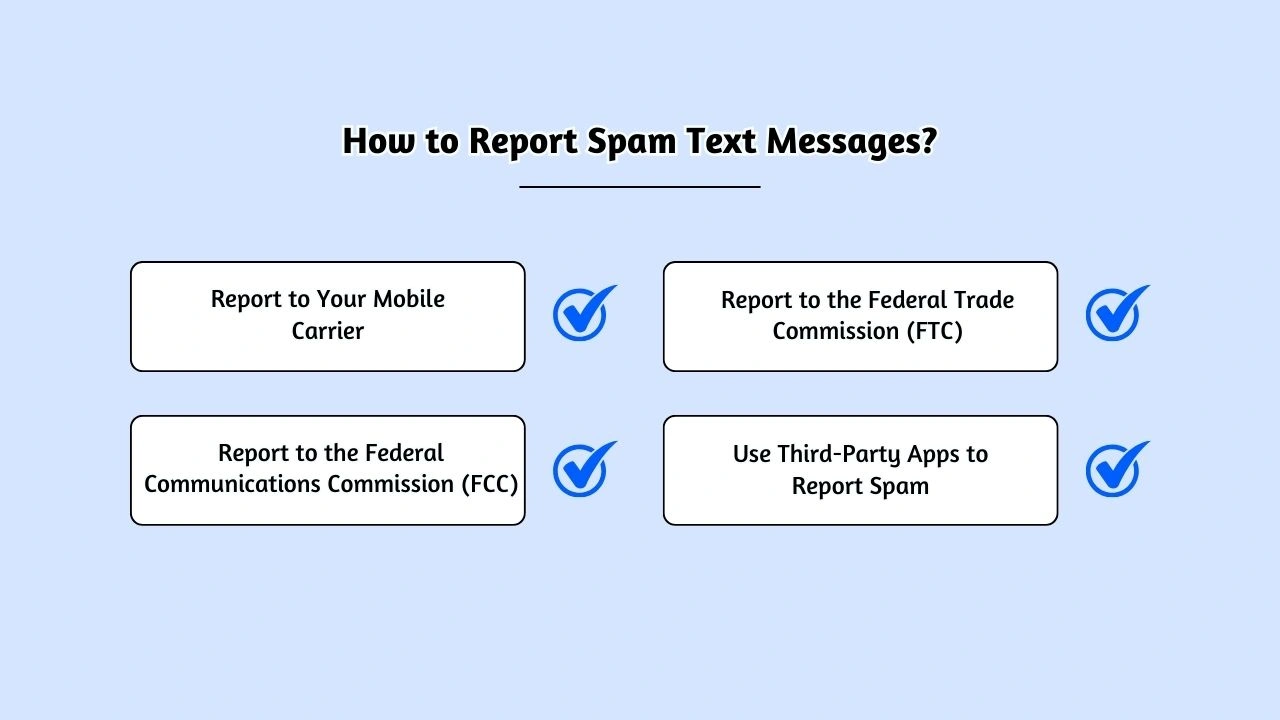
- Report to Your Mobile Carrier Most carriers allow you to report spam messages by forwarding them to 7726 (SPAM). The carrier will investigate and take appropriate action against the sender.
- Report to the Federal Trade Commission (FTC) If the spam message involves phishing or fraud, report it to the FTC via their Complaint Assistant. The FTC tracks these complaints to help authorities take action.
- Report to the Federal Communications Commission (FCC)The FCC accepts complaints about unwanted communications. You can report scam messages through their Consumer Complaints page or file a complaint at the FCC to protect others from similar schemes.
- Use Third-Party Apps to Report Spam Apps like Truecaller, Hiya, and RoboKiller allow you to block and report spam messages. These apps use community-driven databases to identify and flag fraudulent numbers, helping you avoid future spam.
Why Are Spam Text Messages Dangerous?
Spam text messages are more than just an annoyance—they can pose significant risks if not addressed properly. Here’s why they’re dangerous:
- Phishing Scams Some spam texts attempt to trick you into revealing sensitive information such as passwords, credit card numbers, or Social Security numbers. These scam messages often impersonate trusted companies or government agencies, making them difficult to detect.
- Malware Installation Clicking on a link or downloading an attachment in a spam text could lead to malware being installed on your phone. This malware can steal your personal data or even take control of your device, making you vulnerable to identity theft or financial fraud.
- Financial Loss Certain spam messages may encourage you to call a premium-rate number or sign up for paid services. Responding to these messages can result in unexpected charges, leading to financial loss.
- Privacy Invasion Responding to spam messages can compromise your privacy. Even if you don’t share personal details, scammers may use your response to gather information about your phone number or activities, leading to more targeted attacks.
How to Spot Suspicious Links and Attachments
Suspicious links and attachments in spam texts can lead to fraudulent websites or malware. Here’s how to spot them:
- Check the URL: Hover over links to view the full URL. Be cautious if the domain looks misspelled or unfamiliar, eg: bankanme-verify.com instead of bankname.com
- Look for Unusual Domains: Scammers often use domains similar to official sites. For example, paypal-support.xyz instead of paypal.com
- Avoid Shortened URLs: Be wary of shortened links (e.g., Bitly), as they can mask malicious destinations.
- Attachments: Don’t open attachments unless you’re certain they’re legitimate. They may contain malware or viruses.
- Use Security Software: Install mobile security apps to detect suspicious links and provide extra protection against scams.
How to Protect Yourself from Spam Text Messages
Prevention is always better than cure. Here are some practical tips on how to protect yourself from fake text messages:
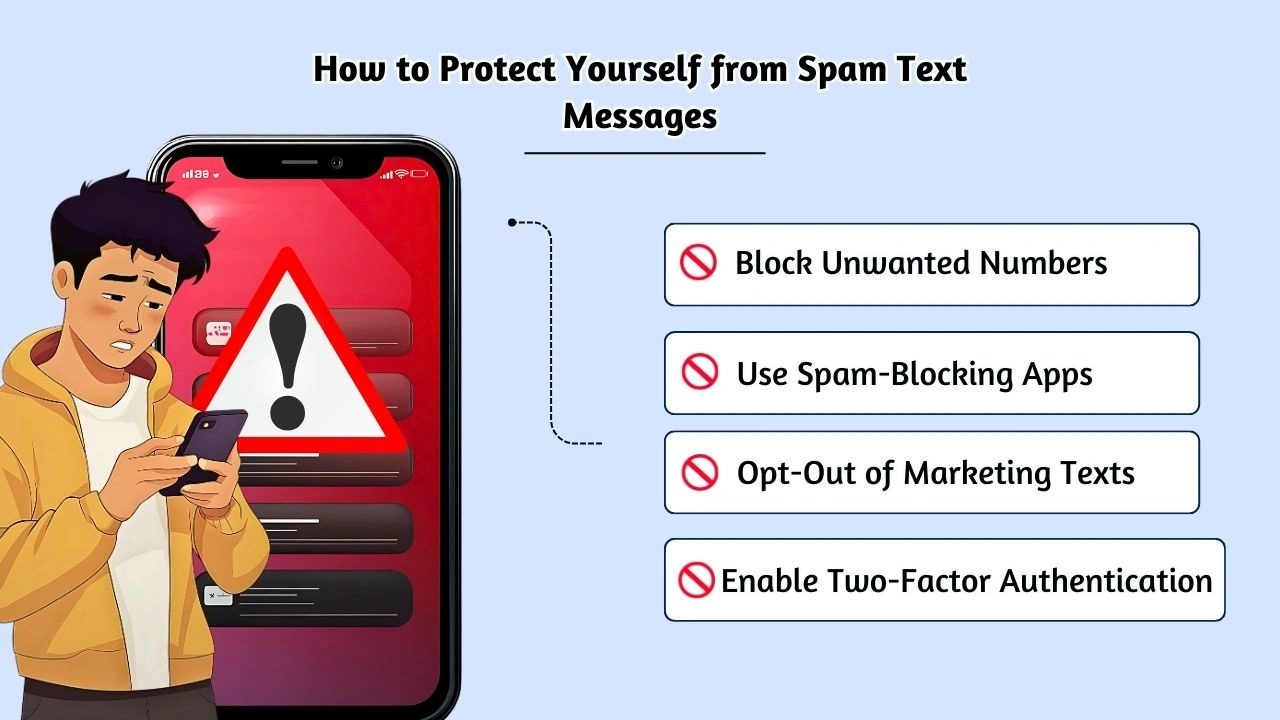
1. Block Unwanted Numbers
Most smartphones allow you to block numbers that send fake text messages. If you receive a spam text from a specific number, blocking it prevents further communications.
2. Do Not Engage with Spam Messages
Don’t reply to or click on any links in a fake text message. Engaging with these messages confirms that your number is active and can lead to more spam.
3. Use Spam-Blocking Apps
Apps like RoboKiller and Hiya can detect and block text messages that are spam in real-time. These apps rely on databases of reported numbers to prevent scammers from reaching you.
4. Enable Two-Factor Authentication (2FA)
By enabling 2FA on your important accounts, even if scammers obtain your login details, they won’t be able to access your accounts without the second authentication factor.
5. Opt-Out of Marketing Texts
Replying with “STOP” to unsolicited marketing texts can help you avoid further spam from businesses you no longer wish to hear from.
6. Avoid Sharing Your Phone Number Publicly
Avoid posting your phone number in public forums or on social media sites. Spammers often harvest phone numbers from these platforms.
You may also know:
Best 10 SMS API Providers to send text messages
Ways to Block or Filter Unwanted Text Messages
| Method | Description | How to Use |
|---|---|---|
| On Your Phone | Most smartphones offer built-in options to filter and block spam messages or those from unknown senders. | iPhone: Go to Settings > Messages > Unknown & Spam to filter unknown senders.Android: Block numbers directly in your messaging app. |
| Through Your Wireless Provider | Many wireless providers offer tools or services to block calls and text messages. | Visit your provider’s website or contact customer support to learn about their available spam-blocking options. |
| With a Call-Blocking App | Some apps can block both spam calls and text messages in real time. | Visit ctia.org for a list of trusted call-blocking apps or search for apps like RoboKiller, Hiya, and Truecaller in your app store. |
Potential Risks and Challenges
Despite taking precautions, there are still some risks when dealing with unsolicited messages:
- Impersonation of Trusted Brands Scammers often impersonate well-known companies, such as banks or government agencies, making it harder to distinguish between legitimate messages and fraudulent ones.
- International Spam Some messages may originate from overseas numbers, which complicates the reporting process and tracking of the sources.
- Evolving Scam Tactics Scammers are constantly refining their tactics to bypass filters. It’s essential to stay vigilant and updated on the latest scams to avoid falling victim.
Practical Tips for Businesses to Prevent SMS Scams
As a business, protecting your customers from unwanted SMS is essential. Here’s how you can help prevent SMS scams:
- Authenticate Your SMS Communication By implementing SMS authentication services, you can ensure that the texts you send are verified and trustworthy. This adds an extra layer of security for your customers.
- Provide Clear Opt-In and Opt-Out Options Ensure that customers can easily opt-in or out of marketing texts from your business. This helps maintain compliance and customer trust.
- Avoid Generic Sender Names Use well-known shortcodes or recognizable business numbers instead of generic names like “Customer Service.” This helps customers identify your legitimate communication..
Relevant Laws: Understanding the Telephone Consumer Protection Act (TCPA)
TheTelephone Consumer Protection Act (TCPA)is here to protect you from unwanted text messages and calls. This important law ensures businesses can only send promotional messages if they have your explicit consent. It also gives you the power to opt-out of any unwanted communications. If a business violates the TCPA, they can face significant fines.
The TCPA helps reduce spam texts and prevents scammers from using messages to steal your personal information, giving you peace of mind when you receive messages from businesses.
To learn more about the TCPA and how it impacts you, check out the FCC TCPA Overview
Conclusion
Recognizing and reporting unwanted SMS fraud is crucial to protecting yourself from scams and fraud. By following the steps outlined in this guide, you can safeguard your personal information and reduce the risks associated with fraudulent texts. For businesses, taking proactive measures to ensure secure and trustworthy communication will help maintain customer confidence and avoid unwanted interruptions.
At SMS Local, we offer tools and solutions to help both individuals and businesses manage SMS securely and effectively. Contact us today for reliable, scam-free text messaging services.
Don’t wait for a scam to happen. Secure your mobile communication with SMSLocal. Get started today!
Frequently Asked Questions
Do not engage with the message. Instead, report spam text messages to your mobile carrier or use an app to block and report the spam.
Yes, by blocking numbers, using spam-blocking apps, and avoiding sharing your number with untrusted sources.
To report spam texts, simply forward the message to 7726 (SPAM). Your carrier will investigate and take appropriate action against the spammer.
Look for unsolicited offers, suspicious links, or messages asking for personal information. If something seems too good to be true, it’s likely spam.
Report unwanted spam texts by forwarding them to 7726 (SPAM), or file complaints with the FTC or FCC for further action.
Yes, reporting to 7726 (SPAM) helps your carrier identify and block spam messages, preventing future unwanted communications.
On iPhone, enable “Unknown & Spam” filtering in Settings > Messages. Forward spam messages to 7726 (SPAM) for reporting.
On Android, use the built-in spam protection in your messaging app or forward suspicious messages to 7726 (SPAM) for reporting.
Scam text messages often contain suspicious links, claim urgent threats, or offer unsolicited prizes. To identify a scam, check for signs like unusual grammar or unfamiliar sender numbers.