
 English
निश्चित समय पर टेक्स्ट शेड्यूल करना और भेजना एक गेम-चेंजिंग सुविधा है जो व्यक्तियों और व्यवसायों दोनों को समय पर और व्यवस्थित संचार बनाए रखने में मदद करती है। यह टूल संदेशों को मैन्युअल रूप से भेजने की आवश्यकता को समाप्त करता है और यह सुनिश्चित करता है कि महत्वपूर्ण सूचनाएं प्राप्तकर्ताओं तक सबसे उपयुक्त समय पर पहुंचे। चाहे वह व्यक्तिगत अनुस्मारक हो या व्यावसायिक अपडेट, टेक्स्ट को शेड्यूल करने की क्षमता उत्पादकता बढ़ाती है, संगठन को बढ़ाती है और संचार दक्षता में सुधार करती है।
चाबी छीनना:
- महत्वपूर्ण समय-सीमा छूटने से बचने के लिए पहले से ही पाठ्य सामग्री शेड्यूल करें।
- समय और मानसिक स्थान खाली करने के लिए नियमित संदेशों को स्वचालित करें।
- इष्टतम समय पर संदेश भेजकर संचार विश्वसनीयता में सुधार करें।
टेक्स्ट संदेश शेड्यूल क्यों करें?
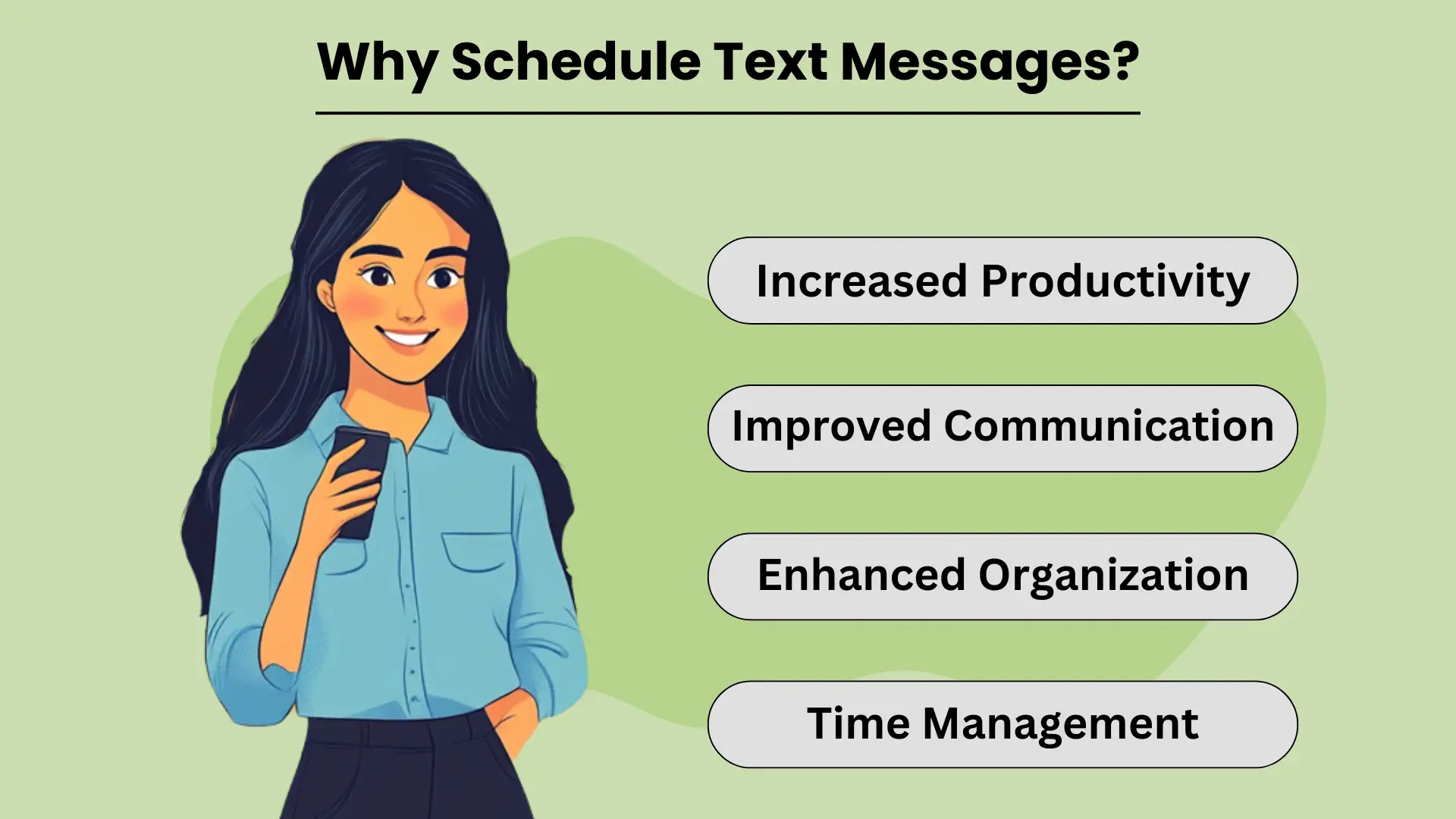
निर्धारण मूल संदेश allows individuals and businesses to send timely and relevant information without needing to manually hit “send” at the perfect moment. This simple yet powerful tool helps streamline communication by automating routine messages, ensuring that important information reaches the recipient when it’s most impactful.
Whether it’s personal reminders or business notifications, scheduled टेक्स्टिंग अनेक प्रकार के लाभ प्रदान करती है जो कि वृद्धि करते हैं दक्षता और उत्पादकता. इस क्षमता के साथ, आप अपने दिन को बेहतर ढंग से व्यवस्थित कर सकते हैं, कार्यों को प्रभावी ढंग से प्रबंधित कर सकते हैं, और यह सुनिश्चित कर सकते हैं कि महत्वपूर्ण संदेश भेजे जाएं, तब भी जब आप वास्तविक समय में ऐसा करने में बहुत व्यस्त हों।
उत्पादकता में वृद्धि
By scheduling texts in advance, you eliminate the need to remember to send each message manually. This not only saves time but also frees up your mental space to focus on more important tasks. For businesses, this feature can help automate customer communication, allowing you to handle high volumes of messages effortlessly.
Ultimately, scheduling texts improves your overall productivity, as it reduces the distractions that come with managing communication throughout the day.
बेहतर संचार
शेड्यूल्ड मैसेजिंग यह सुनिश्चित करती है कि आपका संचार सबसे उपयुक्त समय पर भेजा जाए। चाहे आप जन्मदिन की शुभकामनाएं, अनुस्मारक, या व्यावसायिक अपडेट भेज रहे हों, इन संदेशों को पूर्व-सेट करने से समय पर डिलीवरी की अनुमति मिलती है। इससे आपके संचार की निरंतरता और विश्वसनीयता में सुधार होता है, जिससे व्यक्तिगत संपर्कों और ग्राहकों दोनों के साथ मजबूत संबंध बनते हैं। जब प्राप्तकर्ताओं को सही समय पर संदेश प्राप्त होते हैं, तो इससे जुड़ाव और प्रतिक्रिया दर बेहतर हो सकती है।
उन्नत संगठन और समय प्रबंधन
व्यवस्थित रहने के लिए पाठों को शेड्यूल करना एक महत्वपूर्ण उपकरण है। संदेशों को पहले से सेट करके, आप महत्वपूर्ण तिथियों या समय-सीमाओं को भूलने के जोखिम से बचते हैं, जैसे कि ईवेंट निमंत्रण या अनुस्मारक भेजना। इससे भी मदद मिलती है समय प्रबंधन, as it allows you to plan out your communication in one go, freeing up time for other responsibilities.
Additionally, scheduled texting helps businesses manage customer interaction efficiently, especially for routine notifications, without the need to disrupt daily operations.
पाठ संदेशों को शेड्यूल करने की विधियाँ
निर्धारण मूल संदेश can be a powerful tool to improve communication, ensuring your messages reach recipients at the most convenient time. Whether you need to send a reminder, a birthday wish, or a business notification, scheduling texts helps you plan ahead and avoid forgetting important messages.
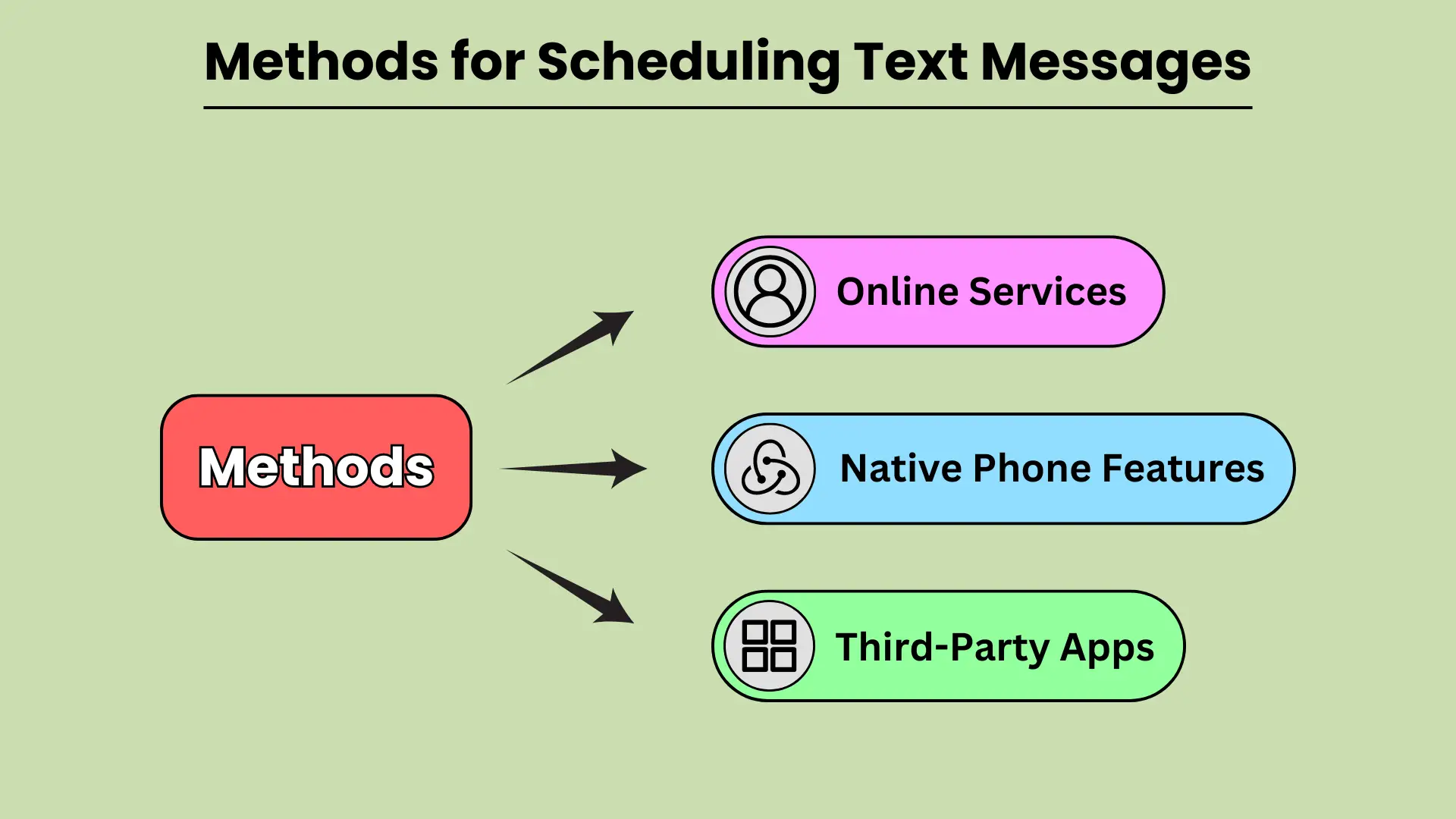
There are various methods available for scheduling texts, from built-in phone features to third-party apps and even web-based services. In this guide, we will explore how you can leverage native phone features on Android and iOS, third-party apps, and online platforms to schedule your text messages seamlessly.
देशी फ़ोन विशेषताएँ
Modern smartphones come equipped with built-in features that allow users to schedule texts without relying on external apps. Android devices, particularly those using Google Messages and Samsung Messages, provide simple and intuitive options for scheduling messages. With Google Messages, users can long-press the send button to select a date and time for sending the text.
Similarly, Samsung Messages offers the option under message settings. On iOS, the Shortcuts app provides automation to schedule texts, while the Scheduled Send feature in iMessage allows users to select when a message should be delivered.
मूल फ़ोन सुविधाएँ शेड्यूलिंग टेक्स्ट को सुविधाजनक और त्वरित बनाती हैं।
तृतीय-पक्ष ऐप्स
If you want more flexibility or additional features, third-party apps are a great alternative for scheduling texts. Apps like SMS Scheduler on Android allow users to schedule multiple texts, set recurring messages, and manage their schedule with ease.
For iOS users, apps like Text Schedule offer similar functionality, enabling users to automate text delivery at specified times. Other notable apps include Pulse SMS and Textra, both of which are available on Android and provide advanced scheduling options.
तृतीय-पक्ष ऐप्स टेक्स्ट शेड्यूल करने के लिए बेहतर अनुकूलन और नियंत्रण प्रदान करते हैं।
ऑनलाइन सेवाओं
For businesses or users who prefer to schedule texts from a web-based platform, several online services offer robust solutions. Platforms like Twilio, Nexmo, and MessageBird allow users to schedule bulk text messages, integrate SMS functionality into their apps, and manage messaging campaigns efficiently.
These platforms are especially useful for businesses that need to send automated messages, reminders, or marketing communications to large audiences. By using online services, users can schedule messages with precision and scale their communication efforts.
बड़े पैमाने पर टेक्स्ट शेड्यूल करने के लिए ऑनलाइन सेवाएँ आदर्श हैं।
लोकप्रिय प्लेटफ़ॉर्म पर टेक्स्ट संदेश कैसे शेड्यूल करें
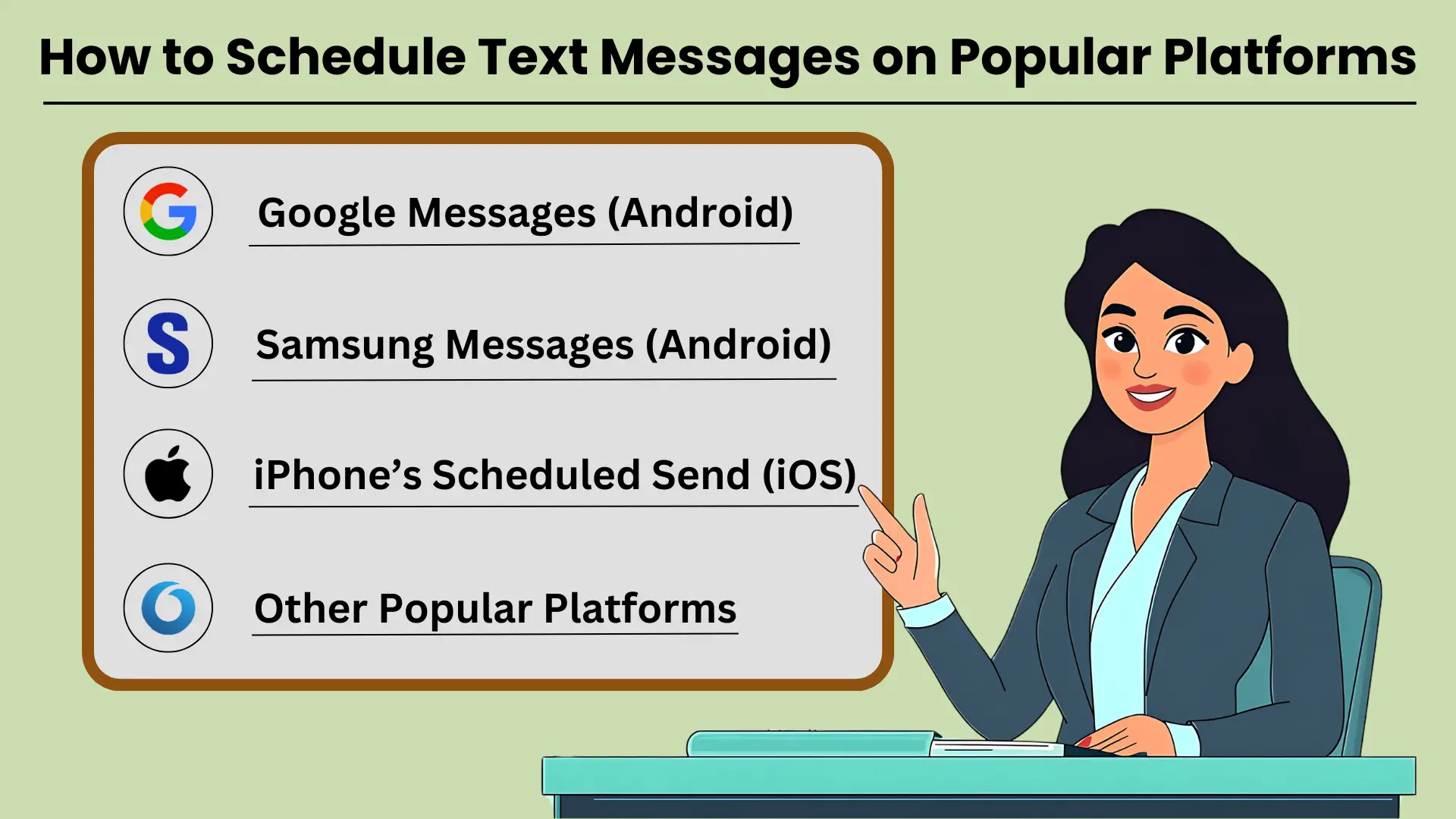
पाठ संदेश शेड्यूल करना is a helpful tool for ensuring that your messages are sent at the right time, whether for personal reminders, business communications, or social occasions. Many popular platforms like Google Messages, Samsung Messages, and iPhone’s Scheduled Send feature allow users to schedule texts easily.
With these tools, you can set your messages to go out at a specific date and time. This ensures that your communication is well-timed and impactful. In this guide, we’ll provide टेक्स्ट संदेशों को शेड्यूल करने के तरीके पर चरण-दर-चरण निर्देश on several popular messaging platforms. This helps you make the most of this feature.
Google संदेश (एंड्रॉइड)
Google Messages एंड्रॉइड डिवाइस पर व्यापक रूप से उपयोग किया जाने वाला मैसेजिंग ऐप है, जो टेक्स्ट शेड्यूल करने का आसान तरीका प्रदान करता है। इन चरणों का पालन करें:
- अपने एंड्रॉइड डिवाइस पर Google संदेश खोलें।
- वह संपर्क चुनें जिसे आप संदेश भेजना चाहते हैं.
- अपना संदेश वैसे ही टाइप करें जैसे आप सामान्य रूप से करते हैं।
- भेजें बटन को दबाकर रखें, और एक "भेजें शेड्यूल करें" विकल्प दिखाई देगा।
- एक पूर्व-निर्धारित समय चुनें या कस्टम शेड्यूल सेट करने के लिए "तारीख और समय चुनें" पर टैप करें।
- निर्धारित समय की पुष्टि करें और अपना संदेश भेजें।
किसी संदेश को शेड्यूल करना यह सुनिश्चित करता है कि आपका टेक्स्ट आपके प्राप्तकर्ता तक तब पहुंचे जब वह सबसे अधिक प्रासंगिक हो।
सैमसंग संदेश (एंड्रॉइड)
सैमसंग गैलेक्सी उपयोगकर्ताओं के लिए, मूल सैमसंग मैसेज ऐप एक संदेश शेड्यूलिंग सुविधा भी प्रदान करता है। इसका उपयोग कैसे करें यहां बताया गया है:
- अपने गैलेक्सी डिवाइस पर सैमसंग मैसेज ऐप खोलें।
- बातचीत का चयन करें या उस संपर्क के साथ एक नई बातचीत शुरू करें जिसे आप संदेश भेजना चाहते हैं।
- टेक्स्ट फ़ील्ड में अपना संदेश टाइप करें।
- "+" चिह्न या विकल्प बटन पर टैप करें, फिर "संदेश शेड्यूल करें" चुनें।
- आप संदेश कब भेजना चाहते हैं उसके लिए दिनांक और समय निर्धारित करें।
- "भेजें" पर टैप करें और आपका संदेश शेड्यूल हो जाएगा।
सैमसंग संदेशों के साथ टेक्स्ट शेड्यूल करने से आपको महत्वपूर्ण संचार आसानी से प्रबंधित करने में मदद मिलती है।
iPhone का शेड्यूल भेजा गया (iOS)
iOS पर, शेड्यूल की गई भेजने की सुविधा मूल रूप से संदेश ऐप में उपलब्ध नहीं है, लेकिन शॉर्टकट के साथ, आप इस प्रक्रिया को स्वचालित कर सकते हैं:
- अपने iPhone पर शॉर्टकट ऐप खोलें।
- नया ऑटोमेशन बनाने के लिए "+" आइकन पर टैप करें।
- "व्यक्तिगत स्वचालन बनाएं" चुनें और "दिन का समय" चुनें।
- अपना इच्छित समय निर्धारित करें, फिर "अगला" पर टैप करें।
- "संदेश भेजें" क्रिया जोड़ें और अपना संदेश टाइप करें।
- संपर्क चुनें, और अंतिम रूप देने के लिए "अगला" पर टैप करें।
- स्वचालन की समीक्षा करें, फिर "संपन्न" पर टैप करें।
iPhone के शॉर्टकट के साथ, आप यह सुनिश्चित करने के लिए टेक्स्ट शेड्यूल कर सकते हैं कि आपका संचार समय पर हो।
अन्य लोकप्रिय प्लेटफार्म
एंड्रॉइड और आईफोन प्लेटफॉर्म के अलावा, व्हाट्सएप, टेलीग्राम और फेसबुक मैसेंजर जैसे अन्य मैसेजिंग ऐप को संदेशों को शेड्यूल करने के लिए तीसरे पक्ष के ऐप या अंतर्निहित सुविधाओं की आवश्यकता होती है। इन प्लेटफ़ॉर्म में मूल शेड्यूलिंग क्षमताएं नहीं हो सकती हैं लेकिन इन्हें बाहरी टूल से प्रबंधित किया जा सकता है।
प्रभावी एसएमएस संचार के लिए उन्नत शेड्यूलिंग सुविधाएँ
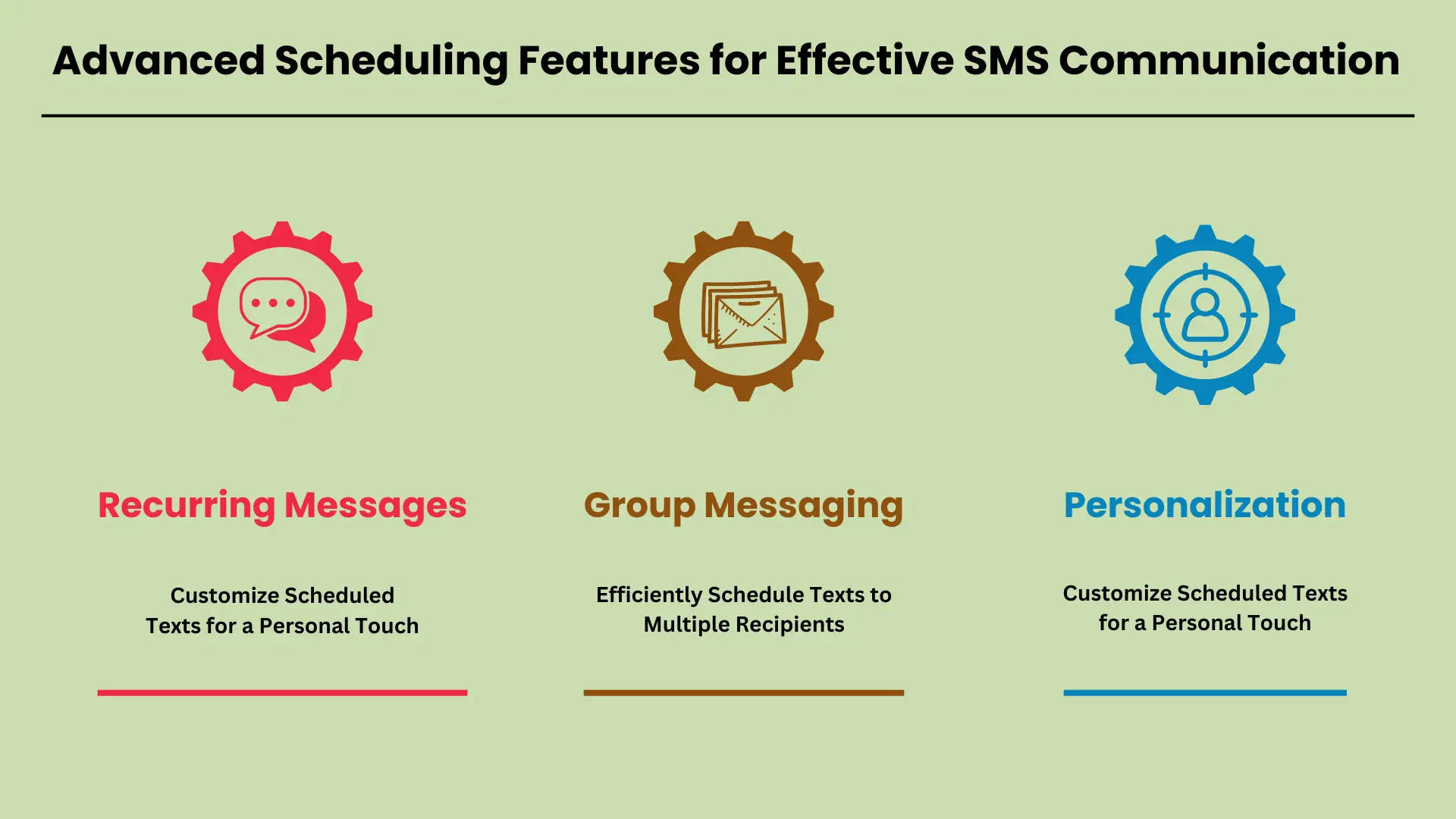
आज की तेज़-तर्रार दुनिया में, उन्नत शेड्यूलिंग सुविधाएँ एसएमएस communication have become a necessity. Businesses and individuals alike rely on these tools to automate regular updates, notifications, and reminders. With advanced scheduling, you can ensure that important messages are delivered at the right time, without manual intervention.
Whether you’re sending reminders for appointments, group messages to a team, or personalized texts to customers, scheduling tools offer flexibility and efficiency. In this guide, we will explore key features like recurring messages, group messaging, and personalization, showing how they can streamline communication.
आवर्ती संदेश: नियमित सूचनाएं और अनुस्मारक सेट करें
Recurring messages allow you to automate routine texts, making it easy to send regular updates, reminders, or notifications. For instance, businesses can schedule daily, weekly, or monthly texts to remind customers about appointments or payment deadlines. Setting up recurring messages typically involves selecting the frequency, duration, and content of the text.
Most SMS platforms offer intuitive scheduling options where you simply pick the start date, end date, and the interval for message repetition. This ensures that your audience receives timely reminders without you having to manually send each message.
ग्रुप मैसेजिंग: एकाधिक प्राप्तकर्ताओं के लिए टेक्स्ट को कुशलतापूर्वक शेड्यूल करें
Group messaging is a valuable feature for sending a single message to multiple recipients at once. This is particularly useful for teams, customer groups, or event attendees who need to receive the same information simultaneously. Scheduling group messages allows you to plan communication in advance, ensuring everyone is informed at the right time.
SMS platforms often support bulk messaging tools where you can easily upload contacts, compose a message, and set a specific date and time for delivery. This eliminates the need to manually send messages to each recipient and ensures consistent communication across your audience.
वैयक्तिकरण: व्यक्तिगत स्पर्श के लिए शेड्यूल किए गए टेक्स्ट को अनुकूलित करें
Personalization options take scheduled messages to the next level by allowing you to customize content with names, dates, or other specific information. Whether you’re addressing customers by their first name or adding personalized details like appointment times or order numbers, this feature enhances the recipient’s experience.
SMS platforms often support custom fields where you can automatically insert individualized data into each scheduled message. This approach not only improves engagement but also makes your communication feel more personal, which is crucial for building strong customer relationships.
इन उन्नत शेड्यूलिंग सुविधाओं को अपने में शामिल करना एसएमएस रणनीति संचार को काफी बढ़ा सकती है दक्षता और वैयक्तिकरण।
शेड्यूल्ड टेक्स्टिंग में सामान्य समस्याओं का निवारण
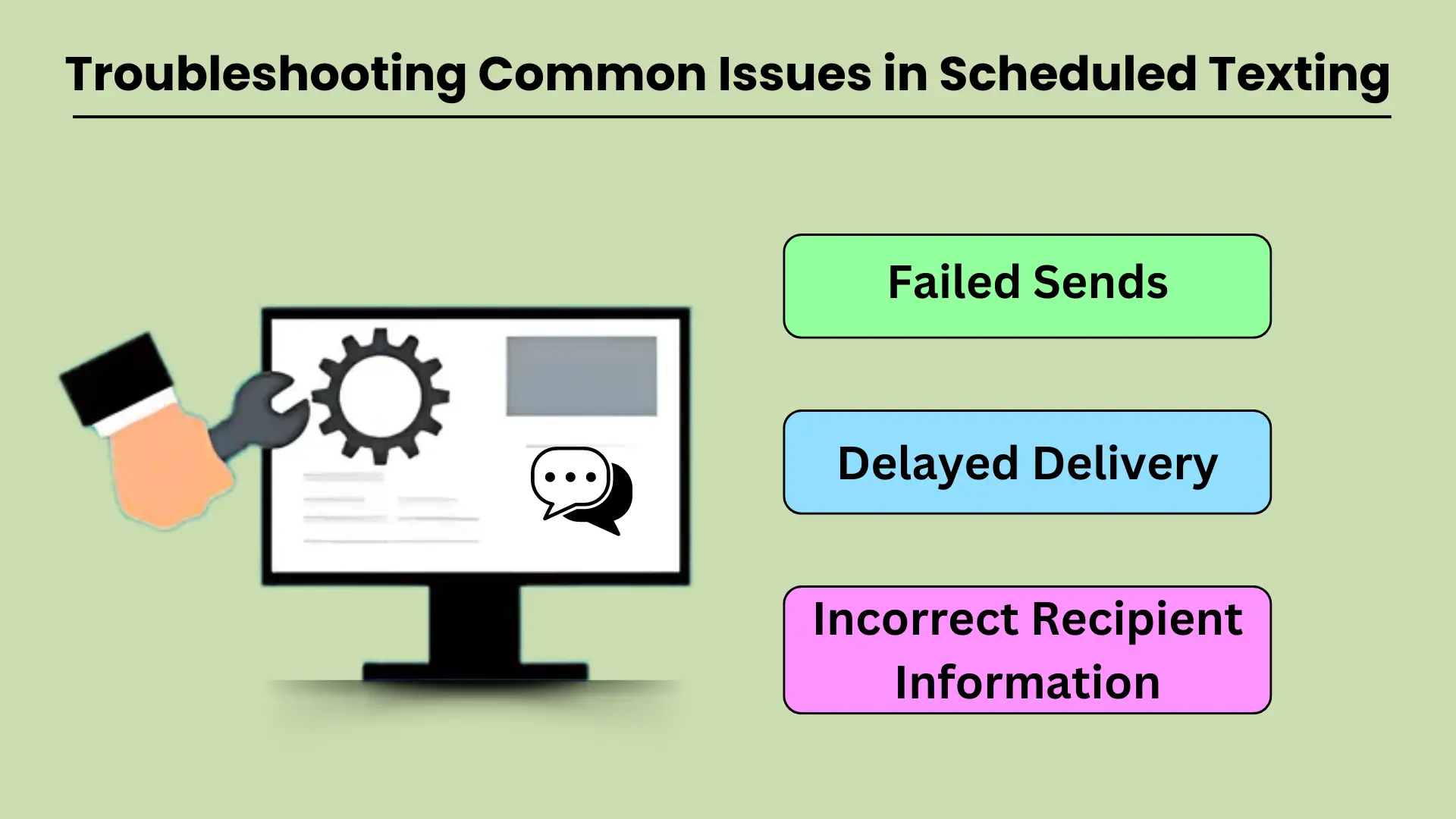
Scheduled texting is a valuable tool for businesses and individuals who want to streamline their communication. However, like any technology, it can sometimes experience issues that prevent messages from being delivered as intended. Common problems such as failed sends, delayed deliveries, and incorrect recipient information can disrupt workflows and reduce the effectiveness of scheduled texting.
Understanding the potential causes behind these issues and knowing how to troubleshoot them effectively is crucial for maintaining smooth communication. This guide will walk you through addressing the most common technical difficulties and provide practical solutions to keep your messaging operations running smoothly.
विफल भेजा गया
Failed message sends are a frustrating issue that can occur for several reasons. The most common cause is poor network connectivity. If your device or the recipient’s phone lacks a stable network connection, the message may fail to send at the scheduled time.
Another factor could be incorrect settings in the टेक्स्टिंग ऐप या उपयोग की जा रही सेवा, जैसे गलत समय क्षेत्र कॉन्फ़िगरेशन या पुराने ऐप संस्करण। इसके अतिरिक्त, प्राप्तकर्ता का फ़ोन निर्धारित समय के दौरान बंद या सेवा से बाहर हो सकता है, जिसके परिणामस्वरूप विफलता हो सकती है।
इसका निवारण करने के लिए, सुनिश्चित करें कि दोनों डिवाइस एक स्थिर नेटवर्क से जुड़े हैं और टेक्स्टिंग सेवा सही ढंग से कॉन्फ़िगर की गई है। ऐप सेटिंग जांचें, नवीनतम संस्करण में अपडेट करें और सत्यापित करें कि प्राप्तकर्ता का नंबर सही है।
विलम्बित डिलिवरी
Delayed message delivery is another common issue in scheduled texting, and it often results from network congestion or service provider delays. Sometimes, a message might get delayed if the recipient’s network is overloaded, especially during peak hours or when there is high demand on the server.
Other times, the scheduled message might encounter delays if the sender’s device or network is experiencing issues, like low battery, data congestion, or poor signal strength.
इसे हल करने के लिए, सुनिश्चित करें कि आपके डिवाइस में एक मजबूत नेटवर्क सिग्नल और पर्याप्त बैटरी जीवन है। यदि देरी बनी रहती है, तो आप संदेश को मैन्युअल रूप से भेजने का भी प्रयास कर सकते हैं संपर्क आपका सेवा प्रदाता किसी भी रुकावट या मंदी की जाँच करेगा।
गलत प्राप्तकर्ता जानकारी
शेड्यूल किए गए टेक्स्टिंग के साथ सबसे अधिक रोके जाने योग्य मुद्दों में से एक गलत प्राप्तकर्ता को संदेश भेजना है। ऐसा अक्सर प्राप्तकर्ता के संपर्क विवरण दर्ज करते समय या किसी सूची से गलत संपर्क का चयन करते समय मैन्युअल इनपुट त्रुटियों के कारण होता है। एक अन्य संभावित कारण एक पुरानी संपर्क सूची है जहां प्राप्तकर्ता की जानकारी बदल गई है लेकिन सिस्टम में अपडेट नहीं की गई है।
इस समस्या को रोकने के लिए, किसी भी संदेश को शेड्यूल करने से पहले प्राप्तकर्ता की जानकारी दोबारा जांच लें। सटीकता सुनिश्चित करने के लिए अपनी संपर्क सूची को नियमित रूप से अपडेट करना भी एक अच्छा अभ्यास है। यदि कोई संदेश गलत व्यक्ति को भेजा गया है, तो तुरंत उन्हें सूचित करें और संदेश को सही प्राप्तकर्ता को दोबारा भेजें।
समस्या निवारण युक्तियों
उपरोक्त किसी भी समस्या के लिए, यहां कुछ अतिरिक्त समस्या निवारण युक्तियाँ दी गई हैं:
- अपना नेटवर्क कनेक्शन जांचें: सुनिश्चित करें कि आपके डिवाइस और प्राप्तकर्ता के डिवाइस दोनों में स्थिर नेटवर्क कनेक्शन हैं।
- अपना ऐप अपडेट करें: शेड्यूल किए गए टेक्स्ट को प्रभावित करने वाले बग और गड़बड़ियों से बचने के लिए अपने मैसेजिंग ऐप को अपडेट रखें।
- सेटिंग्स सत्यापित करें: दोबारा जांचें कि आपके निर्धारित संदेशों के लिए सही समय क्षेत्र, दिनांक और समय निर्धारित किया गया है।
- अपने सिस्टम का परीक्षण करें: महत्वपूर्ण निर्धारित संदेश भेजने से पहले, यह सुनिश्चित करने के लिए कि सिस्टम ठीक से काम कर रहा है, अपने आप को या किसी सहकर्मी को एक परीक्षण संदेश भेजें।
शेड्यूल्ड टेक्स्टिंग को अन्य उपकरणों के साथ एकीकृत करना: स्वचालन और संचार को बढ़ाना
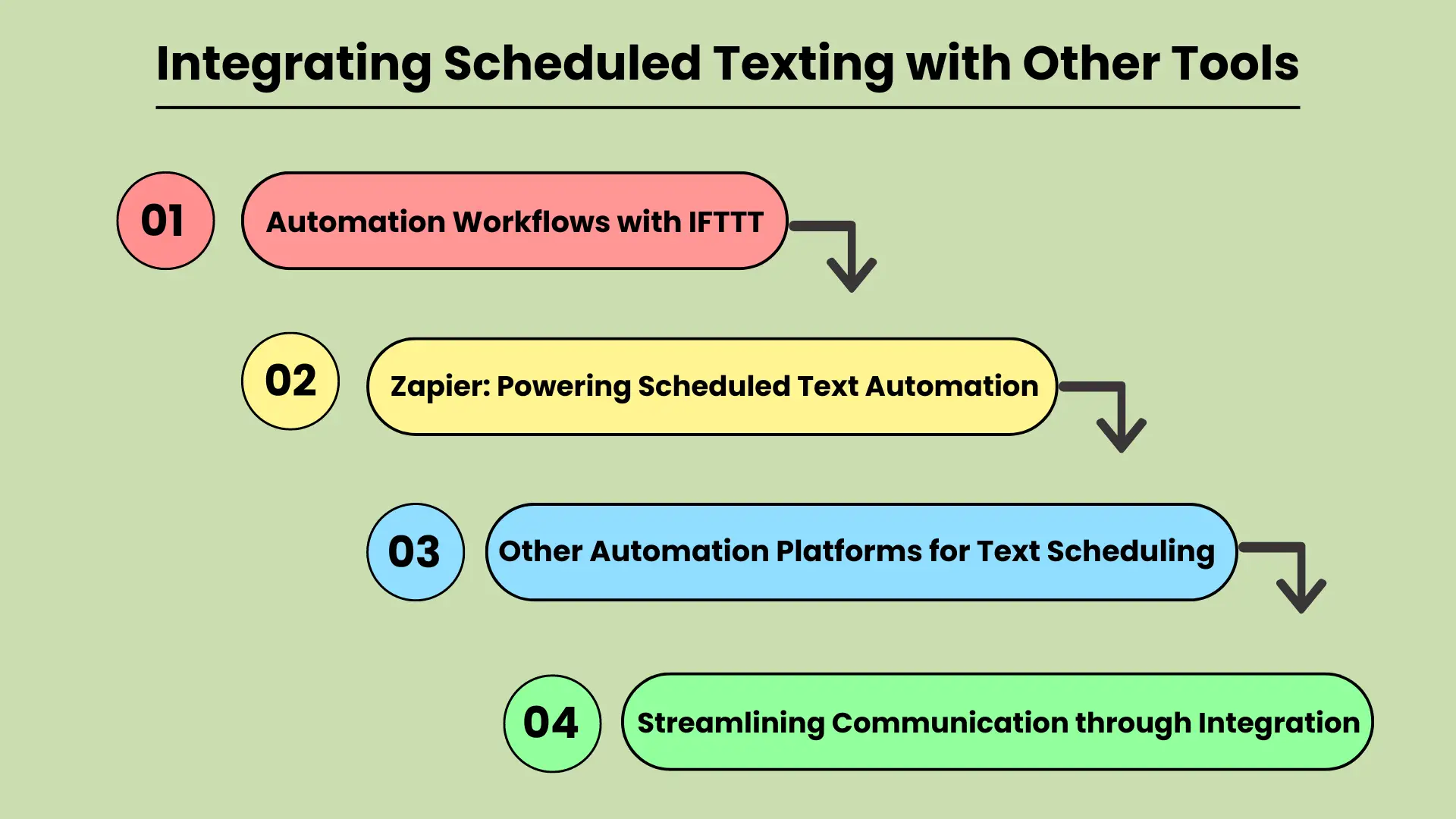
In today’s fast-paced digital world, businesses and individuals are constantly looking for ways to improve their communication efficiency. Integrating scheduled texting with other productivity tools is a powerful strategy for streamlining workflows and automating tasks.
Whether you’re managing marketing campaigns or personal reminders, tools like IFTTT (If This Then That) and Zapier can be key to automating text message scheduling. These platforms connect various apps and services, allowing users to create custom workflows that automatically trigger scheduled texts based on specific events or actions.
This integration not only saves time but also ensures that important messages are sent at the right time, improving communication reliability and effectiveness.
IFTTT के साथ स्वचालन वर्कफ़्लो
IFTTT is a popular automation platform that allows users to create “applets” — simple connections between different tools and services. By integrating scheduled texting with IFTTT, users can set up triggers for sending texts when specific conditions are met.
For example, you could automatically send a reminder text to clients when an event is added to a Google Calendar or to any कैलेंडर ऐप्स. This type of automation helps eliminate manual texting tasks, ensuring that no communication is missed.
Integrating scheduled texting with IFTTT makes it easy to automate repetitive tasks and streamline communication workflows.
जैपियर: पावरिंग शेड्यूल्ड टेक्स्ट ऑटोमेशन
Zapier is another powerful tool for connecting apps and automating workflows. Similar to IFTTT, Zapier allows users to set up “zaps” that automate tasks between various apps, including text messaging platforms. With Zapier, businesses can schedule texts based on events, form submissions, or any other activity within their workflow.
For example, a new lead generated in your सीआरएम एक निर्धारित पाठ संदेश अनुवर्ती कार्रवाई को ट्रिगर कर सकता है। यह एकीकरण छूटे हुए अवसरों के जोखिम को कम करता है और समय पर संचार सुनिश्चित करता है, ग्राहक जुड़ाव और टीम दक्षता को बढ़ाता है।
टेक्स्ट शेड्यूलिंग के लिए अन्य ऑटोमेशन प्लेटफ़ॉर्म
Apart from IFTTT and Zapier, many other automation platforms offer similar capabilities for integrating scheduled texting. These platforms may focus on specific industries or use cases but share the goal of enhancing workflow automation. Tools like Automate.io and Integromat provide similar functionality, allowing users to connect different applications and automate scheduled texting for various tasks.
By leveraging these tools, businesses and individuals can improve the accuracy and timeliness of their communications while freeing up valuable time for more strategic activities.
एकीकरण के माध्यम से संचार को सुव्यवस्थित करना
QUERY LENGTH LIMIT EXCEEDED. MAX ALLOWED QUERY : 500 CHARS
शेड्यूल किए गए टेक्स्टिंग को एकीकृत करने से उत्पादकता और संचार दक्षता दोनों में वृद्धि होती है, जिससे यह आधुनिक वर्कफ़्लो का एक अनिवार्य हिस्सा बन जाता है।
निष्कर्ष
टेक्स्ट संदेशों को शेड्यूल करना और भेजना कुछ समय is an essential feature for anyone looking to streamline their communication and enhance efficiency. Whether for personal use or business, this tool ensures that you never miss an important moment, while also reducing the time spent managing routine communications. With options available through native phone features, third-party apps, and online platforms, scheduling texts is more accessible than ever.
अपनी दैनिक संचार आदतों में शेड्यूलिंग को शामिल करके, आप न केवल समय बचाते हैं बल्कि अपनी बातचीत की गुणवत्ता और समयबद्धता में भी सुधार करते हैं। व्यवसाय, विशेष रूप से, ग्राहक संचार को स्वचालित करने, अनुस्मारक भेजने और बड़ी मात्रा में संदेशों को निर्बाध रूप से प्रबंधित करने से लाभ उठा सकते हैं। उत्पादकता बढ़ाने और संगठित, समय पर संचार बनाए रखने के लिए पाठ्य-निर्धारण एक सरल लेकिन शक्तिशाली रणनीति है।
अक्सर पूछे जाने वाले प्रश्नों
एंड्रॉइड पर, आप Google संदेश या सैमसंग संदेश का उपयोग करके टेक्स्ट शेड्यूल कर सकते हैं। बस अपना संदेश टाइप करें, भेजें बटन दबाए रखें, और अपना इच्छित भेजने का समय चुनें। यूट एलीट टेलस, ल्यूक्टस नेक उल्लमकॉर्पर मैटिस, पुल्विनर डैपिबस लियो।
हां, iPhone पर शॉर्टकट ऐप का उपयोग करके, आप कस्टम ऑटोमेशन सेट करके टेक्स्ट संदेशों को स्वचालित और शेड्यूल कर सकते हैं।
टेक्स्ट शेड्यूल करने के लिए लोकप्रिय ऐप्स में एंड्रॉइड के लिए एसएमएस शेड्यूलर, पल्स एसएमएस और टेक्स्ट्रा शामिल हैं, जबकि आईओएस उपयोगकर्ताओं के लिए टेक्स्ट शेड्यूल एक सामान्य विकल्प है।
शेड्यूलिंग टेक्स्ट व्यवसायों को ग्राहक संचार को स्वचालित करने की अनुमति देता है, जिससे मैन्युअल हस्तक्षेप के बिना सूचनाओं, अनुस्मारक और प्रचारों की समय पर डिलीवरी सुनिश्चित होती है।
हां, ट्विलियो और नेक्समो जैसी ऑनलाइन सेवाएं आपको बल्क संदेशों को शेड्यूल करने की अनुमति देती हैं, जिससे यह उन व्यवसायों के लिए आदर्श बन जाता है जिन्हें बड़े दर्शकों को स्वचालित संदेश भेजने की आवश्यकता होती है।


