
 English
परिचय
ग्रुप चैट, रीड रिसिप्ट और रिच मीडिया जैसी सुविधाओं के साथ मोबाइल मार्केटिंग में आरसीएस मैसेजिंग बढ़ रही है। फिर भी, कई उपयोगकर्ता इसकी सादगी, विश्वसनीयता, सार्वभौमिक अनुकूलता, ऑफ़लाइन पहुंच और सभी डिवाइसों पर समर्थन के लिए एसएमएस पसंद करते हैं। सीधे संचार के लिए, एसएमएस एक भरोसेमंद और व्यापक रूप से सुलभ विकल्प बना हुआ है।
जबकि आरसीएस उन्नत संचार विकल्प प्रदान करता है, यह हमेशा सभी के लिए सबसे उपयुक्त नहीं होता है। यदि आपने आरसीएस के साथ समस्याओं पर ध्यान दिया है या बस एसएमएस की सीधी प्रकृति को पसंद करते हैं, तो आप क्लासिक टेक्स्ट मैसेजिंग प्रारूप पर वापस लौटने की सोच रहे होंगे।
इस गाइड में, हम आपको बताएंगे कि आरसीएस को कैसे निष्क्रिय करें और अपने एंड्रॉइड फोन पर एसएमएस (यानी आरसीएस से एसएमएस) पर वापस कैसे स्विच करें। लेकिन चरणों में गोता लगाने से पहले, आइए पहले करीब से देखें आरसीएस मैसेजिंग क्या है और क्यों कुछ लोग आरसीएस के स्थान पर एसएमएस का चयन कर सकते हैं।
चाबी छीनना
- आरसीएस मल्टीमीडिया शेयरिंग, रीड रिसिप्ट और ग्रुप चैट जैसी उन्नत सुविधाएँ प्रदान करता है लेकिन इसके लिए इंटरनेट की आवश्यकता होती है।
- आरसीएस को अपनाना जारी है; दोनों प्रेषक और प्राप्तकर्ता की आवश्यकता संगत डिवाइस और नेटवर्क समर्थन।
- संदेश सेटिंग्स के माध्यम से आरसीएस को सक्षम करने के लिए iPhone उपयोगकर्ताओं को iOS 18+ की आवश्यकता है।
- अंतर्राष्ट्रीय मैसेजिंग के लिए एसएमएस सार्वभौमिक रूप से संगत और अधिक विश्वसनीय है।
- आरसीएस की तुलना में एसएमएस कम बैटरी और डेटा का उपयोग करता है।
आरसीएस क्या है?
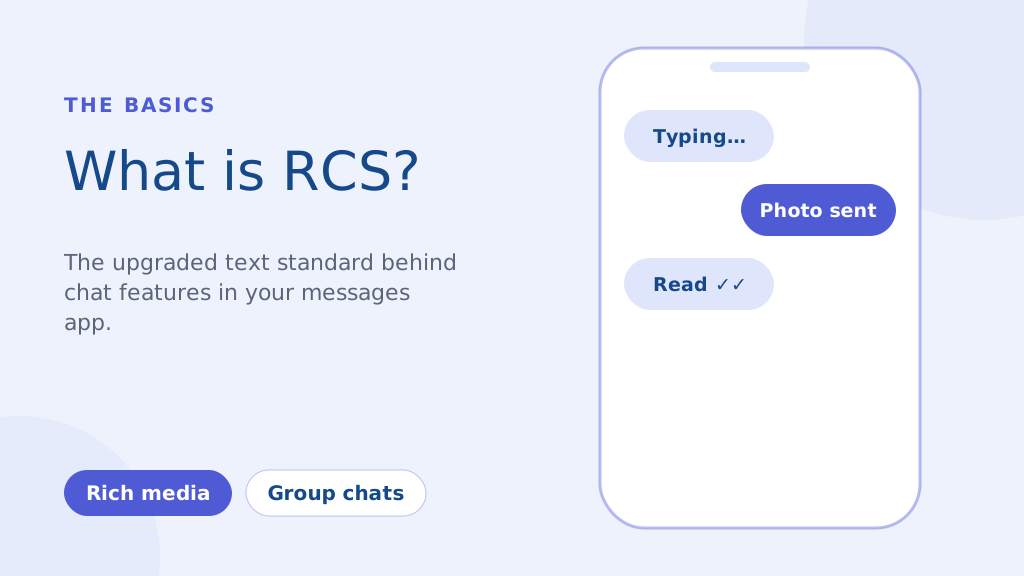
आरसीएस, या रिच कम्युनिकेशन सर्विसेज, एक अगली पीढ़ी का संचार प्रोटोकॉल है जिसे पुराने जमाने को बदलने के लिए डिज़ाइन किया गया है एसएमएस और एमएमएस मानक. यह अनिवार्य रूप से आपके फ़ोन के डिफ़ॉल्ट मैसेजिंग ऐप में निर्मित एक अधिक आधुनिक मैसेजिंग अनुभव है। प्रमुख विशेषताओं में शामिल हैं:
- मीडिया-रिच मैसेजिंग: एमएमएस के गंभीर संपीड़न के बिना उच्च गुणवत्ता वाले फ़ोटो और वीडियो साझा करें।
- टाइपिंग संकेतक और पठन रसीदें: देखें कि कोई कब टाइप कर रहा है और उसने आपका संदेश कब पढ़ा है।
- उन्नत समूह चैट: पारंपरिक एसएमएस की तुलना में अधिक मजबूत समूह संदेश सेवा क्षमताएं।
एसएमएस के विपरीत, जो आपके सेलुलर नेटवर्क पर निर्भर करता है, आरसीएस इंटरनेट (वाई-फाई या मोबाइल डेटा) पर काम करता है। यह समृद्ध सुविधाओं की अनुमति देता है, लेकिन इसका मतलब यह भी है कि प्रेषक और रिसीवर दोनों को पूर्ण कार्यक्षमता के लिए संगत डिवाइस और नेटवर्क समर्थन की आवश्यकता होती है।
जबकि 2016 में एक प्रमुख पहल का उद्देश्य आरसीएस को एंड्रॉइड पर एक सार्वभौमिक मानक बनाना था, इसे अपनाना अभी भी जारी है। व्यवसाय विपणन के लिए तेजी से आरसीएस का लाभ उठा रहे हैं अभियान, एसएमएस की अनुमति से अधिक इंटरैक्टिव अनुभव प्रदान करता है। हालाँकि, जैसा कि हमने बताया है, अभी भी कई स्थितियाँ हैं जहाँ एसएमएस की निर्भरता सर्वोपरि है।
एंड्रॉइड पर आरसीएस को एसएमएस चैट में कैसे बदलें (चरण-दर-चरण मार्गदर्शिका)
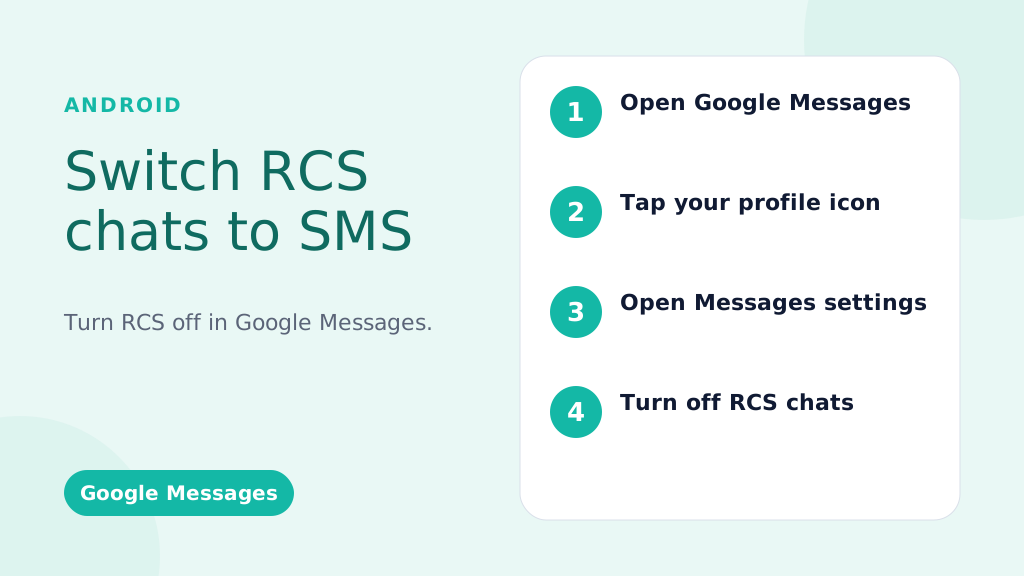
ये निर्देश अधिकांश एंड्रॉइड फोन पर डिफ़ॉल्ट मैसेजिंग ऐप Google संदेशों के लिए हैं।
वैश्विक स्तर पर आरसीएस को अक्षम करना (सभी वार्तालापों के लिए इसे बंद करना):
- Google संदेश ऐप खोलें: संदेश आइकन (आमतौर पर एक नीला स्पीच बबल) ढूंढें और उस पर टैप करें।
- अपना प्रोफ़ाइल चित्र/आइकन टैप करें: यह आमतौर पर ऐप के ऊपरी दाएं कोने में होता है।
- "संदेश सेटिंग्स" (या कुछ संस्करणों पर सिर्फ "सेटिंग्स") चुनें।
- "आरसीएस चैट्स" (या "चैट फीचर्स" - शब्दों में थोड़ा अंतर हो सकता है) पर टैप करें।
- "आरसीएस चैट चालू करें" (या समकक्ष स्विच) को टॉगल करें। आपसे अपने निर्णय की पुष्टि करने के लिए कहा जा सकता है।
- (वैकल्पिक लेकिन अनुशंसित) अपना फ़ोन पुनः प्रारंभ करें: इससे यह सुनिश्चित करने में मदद मिलती है कि परिवर्तन तुरंत प्रभावी हों।
विशिष्ट वार्तालाप के लिए आरसीएस को अक्षम करना (सीमित उपलब्धता):
महत्वपूर्ण: यह सुविधा हमेशा उपलब्ध नहीं होती है. यह आपके फ़ोन, Android संस्करण और वाहक पर निर्भर करता है।
- वार्तालाप खोलें: विशिष्ट वार्तालाप पर जाएँ।
- थ्री-डॉट मेनू (⋮) पर टैप करें: आमतौर पर ऊपर दाईं ओर।
- "विवरण," "जानकारी," या "सेटिंग्स" देखें: सटीक शब्द भिन्न-भिन्न होते हैं।
- यदि उपलब्ध हो, तो "केवल एसएमएस और एमएमएस संदेश भेजें" या "उपयोग करें" जैसा विकल्प ढूंढें एसएमएस/एमएमएस“: Toggle this on. If you don’t see this option, your phone/carrier doesn’t support this feature.
विश्वसनीय, तेज़ और प्रभावी संचार के साथ अपने संदेशों को विशिष्ट बनाएं। आज ही अपने टेक्स्टिंग गेम को उन्नत करें!
Troubleshooting: RCS Messages Still Sending?
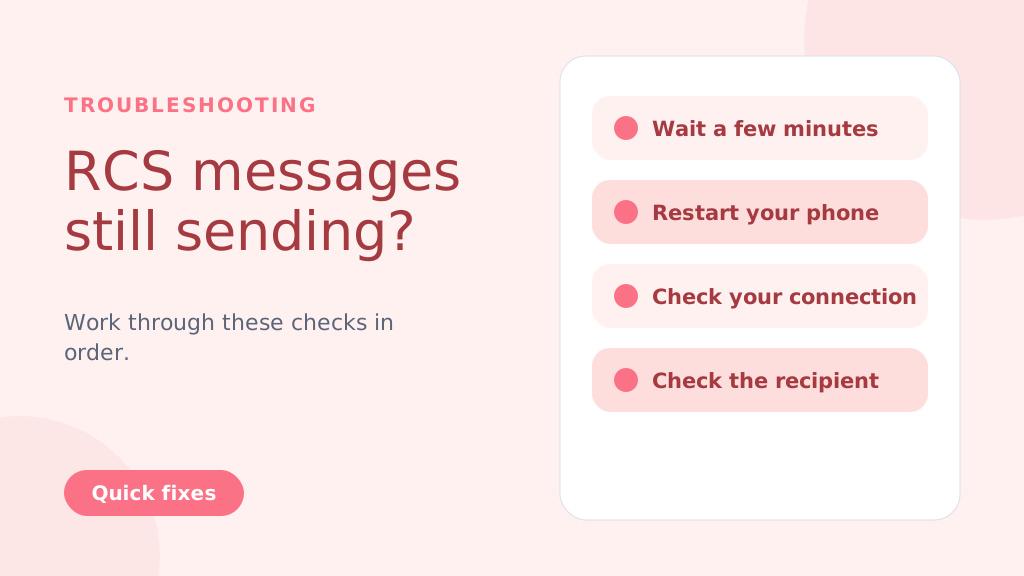
Even after disabling RCS, messages might still try to send as RCS temporarily. Try these steps:
- Wait: Give it a few minutes for the changes to take effect.
- Restart Your Phone: A reboot often resolves lingering issues.
- Check Your Connection: Temporarily turn off Wi-Fi and mobile data to force SMS delivery.
- Check the Recipient’s Status: If the recipient has RCS enabled and a strong connection, your message might still go through as RCS (this is beyond your control).
- Clear App Cache and Data (Advanced Users): Go to Settings > Apps > Messages > Storage > Clear Cache and Clear Data. Caution: This will clear your message history within the Google Messages app
Why People Choose to Change from RCS to SMS
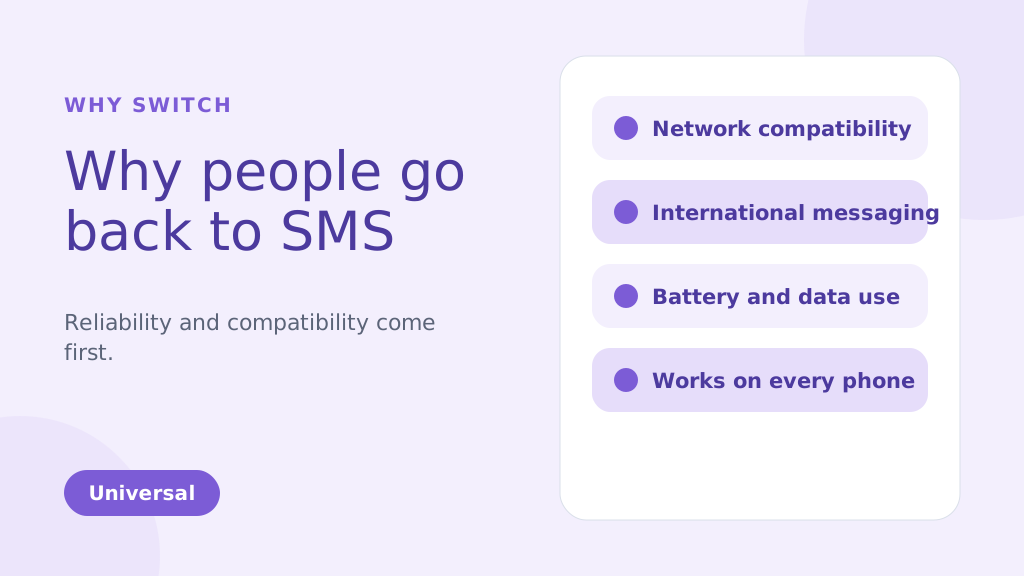
While RCS brings many enhanced features compared to traditional SMS, there are several reasons why you might choose to change from RCS to SMS. Below are some of the common factors that could make SMS a more suitable option for your messaging needs:
1. Network Compatibility Issues
One of the biggest reasons people might change from RCS TO SMS is reliability. RCS message depends on both an internet connection and carrier support, which has slowed its adoption. Unlike SMS, which works universally, RCS requires both the sender and receiver to be on compatible devices and networks. If they aren’t, your RCS message will default to SMS, leading to inconsistencies in message delivery.
2. International Messaging
SMS remains the more reliable option for international communication. RCS may face challenges when sending messages to international numbers because not all global carriers support it. This can result in delayed or undelivered messages. SMS, however, works on almost every carrier worldwide, making it a more dependable option for cross-border messaging.
3. Battery and Data Usage
RCS uses an internet connection to send and receive messages. This can quickly drain your phone’s battery and consume data, especially when Wi-Fi is unavailable. SMS, on the other hand, uses the carrier’s cellular network and doesn’t require an internet connection. This makes it more energy-efficient and data-friendly, particularly when sending multiple messages throughout the day.
4. Personal Preference
Some people simply prefer the simplicity of SMS over the advanced features of RCS. While RCS offers features like group chats, read receipts, and media sharing, not everyone needs or wants these extras. If you prefer straightforward, no-frills communication, SMS can be the more appealing option for your messaging style.
5. More Reliable During Network Congestion
During peak times, such as large events or emergencies, SMS and A2P messages tend to be more reliable, as they don’t depend on data connections like RCS. This ensures better message delivery even when networks are congested.
6. Compatible with All Phones
SMS is universally supported by nearly all mobile phones and networks. Unlike RCS, which requires both the sender and recipient to have compatible devices and carriers, SMS can be sent to any phone.
This ensures that your messages will always reach the recipient, regardless of their phone type or network.
SMS is especially ideal for use cases like OTP verification for user authentication, where reliability is crucial.
प्रो टिप: If you’re switching from RCS to SMS, consider disabling RCS in your messaging app settings to avoid sending messages that may not be delivered due to compatibility issues. This ensures all your messages are sent via SMS, providing a more reliable and universal communication method.
आप यह भी जान सकते हैं:
RCS vs SMS: Key Differences and Incredible Benefits Explained
Key Advantages of SMSLocal:
- Guaranteed Delivery: We ensure your messages are delivered, even if RCS fails.
- Automatic Switching: No manual intervention is needed. Our system automatically switches to SMS.
- Seamless Experience: Your recipients receive the message, regardless of their device or settings.
- Peace of Mind: Know that your important messages will always get through.
- Ideal for Business: Perfect for appointment reminders, delivery notifications, urgent alerts, and any communication where delivery is critical.
निष्कर्ष
Switching from RCS to SMS is a straightforward process, but it’s important to weigh the pros and cons of each messaging format. RCS offers advanced features, including rich media sharing and read receipts, which are beneficial for those with compatible devices and networks.
However, for users seeking simplicity, reliability, or international compatibility, SMS remains the preferred option. By following the steps outlined for Android and iPhone devices, you can easily switch between these two messaging services based on your preferences.
For a seamless messaging experience, whether you’re using SMS, RCS, or even other channels like WhatsApp, consider signing up with SMSLocal. SMSLocal provides an all-in-one platform to manage your messaging needs efficiently and effectively.
Why not have it all in one place? Sign up with smslocal to access RCS, WhatsApp, SMS, and email all from a single platform
अक्सर पूछे जाने वाले प्रश्नों
हो सकता है कि आपका फ़ोन Google संदेशों में "केवल एसएमएस और एमएमएस संदेश भेजें" सेटिंग, आरसीएस उपलब्धता की कमी, कमजोर नेटवर्क, या आरसीएस के लिए कोई वाहक समर्थन न होने के कारण एसएमएस भेज रहा हो।
आरसीएस मल्टीमीडिया शेयरिंग और रीयल-टाइम टाइपिंग संकेतक जैसी उन्नत सुविधाओं के लिए इंटरनेट कनेक्शन (डेटा या वाई-फाई) का उपयोग करता है, जबकि एसएमएस सेलुलर नेटवर्क पर निर्भर करता है और इसमें इन सुविधाओं का अभाव है।
• Open Settings: Tap on the Settings app on your iPhone. • Go to Messages: Scroll down and select Messages. • Disable iMessage: Toggle off iMessage to switch to SMS. Restart iPhone: Restart your iPhone to ensure SMS is enabled.
आपको अभी भी संदेश प्राप्त होंगे, लेकिन वे एसएमएस/एमएमएस के रूप में आएंगे, आरसीएस संदेश चैट के रूप में नहीं। आपको आरसीएस सुविधाएँ नहीं दिखेंगी।
हां, समान चरणों का पालन करके और स्विच को वापस चालू करके किसी भी समय आरसीएस को आसानी से पुनः सक्षम करें।
• Open Google Messages: Launch the app on your Android phone. • Go to Settings: Tap your profile picture and select Settings. • चैट सुविधाएँ सक्षम करें: चैट सुविधाएँ के अंतर्गत चैट सुविधाएँ सक्षम करें पर टॉगल करें। • फ़ोन नंबर सत्यापित करें: संकेत मिलने पर एसएमएस के माध्यम से अपने फ़ोन नंबर की पुष्टि करें। • कैरियर समर्थन की जाँच करें: सुनिश्चित करें कि आपका कैरियर आरसीएस मैसेजिंग का समर्थन करता है। • Google Play सेवाएं अपडेट करें: सुनिश्चित करें कि Google Play सेवाएं और संदेश ऐप अद्यतित हैं।
एसएमएस सेलुलर नेटवर्क पर निर्भर करता है, जिसमें आरसीएस संदेश के विपरीत लगभग सार्वभौमिक कवरेज होता है, जो इंटरनेट कनेक्टिविटी और वाहक समर्थन पर निर्भर करता है।
• Open Google Messages: Launch the app on your Android phone. • सेटिंग्स पर जाएं: अपनी प्रोफ़ाइल तस्वीर पर टैप करें और सेटिंग्स चुनें। • चैट सुविधाएँ अक्षम करें: चैट सुविधाएँ के अंतर्गत चैट सुविधाएँ सक्षम करें को टॉगल करें। • फ़ोन नंबर सत्यापित करें: संकेत मिलने पर एसएमएस के माध्यम से अपने नंबर की पुष्टि करें। • वाहक समर्थन की जाँच करें: सुनिश्चित करें कि आपका वाहक एसएमएस का समर्थन करता है। • फ़ोन पुनः प्रारंभ करें: परिवर्तन लागू करने के लिए अपना फ़ोन पुनः प्रारंभ करें।


