
 English
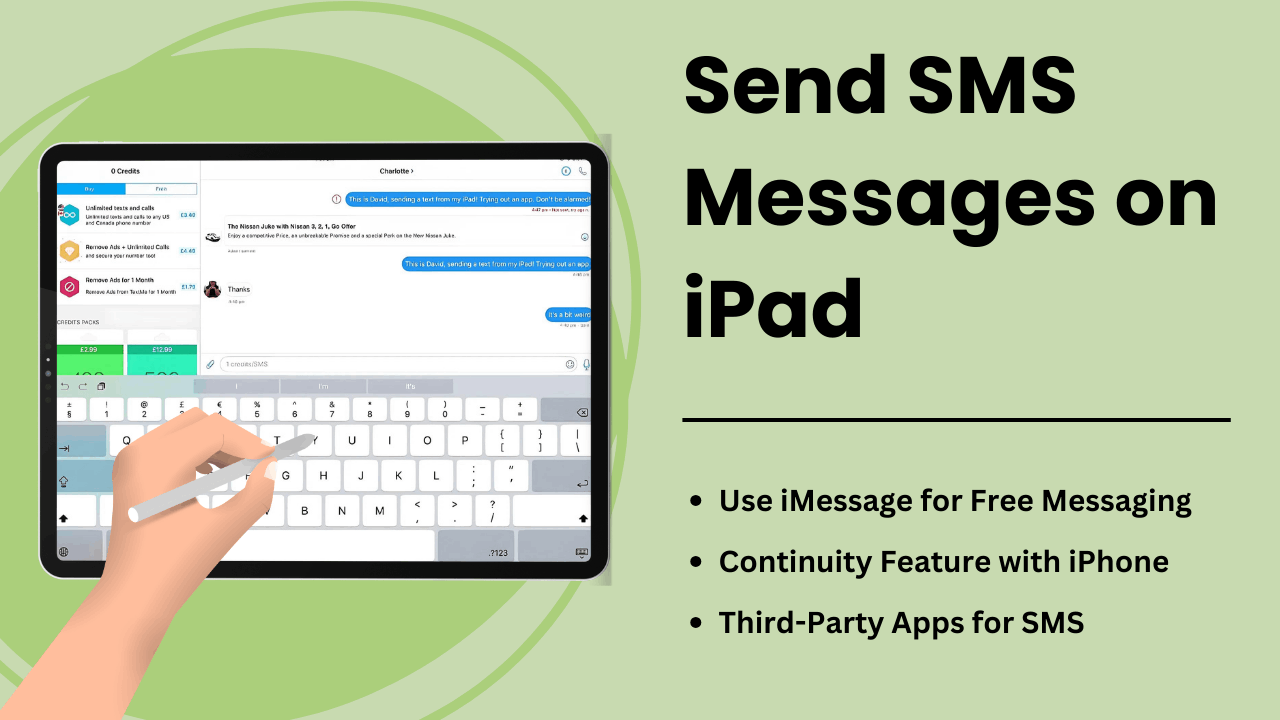
يتيح إرسال رسائل SMS على iPad للمستخدمين توسيع وظائف الجهاز اللوحي، وتحويله إلى أداة اتصال قوية. على الرغم من أن أجهزة iPad غير مجهزة بقدرات الرسائل النصية القصيرة الأصلية مثل أجهزة iPhone، إلا أن ميزة الاستمرارية من Apple وتطبيقات المراسلة التابعة لجهات خارجية توفر طرقًا ملائمة لإرسال واستقبال الرسائل النصية على الجهاز.
سواء كنت محترفًا تتطلع إلى تبسيط التواصل أو مستخدمًا يوميًا يسعى إلى سهولة الوصول، فإن فهم كيفية عمل الرسائل القصيرة على جهاز iPad يمكن أن يحسن تجربة المستخدم بشكل كبير. يستكشف هذا الدليل الأساليب والجوانب الفنية والفوائد ونصائح استكشاف الأخطاء وإصلاحها إرسال رسائل SMS على جهاز iPad.
الوجبات السريعة الرئيسية:
- ميزة الاستمرارية من Apple: يمكنك إرسال واستقبال الرسائل القصيرة على جهاز iPad عندما يكون مقترنًا بجهاز iPhone عبر نفس معرف Apple.
- تطبيقات الطرف الثالث: تتيح خدمات الرسائل القصيرة مثل Google Voice أو WhatsApp للمستخدمين تجاوز الحاجة إلى جهاز iPhone.
- ترحيل الرسائل القصيرة: العملية الفنية التي تسمح لجهاز iPad بإرسال رسائل نصية قصيرة عبر iPhone باستخدام مزامنة iCloud وApple ID.
- إنتاجية محسنة: مع شاشة أكبر وميزات متعددة المهام، يوفر iPad تجارب مراسلة محسنة.
- نصائح لاستكشاف الأخطاء وإصلاحها: يمكن إصلاح المشكلات الشائعة مثل فشل الرسائل عن طريق ضبط الإعدادات أو مزامنة أجهزة Apple الخاصة بك بشكل صحيح.
ما هو إرسال رسائل SMS على iPad
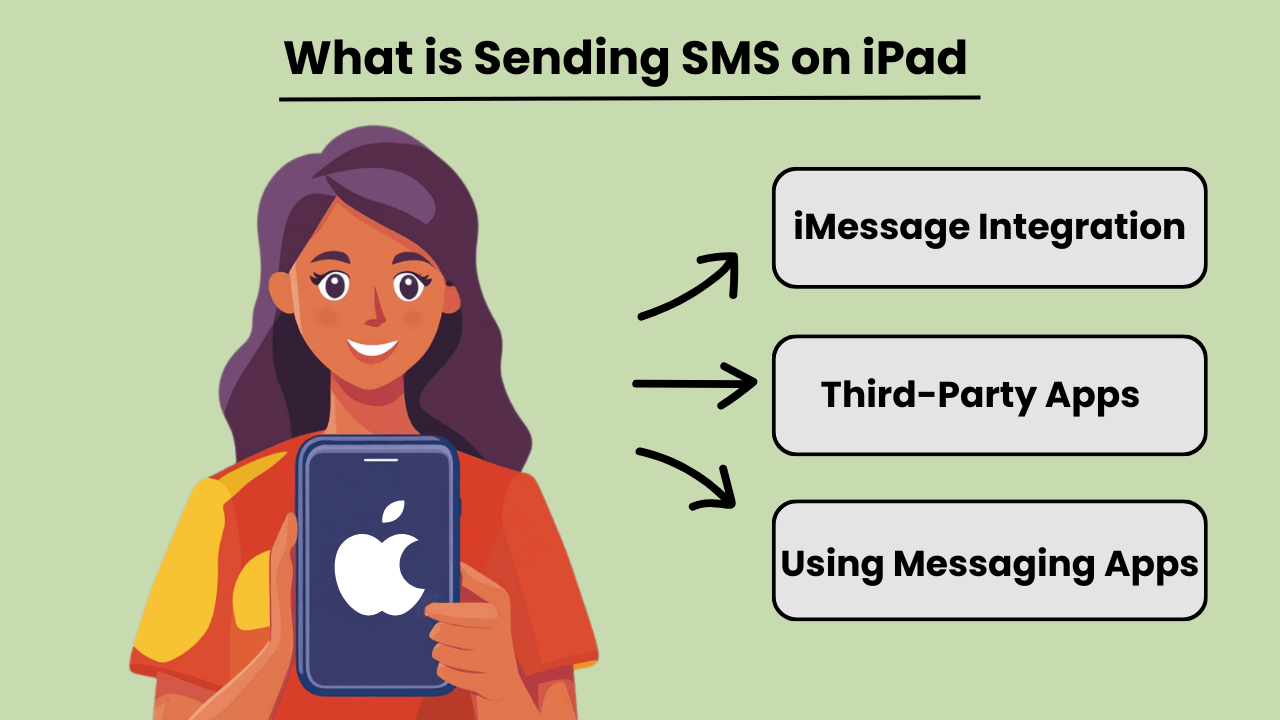
إرسال رسائل SMS على جهاز iPad يسمح للمستخدمين بإرسال واستقبال الرسائل النصية التقليدية، على الرغم من أن أجهزة iPad ليست مصممة بطبيعتها للاتصالات الخلوية مثل أجهزة iPhone. من خلال التكامل مع iPhone أو باستخدام تطبيقات المراسلة التابعة لجهات خارجية، يمكن للمستخدمين الوصول الرسائل القصيرة القدرات. تصبح هذه الميزة متاحة عندما يتم تسجيل دخول كل من iPad وiPhone إلى نفس معرف Apple، باستخدام ميزة الاستمرارية من Apple.
بالإضافة إلى اتصال iPhone، تقدم العديد من التطبيقات الرسائل القصيرة القدرات مباشرة على جهاز iPad، مما يسمح للمستخدمين بالوصول إلى الأجهزة غير التابعة لشركة Apple. باستخدام تطبيقات مثل Google Voice أو WhatsApp، يمكن للمستخدمين تجاوز الاعتماد على الهاتف تمامًا وإرسال الرسائل القصيرة عبر اتصال الإنترنت بجهاز iPad الخاص بهم.
أهمية الرسائل النصية القصيرة على iPad
يتم تحسين الرسائل النصية القصيرة على جهاز iPad تعدد استخدامات الجهاز، مما يجعله أكثر فائدة للمستخدمين الذين يعتمدون على التواصل الدائم. بالنسبة للمحترفين أو الأفراد الذين يفضلون شاشة أكبر، فإن إرسال النصوص عبر جهاز iPad يمكن أن يسهل الاتصال دون الحاجة إلى التبديل بين الأجهزة. إنه يجلب فوائد الرسائل النصية من سطح المكتب إلى جهاز لوحي محمول، مما يسمح بسير العمل بسلاسة.
بالإضافة إلى ذلك، يمكن أن تؤدي القدرة على إرسال الرسائل القصيرة مباشرة من جهاز iPad إلى تحسين إمكانية الوصول، خاصة للمستخدمين الذين قد يواجهون صعوبة في الكتابة على الأجهزة الصغيرة. يساعد تكامل تطبيقات المراسلة أو Continuity في الحفاظ على مركزية جميع الاتصالات على جهاز واحد.
مزايا دمج iPad مع ميزات الرسائل النصية القصيرة
Integrating SMS features on an iPad offers several advantages, such as improved productivity and convenience. By linking an iPhone and iPad, users can send and receive messages from any device. This ensures that important conversations are not missed while switching between devices. This seamless transition between devices fosters greater flexibility.
علاوة على ذلك، فإن استخدام التطبيقات التي تدعم الرسائل النصية القصيرة على أجهزة iPad يسمح للمستخدمين بالتواصل دوليًا دون تكبد رسوم رسائل نصية باهظة الثمن، مما يجعله حلاً فعالاً من حيث التكلفة. تعمل الشاشة الأكبر حجمًا وخيارات لوحة المفاتيح القوية على iPad أيضًا على تحسين تجربة المراسلة الشاملة.
كيف يعمل إرسال الرسائل القصيرة على iPad: نظرة فنية عامة
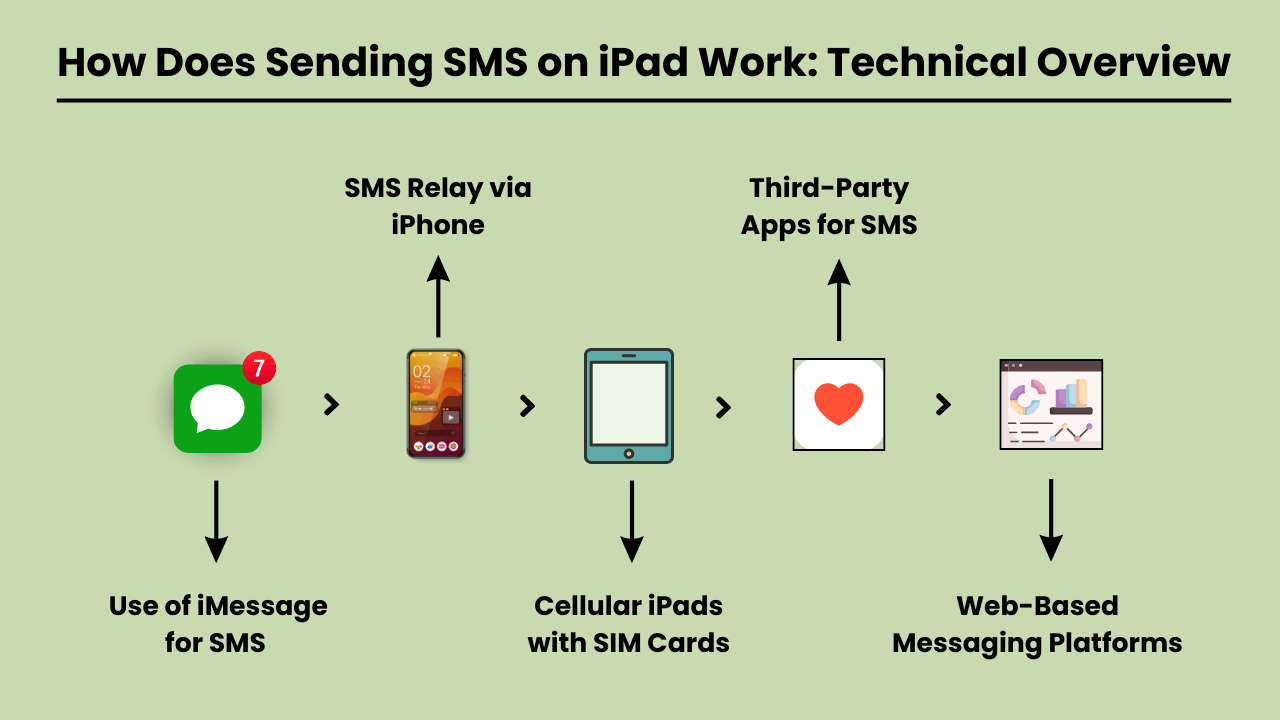
إرسال رسائل SMS on an iPad involves using a technical system that integrates with both iOS and cellular carrier services. Since iPads are typically Wi-Fi-only devices or rely on cellular data, they lack native SMS functionality found in traditional phones.
To enable SMS on an iPad, Apple uses a feature called SMS Relay, which is part of the Continuity suite in iOS. SMS Relay allows iPads to send and receive SMS and MMS messages through a paired iPhone, bridging the gap between the device’s limitations and the capabilities of cellular networks.
This process relies on the seamless integration of iCloud services, Apple ID, and carrier support to ensure messages are delivered as they would be from a traditional phone.
ترحيل الرسائل القصيرة وخدمات iCloud
ترحيل الرسائل القصيرة هو العمود الفقري ل إرسال رسائل SMS on an iPad. When you send a message from an iPad, the message is first routed through iCloud to the paired iPhone. The iPhone then sends the message through the cellular network as an SMS.
Similarly, when a message is received on the iPhone, it is relayed to the iPad via iCloud, enabling a synchronized messaging experience across devices.
This functionality requires that both the iPad and iPhone are signed in to the same iCloud account and connected to the same Wi-Fi network, although sometimes Bluetooth pairing can enhance this communication.
دور iOS في تكامل الرسائل القصيرة
The iOS system plays a critical role in integrating SMS functionality on iPads. It manages the handoff between devices, allowing seamless communication between the iPhone and the iPad.
The Messages app on iOS is designed to handle both iMessages and SMS/MMS, and when SMS Relay is enabled, iOS automatically determines which type of message should be sent based on the recipient.
The iOS ecosystem ensures that even though the iPad lacks cellular connectivity for SMS, it can leverage the iPhone’s network capabilities to send and receive messages.
خدمات الناقل تمكين ترحيل الرسائل القصيرة
Carrier services are essential for making SMS Relay work, as they are responsible for transmitting SMS and MMS through the cellular network. While iCloud handles the relay between Apple devices, it is the carrier that ensures the actual delivery of the messages to non-Apple devices.
For this reason, the iPhone involved in the SMS Relay must have a valid carrier plan that supports SMS services. Carrier compatibility is crucial, as not all carriers may fully support all aspects of Apple’s Continuity features, especially when it comes to international networks.
فوائد إرسال الرسائل القصيرة على iPad: لماذا يجب عليك استخدامها
The iPad has become an essential tool for communication, offering convenience, versatility, and ease of use. One of the key features is the ability to send SMS messages directly from the device.
Whether you’re at home, in the office, or on the go, إرسال رسائل SMS على جهاز iPad فوائد كبيرة تعمل على تحسين تجربة الاتصال الخاصة بك. شاشة iPad الأكبر حجمًا، والواجهة البديهية، والقدرة على المزامنة مع أجهزة Apple الأخرى الرسائل النصية جهد وأكثر كفاءة.
Additionally, SMS functionality on an iPad provides seamless connectivity, allowing users to stay in touch with friends, family, and colleagues from virtually anywhere. With the rise of digital communication, using an iPad to send SMS is not only practical but also a smart choice for modern users.
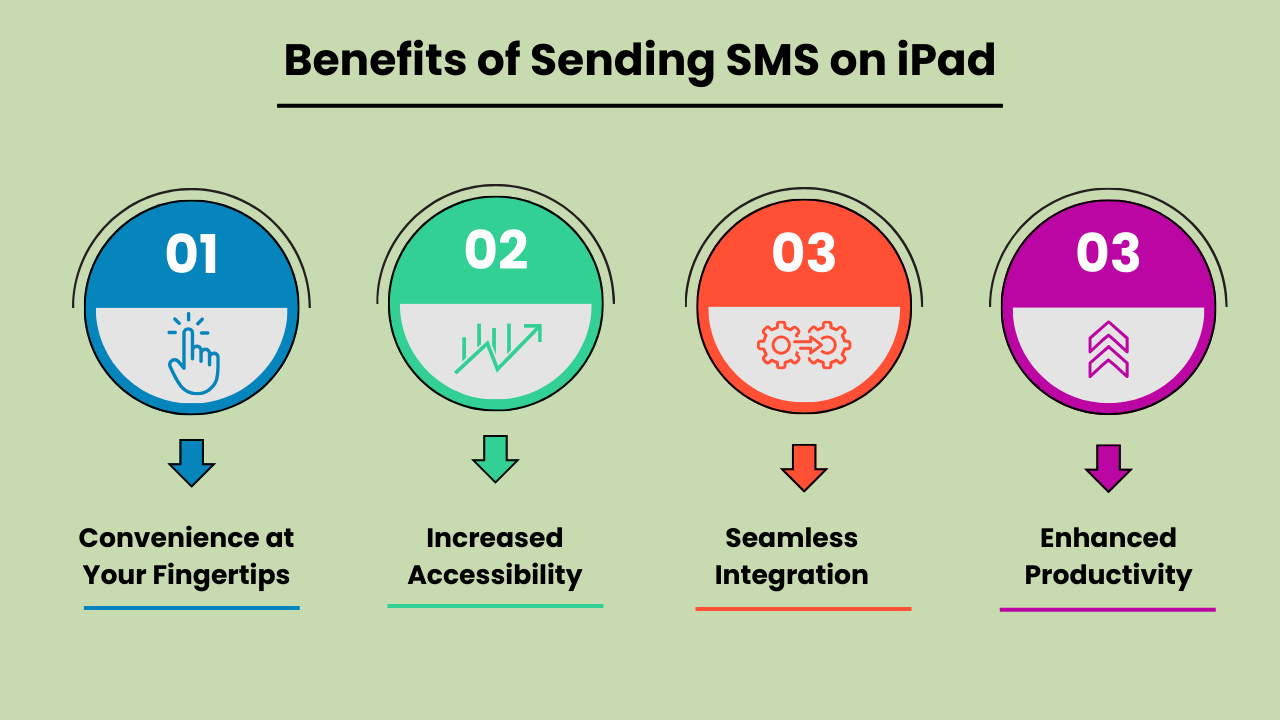
الراحة في متناول يدك
يوفر إرسال رسائل SMS على جهاز iPad راحة لا مثيل لها. على عكس الهواتف المحمولة التقليدية، تسمح شاشة iPad الأكبر حجمًا بالكتابة وقراءة الرسائل بشكل أكثر راحة. سواء كنت ترسل تحديثًا سريعًا أو تجري محادثة موسعة، فإن واجهة iPad سهلة الاستخدام تضمن إرسال رسائلك بسهولة. هذه الراحة تجعله جهازًا مثاليًا لاحتياجات الاتصال الشخصية والمهنية.
زيادة إمكانية الوصول
The iPad’s SMS functionality provides increased accessibility, especially for individuals who might find smaller mobile devices difficult to use. The larger, clearer screen is particularly helpful for those with visual impairments or limited dexterity. Additionally, with the ability to connect to Wi-Fi, users can send SMS messages without relying solely on a mobile network. This ensures accessibility even in areas with poor cell service.
التكامل السلس مع أجهزة Apple الأخرى
One of the biggest advantages of Send SMS Messages on an iPad is its seamless integration with other Apple devices. Messages sent on an iPad can be synced across all devices within the Apple ecosystem, including iPhones and MacBooks.
This feature allows users to pick up conversations from any device, providing flexibility and continuity in communication. It enhances productivity by ensuring that no messages are missed, regardless of the device being used at the moment.
إنتاجية محسنة لتعدد المهام
Using an iPad to send SMS boosts productivity, particularly for multitaskers. With the iPad’s split-screen feature, you can send messages while simultaneously browsing the web, taking notes, or working on other tasks. This multitasking capability is especially beneficial for professionals who need to communicate while working on projects or accessing information on the go.
The ability to handle multiple tasks efficiently on one device makes the iPad a powerful tool for staying productive and connected.
اختيار أفضل طريقة لإرسال الرسائل القصيرة على iPad: الخيارات والاعتبارات
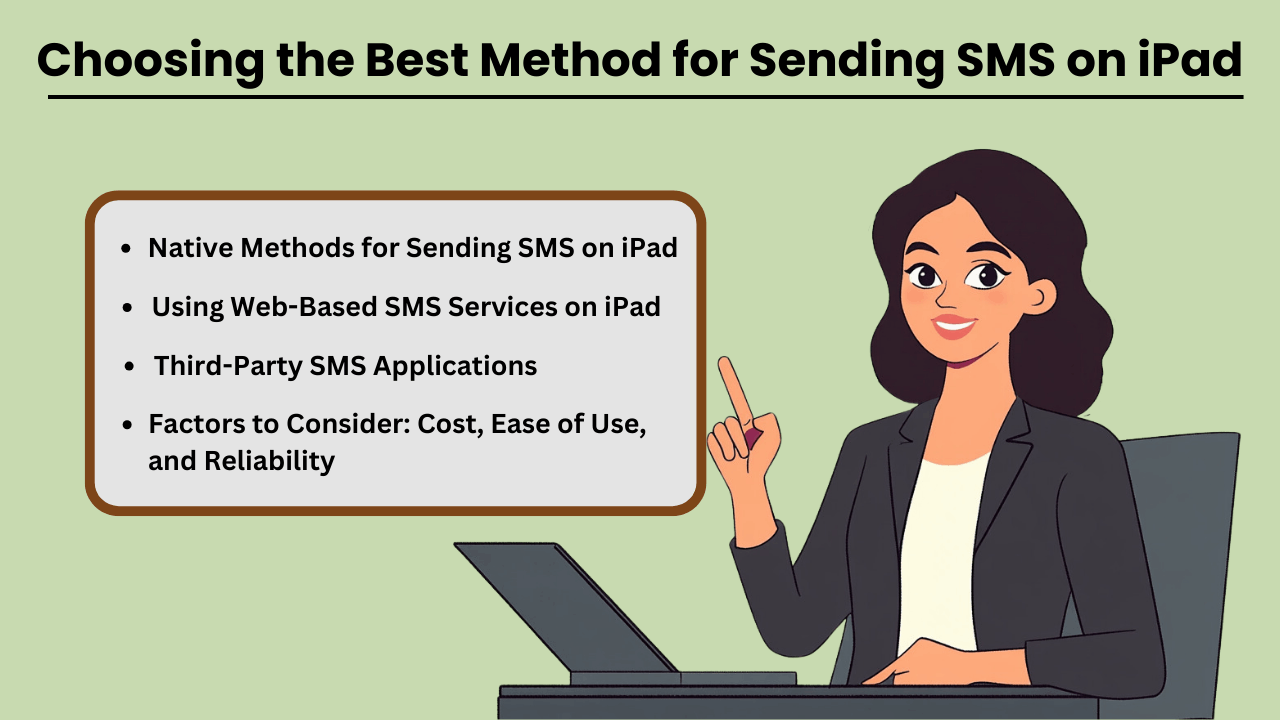
Send SMS Messages on an iPad can be done through several methods, both native and third-party. While iPads are not designed for direct SMS capabilities like iPhones, Apple has made it possible through its continuity features.
This allows users to send and receive text messages if they own an iPhone paired with their iPad via iMessage. Additionally, third-party apps provide robust solutions for SMS sending without an iPhone, often catering to business or high-volume needs.
When selecting a method, factors such as cost, ease of use, and reliability play crucial roles in determining the most suitable option for both personal and business use.
الطرق الأصلية لإرسال الرسائل القصيرة على iPad
If you already own an iPhone, Apple’s native messaging solution, iMessage, allows you to send SMS from your iPad seamlessly. This method leverages Apple’s ecosystem, offering a smooth experience with minimal setup.
The advantage of this approach is that it is highly reliable, as it uses your iPhone’s mobile network to relay messages through the iPad. Moreover, it is cost-effective since you don’t need any additional apps or subscriptions, making it an ideal solution for casual, everyday use.
تطبيقات الرسائل القصيرة لطرف ثالث
بالنسبة لأولئك الذين ليس لديهم جهاز iPhone أو يحتاجون إلى ميزات متقدمة، توفر تطبيقات الطرف الثالث مثل Google Voice وTextNow وWhatsApp بدائل. تم تصميم هذه التطبيقات لهذا العرض رسالة قصيرة functionality using a data or Wi-Fi connection, enabling users to send messages globally.
These services can be more versatile than iMessage, as they allow communication with non-Apple devices without relying on phone network continuity. While some services are free, others come with premium features at a cost, offering features like message scheduling, إرسال بالجملةوالتقارير المتقدمة.
العوامل التي يجب مراعاتها: التكلفة، وسهولة الاستخدام، والموثوقية
When choosing the best method for sending SMS on your iPad, it is essential to weigh factors such as cost, ease of use, and reliability. Native methods like iMessage come at no extra cost but require an iPhone, whereas third-party apps may involve subscription fees or in-app purchases.
Ease of use also varies, with native options generally being simpler for Apple users. However, third-party apps often provide a wider range of features, especially for business purposes. Reliability is critical as well—native methods tend to be highly dependable, while the reliability of third-party apps may vary based on network quality and app provider stability.
استخدام خدمات الرسائل النصية القصيرة المستندة إلى الويب على iPad
Web-based SMS services are another option for sending texts from your iPad, especially if you don’t want to install additional apps. Services like Twilio, SendPulse, and ClickSend allow users to send SMS directly from their browser.
These platforms are ideal for businesses needing bulk messaging or marketing solutions, providing features such as automation, message scheduling, and analytics. While highly functional, these services often require a subscription and may not be as user-friendly for personal use. However, they are an excellent choice for those looking for scalability and advanced messaging capabilities.
استكشاف المشكلات الشائعة وإصلاحها عند إرسال الرسائل القصيرة على iPad: الحلول والإصلاحات
إرسال رسائل SMS على جهاز iPad can be a convenient way to stay connected. But users often encounter various issues that can disrupt the experience. The most common problems include the inability to send messages, message delivery failures, and issues related to syncing with iPhone or cellular networks.
These problems can arise due to several reasons, such as incorrect settings, software bugs, or carrier-related issues. Fortunately, most of these problems can be resolved with a few troubleshooting steps. In this guide, we’ll explore the common errors and offer practical solutions to get your iPad’s messaging feature back on track.
Whether the issue lies with the device, network, or settings, these tips will help you fix it quickly and efficiently.
الأخطاء والمشكلات الشائعة عند إرسال الرسائل القصيرة على iPad
One of the most common issues iPad users face is not being able to send or receive SMS messages through the Messages app. This issue often occurs if your iPad is not properly synced with your iPhone or cellular service.
Additionally, software glitches, incorrect message settings, or a weak Wi-Fi connection can lead to these failures. Another issue could be related to network connectivity or problems with the carrier settings, which might prevent the iPad from sending SMS, even though it is connected to Wi-Fi.
نصائح وحلول لاستكشاف الأخطاء وإصلاحها
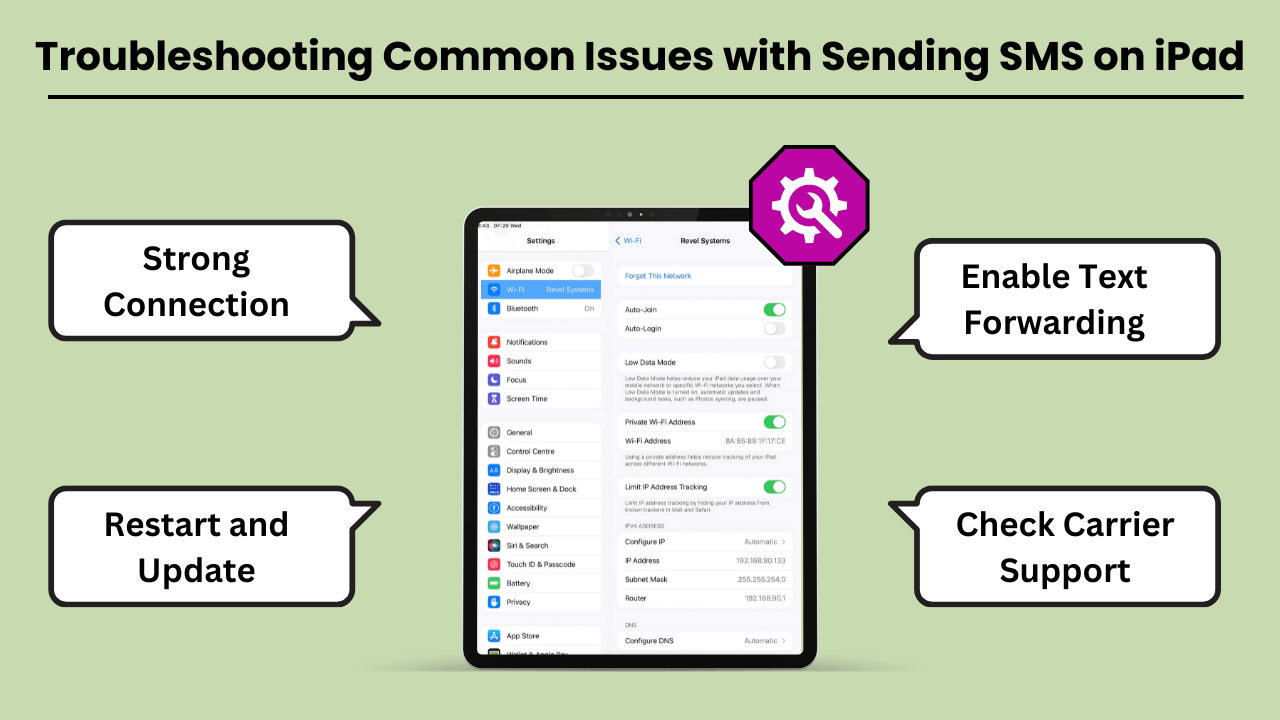
If you are unable to send SMS messages on your iPad, the first step is to check your device settings. Ensure that your iPad is connected to the same Apple ID as your iPhone and that Text Message Forwarding is enabled.
If the issue persists, restarting your iPad and checking for any available software updates can often resolve bugs. Additionally, ensure that your carrier supports SMS on the iPad, and consider resetting network settings to clear out any connection-related issues. Another tip is to make sure you have a strong Wi-Fi or cellular connection.
خاتمة
Sending SMS Messages on an iPad brings convenience, especially for users who appreciate a larger screen and the ability to sync messaging across devices. By using the Continuity feature, iPads seamlessly integrate with iPhones to enable SMS functionality, while third-party apps expand the messaging capabilities even further.
This integration not only improves communication but also boosts productivity by allowing users to send messages without switching between devices. Understanding the setup, technical process, and troubleshooting tips ensures a smooth experience for both personal and professional use.
Additionally, utilizing SMS on an iPad offers greater flexibility and accessibility, particularly for users who prefer working on a larger screen or require assistive features. It bridges the gap between multiple devices, ensuring that important conversations continue uninterrupted.
Whether for personal messaging or professional communication, Sending SMS Messages on an iPad not only enhances user convenience but also streamlines workflows. This makes it a valuable tool in the Apple ecosystem. With a better understanding of how SMS works on the iPad, users can fully harness its potential for seamless, on-the-go communication.
الأسئلة المتداولة
يمكنك استخدام تطبيقات المراسلة التابعة لجهات خارجية مثل Google Voice أو WhatsApp أو TextNow لإرسال رسائل نصية قصيرة باستخدام اتصال الإنترنت بجهاز iPad.
نعم، إذا كنت تستخدم ميزة الاستمرارية مع جهاز iPhone الخاص بك، فيجب أن يكون كلا الجهازين على نفس شبكة Wi-Fi. وبدلاً من ذلك، تعتمد تطبيقات الطرف الثالث على اتصال Wi-Fi أو اتصال البيانات.
تحقق مما إذا كان كلا الجهازين قد تم تسجيل دخولهما إلى نفس معرف Apple وأن إعادة توجيه الرسائل النصية ممكّنة على جهاز iPhone الخاص بك. يمكن أن تؤدي إعادة تشغيل كلا الجهازين أيضًا إلى حل هذه المشكلة
Apps like Google Voice, WhatsApp and TextNow allow you to send SMS on your iPad without needing an iPhone.
نعم، يتيح لك استخدام تطبيقات مثل WhatsApp أو TextNow أو Google Voice إرسال رسائل نصية قصيرة دولية بتكلفة أقل أو بدون تكلفة، اعتمادًا على ميزات التطبيق.


